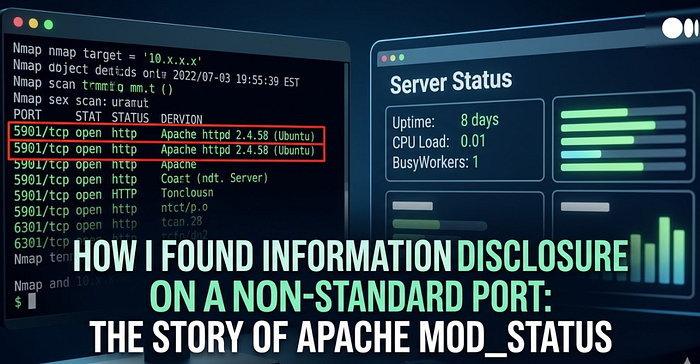

In security research, we often focus on standard ports like 80 or 443. However, sometimes security vulnerabilities lurk in "side doors" that administrators rarely notice. In this article, I will share my experience discovering sensitive information exposure on non-standard ports using the Apache mod_status module.
It is important to remember: everything in this article is for educational purposes only.
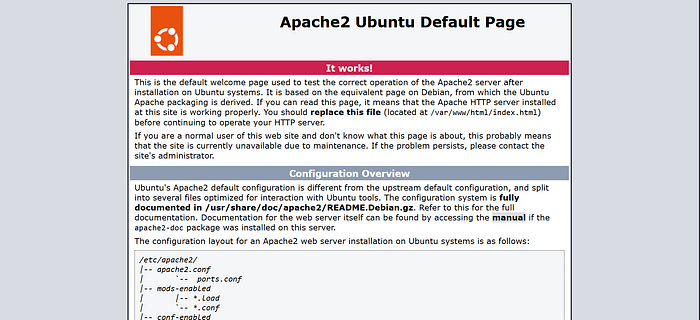
Stage 1: Reconnaissance (Nmap) It all started with a routine reconnaissance run using nmap. I used the -sC (default script) and -sV (version detection) flags to understand what services were running on the target server.
Command:
nmap -sC -sV [REDACTED_TARGET]Findings: I found port 5901 open. Initially, this port was usually associated with VNC, but the scan revealed a different service:
5901/tcp open http Apache httpd 2.4.58 ((Ubuntu))
|_http-title: [REDACTED_APP_NAME]
|_http-server-header: Apache/2.4.58 (Ubuntu)
Analysis: The presence of a web server on port 5901 suggests that this is likely an administration portal or a dedicated service that may be less secure than the main port.
Step 2: Directory Fuzzing (FFUF) To dig deeper, I fuzzed the directory using ffuf and the wordlist common.txt. I wanted to see if any entry points or sensitive files were exposed.
Command:
ffuf -u http://[REDACTED_TARGET]:5901/FUZZ -w /usr/share/wordlists/dirb/common.txt -mc 200,301,302Result:One endpoint that caught my attention was:/server-status (Status: 200 OK)
Stage 3: Exploitation & Analysis The mod_status module in Apache is designed to provide server performance statistics to administrators. However, if not configured properly (without IP access restrictions), this module can be accessed by anyone.
Initially, I tried accessing it directly using a browser, but it didn't work. Then, I tried accessing it using curl:
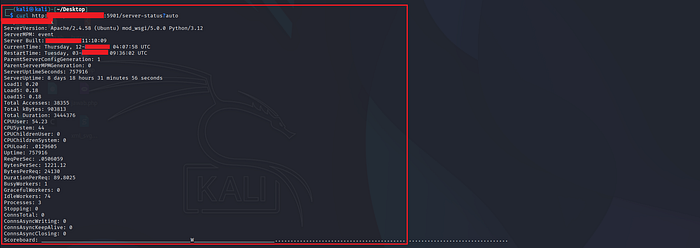
curl http://[REDACTED_TARGET]:5901/server-status?auto
curl -v http://[REDACTED_TARGET]:5901/server-status
Leaked Information:
- Software Version: Details down to the Python and WSGI modules used.
- Server Uptime: Tells the attacker when the server was last restarted.
- Real-time Request: (If not using ?auto) Shows the visitor's IP address and the URL they are accessing. This could lead to the leak of PII (Personally Identifiable Information) or session tokens in the URL.
Conclusion Security vulnerabilities don't always involve complex attacks. Sometimes, a misconfiguration of a service on a non-standard port is enough to provide valuable information to an attacker. Always audit all open ports, not just the standard ones.
As an administrator, it is very important to close public access to the monitoring module.