
Web application security is often described through tools, payloads, and checklists. In practice, I've found that effective testing depends far more on structured thinking and understanding how an application is meant to behave. As a red team intern working primarily on web application testing, I've learned that having a clear, repeatable workflow matters more than trying to test everything at once.
This article outlines the approach I currently follow when testing a website. It reflects my present level of experience, the reasoning behind each step, and the lessons I've learned through hands-on work. This is not a complete or advanced methodology, but an honest snapshot of how I currently think through web application testing while continuing to improve.
Scope Awareness and Responsible Testing
Every assessment begins with understanding scope. Testing a website does not mean interacting with every accessible endpoint or feature. Scope defines which domains, functionalities, user roles, and actions are permitted, and which are explicitly out of bounds.
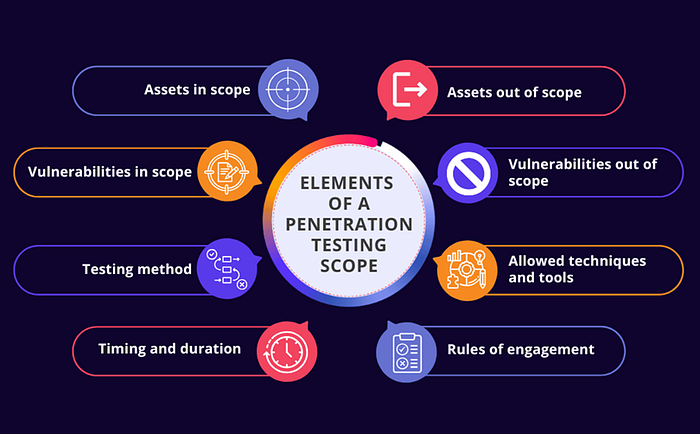
Earlier in my learning journey, I underestimated how much scope influences the quality of testing. I focused more on what I could test rather than what I should test. Over time, I realised that unclear scope leads to scattered effort and shallow findings. Respecting scope is not only a legal requirement, but also a practical one because it helps prioritise effort and keeps testing aligned with real objectives.
Clear scope awareness is one of the first signs of professional maturity in security testing.
Understanding the Application Before Testing It
Before performing any active testing, I spend time using the application as a normal user. This stage often feels slow but skipping it has consistently caused problems later.
During this phase, I focus on:
- The core purpose of the application
- User flows and navigation
- Authentication and authorisation logic
- Role-based access controls
I pay attention to how data moves through the application and where user input is accepted or processed. Forms, URL parameters, search fields, and API requests are noted. I also observe how the application behaves when inputs are invalid or incomplete.
Early on, I struggled to decide when to stop this exploration phase and move into active testing. I often felt like I hadn't "seen enough" yet. With experience, I've learned that understanding the application well does not mean understanding everything, but understanding enough to test with intent.
Reconnaissance and Enumeration with Intent
Reconnaissance is not about collecting as much information as possible. It's about answering a few specific questions well.

At this stage, I try to understand:
- What endpoints and parameters exist
- Which inputs are user-controlled
- Whether there are hidden or undocumented features
- What technologies appear to be in use
I combine manual exploration with selective tooling to support this process. Automated output is useful, but I've learned not to trust it blindly. Whenever something looks interesting, I validate it manually to understand how the application actually behaves.
This part often takes longer than I expect, but skipping it has always come back to cause confusion later.
Using Burp Suite as a Visibility and Analysis Tool
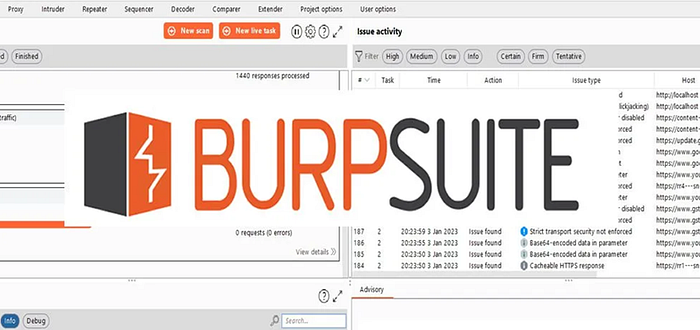
Burp Suite sits at the centre of my workflow, not as a scanner, but as a way to understand application behaviour.
By proxying traffic through Burp, I can:
- Observe request and response structures
- Identify parameters and data formats
- Analyse authentication and session handling
Repeater is the feature I rely on most. In one assessment, I spent nearly half an hour replaying a single request repeatedly just to understand how one parameter was being processed server-side. It felt slow at the time, but that level of inspection often reveals far more than automated checks.
Earlier on, I leaned too heavily on automated features without fully understanding the requests themselves. Learning to manually inspect and modify requests has been one of the most valuable shifts in my approach.
Testing for Vulnerabilities: Depth Over Quantity
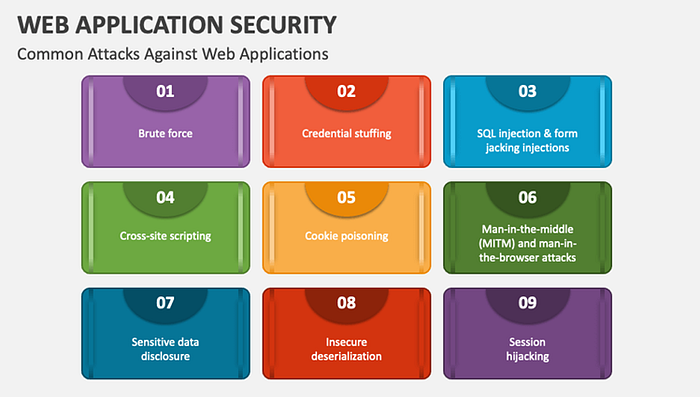
Instead of testing for many vulnerability categories at once, I now focus on fewer issues and analyse them more deeply.
When testing user input, I ask:
- Where does validation occur?
- Is input reflected, stored, or processed server-side?
- How does the application react to unexpected formats or values?
Rather than firing large payload lists, I make small changes and watch how responses differ. Subtle behavioural changes often reveal more than obvious error messages. At this stage, I find manual testing far more valuable than running automated scans without context.
Understanding why a vulnerability exists has become more important to me than simply proving that one can be triggered.
Validation and Risk Perspective
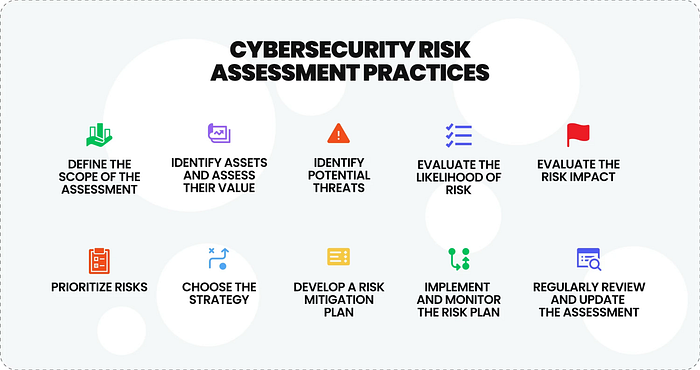
Finding something unusual does not automatically mean finding a vulnerability. Validation is the step where assumptions are tested.
I focus on:
- Reproducing behaviour consistently
- Ruling out false positives
- Assessing realistic impact
Some issues look serious initially but turn out to be low risk when examined closely. Others appear minor but have broader implications when chained with other behaviours. Thinking in terms of impact rather than just proof-of-concept has helped me better understand how security findings are evaluated in real environments.
Reporting Awareness and Communication
Even when I am not responsible for writing final reports, I keep reporting in mind throughout testing. Clear documentation makes collaboration easier and findings more useful.
I try to note:
- Exact reproduction steps
- Affected endpoints and parameters
- Expected versus actual behaviour
This mindset has helped me communicate more clearly with senior testers and has made feedback discussions more productive.
What I'm Actively Improving
Each assessment exposes areas where I need to improve. Right now, I am focusing on:
- Strengthening my understanding of JavaScript and modern web applications
- Using Python to automate repetitive reconnaissance tasks
- Improving my ability to identify logic flaws rather than relying only on technical vulnerabilities
I've found that recognising gaps early helps guide learning more effectively than trying to master everything at once.
Closing Reflection
Testing a website effectively requires more than technical knowledge. It requires patience, curiosity, and the ability to question assumptions about how an application should behave.
Writing this workflow made me realise how much my approach has already changed in a relatively short time. I expect it will continue to evolve as I gain experience. Documenting it helps me stay deliberate about how I test and how I improve.
If you'd like to follow my learning journey or connect professionally, you can find me on LinkedIn: https://www.linkedin.com/in/vidyapenumarthi/