In this post, I'll show how to patch an iOS application in order to bypass protections and enable dynamic analysis.
Introduction
This post is part of my new studies in pentesting and reverse engineering for iOS applications. I believe some of the topics are not new to certain people, but since this is something new to me and I have the habit of taking notes during my studies and/or applying what I've learned in a different way to better retain the topic, these posts will be my way of experimenting and reinforcing the knowledge.
At first, we will look at an application made specifically for testing called DVIA-v2. However, later on we will also see the same technique being applied to another app that is available on the App Store and belongs to a certain bank. This shows that, even though the technique is simple, it is also useful in real-world scenarios.
For this test, I am using an iPhone X running iOS 16.7.11. The jailbreak I am using is Palera1n.
What is patching?
A patch is the modification of a compiled binary. Usually, the person performing a patch on a binary does not have access to the source code.
Patching a binary can be done for several reasons, such as fixing a bug, modifying parts of the code to bypass restrictions, adding or removing features, among others.
Installing the App
After downloading the application, I installed it quickly using AirDrop. I sent the .IPA to the test iPhone and installed it using the TrollStore Lite tweak.
The challenge is basic level. As we can see in the image below, we need to change the phrase "I love Google" to "I love Apple".

Decompiling the App
Now that we know what we need to do, let's decompile the IPA and play with its binary. The IPA file is a zipped file that can be extracted and compressed again, as we will see during the patching process.
During this process, we will need radare2 installed. If you don't have it yet, you can use your OS package manager. On macOS, installation can be done via brew.
brew install radareAfter extracting the IPA and navigating to the binary. The binary name is the same as the IPA package name:
file DVIA-v2.ipa
unzip DVIA-v2.ipa
cd Payload/DVIA-v2.app
Now we can use radare2 to open the binary in write mode (Every change will be saved automatically):
r2 -w DVIA-v2Now that we are inside radare2 with the binary open, we need to analyze it. The command aaa performs the binary analysis. The command izz searches for strings in the app, and ~ filters by the string we want.
[0x1001a9790]> aaa
[0x1001a9790]> izz ~Google
11522 0x0035eeb6 0x10035eeb6 13   14   4.__TEXT.__cstring         ascii   I love Google
11868 0x003620a6 0x1003620a6 15   16   4.__TEXT.__cstring         ascii   GoogleAnalytics
21286 0x0046bac2 0x10046bac2 13   14                              ascii   GoogleClickId
26104 0x005b35e8 0x1005b35e8 31   32                              ascii   _kGAIInputCampaignGoogleClickId
Now, to navigate to the string and confirm it, we can use the s (seek) command to go to a specific address. We will also use psz to print the zero-terminated string.
[0x1001a9790]> s 0x10035eeb6
[0x10035eeb6]> psz
 I love Google
Now that we have confirmed the string, we can replace it. First, we will use a bash command inside r2. To run bash commands, we can use ! followed by the command, such as !ls, !whoami, etc.
Then we use wx to write in hexadecimal. Finally, we use psz again to confirm the change, and exit radare2 with q.
[0x10035eeb6]>!echo -n "I Love Apple " | xxd -p
2d6e2049204c6f7665204170706c6520
[0x10035eeb6]>wx 49204c6f7665204170706c6520
[0x10035eeb6]> psz
 I Love Apple
 [0x10035eeb6]> q
Perfect, now that we have patched the binary, we can compress the Payload folder again and install the IPA on our device. I will use AirDrop to send the app.
zip -r app-modificado.ipa Payload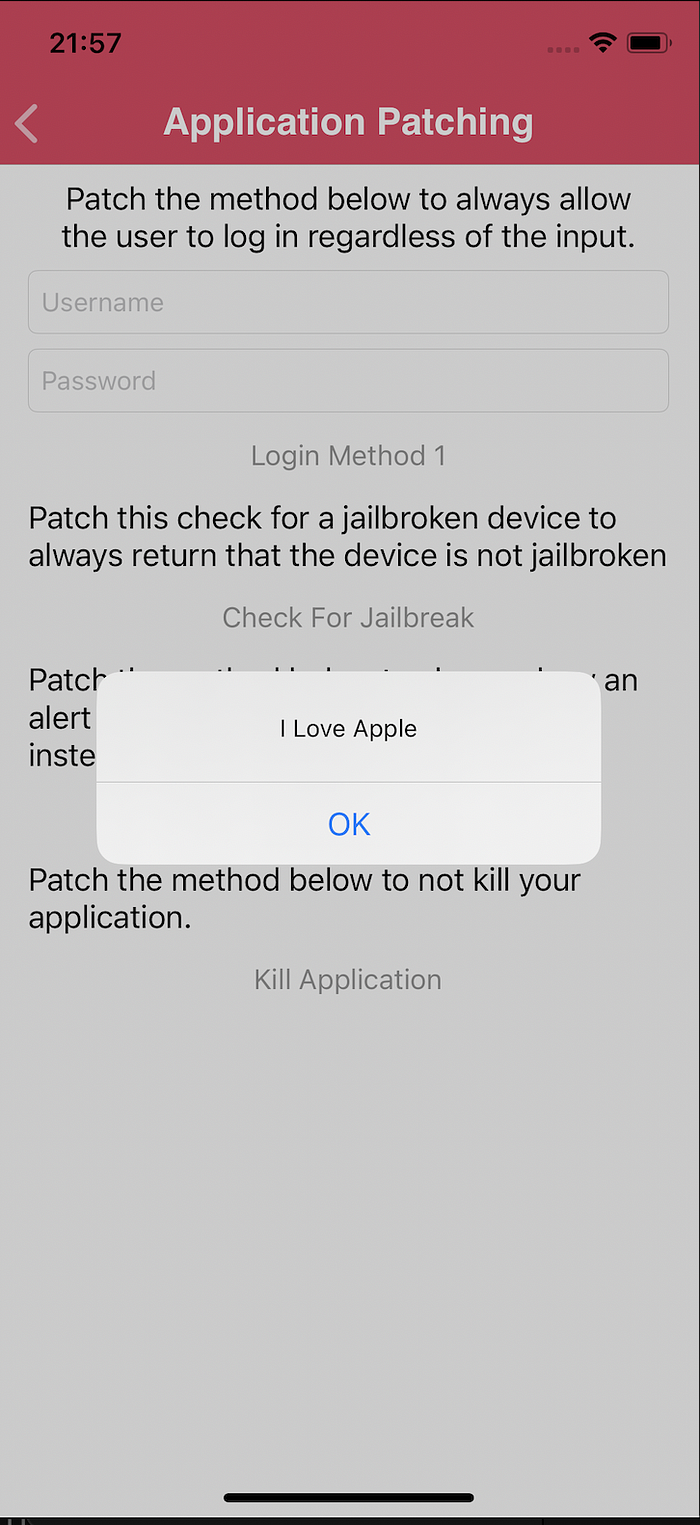
Bypassing detections in a real app
Now that we know how to patch using radare2, we will apply this to an App Store application, in a context of bypassing root, Frida, debugging, and other detections.
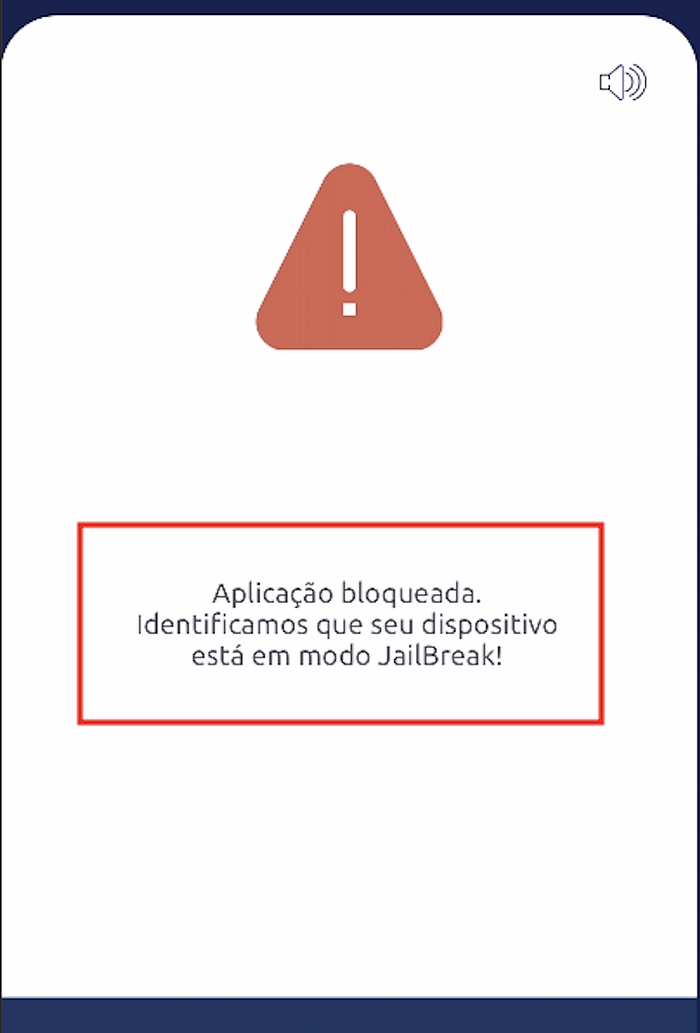
When running the application on the device, we see a lock screen due to jailbreak detection.
The first thing we need to do is extract the IPA from the device. There are different ways to do this, and one of the most common is using the tool frida-ios-dump.
python3 dump.py <Bundle ID>Now we can search for jailbreak-related code inside the application. We will use the tool ipsw to extract classes and methods. We will also use ag, which is like a "grep on steroids" :D
ipsw class-dump ./redacted --headers -o ./class_dump
cd class-dump
ag jailbreak
EstadoAplicacao.h
59:@property unsigned char erroJailBreak;
98:- (unsigned char)verificaJailBreak;
vim EstadoAplicacao.h +98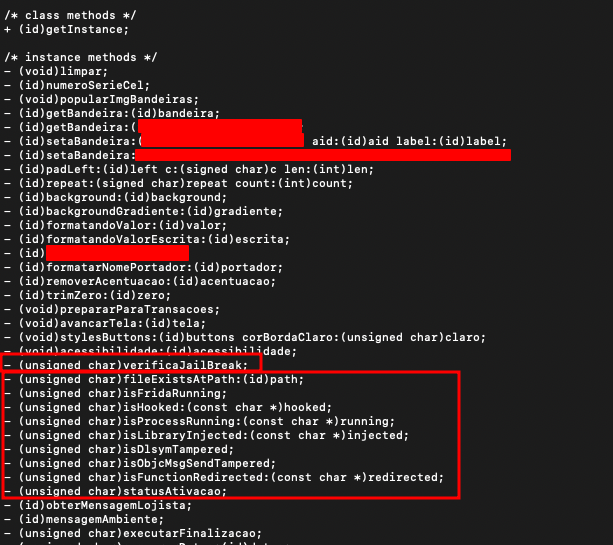
Here we can better understand the class and its methods, which helps us be more precise when searching in radare2.
cd Payload/redacted.app
r2 -w redacted
We can see that there is a Frida detection. So let's search for frida-server or frida to locate the function responsible for this.
[0x10002730c]> izz ~frida
4998 0x000d51da 0x1000d51da 12  13   9.__TEXT.__cstring         ascii   frida-server
[0x10002730c]> axt @0x1000d51da
[0x10002730c]> pdf  @0x1000202ec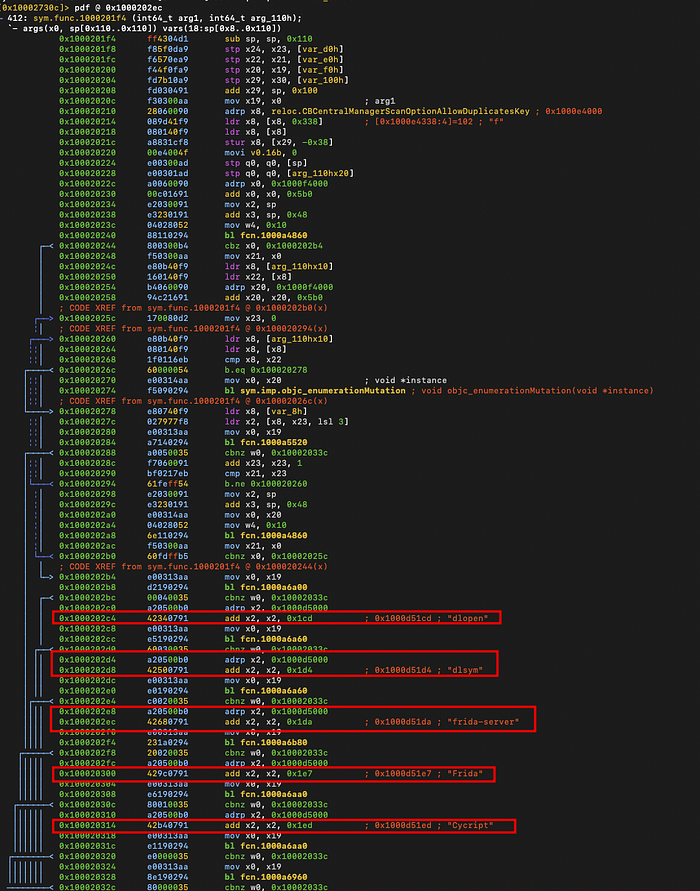
Here we can see that multiple checks are being performed. I won't go into the details of each one, but if you have difficulty reading ARM64 disassembly, I recommend using the pdc command instead of pdf. This will give you a C-like view of the code and make it easier to review.
Spend some time understanding the function.
Now, let's patch the first instructions of the function so that it returns immediately when executed. After that, we reinstall the app to verify the result.
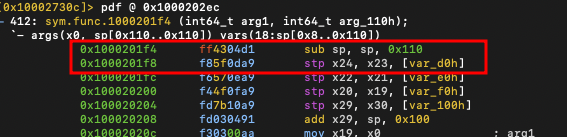
[0x10002730c]> wa mov x0, 0 @ 0x1000201f4
INFO: Written 4 byte(s) (mov x0, 0) = wx 000080d2 @ 0x1000201f4
[0x10002730c]> wa ret @ 0x1000201f8
INFO: Written 4 byte(s) (ret) = wx c0035fd6 @ 0x1000201f8
[0x10002730c]> pd2  @0x1000201f4
412: sym.func.1000201f4 (int64_t arg1, int64_t arg_110h);
│ `- args(x0, sp[0x110..0x110]) vars(18:sp[0x8..0x110])
│           0x1000201f4      000080d2       mov x0, 0
│           0x1000201f8      c0035fd6       ret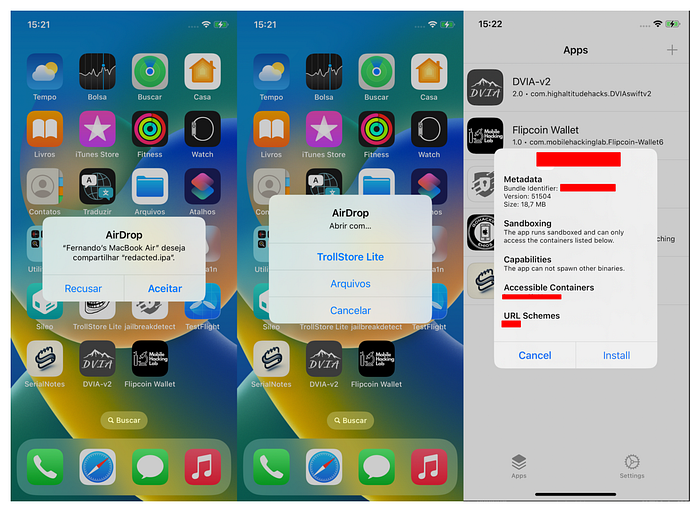
Here is the bypass completed. Now we can use and debug more functionalities of the application.