June 6, 2026
Splunk BOTS — Boss Of The Soc v3 Walkthrough Analysis
I talked about botsv3 in my last write-up here, and how to download it and add the logs to SPLUNK without any errors. From there, we will…

OxMotaw3
8 min read
I talked about botsv3 in my last write-up here, and how to download it and add the logs to SPLUNK without any errors. From there, we will start solving some CTF challenges related to this dataset. You can get these questions by downloading the SA-ctf_scoreboard and installing it as an app in Splunk. It's so easy to install, just follow the instructions to the end.
Note: the questions, answers, and hints will not be valid; the valid ones are samples, not the true ones. You need to request it from the Splunk team via email. I've sent them, and they sent me the 3 files after 3 days, so be patient.
Once you have the files, upload them through the Capture the Flag Admin app that you downloaded. It will lock as follows.
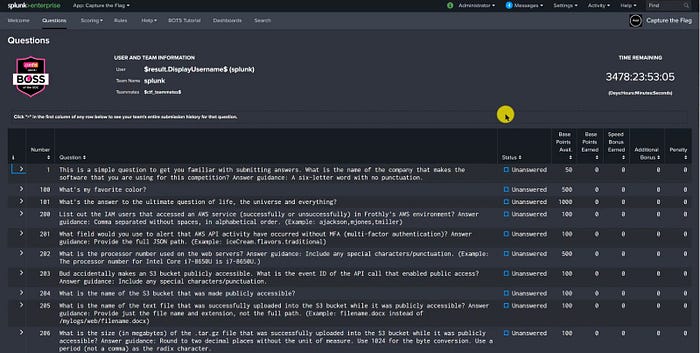
So, before we start solving the questions, I will add some macros for the answers, and hints to get them fast from the search to confirm the answers, and to get some hints during our investigation.

Add the name and definition like this to get the answers from the search directly, and the same for answers and hints.
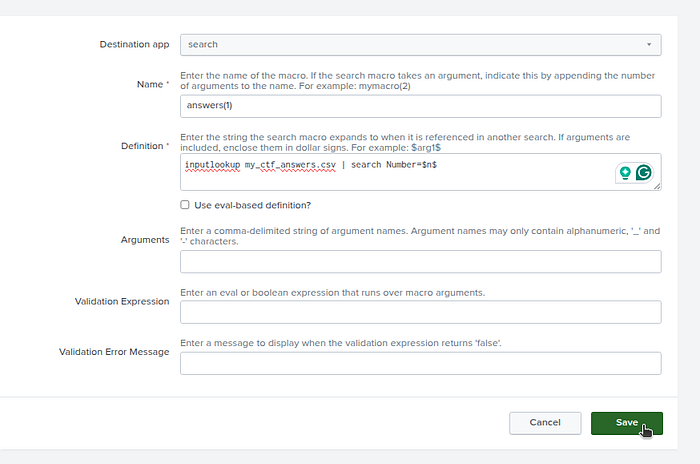
Do the same for hints ,
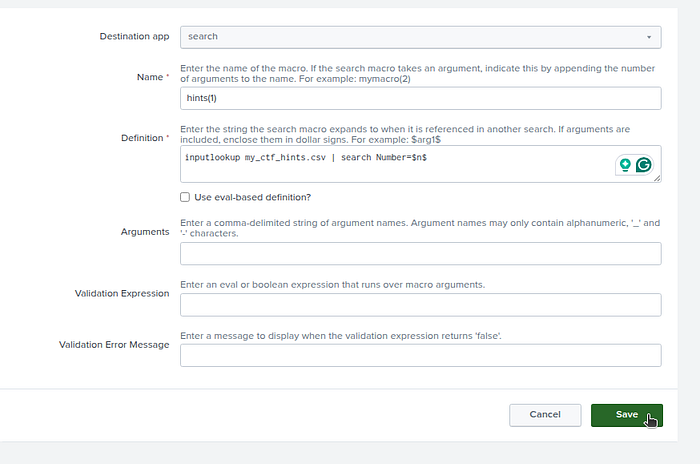
so when searching in the filter with the macro, you need to use this filter
| `hints(200)`| `hints(200)`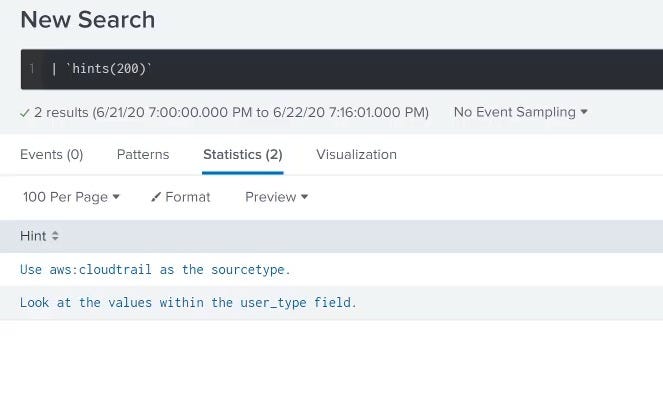
Now, let's jump to the questions.
Q1

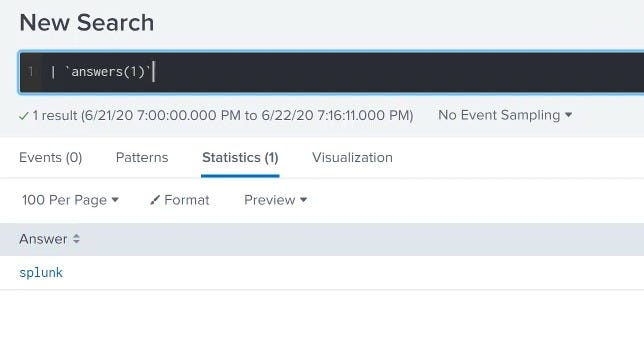
The answer is very easy: it's Splunk. You can ensure using the macro we created as follows.
Q200

So there are some Keywords here that may help a lot with the question, including AWS service and Frothly's AWS environment. Let's take a look at the sourcetypes we got to see the AWS logs using this search
| metadata index=botsv3 type=sourcetypes
| stats values(sourcetype)
| metadata index=botsv3 type=sourcetypes
| stats values(sourcetype)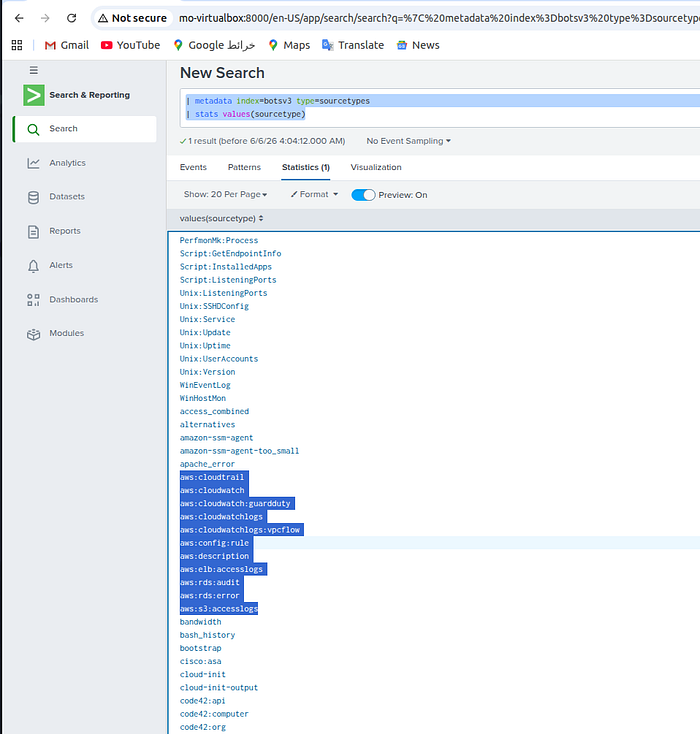
So, I know that aws:cloudtrail is the data source, i tryed to see to see if anything can be related to the users or the IAM users, so I ran this search.
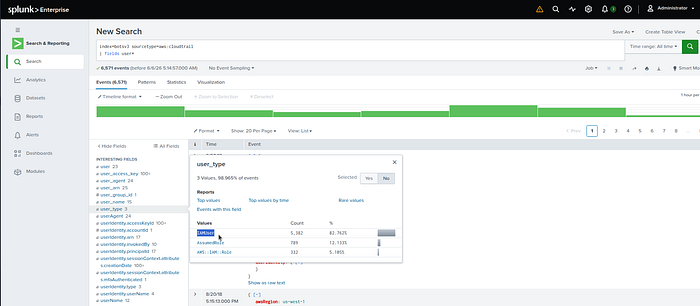
So, we will narrow our search a little to get the users that we are looking for using this filter (you can easily press on IAMUser and the search will update automatically).
index=botsv3 sourcetype=aws:cloudtrail user_type=IAMUser
| fields user*index=botsv3 sourcetype=aws:cloudtrail user_type=IAMUser
| fields user*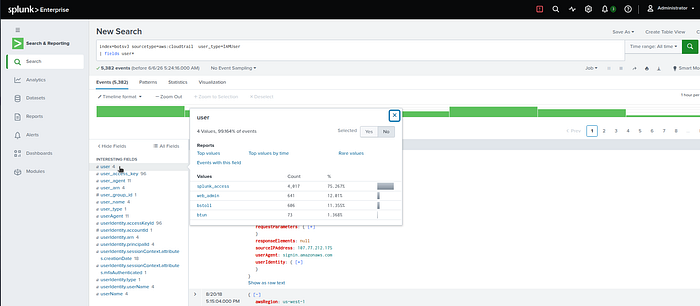
index=botsv3 sourcetype=aws:cloudtrail user_type=IAMUser
| stats values(user) as u
| nomv u
| rex mode=sed field=u "s/\s/,/g"index=botsv3 sourcetype=aws:cloudtrail user_type=IAMUser
| stats values(user) as u
| nomv u
| rex mode=sed field=u "s/\s/,/g"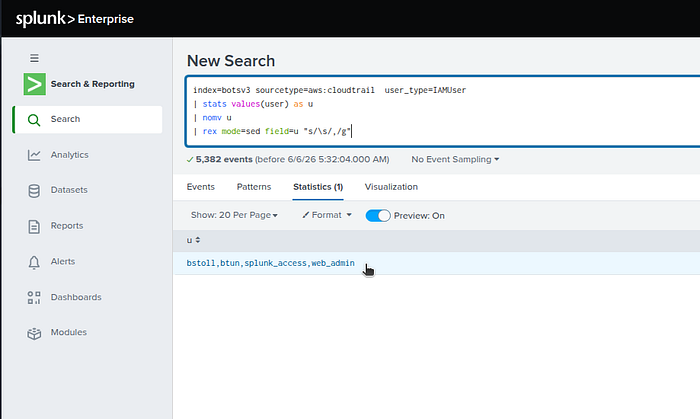
Or you can use the eval with mvjoin if the rex is hard for you, as follows.
index=botsv3 sourcetype=aws:cloudtrail user_type=IAMUser
| stats values(user) as u
| eval u=mvjoin(u,",")index=botsv3 sourcetype=aws:cloudtrail user_type=IAMUser
| stats values(user) as u
| eval u=mvjoin(u,",")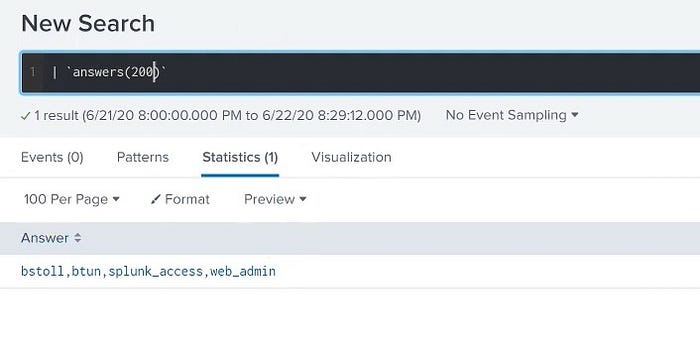
Q201

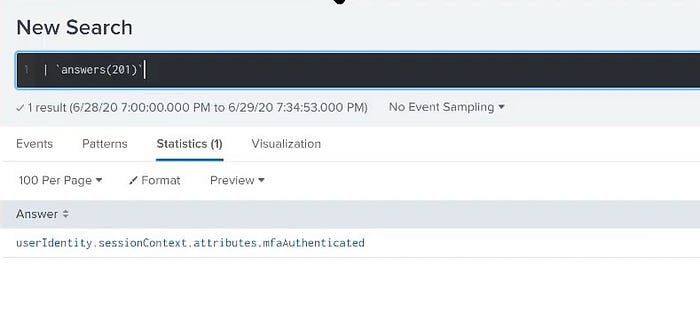
To answer this one, I used ChatGPT to know where AWS CloudTrail records MFA information, and it told me it records in the session context, and this is the CloudTrail JSON path that we will search with (our answer) "userIdentity.sessionContext.attributes.mfaAuthenticated".
Or you can use the fieldsummary search to search for the word "mfa" as it's a keyword from the question.
index=botsv3 sourcetype=aws:cloudtrail
| head 1
| fieldsummary
| search field=*mfa*index=botsv3 sourcetype=aws:cloudtrail
| head 1
| fieldsummary
| search field=*mfa*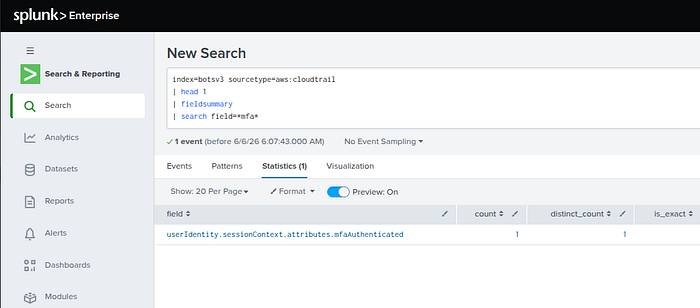
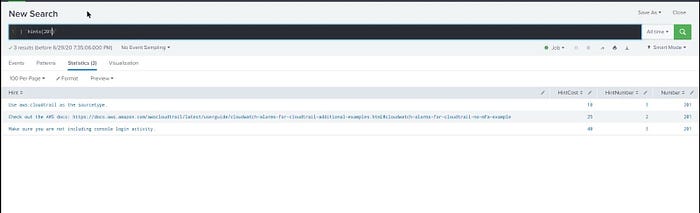
You can use hints also.
Q202

We need to know first which hosts are the web servers using this filter.
index=botsv3 sourcetype=access_combined
| stats count by hostindex=botsv3 sourcetype=access_combined
| stats count by host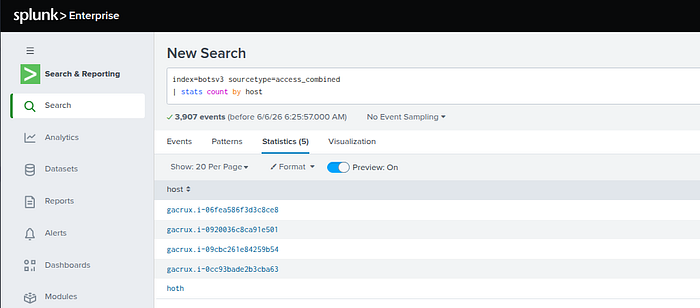
So, we pick the first one cause all are using the seem proccessor from the question keywords and see what the sourctypes that's in these servers.
index=botsv3 host=gacrux.i-06fea586f3d3c8ce8
| stats count by sourcetypeindex=botsv3 host=gacrux.i-06fea586f3d3c8ce8
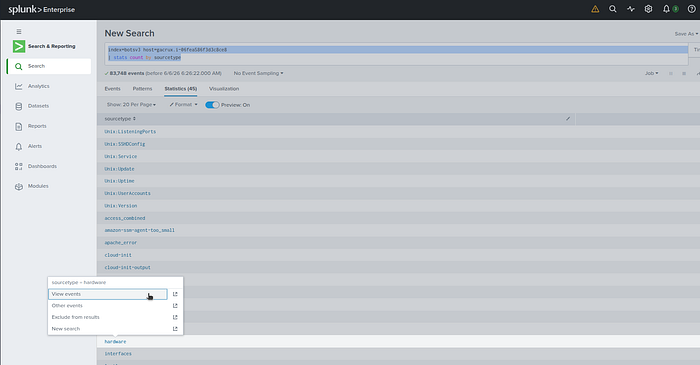
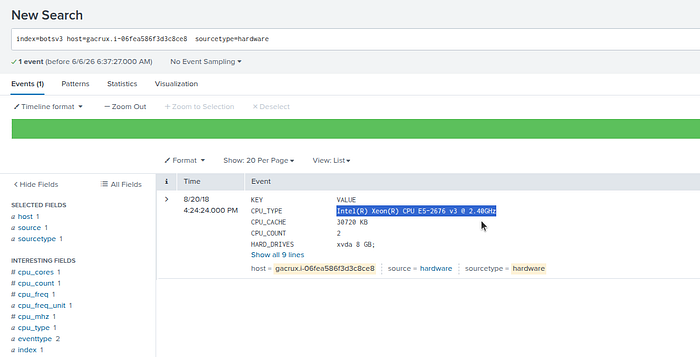
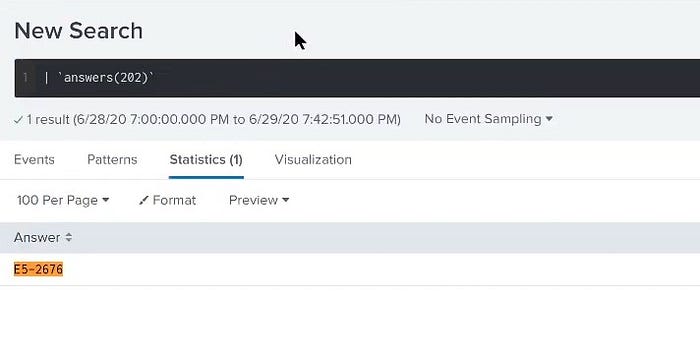
| stats count by sourcetypeBy selecting the first host, we see that these are the whole sourcetypes of this host, so since the question is related to hardware, I think if we add this hardware sourctype to the search, we will find something.
Q203

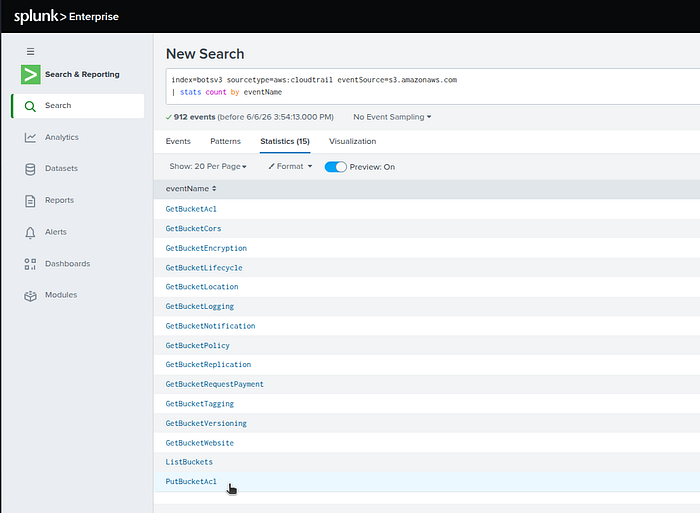
We are looking for the CloudTrail event where an S3 bucket's permissions were modified to allow public access.
We need to seaerch for S3 permission-related API calls, I think it will bw in the eventSource.
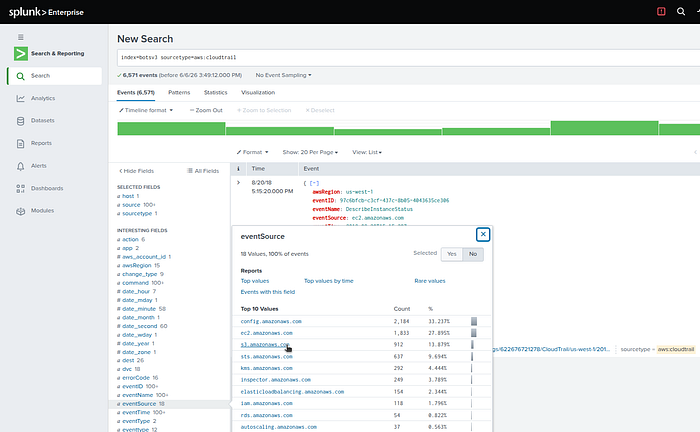
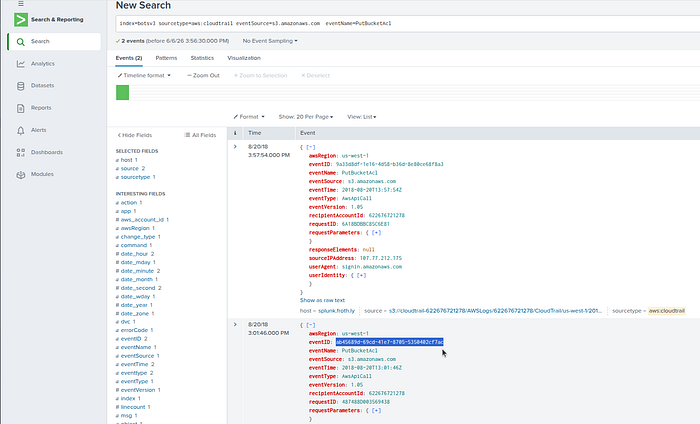
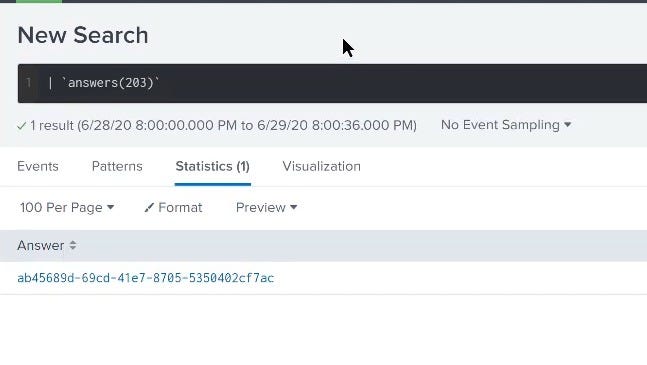
Scince we are looking for the event id we get it from the details of the second event the first is wrong i tryed it.
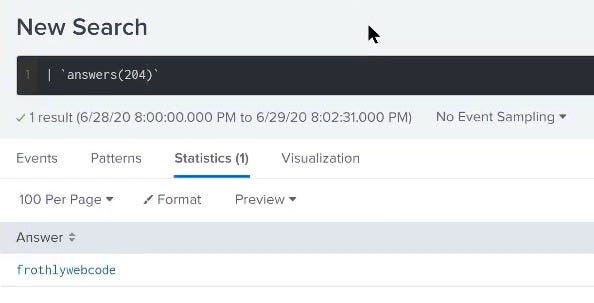
Q204

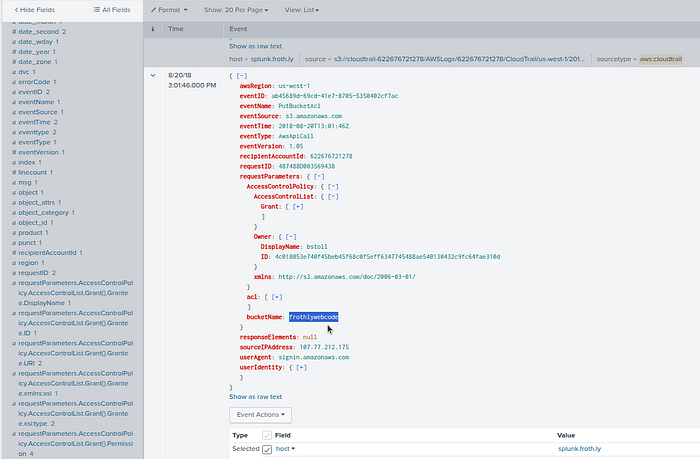
Since this question follows directly from the last question i reused the same event we found, and we are looking for the name of the bucket.
Q205

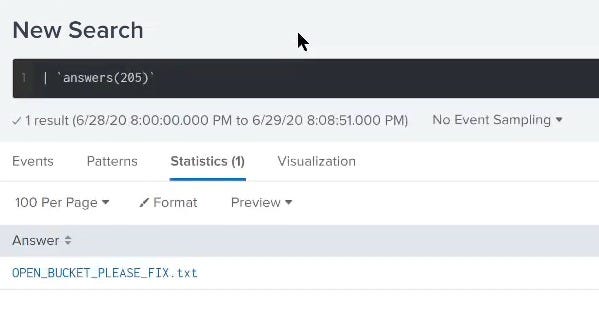
So, from the previous question, we know the bucket that became public "frothlywebcode" and it said in the question that it's a text file, so including both into our search as follows.
index=botsv3 sourcetype=aws:* txt frothlywebcodeindex=botsv3 sourcetype=aws:* txt frothlywebcode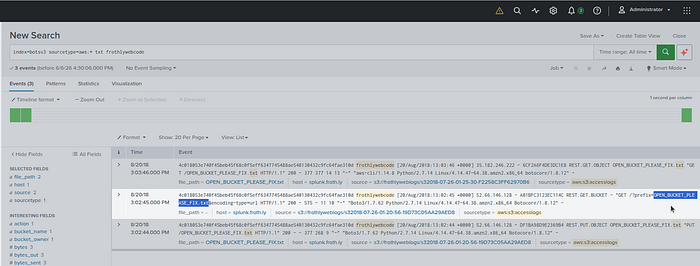
Q206

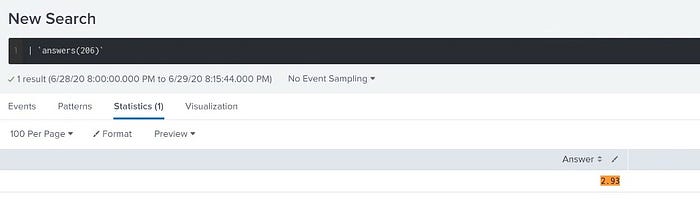
Using the same search we used before but adding the tar.gz file instead of txt, and after searching, we will find a field called object_size, so searching about it also and do the math to convert the size from bytes to MB as follows.
index=botsv3 sourcetype=aws:* tar.gz frothlywebcode
| table object_size
| fieldformat objectsize_mb= round(object_size/1024/1024,2)index=botsv3 sourcetype=aws:* tar.gz frothlywebcode
| table object_size
| fieldformat objectsize_mb= round(object_size/1024/1024,2)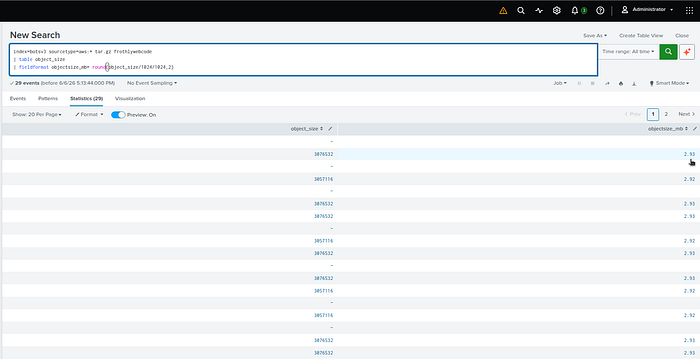
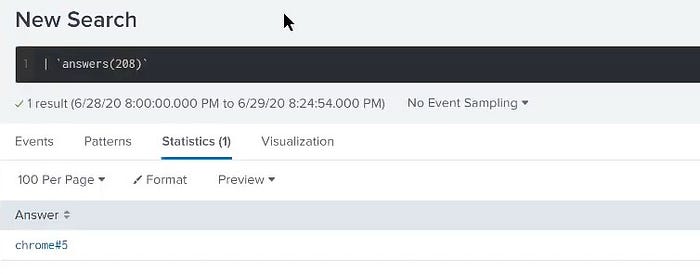
Q208

This is a Perfmon / Windows performance counter question, so I searched with this filter to see the sourcetypes.
| metadata index=botsv3 type=sourcetypes
| stats values(sourcetype)| metadata index=botsv3 type=sourcetypes
| stats values(sourcetype)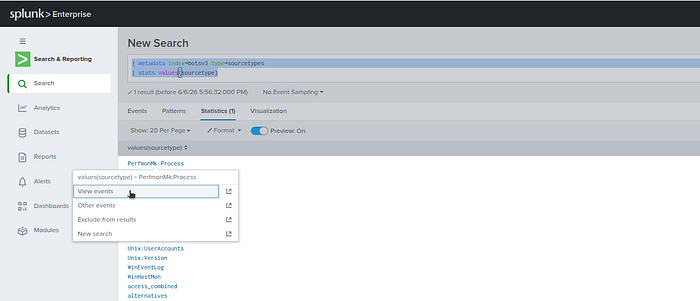
index=botsv3 sourcetype=PerfmonMk:Process 100index=botsv3 sourcetype=PerfmonMk:Process 100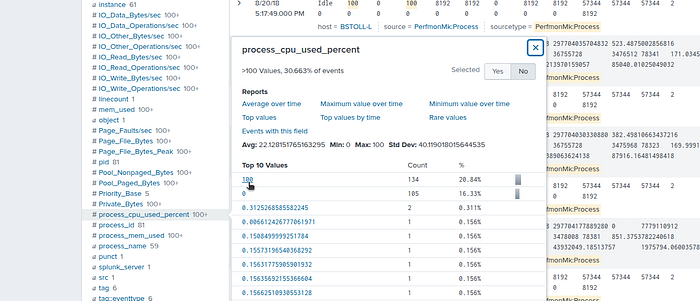
index=botsv3 sourcetype=PerfmonMk:Process 100 process_cpu_used_percent=100
| table _time , sourcetype , host , %* Creating_Process_ID , ID_Process Elapsed_time instance
| sort +_timeindex=botsv3 sourcetype=PerfmonMk:Process 100 process_cpu_used_percent=100
| table _time , sourcetype , host , %* Creating_Process_ID , ID_Process Elapsed_time instance
| sort +_time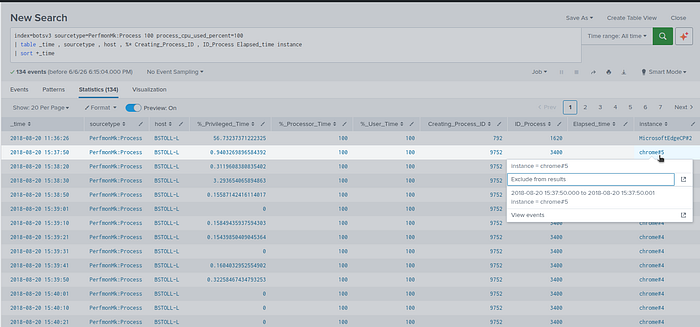
Q209

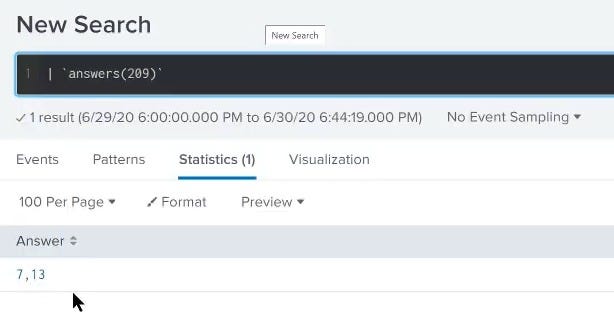
That question was so hard that I tried many methods and nothing interesting, so I used the hints to see the first hint that can be useful in my analysis, and yeah, it is.
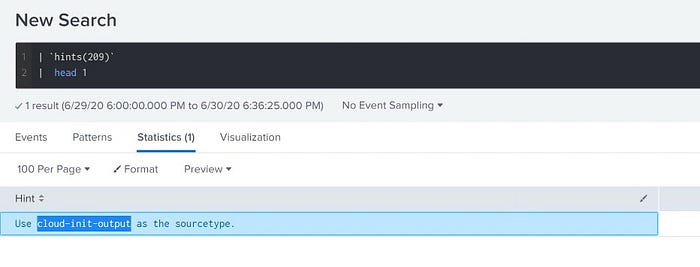
So, applying the search and including packages in the search since we are searching for the number of these packages as follows.
index=botsv3 sourcetype="cloud-init-output" packagesindex=botsv3 sourcetype="cloud-init-output" packages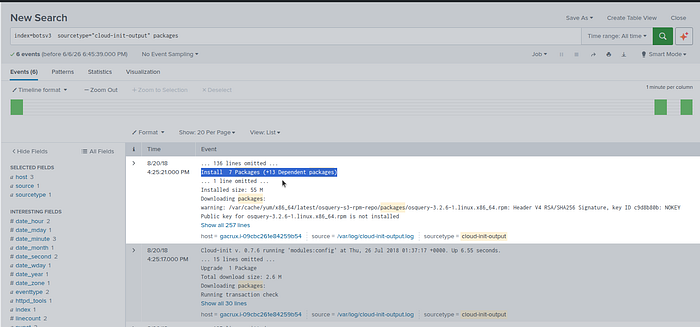
Q210

I narrowed the search by the keywords in the question and i foundout that Coinhive was a service that allowed website owners to run JavaScript-based cryptocurrency mining in visitors' web browsers, primarily mining the privacy-focused cryptocurrency Monero.
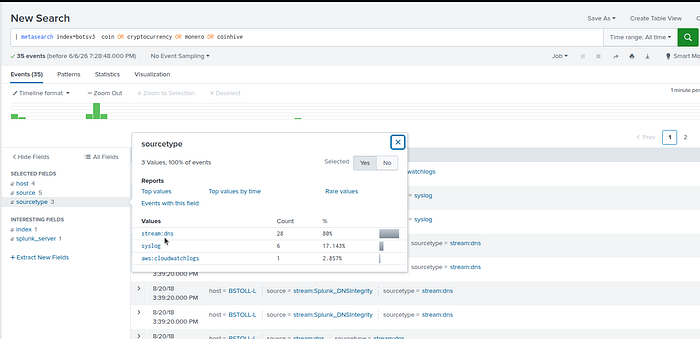
index=botsv3 coinhive | search sourcetype="stream:dns"
| table _time , query , host , sourceindex=botsv3 coinhive | search sourcetype="stream:dns"
| table _time , query , host , source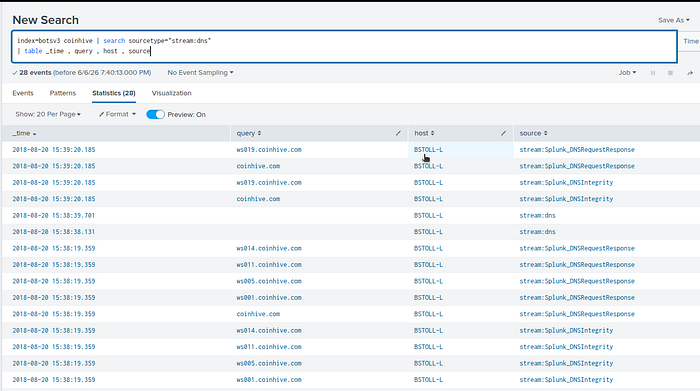
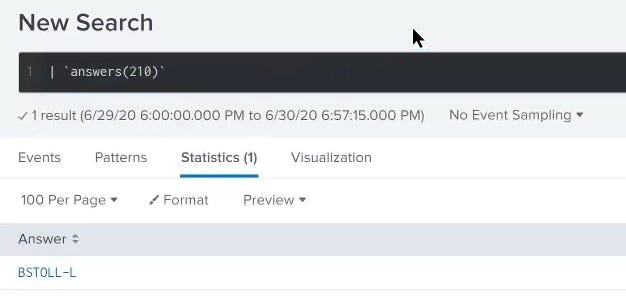
Q211

Keep the same search, just remove the table to see the results
index=botsv3 coinhive | search sourcetype="stream:dns"index=botsv3 coinhive | search sourcetype="stream:dns"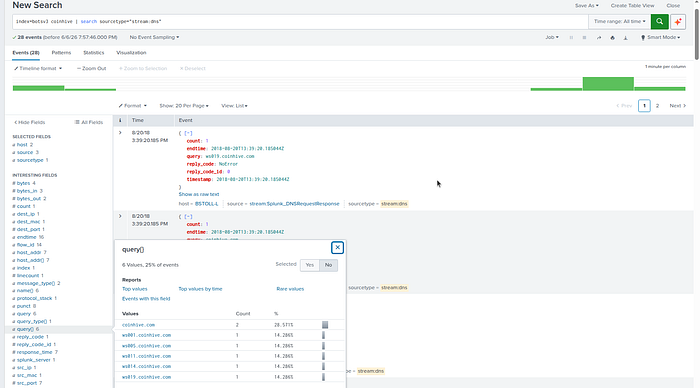
index=botsv3 coinhive | search sourcetype="stream:dns" query=*
| stats values(query) as query dc(query) as countindex=botsv3 coinhive | search sourcetype="stream:dns" query=*
| stats values(query) as query dc(query) as count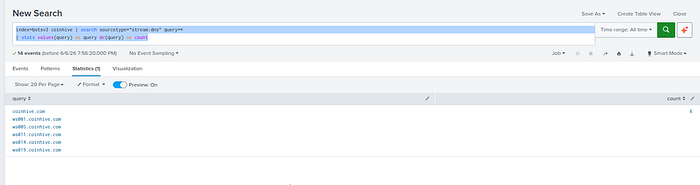
Q212

Using Splunk's event order functions usually means using:
first() , last() , earliest() , latest()on SEP events and Symantic from the question.
| metadata type=sourcetypes index=botsv3
| search sourcetype IN (*sep*,*symantec*)
| stats values(sourcetype)
| metadata type=sourcetypes index=botsv3
| search sourcetype IN (*sep*,*symantec*)
| stats values(sourcetype)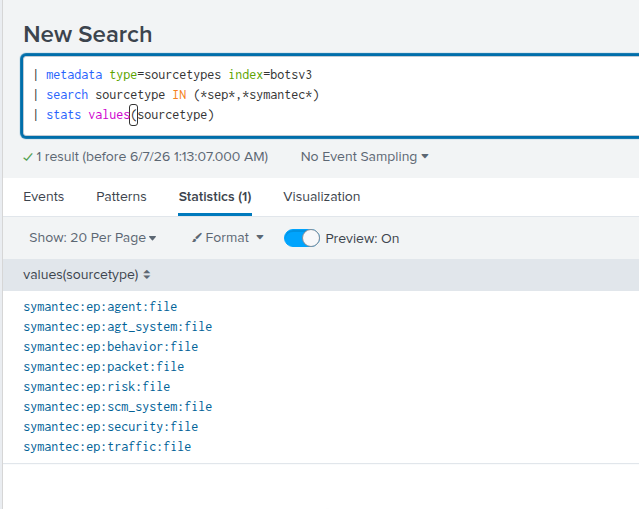
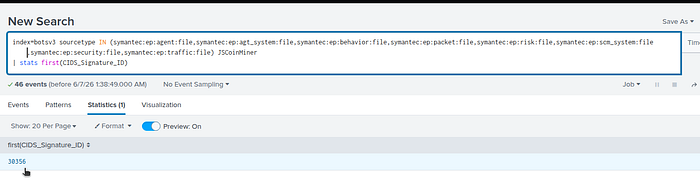
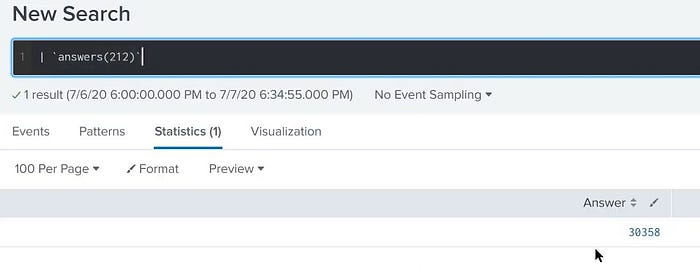
Digging into these sourcetypes to find the first seen signature ID by the following search.
index=botsv3 sourcetype IN (symantec:ep:agent:file,symantec:ep:agt_system:file,symantec:ep:behavior:file,symantec:ep:packet:file,symantec:ep:risk:file,symantec:ep:scm_system:file,symantec:ep:security:file,symantec:ep:traffic:file)
JSCoinMinerindex=botsv3 sourcetype IN (symantec:ep:agent:file,symantec:ep:agt_system:file,symantec:ep:behavior:file,symantec:ep:packet:file,symantec:ep:risk:file,symantec:ep:scm_system:file,symantec:ep:security:file,symantec:ep:traffic:file)
JSCoinMiner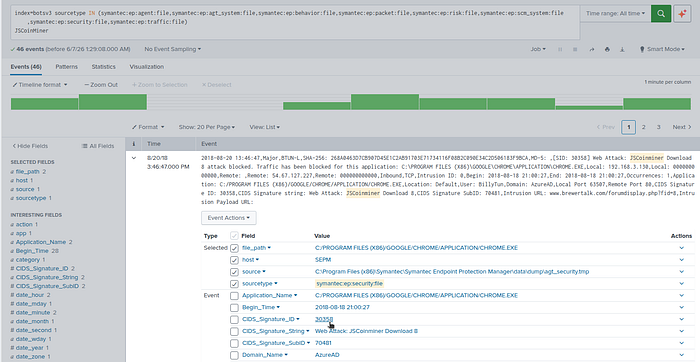
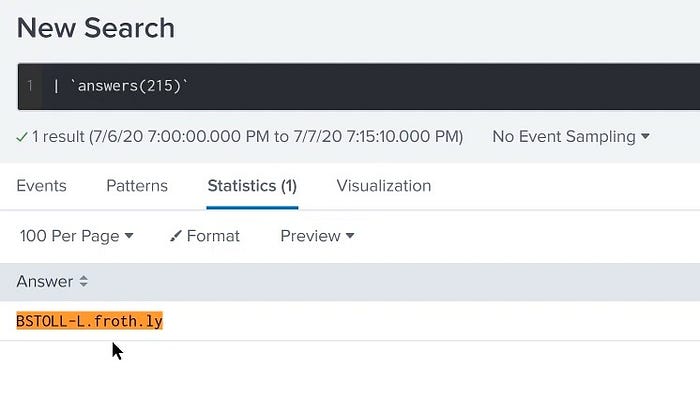
Q213

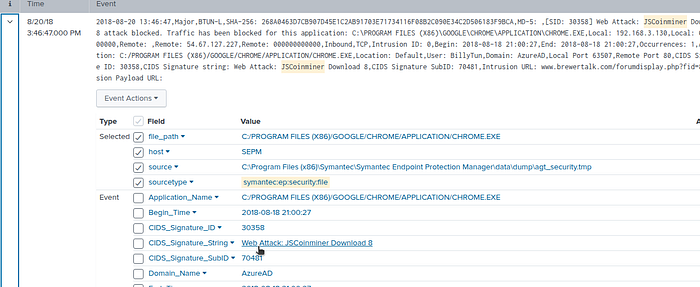
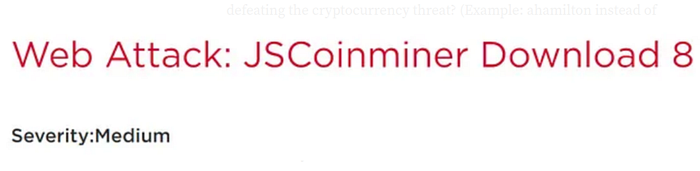
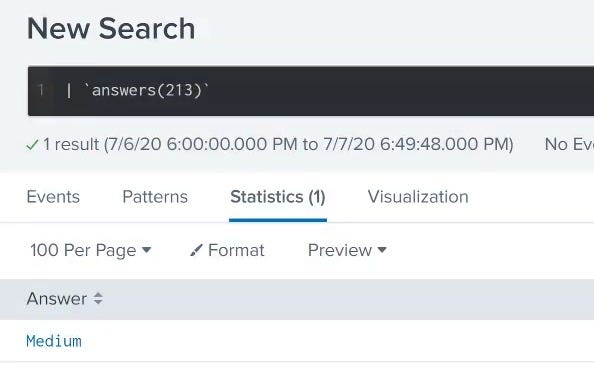
This type of question is more related to threat intelligence, so we can get the answer from Google by searching for the CIDS_Signature_String value from the last question we answered (Web Attack: JSCoinminer Download 8).
Q214

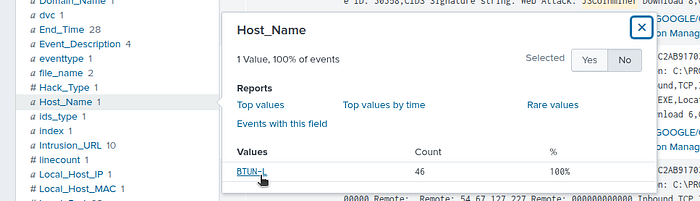
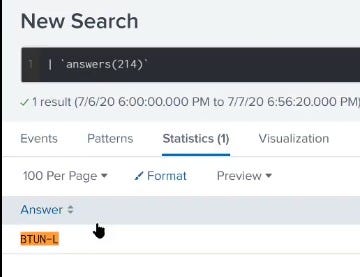
In the same search, take a good look at the fields, and you will find the Host_Name field; this is the host we are looking for.
Q215

Using the following search to see what different source types we have.
| metadata type=sourcetypes index=botsv3
| search sourcetype=*win*
| stats values(sourcetype)
| metadata type=sourcetypes index=botsv3
| search sourcetype=*win*
| stats values(sourcetype)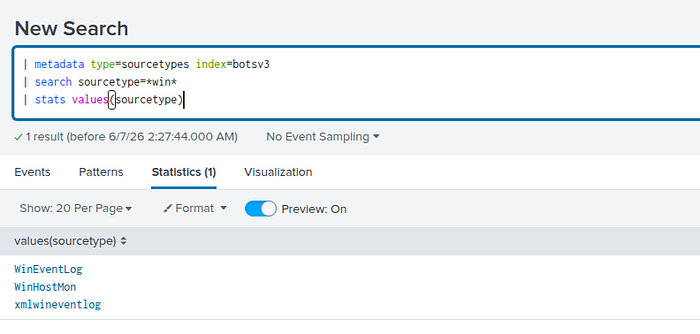
index=botsv3 sourcetype=WinHostMon *windows*
| stats values(host) by osindex=botsv3 sourcetype=WinHostMon *windows*
| stats values(host) by os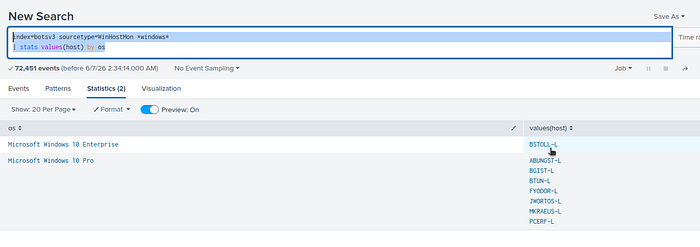
index=botsv3 sourcetype=* BSTOLL-L
| fields _raw
| rex field=_raw "(?<answer>BSTOLL-L\..+) "
| stats values(answer)index=botsv3 sourcetype=* BSTOLL-L
| fields _raw
| rex field=_raw "(?<answer>BSTOLL-L\..+) "
| stats values(answer)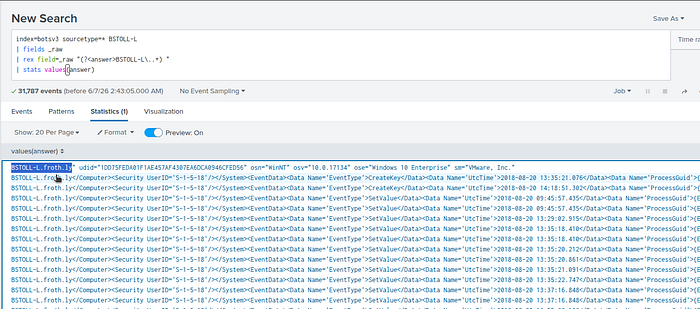
That's it for now, I will continue the solutions of the other questions later.