Hi guys, here goes my walkthrough. I tried to keep this technical but still human. If I sound excited at some points, that is because I genuinely was.
Flag 1: Stored XSS
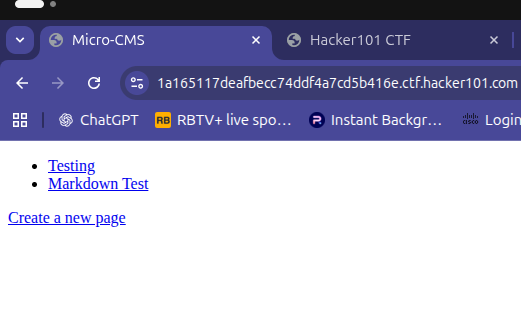
I started by clicking "Create a new page." Almost immediately, something stood out. The content I submitted was being reflected back in the application.
That is usually a big red flag for Cross-Site Scripting.
To confirm my suspicion, I tested the title input with a basic XSS proof-of-concept payload:
enter_title:<script>alert(1);</script>
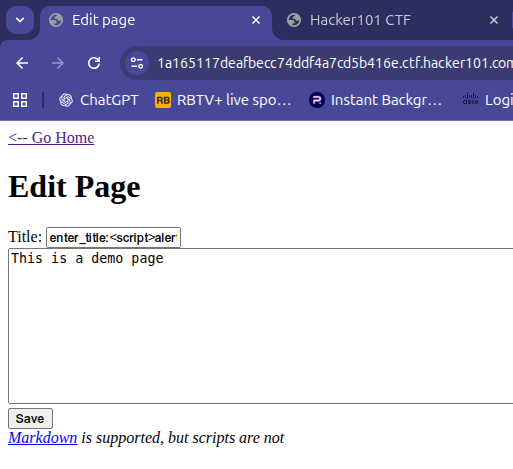
After creating the page, I clicked "← Go Home." Boom. The flag showed up.
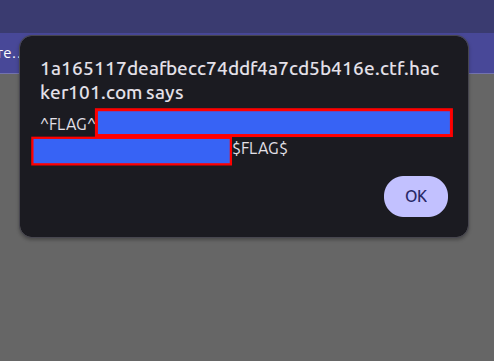
At that point, I knew this was a textbook case of stored XSS, where user input is saved and later rendered without proper sanitization.
Flag 2: SQL Injection
Next, I noticed something interesting in this URL:
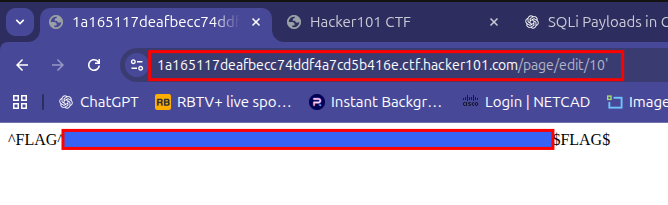
Any time I see an ID in a URL, my security brain switches on. I appended a single character ( ' ) to the end of the URL to test how the back-end handled unexpected input.
The result? Instant flag.
That behavior usually means one thing: SQL injection.
Here is what was happening behind the scenes:
- User input was being directly concatenated into a database query
2. The input was not properly escaped
3. The query broke and the application: Either threw an error that leaked information Or followed a different logic path that exposed sensitive data
This confirms the vulnerability type: error-based SQL injection.
Simple test. Big lesson.
Flag 3: Unauthorized Access
This one felt like detective work.
The first page I created was assigned ID 10. That seemed odd because the lab already had pages 1 and 2.
Naturally, I wondered: What happened to pages 3–9?
So I checked them.
- Pages 3, 4, and 6–9 returned 404
- Page 5 returned 403
That one stood out.
A 404 means "not found." A 403 means "I see it… but you are not allowed."
That difference is gold in security testing.
I went back to the edit URL, because I was looking for ID patterns and swapped the ID to the one that returned 403.
And just like that…
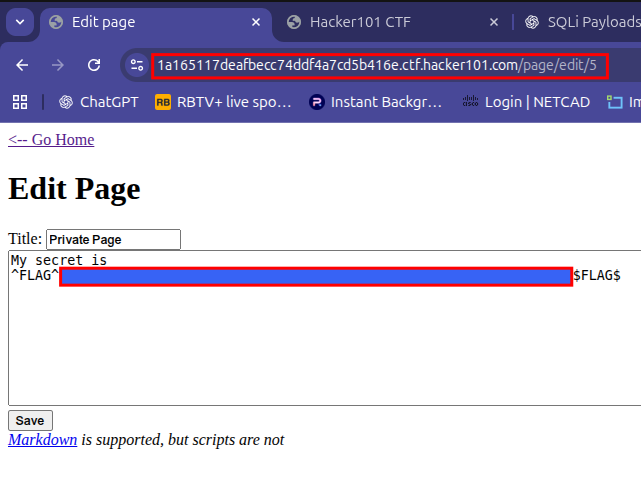
Flag revealed.
Classic case of broken access control and IDOR.
Flag 4: XSS via Markdown Page
For the final flag, I opened the Markdown Test Page and viewed the page source.
At first glance, nothing special. Just some button tags and broken image references. But in security, "nothing special" usually means "look closer."
Since HTML was being rendered, I edited the page and injected a harmless JavaScript test into a button element:
<button onclick=alert('xss')>click</button>
Clicking the button triggered the script, and displayed "xss"
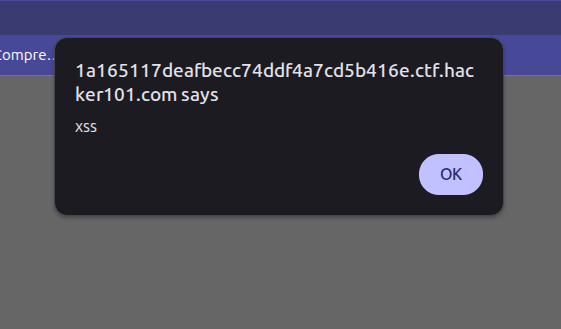
Out of curiosity, I went back to view the page source again.
And there it was…
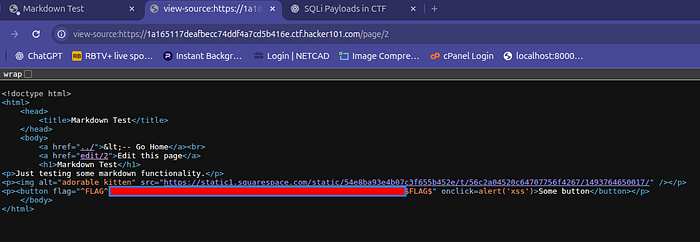
The flag, casually sitting inside the button element like it had been there all along.
Two days of searching. Five seconds of smiling at the screen.
Final Thoughts
This CTF was a perfect reminder that:
- Small inputs can lead to big vulnerabilities
- Error messages are louder than developers think
- Access control bugs are often hiding in plain sight
- And XSS will always be there if you forget to sanitize user input
If you are learning web security, this lab is gold. Not because it is hard, but because it teaches you to think like an attacker and reason like a defender.
If you made it this far, thanks for reading. Now go break things responsibly.
Simple test. Big lesson.