
Understanding application:
When I test an application, I always start by understanding how it works and what features exist. This step is very important, but many beginner bug hunters ignore it. Skipping this usually leads to wasted time, missing real impact, or reporting duplicates.
In this case, the application is a secure communication platform that allows users to exchange messages and hold private conversations in a protected environment. The core business of the application is built around trust, confidentiality, and message visibility, so any flaw that affects message handling can have a real security and trust impact.
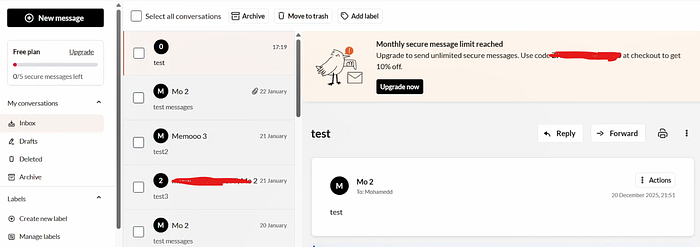
Instead of immediately looking for vulnerabilities, I explored the application normally and learned how the message system works.
Understanding Normal Behavior
I tested how messages move between different sections:
- If
archive = true→ the message goes to Archive
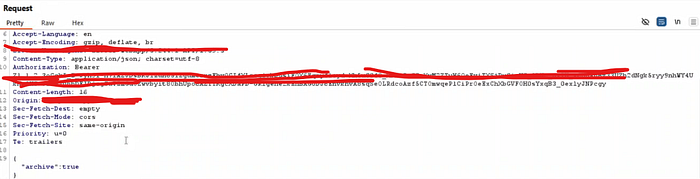
- If
trash = true→ the message goes to Trash - If both
archive = falseandtrash = false→ the message goes to Inbox
Everything worked as expected.
Curiosity Kicks In
Then I asked a simple question:
What happens if a message is archived and trashed at the same time?
Logically, the message should either appear in both places or the system should prevent this situation completely.
So I tried applying both states with true at once.
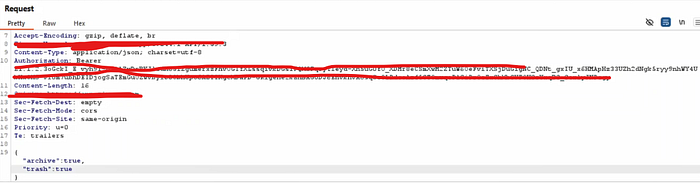
Unexpected Behavior
Instead of appearing anywhere, the message completely disappeared from the user interface:
- Not in Inbox
- Not in Archive
- Not in Trash
The message still existed in the system and could be made visible again by removing one of the states. This showed that the system becomes confused when both states are applied at the same time.
On its own, this might look like an informational issue:
"there isn't impact if someone can hide his own messages?"
Where Understanding the Application Pays Off
The real impact appeared when I connected this behavior with another feature of the application: Delegation.
This platform allows users to delegate access to their account to another trusted person (for example, an assistant or colleague). The delegated user can fully operate the account on the owner's behalf.
This issue can be abused by a delegated user to secretly send and hide messages without the account owner's knowledge.
Steps to reproduce:
1- Log in as Victim User(Chrome tab).
2- Enable the Delegation feature and grant full account access to Attacker User.
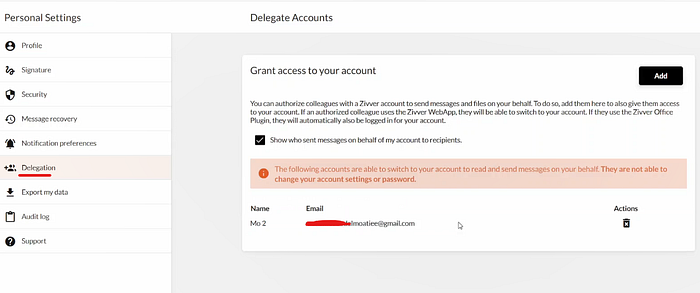
3-Log in as Attacker User(Firefox tab) using the delegated access.
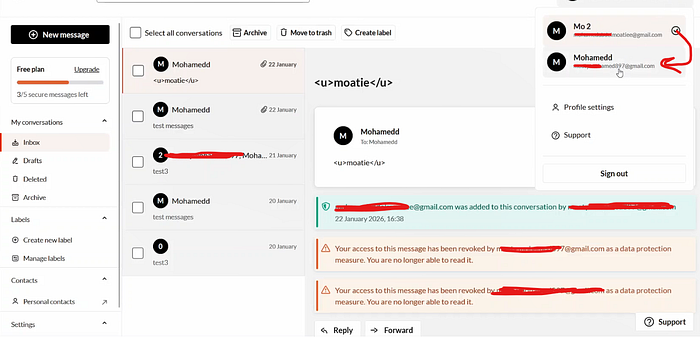
4- From the victim's account, send a new message or select an existing message.
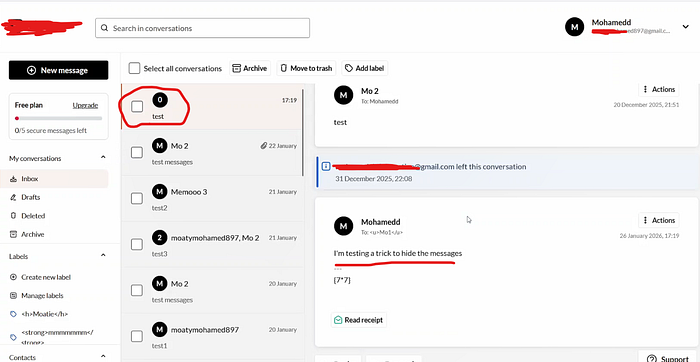
5-Mark the message as Archived && Trashed with true
6- Observe that the message in victim's account:
Is not visible in Inbox
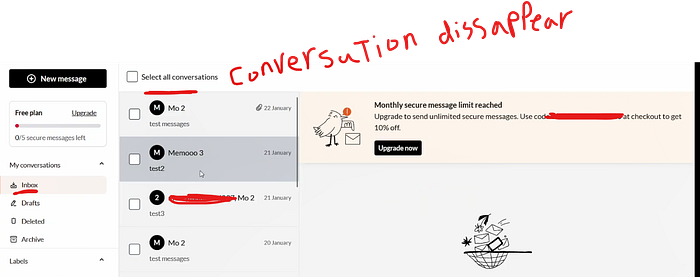
Is not visible in Archive

Is not visible in Trash
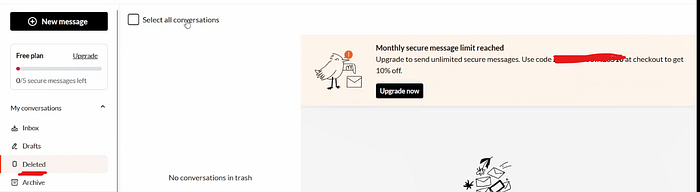
8- As attacker change only one state and the message will reappear (The trash was empty in the previous step but after this it will contain the message we hide)
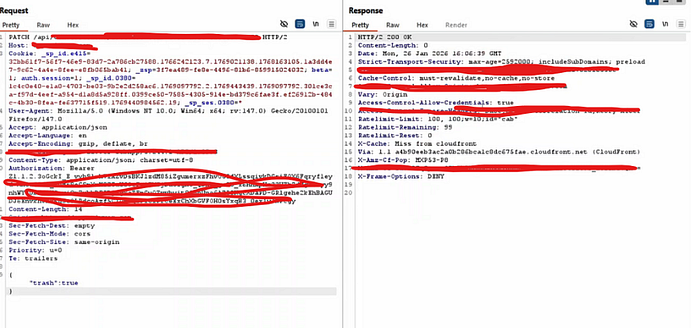

The victim has no visibility that any messages were sent or hidden. This enables silent misuse of delegated access and breaks user trust and transparency.
Disclosure Status
This issue was responsibly reported via YesWeHack and was assessed as Triaged (HackerOne-style triage) by the program.

Security Impact
- Delegated user can hide messages from the account owner
Suggested Fix
- Enforce exclusive message states on the backend
- Prevent archive and trash from being set with true at the same time
Contact
Mohamed Abdelmoatie LinkedIn: https://www.linkedin.com/in/mohamed-abdelmoatie-33365825a