
🔎 Adding Netlas to Your Bug Bounty Recon Workflow
Smarter Recon Without More Scanning
By Ghostyjoe
Bug bounty hunters love automation.
We build scripts, chain tools together, and scan the internet looking for attack surfaces.
But there's a problem many beginners run into:
⚠️ Too much scanning. Not enough intelligence.
Sometimes the information we need is already indexed by internet-wide scanners.
That's where Netlas comes in.
Instead of discovering everything from scratch, Netlas lets you query massive internet datasets and enrich your reconnaissance workflow.
In this post I'll explain:
- 🧠 What Netlas is
- 🔧 How to install it
- ⚙️ Where to add it in your recon workflow
- 📜 A script you can add to your existing automation
- ⚖️ Pros and Cons
- 💬 Why I want your feedback
🌍 What is Netlas?
Netlas is a search engine for internet infrastructure.
Think of it like:
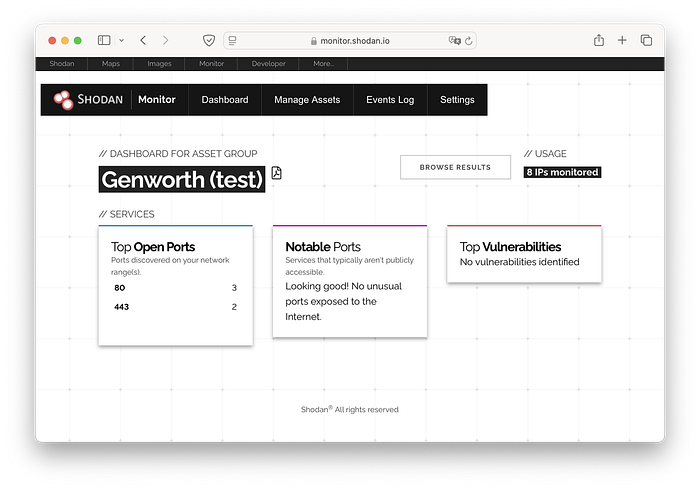
- 🔎 Shodan
- 🔎 Censys
- 🔎 ZoomEye
…but with a powerful API and CLI designed for automation.
You can search for:
- 🌐 exposed web servers
- 🔐 TLS certificates
- 🖥 service banners
- 🏢 infrastructure relationships
- 📡 open ports
- 🧾 HTTP responses
For bug bounty hunters this means:
👉 Less blind scanning 👉 Better target prioritization
🧠 Why Add Netlas to Recon?
Most recon pipelines look like this:
subfinder → httpx → naabu → nmap → ffuf → katanaThat works well.
But Netlas adds context.
A smarter workflow looks like this:
subfinder
   ↓
httpx
   ↓
Netlas enrichment
   ↓
prioritize interesting targets
   ↓
naabu / nmap
   ↓
ffuf / katana
Instead of scanning everything blindly, you scan what matters first.
🖥️ Screenshot — Netlas Search Interface
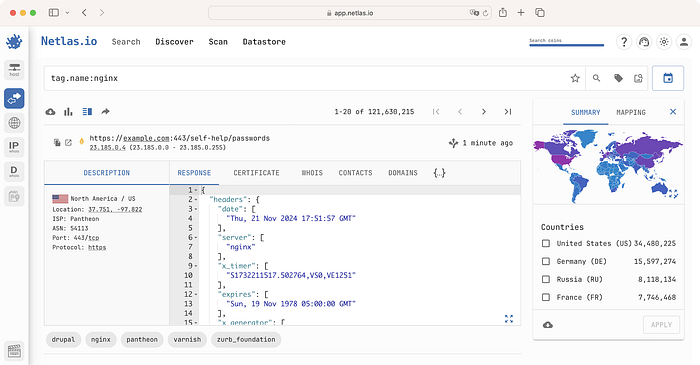

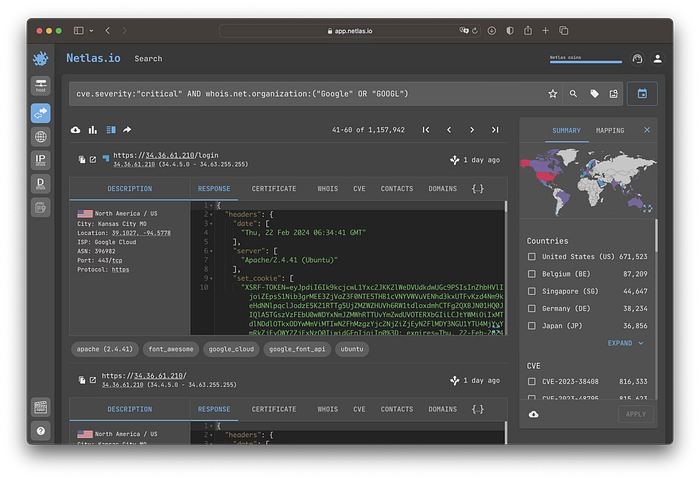
Example searches include:
domain:example.com
port:443
title:"admin panel"
certificate.domain:example.com
This can reveal infrastructure before you even scan it.
⚙️ Installing Netlas
Netlas has a CLI tool which makes it easy to integrate into scripts.
Install
pip install netlasAdd your API key
netlas savekey YOUR_API_KEYCreate a free account to obtain an API key.
🔧 Adding Netlas to an Existing Recon Script
Most automated recon pipelines follow this structure:
1️⃣ Subdomain enumeration
2️⃣ Live host detection
3️⃣ Historical URLs
4️⃣ Port scanning
5️⃣ Content discovery
The best place to insert Netlas is after live host detection.
Why?
Because Netlas works best when you already know which hosts are alive.
📜 Netlas Enrichment Script Module
Add this block after httpx in your script.
echo "[+] Running Netlas enrichment..."
mkdir -p netlas
while read host; do
    echo "[Netlas] Querying $host"
    netlas host "$host" \
        --format json \
        >> netlas/netlas_results.json
done < alive.txt
echo "[+] Netlas enrichment completed"
Your folder structure may look like this:
recon_target
 ├── subdomains
 ├── alive
 ├── ports
 ├── content
 ├── screenshots
 └── netlas
     └── netlas_results.json
This lets you analyze Netlas data without changing your main workflow.
🖥️ Screenshot — Netlas CLI Example

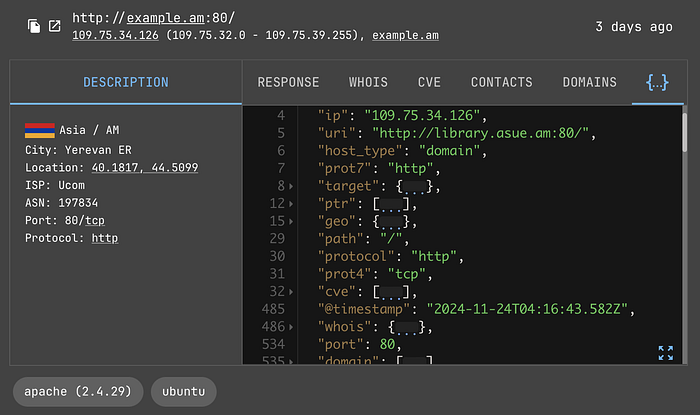

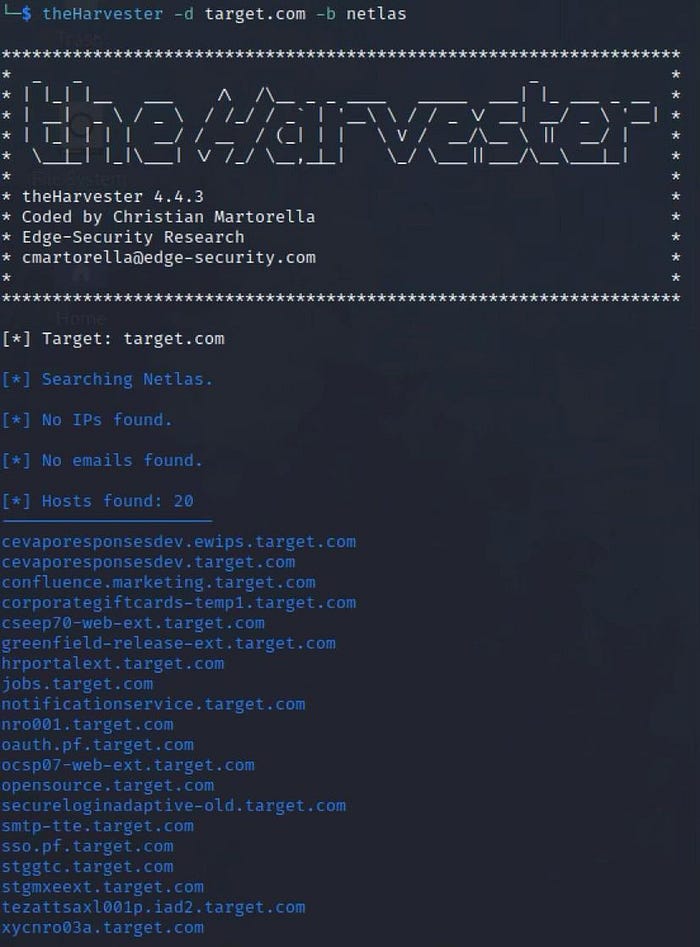
Example command:
netlas host example.comThis may return:
- server banners
- open services
- certificate information
- ASN / infrastructure data
🧠 How Netlas Improves Recon
Using Netlas allows you to answer questions like:
🔍 Which hosts expose interesting services?
🔍 Are there admin panels already indexed?
🔍 What infrastructure is linked to this domain?
🔍 Which targets should I test first?
This helps you prioritize targets before heavy scanning.
⚖️ Pros and Cons
✅ Pros
🧠 Reduces blind scanning ⚡ Faster target prioritization 📡 Internet-wide scan data 🔗 Good API for automation 🛠 Easy to integrate with scripts
⚠️ Cons
📅 Data may sometimes be outdated 🔑 API limits on free plan 📊 Another dataset to analyze 🧠 Requires understanding search queries
Remember:
👉 Netlas supplements recon tools 👉 It does not replace them
🚀 Final Thoughts
Automation is powerful.
But the best bug bounty hunters don't just scan harder.
They scan smarter.
Adding Netlas to your workflow helps you:
✔ prioritize targets ✔ enrich recon data ✔ discover infrastructure faster
And most importantly:
👉 save time for deeper vulnerability research
🤝 I'd Love to Hear Your Thoughts
Recon workflows are always evolving, and everyone develops their own techniques over time.
If you're using tools like:
- 🔎 Netlas
- 🌐 Shodan
- 📡 Censys
- 🧠 other OSINT search engines
I'd be very interested to learn how you integrate them into your own workflow.
Sharing ideas and approaches helps the whole community improve and discover better ways of working.
If you have experience with these tools, feel free to share your perspective in the comments.
👏 If you found this article helpful, please consider clapping and following for more bug bounty and cybersecurity content.
☕ You can also support my work here: https://buymeacoffee.com/ghostyjoe
Your support helps me continue creating practical guides for the community.