

When I first learned about OWASP vulnerabilities, it was during the training period at my first company. At that time, concepts like SQL Injection, Cross-Site Scripting, and Broken Authentication were mostly introduced through examples and theory.
But something always stayed in my mind.
If applications can contain so many vulnerabilities, how do security engineers actually find them in real projects?
Because real applications are messy. There are hundreds of files, APIs, dependencies, authentication flows, and database queries. Manually reviewing everything feels overwhelming.
Recently, I got the opportunity to experiment with Shannon, an open-source autonomous AI pentester. Instead of manually searching for vulnerabilities, Shannon analyzes a repository, maps the attack surface, and generates a structured security report.
I decided to test it against a purposely vulnerable web application to see what it would discover.
In this blog, I'll walk through the exact process I followed, so let's get started…
The Tool: Shannon
Shannon is an autonomous AI pentesting tool developed by Keygraph to analyze application repositories and identify potential vulnerabilities.
Instead of manually auditing code, Shannon attempts to:
- Analyze the application's routes and exposed endpoints
- Inspect authentication and session flows
- Detect injection vulnerabilities
- Identify insecure dependency usage
- Map the overall attack surface
- Generate structured vulnerability reports
Repository:
https://github.com/KeygraphHQ/shannon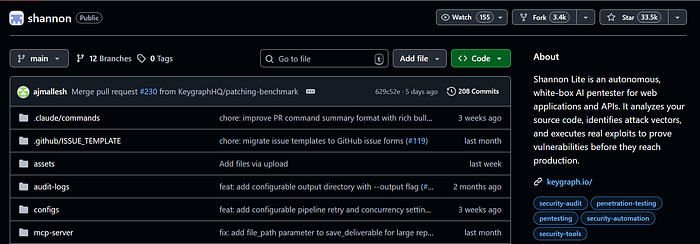
The idea is simple: point Shannon to a repository, and it attempts to understand how the application works and where vulnerabilities might exist.
The Test Application
To properly test Shannon, I needed an application that intentionally contains vulnerabilities.
For this experiment, I used DVNA (Damn Vulnerable NodeJS Application).
DVNA is an intentionally vulnerable Node.js application created for security learning and demonstrations. It contains multiple security issues similar to those developers might accidentally introduce in real projects.
Repository:
https://github.com/appsecco/dvna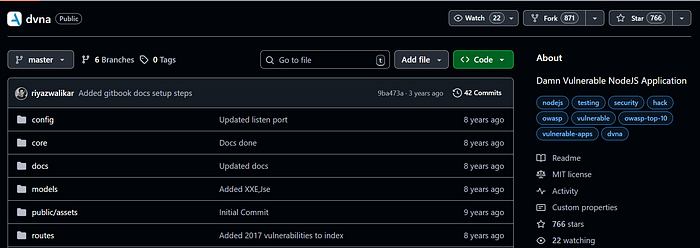
DVNA uses a modern web stack:
- Node.js
- Express
- MySQL
- EJS templates
- Docker
Because many real-world applications use a similar stack, it's a good target for experimenting with security tools.
Step-by-Step: Running Shannon
Here is the exact process I followed to analyze DVNA using Shannon.
If you want to try this yourself, you can follow these same steps.
Step 1 — Clone the Shannon Repository
First, clone the Shannon repository.
git clone https://github.com/gregorojstersek/shannon
cd shannon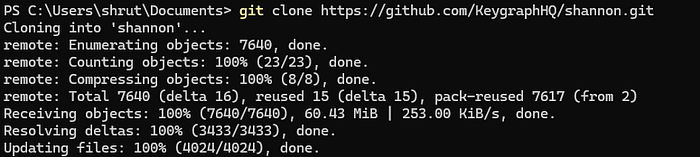
This repository contains the analysis workflows and services used by Shannon.
Step 2 — Configure Environment Variables
Shannon requires an API token to run its analysis.
Create a .env file in the project root and add your token:
CLAUDE_CODE_OAUTH_TOKEN=your_token_hereThis token allows Shannon to use AI models to analyze the repository.
Step 3 — Start Shannon Services
Next, start the required services using Docker.
docker compose up
This launches Shannon's workflow system and prepares it to process repository analysis jobs.
Once the services start successfully, Shannon is ready to run scans.
Step 4 — Clone the Target Application
Now clone the application you want Shannon to analyze.
Inside the repos directory:
cd repos
git clone https://github.com/appsecco/dvna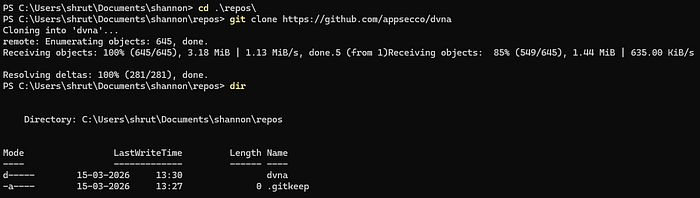
Your directory structure should now look like this:
shannon/
 ├ repos/
 │  └ dvna/
Step 5 — Run the Analysis
Now instruct Shannon to analyze the repository.
node dist/temporal/client.js http://localhost:7233 /app/repos/dvna--wait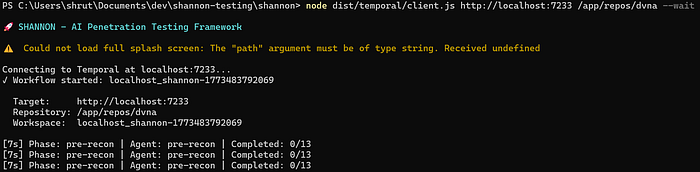
This command tells Shannon to:
- Load the repository
- Map the application's attack surface
- Analyze routes and dependencies
- Identify potential vulnerabilities
- Generate a structured report
The process may take several minutes, depending on the application size.
Step 6 — View the Generated Report
After the workflow completes, Shannon generates analysis results inside the deliverables directory.
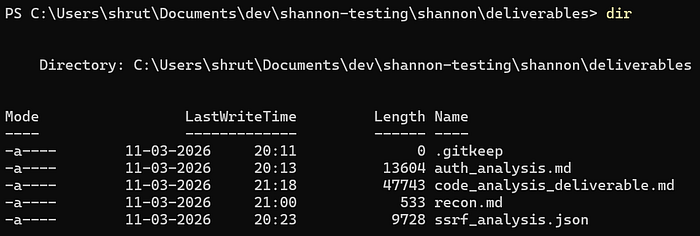
Example outputs include:
auth_analysis.md
code_analysis_deliverable.md
recon.md
ssrf_analysis.json
These reports provide structured insights about the application's security posture.
Instead of manually inspecting the entire codebase, the report provides a consolidated security overview of the application.
What Shannon Found
When I ran Shannon against DVNA, it detected several vulnerabilities that align with common web security issues.
Here are a few examples.
SQL Injection
One endpoint builds SQL queries using string concatenation.
Because user input is inserted directly into the query, attackers could manipulate the query and retrieve unauthorized data from the database.
Command Injection
DVNA includes a feature that runs a system ping command.
Since the input is not validated properly, attackers could inject additional commands and execute arbitrary system instructions.
Cross-Site Scripting (XSS)
Shannon identified several places where user input is rendered without proper escaping.
These vulnerabilities could allow attackers to inject malicious scripts that execute in other users' browsers.
XML External Entity (XXE)
The application also parses uploaded XML files with entity resolution enabled.
This makes it possible to craft malicious XML payloads that access sensitive files from the server.
What Surprised Me
What stood out to me was how Shannon organized the analysis.
Instead of simply listing vulnerabilities randomly, it structured the findings into clear sections, such as:
- attack surface analysis
- injection vulnerabilities
- dependency risks
- parsing and deserialization issues
Seeing everything grouped made it easier to understand where the security risks exist within the application.
For someone learning application security, this kind of structured report is extremely useful.
Challenges I Faced
The process wasn't completely smooth.
While running Shannon, I encountered a few small challenges:
- setting up environment variables correctly
- waiting for long analysis workflows to finish
- figuring out whether the process was still running or stuck
At one point, the terminal looked inactive, and I had to double-check whether the analysis had completed.
These moments reminded me that while automation helps a lot, there is still a learning curve when using new security tools.
Full Shannon Analysis Reports
If you're curious to explore the raw analysis output generated by Shannon, you can view the full reports here:
Google Drive Folder
https://drive.google.com/drive/folders/1dip9OotHcMDhd6V6wdmx1MIQTWuIbfwBThe folder includes:
- recon.md
- auth_analysis.md
- code_analysis_deliverable.md
- ssrf_analysis.json
These are the exact reports generated by Shannon after scanning the DVNA repository.
My Honest Take
Overall, the experience was genuinely interesting.
What impressed me most was Shannon's ability to:
- Analyze an entire application repository
- Map the attack surface automatically
- Detect multiple vulnerability categories
- Produce a structured security report
For developers who want to experiment with application security or run early vulnerability checks on their applications, tools like Shannon could be very helpful.
At the same time, automated tools still benefit from human understanding. Developers still need to interpret the results and decide how vulnerabilities should be fixed.
Final Thoughts
Running Shannon against a vulnerable Node.js application gave me a better understanding of how automated tools can assist with application security.
A few years ago, I assumed discovering vulnerabilities like SQL injection or command execution required extensive manual effort.
Seeing an AI system analyze an entire repository and highlight those risks automatically was fascinating.
For developers curious about security or looking for ways to evaluate their applications earlier in development, Shannon offers an interesting starting point.