June 6, 2026
I Was Removed From the Organization, But My Access Still Worked: Lessons From a Broken Access…
A real-world example of why access revocation deserves the same attention as access control.

Hangga Aji Sayekti
6 min read
One of the most common security assumptions in modern applications is also one of the most dangerous:
If the UI says access has been revoked, then access must be gone.
As security engineers, we know that assumption is often wrong.
Permissions displayed in the user interface and permissions enforced by the backend are two entirely different things. When those two realities drift apart, authorization vulnerabilities begin to appear.
Recently, while testing a multi-tenant developer platform, I encountered a Broken Access Control issue that perfectly illustrates this problem.
The vulnerability itself was relatively simple: a user removed from an organization could continue modifying organization resources using an existing session.
The report was ultimately marked as a duplicate.
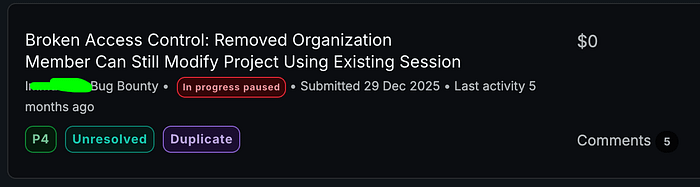
However, the discovery offered a valuable lesson — not only for bug hunters, but also for software engineers responsible for designing authorization systems.
In this write-up, I'll walk through the vulnerability, discuss what may have caused it, and explore several secure coding principles that can help prevent similar issues.
Understanding the Problem
Many modern SaaS platforms rely on multi-tenant architectures.
Users belong to organizations.
Organizations own projects.
Projects contain resources that should only be accessible to authorized members.
A simplified model looks something like this:
Organization
│
├── Team Members
│   ├── Admin
│   └── Member
│
└── Resources
    └── Projects
Organization
│
├── Team Members
│ ├── Admin
│ └── Member
│
└── Resources
└── ProjectsThe security assumption is straightforward:
- Members can access organization resources.
- Removed members cannot.
Simple.
At least on paper.
The real challenge begins when permissions change while users still have active sessions.
Test Setup
To keep the test simple and reproducible, I created two accounts:
- member@example.com — a regular organization member
- admin@example.com — an organization administrator
To isolate sessions, I used two different browsers:
- Firefox for the member account (intercepted through Burp Suite)
- Chrome for the administrator account (normal UI interaction only)
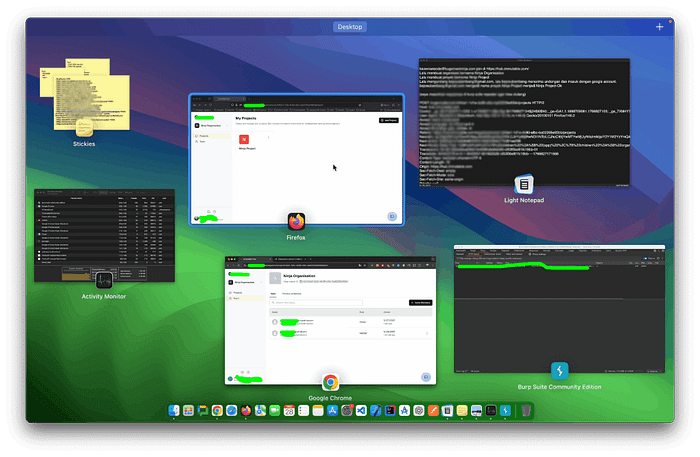
This setup allowed me to observe authorization changes in real time while maintaining independent sessions.
The Initial Observation
The administrator invited the member account to join an organization.
After accepting the invitation, the member gained access to a project that I'll refer to as Ninja Project.
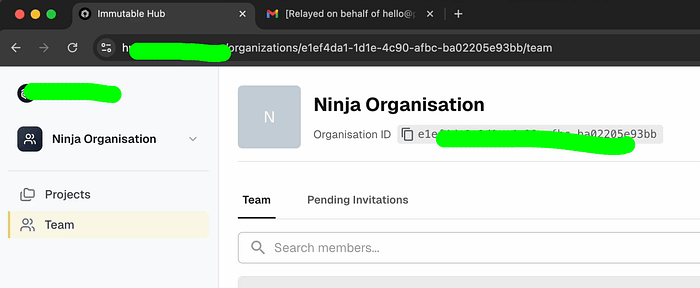
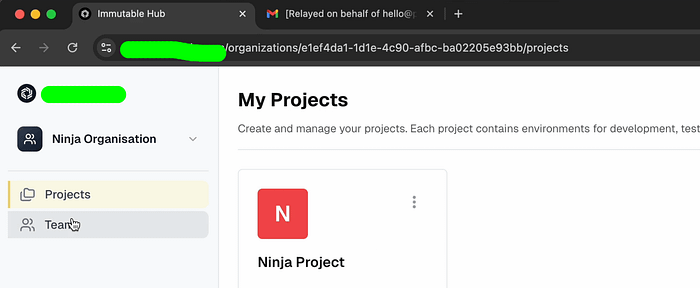
As expected, the member was able to edit the project name.
While performing that action, I intercepted the request using Burp Suite and sent it to Repeater.
At this stage, everything was functioning exactly as intended.
The member had legitimate access.
The request was legitimate.
Nothing unusual.
The interesting part came after the membership was revoked.
Reproducing the Issue
The administrator removed the member from the organization.
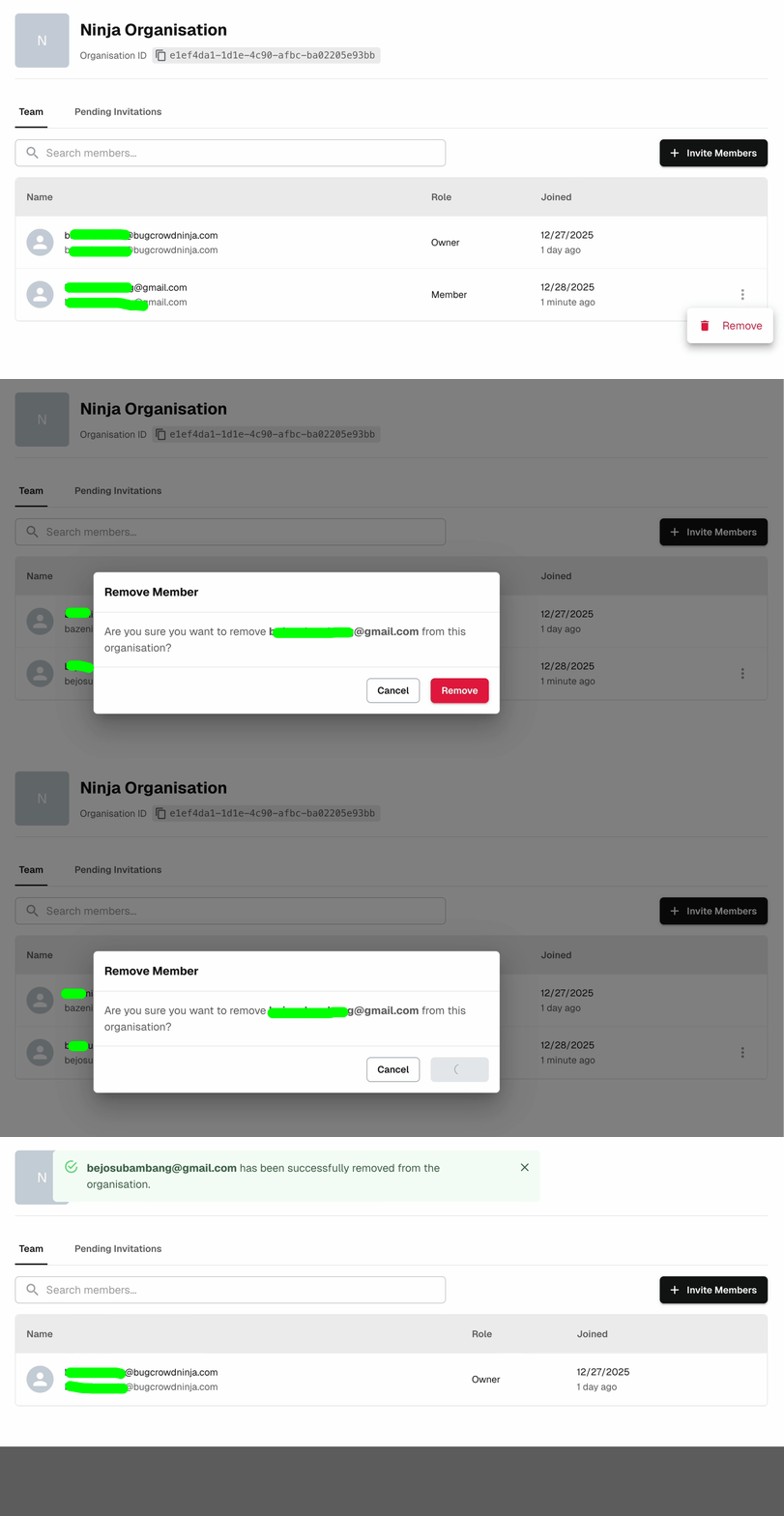
The application displayed a success notification confirming that the user had been removed.
From the administrator's perspective, the operation appeared successful.
The user was gone.
Or so it seemed.
Using the previously captured request, I replayed the same action from the removed member's session.
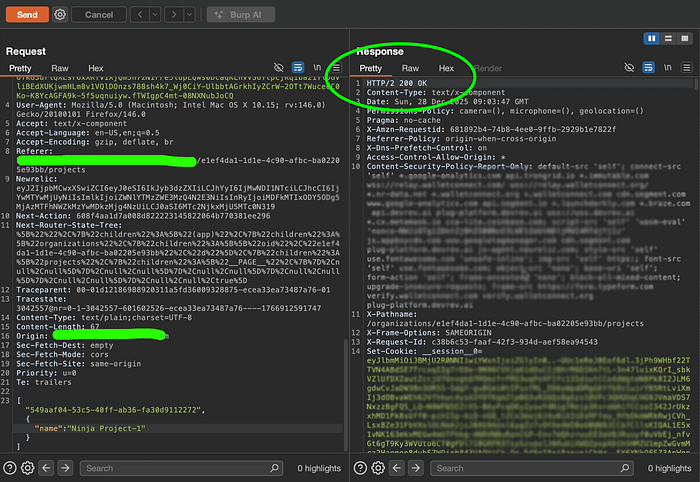
The response:
HTTP/1.1 200 OKHTTP/1.1 200 OKThe project name changed successfully from:
Ninja ProjectNinja Projectto:
Ninja Project-1Ninja Project-1At first, I assumed I might be observing a temporary synchronization issue.
Modern applications frequently rely on caches, asynchronous updates, and eventually consistent systems.
To eliminate that possibility, I repeated the test.
This time, I changed the project name again:
Ninja Project-2Ninja Project-2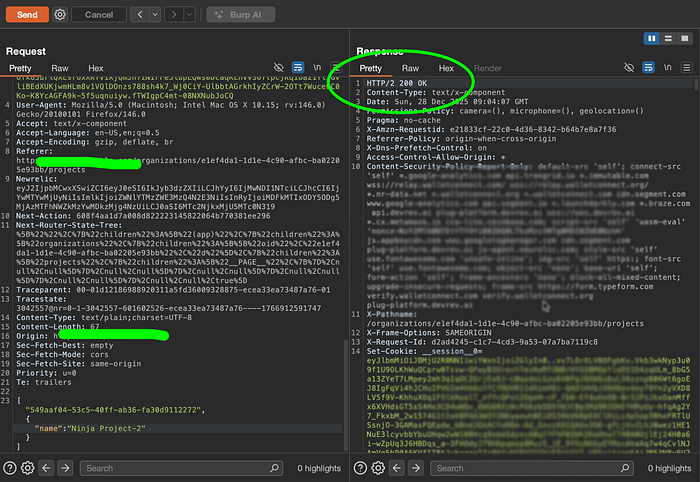
The response was identical:
HTTP/1.1 200 OKHTTP/1.1 200 OKThe change was applied successfully.
At that point, it became clear that this wasn't a frontend refresh issue.
The backend was actively accepting requests from a user who no longer belonged to the organization.
Why This Matters
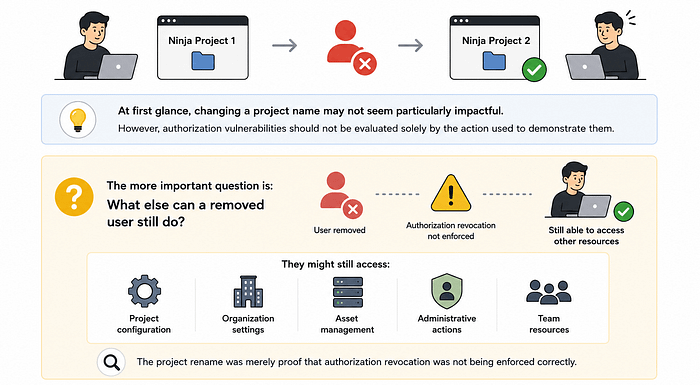
At first glance, changing a project name may not seem particularly impactful.
However, authorization vulnerabilities should not be evaluated solely by the action used to demonstrate them.
The more important question is:
What else can a removed user still do?
The project rename was merely proof that authorization revocation was not being enforced correctly.
If similar authorization logic existed elsewhere, a removed user might potentially retain access to additional organization-scoped resources.
Examples could include:
- Project configuration
- Organization settings
- Asset management
- Administrative actions
- Team resources
The exact impact depends on how broadly the flawed authorization model is reused throughout the application.
This is why Broken Access Control issues often deserve careful investigation, even when the proof of concept appears relatively harmless.
What Might Have Happened Behind the Scenes?
Without access to the source code, determining the exact root cause is impossible.
However, the observed behavior suggests several possibilities.
Possibility #1: Existing Sessions Were Never Invalidated
A common implementation pattern is:
User joins organization
       ↓
Session created
       ↓
Permissions assigned
       ↓
Session remains valid
User joins organization
↓
Session created
↓
Permissions assigned
↓
Session remains validIf membership revocation only updates the database and does not invalidate active sessions, previously authenticated users may continue operating with outdated privileges.
Possibility #2: Authorization Was Evaluated Only Once
Some applications evaluate permissions during login or session creation and then trust those permissions indefinitely.
A simplified version might look like this:
Login
     ↓
Load permissions
     ↓
Store permissions in session
     ↓
Trust session forever
Login
↓
Load permissions
↓
Store permissions in session
↓
Trust session foreverThis approach works until permissions change.
The moment a role is revoked, the authorization data becomes stale.
Possibility #3: Role Information Was Cached
Another possibility is that organization membership was embedded inside the session or token itself.
If the backend trusted cached role information rather than validating current membership status, a removed user could continue operating until the session expired.
Regardless of the underlying implementation, the security outcome remained the same:
A removed member retained privileges that should no longer exist.
The Bigger Lesson: Access Revocation Is a Security Feature
One reason I find this vulnerability particularly interesting is that it highlights an area developers often overlook.
Most teams spend significant effort implementing access controls.
Far fewer spend the same effort validating access revocation.
Consider the following workflow:
Invite user
✓ Tested
User accesses resource
✓ Tested
Remove user
✓ Tested
Verify old sessions lose access
?
Invite user
✓ Tested
User accesses resource
✓ Tested
Remove user
✓ Tested
Verify old sessions lose access
?That final step is frequently forgotten.
Yet from a security perspective, it may be the most important one.
Access control is not only about deciding who can perform an action.
It is also about ensuring that users can no longer perform that action when conditions change.
Secure Coding Takeaways
1. Authorization Should Be Verified on Sensitive Requests
Authorization should not be treated as a one-time event. Validate the Permissions on Every Request.
Whenever a sensitive operation is performed, the application should verify that the user still satisfies the required authorization conditions.
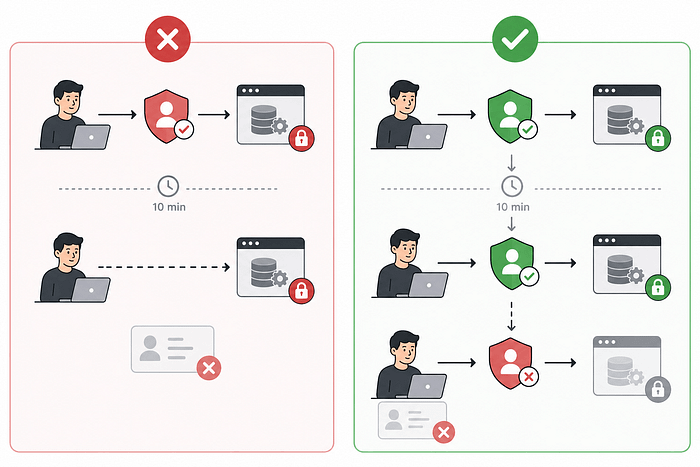
Permissions that were valid ten minutes ago may no longer be valid now.
2. Revocation Must Be Treated as a First-Class Security Requirement
Many systems are designed around granting permissions.
Fewer are designed around removing them.
Security reviews should explicitly include scenarios such as:
- User removed from organization
- User downgraded from admin to member
- Team access revoked
- Ownership transferred
These transitions are often where authorization flaws emerge.
3. Never Assume the UI Reflects Reality
A success notification proves only that the interface believes an action occurred.
It does not prove that the backend is enforcing the same state.
Security-sensitive decisions should always be validated on the server side.
4. Test Permission Changes, Not Just Permissions
Many authorization systems work perfectly when permissions remain static.
Problems frequently appear when permissions change dynamically.
If you're designing test cases for authorization, don't just ask:
Can this user access the resource?
Also ask:
What happens after they lose access?
The answer is often far more interesting.
Conclusion
This report was ultimately marked as a duplicate.
While another researcher may have found the issue first, the experience reinforced an important lesson about authorization design.
The vulnerability wasn't discovered through an advanced exploit chain.
There was no race condition.
No complex bypass.
No exotic payload.
The entire finding came from testing a simple assumption:
When a user is removed, does their access actually disappear?
The application successfully removed the user from the organization.
The problem was that the user's permissions didn't leave with them.
For bug hunters, this finding reinforces the value of testing assumptions.
For developers, it serves as a reminder that authorization is not only about granting access — it's about removing it correctly.
And sometimes, the most valuable security lessons come from the simplest questions.
Thanks for reading.