Introduction
In Bug Bounty, patience is your best weapon. Sometimes you find a bug, but it is useless. You have to push harder to make it count. This is the story of how I found a simple, out-of-scope bug, got blocked by a strict WAF, waited for 2.5 months to learn new skills, and finally escalated it to a Critical 9.3 Reflected XSS.
Chapter 1: The Out-of-Scope Bug & The WAF Wall
It started in mid-December. I was hunting on a government VDP (target.com). I tested an endpoint and noticed the q.LIKE parameter was reflecting my input.
A quick test showed that HTML Injection was possible. But there was a big problem: The program policy clearly stated that HTML Injection is Out of Scope. To get a valid report, I had to escalate it to Cross-Site Scripting (XSS).
I tried a simple <script>alert(1)</script>. Blocked. The target was protected by a very aggressive AWS WAF. Worse, the WAF had a strict ban system. Every time it caught a bad payload, it blocked my IP for 5 minutes. Back then, I didn't know how to use IP rotation. Testing manually with 5-minute bans was impossible.
I hit a wall. But I didn't close the tab. I left it open in my browser and went to study.
Chapter 2: The 2.5 Months Break & Leveling Up
For two and a half months, that tab stayed open. During this time, I focused on learning. I studied advanced XSS techniques and, most importantly, I learned how to set up IP Rotation in Burp Suite.
With IP rotation, the 5-minute WAF ban would no longer stop me. I was ready to go back to my target.
Chapter 3: The PortSwigger Methodology
I decided to test the WAF step by step, using the methodology I learned from PortSwigger's Web Security Academy.
Step 1: Fuzzing HTML Tags First, I needed to know what tags the WAF allowed. I sent the request to Burp Intruder with a list of HTML tags (<svg>, <body>, <a>, <video>, etc.). The WAF was strict, but it allowed the <video> tag.
Step 2: Fuzzing Event Handlers Having a tag is not enough. I used Burp Intruder again to fuzz JavaScript event handlers inside the <video> tag (like onload, onerror).

Almost all of them were blocked. But suddenly, I got a 200 OK response on one specific event handler: onwebkitpresentationmodechanged. The WAF developers blocked standard handlers but forgot this WebKit-specific (Safari) event!
Chapter 4: The Final Bypass (String Concatenation)
I had the <video> tag and the onwebkitpresentationmodechanged event. Now, I needed to run JavaScript.
But the WAF was still checking my code. If I wrote window.location or javascript:alert(1), I got blocked. To bypass this, I used String Concatenation. I split the blocked words into smaller pieces so the WAF couldn't read them.
Instead of window.location, I wrote: window['loca'+'tion'].
To make the real payload completely hidden from the WAF, I used the window.name trick.
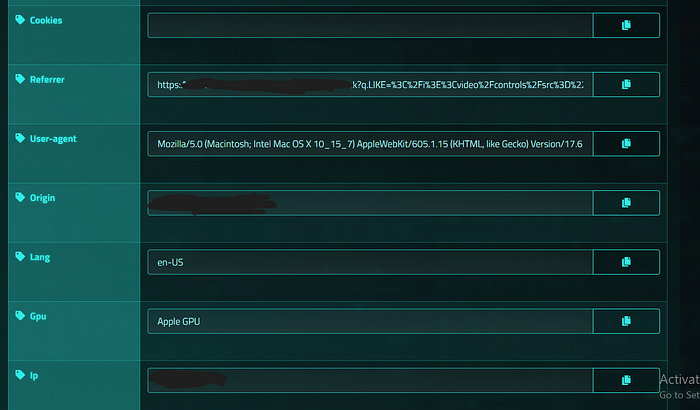
The Final Attack Chain:
- I created a malicious HTML page that sets:
window.name = "javascript:alert(document.domain)". - My page redirects the victim to the vulnerable URL.
- The injected payload looked like this:
...<video/controls/src="..."/onwebkitpresentationmodechanged="window['loca'+'tion']=window['na'+'me']"></video>... - When a Safari user plays the video or enters Picture-in-Picture mode, the WebKit event triggers.
- The browser executes the payload hidden inside
window.name.
Conclusion
I submitted the full report to YesWeHack. The triage team validated the WAF bypass and accepted the report with a Critical Severity (CVSS 9.3).
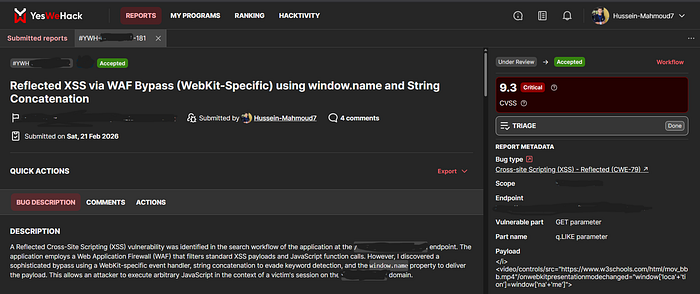
The Lesson: If you find a bug that is Out of Scope, don't give up. If you hit a WAF, take a step back, learn new skills, and come back stronger. Never close that tab!