Tools Used
- Wireshark
- Linux terminal
- nslookup
What I Did
I started by launching Wireshark and setting a capture filter to focus only on DNS traffic:
udp port 53
This filter uses BPF syntax and makes sure only DNS packets are captured instead of everything on the network.
After that, I generated DNS traffic using:
nslookup google.com
nslookup facebook.com
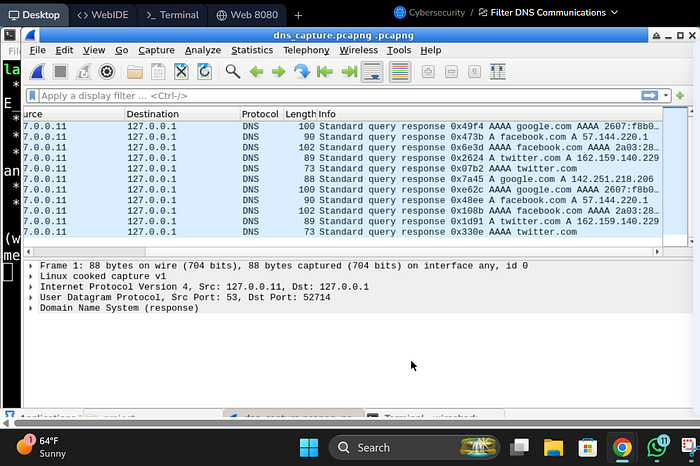
This created DNS queries that Wireshark could capture and then i saved the captured one.
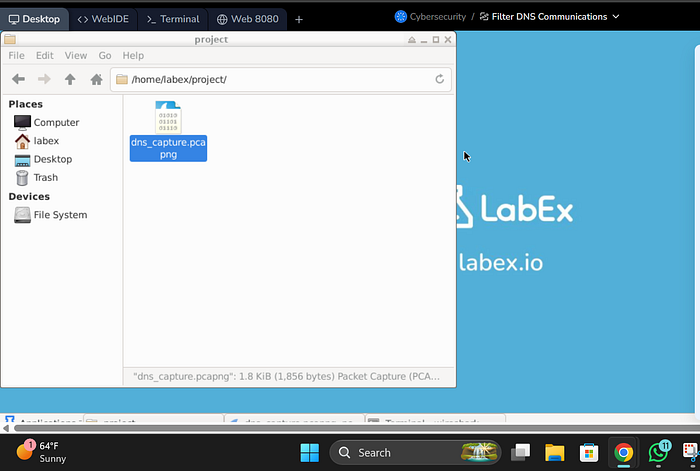
I made sure to collect at least 10 DNS packets as required.
Findings
- I was able to capture DNS request and response traffic
- The packets showed:
- Domain name queries (google.com, facebook.com)
- Source and destination IPs
- All captured traffic was limited to DNS because of the filter
What I Noticed
- Using a capture filter is better than filtering later because it reduces noise from the start
- DNS traffic is usually small but frequent
- This type of traffic could be abused for tunneling if not monitored properly
Impact
In a real-world SOC environment:
- DNS traffic can be used for:
- Data exfiltration
- Command and control (C2) communication
- Monitoring DNS helps detect unusual patterns like:
- Too many requests
- Strange domain names
Conclusion
This lab helped me understand how to:
- Capture specific protocol traffic using filters
- Generate and analyze DNS queries
- Focus on relevant traffic during investigations
- Applied targeted filtering to improve efficiency of network traffic analysis
· "I checked if any domain names looked unusual or random."