
Windows Event Logs are a critical source of evidence in digital forensic investigations, providing detailed insight into system activity, user behaviour, and security-related events.
This article presents a practical investigation of Windows Event Logs using Event Viewer, with the aim of identifying user activity and analysing key system events.
Objective
The objective of this investigation was to analyse Windows Event Logs to identify user login activity, privilege assignment, account-related actions, and system behaviour.
Tools Used
The analysis was conducted using Windows Event Viewer, a built-in tool that allows detailed examination of system and security logs.
Methodology
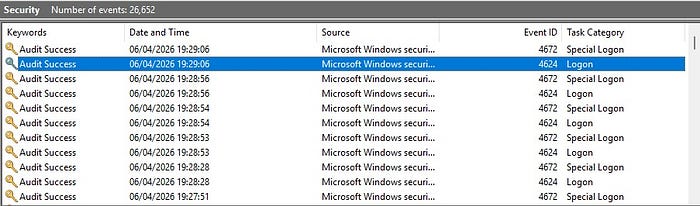
The investigation began by accessing the Security log through Event Viewer. Relevant events were filtered using specific Event IDs to focus on meaningful forensic activity.
The following Event IDs were analysed:
- 4624 (successful login)
- 4672 (special privileges assigned)
- 4798 (user account queried)
- 5382 (credential access)
By filtering and examining these events, it was possible to identify patterns of system activity and user behaviour.
Analysis
Login Activity
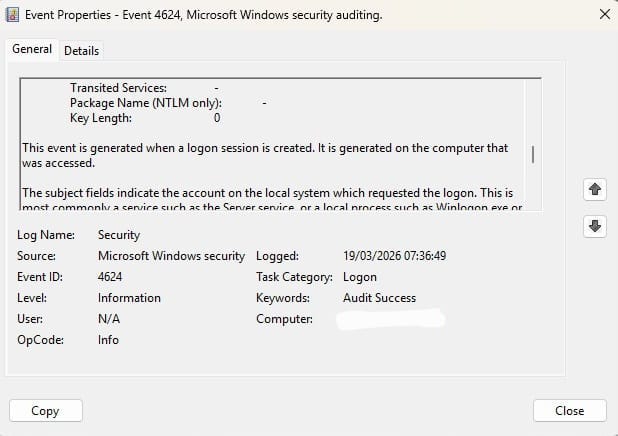
Event ID 4624 was identified, indicating a successful login to the system. This event provides valuable information about when a user accessed the machine and is commonly used to establish user activity timelines in forensic investigations.
Privileged Access
Event ID 4672 was observed following the login event, indicating that special privileges were assigned to the account. This typically occurs when an administrative account logs in and is an important indicator of privileged activity within the system.

Account Activity
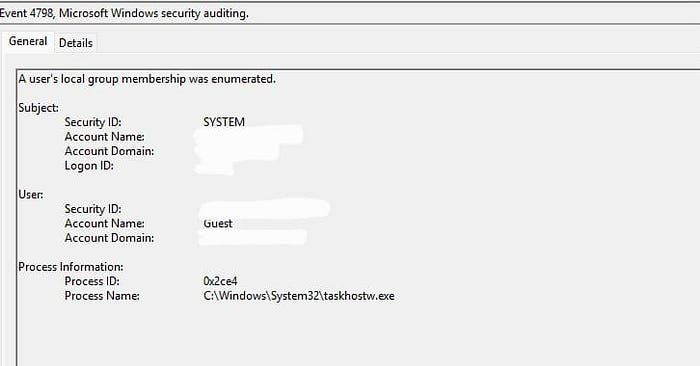
Event ID 4798 was identified, indicating that a user account's local group membership was queried. This type of activity can provide insight into account enumeration behaviour and is useful for understanding how user accounts are accessed or inspected during system usage.
Credential Access
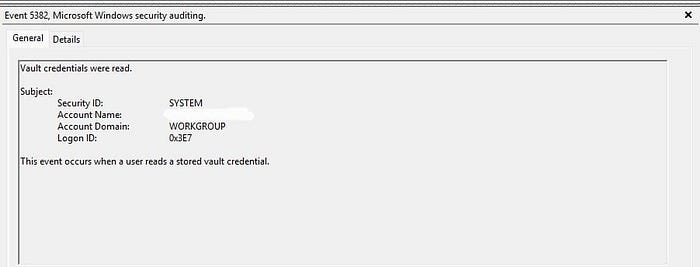
Event ID 5382 indicated that stored credentials were accessed through the Windows Credential Manager. This event is relevant in forensic investigations as it provides insight into how authentication data is used within the system.
Timeline Reconstruction ⭐
By analysing the sequence of events, a timeline of system activity was reconstructed.
Example:
19:20 → Successful login (4624) 19:29 → Privileges assigned (4672) 19:30 → User account queried (4798) 19:40 → Credentials accessed (5382)
This timeline provides a structured view of system activity and helps investigators understand the order in which actions occurred.
Findings
The analysis of Windows Event Logs revealed several important insights into system activity:
- A successful login event confirmed user access to the system
- Privileged access was assigned, indicating administrative-level activity
- User account information was queried, suggesting account inspection
- Credential access events were observed, indicating interaction with stored authentication data
These findings demonstrate how Windows Event Logs can be used to identify and interpret user behaviour and system activity.
Conclusion
This investigation demonstrates the importance of Windows Event Logs in digital forensic analysis. By examining key event IDs and reconstructing a timeline of events, it is possible to gain valuable insight into system behaviour and user activity.
Understanding and analysing event logs is a fundamental skill for digital forensic investigators and plays a crucial role in supporting effective investigations.