

🔻دعواتنا دائمًا لأهلنا في غزة، اللهم كن لهم عونًا ونصيرًا، وافرغ عليهم صبرًا وعزيمة
Introduction:
Recon is my favorite part of the whole hunting process. it's always the start of every new finding for me. That's why I always kick off my hunts with recon.
If you missed Part 1 and 2, you can read it here:
Today, we will focus on historical recon and visual recon using two powerful tools:
- Wayback Machine
- urlscan.io
These tools help uncover "forgotten endpoints, removed secrets, old admin panels, and exposed internal URLs" that are no longer visible on the live website.
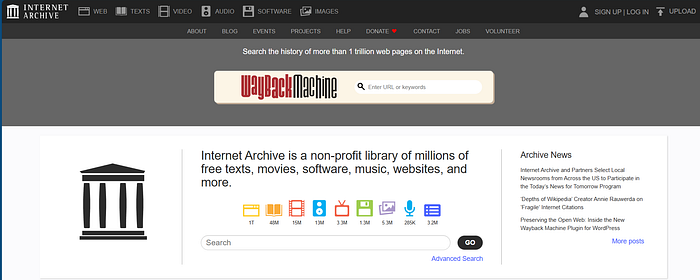
1-Wayback Machine: Find What Was Hidden in the Past
The Wayback Machine is an initiative of the Internet Archive
Wayback Machine archives old versions of websites. Many sensitive endpoints and secrets appear in old snapshots even after being removed from production.
What I look for:
- Old admin panels
- Debug endpoints
- API endpoints
- Old JS files
- Hardcoded secrets in archived pages
- Staging / dev URLs
- Exposed config files
These are some of the keywords I use to filter Wayback Machine results to get the best findings:
config | /config | .config
.env
settings
secrets
credentials
key
api | v1 | v2
.json | .js
admin
/users
access_token
=eyJ
password | token | session | reset | forgot | email
staging | dev | debug | dashboard | test
graphql
webhook | callback
.log | .bak | .zip | .sql | .xml | .yaml | .yml
Why Wayback is powerful:
- Developers often remove sensitive endpoints but forget they were archived
- Old JS files may contain API keys or internal endpoints
- Debug panels sometimes appear in early versions
- You can discover endpoints that still exist but are not linked anywhere
2-️urlscan.io: Visual Recon, Endpoint & Files Discovery
urlscan.io scans a URL and shows you:
- All loaded requests
- API calls
- External services
- Subdomains
- JS files
- Screenshots of the page
This helps you understand how the application behaves internally.
What I look for:
- Hidden API endpoints
- Internal domains
- Admin panels
- Staging subdomains
- Cloud services (S3, Firebase, Azure, etc.)
- Tokens inside requests
- Third-party integrations
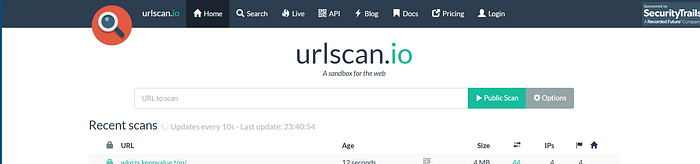
In addition to live scanning, urlscan.io provides a powerful search feature that allows you to explore historical scans made by other users.
I often use the same keywords I use with Wayback Machine to filter urlscan search results and quickly surface interesting endpoints and sensitive paths.
When using urlscan.io search, I usually combine domain-based filters with keyword-based queries to narrow down the results and quickly find interesting endpoints.
Example query I use:
domain:x.com page.url:.config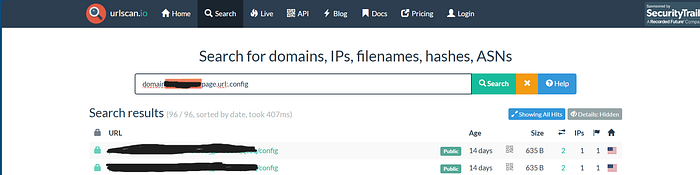
Why urlscan search is useful:
- It is passive recon (no interaction with the target infrastructure)
- You can discover old endpoints, subdomains, and internal URLs that are no longer linked on the live website
- Some historical scans contain requests and endpoints that were later removed or hidden
- It helps map the application's structure without touching the target directly
- It complements Wayback Machine by showing network-level behavior, not just archived pages
Combining Wayback Machine with urlscan.io search often reveals forgotten endpoints that still exist but are no longer visible anywhere on the frontend.
Please share your feedback with me! Twitter: X \ آية أيمن 🇵🇸 (@GERR4Y)