


Get a Setapp subscription using my affiliate link. (Try it free for 30 days!)
#1. invoice
I haven't posted much last month (sorry!).
The reason: I've been freelancing lately. Wrote a couple of articles for a VPN company that we'll call SuperVPN.
Unlike other companies that paid money directly to my bank upon article submission, these people asked for an invoice first.
I know I can quickly create one using the Pages template. But I'm too lazy to do that.
So, here's what I did:
I ran brew install invoice on Terminal.
Then used this command to finally generate the invoice:
> invoice generate --from 'Nikhil Vemu LLC' \
>   --logo logo.png
>   --to 'SuperVPN, Inc.' \
>   --date 'June 10, 2025' \
>   --tax 0.18 \
>   --discount 0.2 \
>   --item 'Paid Article'
>   --quantity 5
>   --rate 250
>   --note 'Pleasure doing business with you.'
An invoice with name 'invoice.pdf' popped up right away in the current directory.
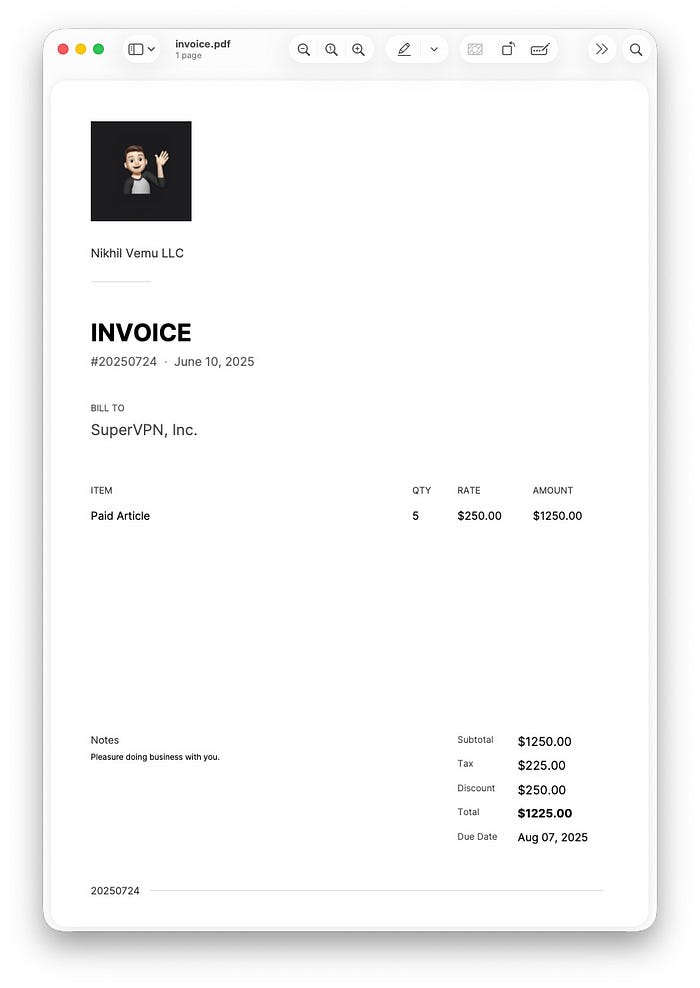
How cool!
Now, if you have repeat customers, items, tax rates, whatever, you can use Environment Variables to save and reuse them without retyping everything.
Check the link below for more information.
#2. Tgpt
All thru 2023 and 2024, I used BoltAI for my AI needs. It's an AI client that lets you use your API keys to chat with AI.
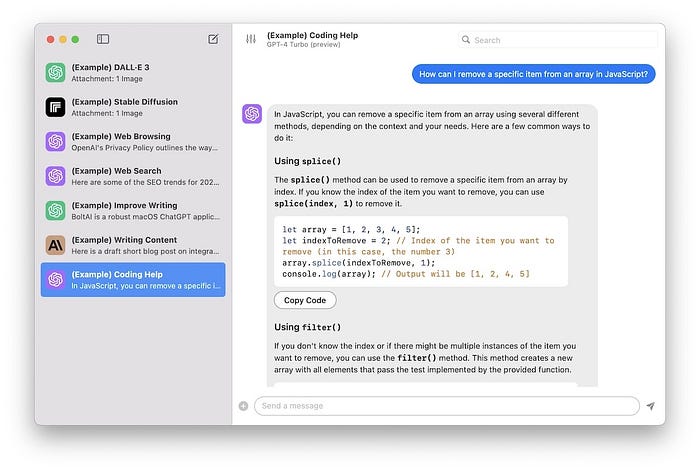
Wanna try? Use my affiliate links below:
- BoltAI official link
- BoltAI Setapp link (30-day free-trial)
During the second half of 2024, I started building bestmacapps.com and I unknowingly spent a lot of money on AI credits coz I didn't set a limit.
I was happy the website came well but regretted spending too much for it. I decided to stop using API credits and take a regular Claude AI plan by paying a fixed subscription fee.
Luckily, Claude was then having a discount offer and I grabbed a yearly subscription for just $180, normally $240.
Now, here's my second regret: I had no clue about tgpt (Terminal GPT) back in 2024.
It's a Homebrew tool that lets you chat with AI using your API keys right within Terminal. Best part? It works even without an API key. (You'll know how)
It can even create custom shell commands and run them for you. Say goodbye to Substage (app #3 in this article) →
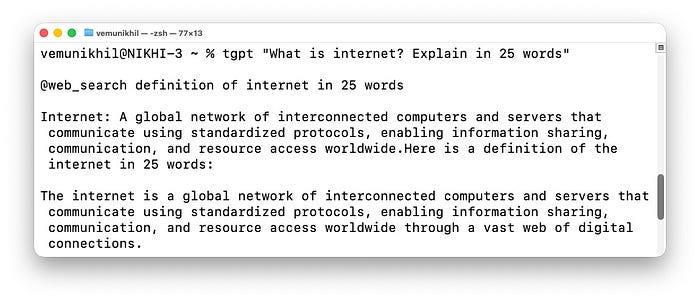
Basically, a FREE, POWERFUL, AI!
Try these commands for fun:
tgpt "What is internet?"
tgpt --provider duckduckgo "What is 1+1"
tgpt --provider openai --key "sk-xxxx" --model "gpt-3.5-turbo" "What is 1+1"
You can also create images — free, fast, and unlimited.
tgpt --img "cat"
tgpt --img --out ~/my-cat.jpg --height 256 --width 256 "cat"
By default, it uses free Phind AI which isn't so powerful but works without any API key or limits. So perfect for general questions.
For complex ones, consider using Claude, ChatGPT, or DeepSeek with your own API keys. You can even use a local LLM, if you have one running.
Now, my explanation barely scratches the surface and I'm already fighting for breath. Click on the link below to know more.
#3. rdfind
Been using a Mac for over four years, I learnt the language of Macs.
The other day, I was chilling in my room and I heard a mysterious "Hello, Hello!". Silence. Then "Hello" again. It was coming from my Mac. Thought I'd left a Zoom meeting on. But nope.
"Hey young man, it's your old Mac talking", clarified my Mac that's four years old.
It suddenly started crying. I stood in perplexity (not the AI tool).
Took it carefully into my hands. Asked my gaming console to console it.

I was shocked to hear it say I was the reason for its hardships and that it must've been cursed in its past life to become my Mac in this life.
There's one major takeaway from that heartbreaking conversation: Duplicate files are the main culprit behind its cognitive overload and dementia.
I didn't hesitate to pay $120 for a lifetime license for CleanMyMac right away. Terrific app.
Though $120's a steal for what it did to my Mac, I don't think most people would drop that much for a software.
So let's follow the 80–20 Pareto principle here.
My Mac said 80% of its problems came from 20%: duplicate files. So let's tackle duplicates using this free Homebrew tool — rdfind.
Unlike many cheap tools, it doesn't find duplicates based on file names, but their actual contents.
Use rdfind ~/Downloads to sniff out duplicates from the Downloads directory (example). To delete duplicates, use refined -deleteduplicates true ~/Downloads.
#4. icloudpd
Have you read this article?
If yes, you'd know how much I hate, yes hate!, Apple for its restrictions on downloading iCloud Photos to local for backup purposes.
Here's how the four available methods work:
• Time Machine? Only backs up photos that are downloaded to your Mac.
• Apple's built-in export? Works, but dumps all your 30,000 photos into one folder.
• Drag photos out? Gives you low-res JPEG copies instead of originals.
• Download from iCloud.com? Stuck to just 1,000 items per go.
So, if you could spare $50, you could get the app Photos Takeout that quickly and reliably backs up your photos in a YYYY < MM < DD folder structure.
You can even export individual albums. And there are tons of more options that make the $50 price tag justified.
However, if you only want to keep a complete backup of photos (same YYYY < MM < DD structure) without album segregation, there's a free alternative: icloudpd
Once installed, login using icloudpd — username youremail@apple.com — auth-only. You can save your Apple Account password in the so-called "keyring" for faster login next time.
Then, use icloudpd — username youremail@apple.com — directory ~/iCloudBackup for a simple full backup.
- Use
--auto-deleteto sync deletions too (recommended). - Use
--recent 100to backup just the latest 100 items. - Use
--albums "Vacations 2024"to backup just the album.
#5. asciitex
It's been three years since I started working at Accenture >. Before that I was a happy carefree university lad who loved math.
Yaar, really miss those days 😩
The below Homebrew tool does absolutely nothing to me today. But if you're studying math or your kid is, it's worth a minute reading how it works.
But first, tell me, how would you type this on your Mac?

You can't. You cannot type the integration symbol with what's on your keyboard. That's why we use images for that. Or, can we type?
We can! — using asciitex.
This tool can represent LaTeX math expressions in ASCII representations. Here's some examples:
asciitex '\frac{1}{2}'
1
-
2
asciitex '\sum_{i=1}^{n} i^2'
___ n      2
\         i
/__
i = 1
asciitex '\int_0^{\infty} e^{-x^2} dx'
∞
⌠  -x²
⎮ e    dx
⌡
0
asciitex 'e^{iπ} + 1 = 0'
 iπ
e   +  1  =  0
This will help keep your academic journals lightweight without images. There's no bigger use I can think of.
#6. Gamdl
My grandpa's first appearance on my profile was in #5 of this article →
He's 85 years old, stays with grandma in the countryside, not a techie at all, listens to favorite music on his mp3 player that was gifted at his retirement in 1997, sometimes connected to a loudspeaker, wired.
He has no idea how to use Apple Music or Spotify. Even if he did, he still wouldn't use.
"$10.99 a month!? Am I a fool? I don't want it. Just add songs to my mp3 player. Costs zero."
Apple Music songs have incredible clarity. One couldn't get that level of quality by downloading songs from cheap websites filled with ads.
Sure, I can save songs locally in Apple Music. But that still requires an active subscription. You know — grandpa hates that.
Upon searching for a solution, I found Gamdl (short for Glomatico's Apple Music Downloader).
Here's how I downloaded songs to local and transferred them to his mp3 player:
- Download Chrome, yes that RAM hogger bustard.
- Install this extension:
- Open music.apple.com and login to your active Apple Music account.
- Click the Export ↓ button to download the cookies file.
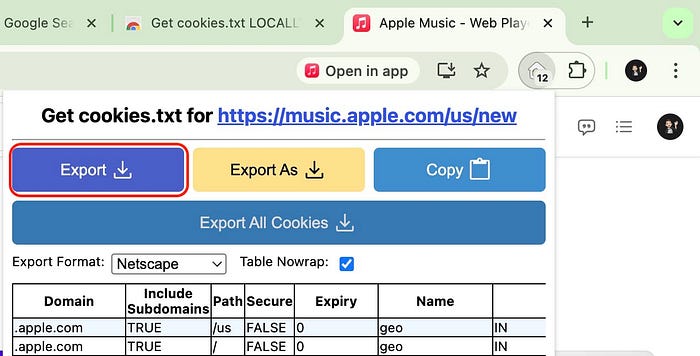
- Name it cookies.txt and save it in the directory you want the songs downloaded.
- Open Terminal and switch to that directory.
- Use
gamdl "https://music.apple.com/us/album/never-gonna-give-you-up-2022-remaster/1624945511?i=1624945512"to download the song that would rickroll him.
Okay, enough jokes.
I'm keeping it simple. Use gamdl <song-link, album-link, or playlist-link> to download the song, album, or playlist. By default, it downloads a .lrc lyrics file along with the song.
- If you don't want lyrics, use
--no-synced-lyrics. - If you only want the lyrics (without song), use
--synced-lyrics-only. - To have the lyrics in .srt or .ttml formats, use
--synced-lyrics-format srt/ttml.
#7. codevis
I'm a coder myself and I recommend using Git to keep local snapshots of your code so you can quickly roll back when you mess up big time.
But if your project isn't large enough to need Git and not as small enough to stay mess-free, consider using this Homebrew tool: codevis (short for Code Visualization).
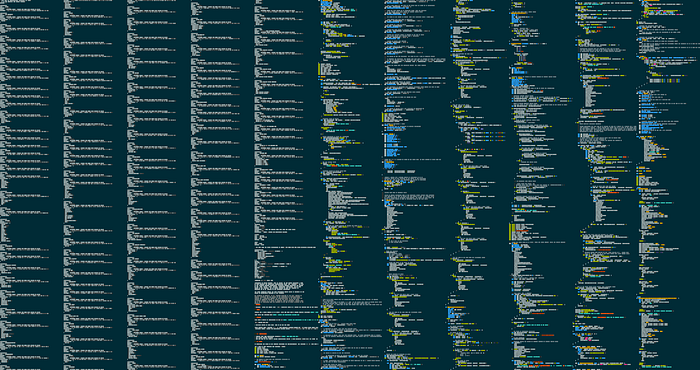
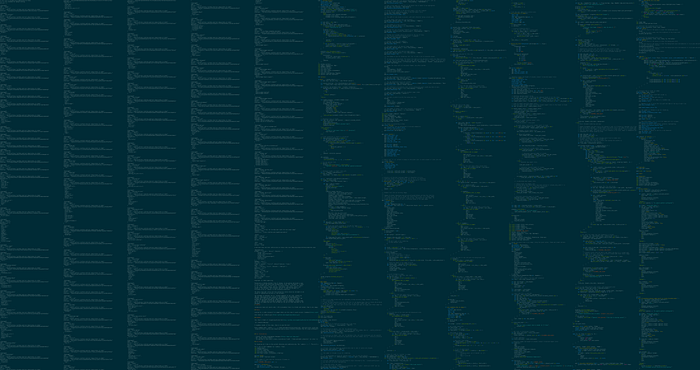
It takes all your source code and renders it into a single, large, syntax highlighted image.
Assuming your cd is Desktop and your code is in a folder called sourcecode right there, here are the sample commands and images.
- Use
codevis -i ./sourcecodeto create a basic image output.png that just gives a structure but isn't readable
- Use
-o ./sourcecode-snapshot-1.pngfor custom name - Use
--readablefor a large readable render
- Use
--line-numsto include line numbers - Use
--show-filenamesto include file names - Use
--bg-pixel-color style-checkerboard-darkenfor a darkened checkerboard pattern background
For more a'macOS'zing Terminal commands, read these
Useful Mac Terminal Tricks
Save this list to get notified everytime a new story is added!
medium.com
For only Homebrew tools, read these.
Finally,
If you love exploring new iOS & Mac apps (like me), consider subscribing to Setapp. You'll get access to a curated collection of 240+ amazing apps for just $9.99 a month, which rather cost hundreds of dollars if purchased individually.
- Use my affiliate link to start your Setapp journey! (It's free for 30 days)
- Get my free list of 100+ Ultimate macOS Apps on Setapp here.