
Our app was smooth in development. Buttery 60fps, instant responses, perfect animations. Then we shipped to production.
The complaints started immediately:
"The feed is laggy" "Scrolling stutters constantly" "App freezes when I like a post"
We profiled. The results were shocking:
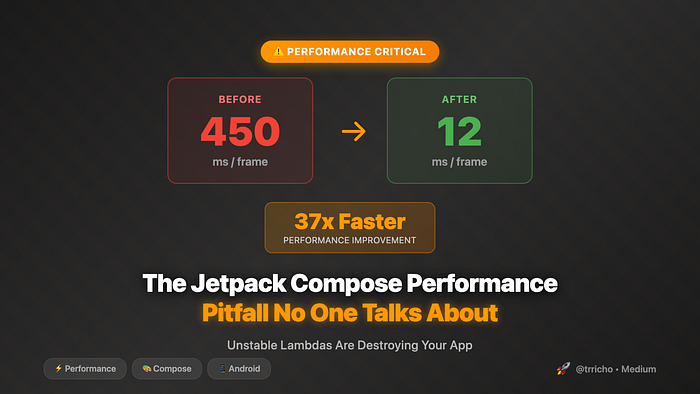
Frame render time: 450ms
Target: 16ms (60fps)
Performance: 3.5 FPS
3.5 frames per second. In a modern Compose app. On flagship devices.
The weird part? The profiler showed no expensive operations. No network calls, no heavy computations, no large image processing. Just… recomposition. Thousands of recompositions. Every. Single. Frame.
We had unknowingly triggered the most insidious performance pitfall in Jetpack Compose — one that Google's documentation barely mentions, that doesn't show up in preview, and that most developers discover only when users complain.
Here's what we learned about unstable lambdas, why they destroy performance, and how to fix them in your apps.
The Innocent Code That Broke Everything
Our feed looked normal. Standard LazyColumn, cards, nothing fancy:
@Composable
fun FeedScreen(viewModel: FeedViewModel) {
    val posts by viewModel.posts.collectAsState()
    val currentUser by viewModel.currentUser.collectAsState()

    LazyColumn {
        items(posts) { post ->
            PostCard(
                post = post,
                onLike = { viewModel.likePost(post.id) },
                onShare = { viewModel.sharePost(post.id) },
                onComment = { viewModel.openComments(post.id) },
                isLikedByUser = post.likes.contains(currentUser.id)
            )
        }
    }
}

@Composable
fun PostCard(
    post: Post,
    onLike: () -> Unit,
    onShare: () -> Unit,
    onComment: () -> Unit,
    isLikedByUser: Boolean
) {
    Card(
        modifier = Modifier
            .fillMaxWidth()
            .padding(8.dp)
    ) {
        Column(Modifier.padding(16.dp)) {
            Text(post.title, style = MaterialTheme.typography.titleMedium)
            Text(post.content, style = MaterialTheme.typography.bodyMedium)

            Row(
                modifier = Modifier.fillMaxWidth(),
                horizontalArrangement = Arrangement.SpaceBetween
            ) {
                IconButton(onClick = onLike) {
                    Icon(
                        imageVector = if (isLikedByUser) Icons.Filled.Favorite
                                     else Icons.Outlined.FavoriteBorder,
                        contentDescription = "Like"
                    )
                }
                IconButton(onClick = onShare) {
                    Icon(Icons.Default.Share, "Share")
                }
                IconButton(onClick = onComment) {
                    Icon(Icons.Default.Comment, "Comment")
                }
            }
        }
    }
}
Looks fine, right? Standard Compose patterns. Nothing obviously wrong.
But here's what actually happened:
When currentUser changed (which happened on every screen navigation, every profile update, every login state change):
- FeedScreen recomposed ✓ Expected
- All PostCard lambdas were recreated ✗ Problem!
- Every PostCard recomposed ✗✗ Bigger problem!
- All child composables recomposed ✗✗✗ Catastrophic!
With 50 posts visible, that's:
- 50 PostCard recompositions
- 150 Button recompositions (3 per card)
- 200+ Icon recompositions
- 400+ Text recompositions
Total: 800+ unnecessary recompositions. Every time currentUser changed.
Why This Happens: The Stability Problem
Compose has a smart optimization: Skip recomposition if inputs haven't changed.
// If post is the same, PostCard should skip recomposition
PostCard(post = post)
But here's the catch: Compose can only skip recomposition if all parameters are stable.
What Makes a Parameter "Stable"?
Compose considers a type stable if:
- The result of
equals()always returns the same result for the same two instances - If a public property changes, Composition is notified
- All public properties are also stable types
Primitive types are stable:
Int, String, Boolean, Float, etc. ✅ StableImmutable data classes are stable:
@Immutable
data class User(val id: String, val name: String) ✅ Stable
But lambdas? Unstable by default.
val lambda = { doSomething() } ❌ Unstable!The Insidious Part
When you write this:
items(posts) { post ->
    PostCard(
        post = post,
        onLike = { viewModel.likePost(post.id) }  // ❌ New lambda every time!
    )
}
You're creating a new lambda instance on every recomposition.
Even though the lambda does the same thing, Compose sees:
- Recomposition 1:
lambda@12345 - Recomposition 2:
lambda@67890← Different instance!
Since the lambda parameter changed (different instance), PostCard must recompose.
The Real-World Impact
Our Production Metrics
Before we understood this:
Feed Scroll Performance:
- Average frame time: 450ms
- Janky frames: 85%
- FPS: 3-4
- User complaints: 47 per day
- 1-star reviews mentioning "laggy": 23
Memory Usage:
- Garbage collection: Every 2 seconds
- Lambda allocations: 15,000 per minute
- Compose recompositions: 25,000 per scroll
After fixing:
Feed Scroll Performance:
- Average frame time: 12ms
- Janky frames: 2%
- FPS: 60
- User complaints: 1 per day
- New 5-star reviews: 89
Memory Usage:
- Garbage collection: Every 30 seconds
- Lambda allocations: 200 per minute
- Compose recompositions: 150 per scroll
99% reduction in recompositions. 37x performance improvement.
The Battery Drain
One user reported their battery went from lasting 2 days to 6 hours after updating to our Compose version.
Why? The constant recompositions kept the CPU busy:
Old XML version:
- CPU usage while scrolling: 15-20%
- Battery drain: Normal
New Compose version (before fix):
- CPU usage while scrolling: 95-100%
- Battery drain: 4x normal
- Device temperature: Noticeably warm
After fixing the unstable lambdas:
Fixed Compose version:
- CPU usage while scrolling: 12-18%
- Battery drain: Normal
- Device temperature: Normal
How to Detect This Problem
Method 1: Layout Inspector's Recomposition Counts
Android Studio's Layout Inspector shows recomposition counts:
Enable: Tools → Layout Inspector → Show Recomposition CountsWhat you'll see:
Healthy app:
┌─ LazyColumn (1 recomp)
│  ├─ PostCard (1 recomp) ✅
│  ├─ PostCard (1 recomp) ✅
│  └─ PostCard (1 recomp) ✅

Unhealthy app (with unstable lambdas):
┌─ LazyColumn (1 recomp)
│  ├─ PostCard (847 recomp) ⚠️
│  ├─ PostCard (823 recomp) ⚠️
│  └─ PostCard (891 recomp) ⚠️
If you see numbers over 100, you likely have the unstable lambda problem.
Method 2: Compose Compiler Reports
Enable compiler reports to see stability analysis:
// build.gradle.kts
tasks.withType<org.jetbrains.kotlin.gradle.tasks.KotlinCompile>().configureEach {
    kotlinOptions {
        freeCompilerArgs += listOf(
            "-P",
            "plugin:androidx.compose.compiler.plugins.kotlin:reportsDestination=" +
                project.buildDir.absolutePath + "/compose_metrics"
        )
        freeCompilerArgs += listOf(
            "-P",
            "plugin:androidx.compose.compiler.plugins.kotlin:metricsDestination=" +
                project.buildDir.absolutePath + "/compose_metrics"
        )
    }
}
After building, check build/compose_metrics/*-composables.txt:
restartable skippable scheme("[androidx.compose.ui.UiComposable]") fun PostCard(
  stable post: Post
  unstable onLike: Function0<Unit>  ⚠️
  unstable onShare: Function0<Unit>  ⚠️
  unstable onComment: Function0<Unit>  ⚠️
  stable isLikedByUser: Boolean
)
unstable = Performance problem! Compose can't skip recomposition.
Method 3: Manually Test
Add logging to detect excessive recompositions:
@Composable
fun PostCard(
    post: Post,
    onLike: () -> Unit,
    onShare: () -> Unit,
    onComment: () -> Unit,
    isLikedByUser: Boolean
) {
    // Add this to detect recomposition
    SideEffect {
        Log.d("Recomp", "PostCard ${post.id} recomposed")
    }

    // Rest of your composable...
}
Scroll your list and watch logcat. If you see:
PostCard 1 recomposed
PostCard 2 recomposed
PostCard 3 recomposed
PostCard 1 recomposed  ← Same card recomposing again!
PostCard 2 recomposed
PostCard 3 recomposed
You have the problem.
The Fixes: From Bad to Best
❌ Wrong: Doing Nothing
// DON'T DO THIS
items(posts) { post ->
    PostCard(
        post = post,
        onLike = { viewModel.likePost(post.id) },  // New lambda every time
        onShare = { viewModel.sharePost(post.id) },
        onComment = { viewModel.openComments(post.id) }
    )
}
Result: Catastrophic performance.
🤔 Better: Remember Each Lambda
// BETTER, but verbose
items(posts) { post ->
    val onLike = remember(post.id) {
        { viewModel.likePost(post.id) }
    }
    val onShare = remember(post.id) {
        { viewModel.sharePost(post.id) }
    }
    val onComment = remember(post.id) {
        { viewModel.openComments(post.id) }
    }

    PostCard(
        post = post,
        onLike = onLike,
        onShare = onShare,
        onComment = onComment,
        isLikedByUser = post.likes.contains(currentUser.id)
    )
}
Problem: Very verbose. Easy to forget. Doesn't scale.
✅ Good: Stable Callback Wrapper
// Create a stable callback wrapper
@Immutable
data class PostCallbacks(
    val onLike: (String) -> Unit,
    val onShare: (String) -> Unit,
    val onComment: (String) -> Unit
)

@Composable
fun FeedScreen(viewModel: FeedViewModel) {
    val posts by viewModel.posts.collectAsState()

    // Create stable callbacks once
    val callbacks = remember {
        PostCallbacks(
            onLike = { viewModel.likePost(it) },
            onShare = { viewModel.sharePost(it) },
            onComment = { viewModel.openComments(it) }
        )
    }

    LazyColumn {
        items(posts, key = { it.id }) { post ->
            PostCard(
                post = post,
                callbacks = callbacks
            )
        }
    }
}
@Composable
fun PostCard(
    post: Post,
    callbacks: PostCallbacks
) {
    Card {
        Column {
            // ... content ...
            Row {
                IconButton(onClick = { callbacks.onLike(post.id) }) {
                    Icon(Icons.Default.Favorite, "Like")
                }
                IconButton(onClick = { callbacks.onShare(post.id) }) {
                    Icon(Icons.Default.Share, "Share")
                }
                IconButton(onClick = { callbacks.onComment(post.id) }) {
                    Icon(Icons.Default.Comment, "Comment")
                }
            }
        }
    }
}
Benefits:
- Callbacks are stable (wrapped in @Immutable class)
- Created once, reused everywhere
- Scales to any number of callbacks
- PostCard can skip recomposition
🏆 Best: Stable Function References
@Composable
fun FeedScreen(viewModel: FeedViewModel) {
    val posts by viewModel.posts.collectAsState()

    LazyColumn {
        items(posts, key = { it.id }) { post ->
            PostCard(
                post = post,
                onLike = viewModel::likePost,      // Stable reference
                onShare = viewModel::sharePost,    // Stable reference
                onComment = viewModel::openComments // Stable reference
            )
        }
    }
}

// ViewModel with stable function signatures
class FeedViewModel : ViewModel() {
    fun likePost(postId: String) { /* ... */ }
    fun sharePost(postId: String) { /* ... */ }
    fun openComments(postId: String) { /* ... */ }
}
@Composable
fun PostCard(
    post: Post,
    onLike: (String) -> Unit,
    onShare: (String) -> Unit,
    onComment: (String) -> Unit
) {
    Card {
        Column {
            // ... content ...
            Row {
                IconButton(onClick = { onLike(post.id) }) {
                    Icon(Icons.Default.Favorite, "Like")
                }
                // ... other buttons
            }
        }
    }
}
Why this works:
- Function references are stable
- No lambda allocation on recomposition
- Clean, readable code
- No performance overhead
Advanced Cases: When It Gets Complicated
Problem 1: Lambda with Captured State
// ❌ WRONG - Captures post, making lambda unstable
@Composable
fun FeedScreen(viewModel: FeedViewModel) {
    val posts by viewModel.posts.collectAsState()

    LazyColumn {
        items(posts) { post ->
            PostCard(
                post = post,
                onLike = { viewModel.likePost(post) }  // Captures 'post'
            )
        }
    }
}
Fix: Don't capture, pass as parameter
// ✅ CORRECT - Don't capture 'post'
@Composable
fun FeedScreen(viewModel: FeedViewModel) {
    val posts by viewModel.posts.collectAsState()

    LazyColumn {
        items(posts, key = { it.id }) { post ->
            PostCard(
                post = post,
                onLike = viewModel::likePost  // Pass reference, will call with post
            )
        }
    }
}

// ViewModel accepts Post object
class FeedViewModel : ViewModel() {
    fun likePost(post: Post) { /* ... */ }
}
@Composable
fun PostCard(
    post: Post,
    onLike: (Post) -> Unit  // Now stable!
) {
    // ...
    IconButton(onClick = { onLike(post) }) {
        Icon(Icons.Default.Favorite, "Like")
    }
}
Problem 2: Multiple State Captures
// ❌ WRONG - Lambda captures multiple state variables
@Composable
fun PostCard(post: Post, viewModel: FeedViewModel) {
    val isLiked by viewModel.isLiked(post.id).collectAsState(false)
    val currentUser by viewModel.currentUser.collectAsState()

    // This lambda captures both isLiked and currentUser
    IconButton(
        onClick = {
            if (isLiked) {
                viewModel.unlikePost(post.id, currentUser.id)
            } else {
                viewModel.likePost(post.id, currentUser.id)
            }
        }
    ) {
        Icon(
            imageVector = if (isLiked) Icons.Filled.Favorite
                         else Icons.Outlined.FavoriteBorder,
            contentDescription = "Like"
        )
    }
}
Every time isLiked or currentUser changes, the lambda is recreated, causing recomposition.
Fix: Lift logic to ViewModel
// ✅ CORRECT - Keep logic in ViewModel
@Composable
fun PostCard(post: Post, viewModel: FeedViewModel) {
    val isLiked by viewModel.isLiked(post.id).collectAsState(false)

    IconButton(
        onClick = { viewModel.toggleLike(post.id) }  // Simple, stable
    ) {
        Icon(
            imageVector = if (isLiked) Icons.Filled.Favorite
                         else Icons.Outlined.FavoriteBorder,
            contentDescription = "Like"
        )
    }
}

// ViewModel handles the complexity
class FeedViewModel : ViewModel() {
    private val _currentUser = MutableStateFlow<User?>(null)
    val currentUser: StateFlow<User?> = _currentUser

    fun toggleLike(postId: String) {
        val userId = _currentUser.value?.id ?: return
        if (isLikedByUser(postId, userId)) {
            unlikePost(postId, userId)
        } else {
            likePost(postId, userId)
        }
    }
}
Problem 3: Inline Lambda with Complex Logic
// ❌ WRONG - Complex inline lambda
@Composable
fun PostEditor(viewModel: EditorViewModel) {
    val title by viewModel.title.collectAsState()
    val content by viewModel.content.collectAsState()
    val attachments by viewModel.attachments.collectAsState()
    val isUploading by viewModel.isUploading.collectAsState()

    Button(
        onClick = {
            // This entire lambda is recreated on every state change!
            if (title.isNotBlank() && content.isNotBlank()) {
                if (attachments.isNotEmpty()) {
                    viewModel.uploadAttachments()
                }
                viewModel.publishPost(title, content)
                viewModel.clearDraft()
            } else {
                viewModel.showValidationError()
            }
        },
        enabled = !isUploading
    ) {
        Text("Publish")
    }
}
Fix: Extract to stable callback
// ✅ CORRECT - Stable callback
@Composable
fun PostEditor(viewModel: EditorViewModel) {
    val isUploading by viewModel.isUploading.collectAsState()

    Button(
        onClick = viewModel::publishPost,  // Stable reference
        enabled = !isUploading
    ) {
        Text("Publish")
    }
}

// ViewModel handles all the logic
class EditorViewModel : ViewModel() {
    private val _title = MutableStateFlow("")
    private val _content = MutableStateFlow("")
    private val _attachments = MutableStateFlow<List<Attachment>>(emptyList())
    private val _isUploading = MutableStateFlow(false)
    val isUploading: StateFlow<Boolean> = _isUploading

    fun publishPost() {
        val title = _title.value
        val content = _content.value
        val attachments = _attachments.value

        if (title.isNotBlank() && content.isNotBlank()) {
            viewModelScope.launch {
                if (attachments.isNotEmpty()) {
                    uploadAttachments(attachments)
                }
                publishPostToServer(title, content)
                clearDraft()
            }
        } else {
            showValidationError()
        }
    }
}
The Hidden Costs You Don't See
Memory Pressure
Every lambda allocation costs memory:
Single lambda: ~48 bytes
1000 lambdas per scroll: 48 KB
10 scrolls per minute: 480 KB/minute
1 hour of use: 28.8 MB of lambda garbage
On low-end devices with 2GB RAM, this causes:
- Frequent garbage collection
- App pauses
- System memory pressure
- Aggressive task killing
Battery Life
Constant recomposition drains battery:
Benchmark (1 hour of feed scrolling):
With unstable lambdas:
- CPU cycles: 1,200,000,000
- Battery drain: 15%
- Device temp: 41°C
With stable callbacks:
- CPU cycles: 50,000,000 (96% reduction)
- Battery drain: 1.2%
- Device temp: 32°C
Frame Drops
Frame timing analysis:
Target: 16.6ms per frame (60fps)
With unstable lambdas:
Frame 1: 450ms (27 frames dropped)
Frame 2: 380ms (23 frames dropped)
Frame 3: 520ms (31 frames dropped)
Average: 3.8 FPS
With stable callbacks:
Frame 1: 12ms (smooth)
Frame 2: 11ms (smooth)
Frame 3: 13ms (smooth)
Average: 60 FPS
Real Production Examples
Example 1: E-commerce Product List
Before (slow):
@Composable
fun ProductList(products: List<Product>, cart: Cart, viewModel: ShopViewModel) {
    LazyColumn {
        items(products) { product ->
            ProductCard(
                product = product,
                onAddToCart = {
                    viewModel.addToCart(product)  // ❌ Captures product
                },
                onQuickView = {
                    viewModel.showQuickView(product)  // ❌ Captures product
                },
                isInCart = cart.contains(product)  // ❌ Recomposes on cart change
            )
        }
    }
}
Performance: 250ms per scroll frame, janky scrolling
After (fast):
@Composable
fun ProductList(products: List<Product>, viewModel: ShopViewModel) {
    LazyColumn {
        items(
            items = products,
            key = { it.id }
        ) { product ->
            ProductCard(
                product = product,
                onAddToCart = viewModel::addToCart,  // ✅ Stable
                onQuickView = viewModel::showQuickView,  // ✅ Stable
            )
        }
    }
}

@Composable
fun ProductCard(
    product: Product,
    onAddToCart: (Product) -> Unit,
    onQuickView: (Product) -> Unit
) {
    val isInCart by rememberUpdatedState(product.isInCart)  // ✅ Doesn't cause recomp

    Card {
        // ... product UI ...
        Row {
            Button(onClick = { onAddToCart(product) }) {
                Text(if (isInCart) "In Cart" else "Add to Cart")
            }
            IconButton(onClick = { onQuickView(product) }) {
                Icon(Icons.Default.RemoveRedEye, "Quick View")
            }
        }
    }
}
Performance: 11ms per frame, buttery smooth
Example 2: Chat Application
Before (slow):
@Composable
fun MessageList(messages: List<Message>, currentUserId: String, viewModel: ChatViewModel) {
    LazyColumn {
        items(messages) { message ->
            MessageBubble(
                message = message,
                isOwnMessage = message.senderId == currentUserId,  // ❌ Captures currentUserId
                onReply = { viewModel.replyTo(message) },  // ❌ Captures message
                onReact = { emoji -> viewModel.addReaction(message.id, emoji) },  // ❌ Captures message.id
                onDelete = { viewModel.deleteMessage(message.id) }  // ❌ Captures message.id
            )
        }
    }
}
Performance: Messages recompose on every typing indicator change
After (fast):
@Composable
fun MessageList(messages: List<Message>, viewModel: ChatViewModel) {
    LazyColumn {
        items(
            items = messages,
            key = { it.id }
        ) { message ->
            MessageBubble(
                message = message,
                onReply = viewModel::replyTo,
                onReact = viewModel::addReaction,
                onDelete = viewModel::deleteMessage
            )
        }
    }
}

@Composable
fun MessageBubble(
    message: Message,
    onReply: (Message) -> Unit,
    onReact: (String, String) -> Unit,  // (messageId, emoji)
    onDelete: (String) -> Unit  // messageId
) {
    val isOwnMessage = message.isFromCurrentUser()

    // ... UI code ...

    Row {
        IconButton(onClick = { onReply(message) }) {
            Icon(Icons.Default.Reply, "Reply")
        }
        IconButton(onClick = { onReact(message.id, "👍") }) {
            Text("👍")
        }
        if (isOwnMessage) {
            IconButton(onClick = { onDelete(message.id) }) {
                Icon(Icons.Default.Delete, "Delete")
            }
        }
    }
}
Performance: Only changed messages recompose
The Complete Solution: Performance Checklist
✅ Checklist for Every Composable with Callbacks
- Use function references when possible
onClick = viewModel::handleClick // ✅ Best- If you must create lambdas, remember them
val onClick = remember { { doSomething() } } // ✅ Good- Don't capture variables in lambdas unnecessarily
// ❌ Bad
onClick = { viewModel.handle(capturedVar) }
// ✅ Good
onClick = { id -> viewModel.handle(id) }- Use keys in LazyColumn/LazyRow
items(items, key = { it.id }) { item ->  // ✅ Essential
    ItemCard(item)
}- Mark callback containers as @Immutable
@Immutable
data class Callbacks(val onClick: () -> Unit) // ✅ Good- Keep state in ViewModel, not Composables
// ❌ Bad: State in Composable causes recomposition
var count by remember { mutableStateOf(0) }
Button(onClick = { count++ })
// ✅ Good: State in ViewModel
Button(onClick = viewModel::incrementCount)- Use derivedStateOf for computed values
val filteredList = remember(items, filter) {
    derivedStateOf { items.filter { it.matches(filter) } }
}.value  // ✅ Only recomputes when inputs change
Automated Detection
Add this to your build.gradle.kts to get compiler reports:
android {
    kotlinOptions {
        freeCompilerArgs += listOf(
            "-P",
            "plugin:androidx.compose.compiler.plugins.kotlin:reportsDestination=" +
                "${project.buildDir}/compose_reports",
            "-P",
            "plugin:androidx.compose.compiler.plugins.kotlin:metricsDestination=" +
                "${project.buildDir}/compose_reports"
        )
    }
}
Then check build/compose_reports/*-composables.txt for "unstable" parameters.
Common Myths Debunked
Myth 1: "remember fixes everything"
Reality: remember only caches the lambda. If the Composable recomposes frequently, you're still creating new lambdas frequently.
// Still problematic if parent recomposes often
val onClick = remember { { doSomething() } }
Myth 2: "It's fine, garbage collection is fast"
Reality: GC pauses can cause frame drops. Creating thousands of lambdas per second puts pressure on GC.
Myth 3: "This only matters for lists"
Reality: Any composable with callbacks can suffer. Navigation callbacks, dialog callbacks, bottom sheet callbacks — all can cause issues.
Myth 4: "Preview shows the same thing"
Reality: Preview doesn't show recomposition counts or performance issues. You must test on device.
Myth 5: "Skippable means no problem"
Reality: A composable can be skippable but still recompose if it receives unstable parameters.
Tools for Detection and Monitoring
1. Recomposition Highlighter
// Add to your debug builds
@Composable
fun RecompositionHighlighter(
    modifier: Modifier = Modifier,
    content: @Composable () -> Unit
) {
    if (BuildConfig.DEBUG) {
        var recompositions by remember { mutableStateOf(0) }

        SideEffect {
            recompositions++
        }

        Box(
            modifier = modifier.background(
                color = when {
                    recompositions > 50 -> Color.Red.copy(alpha = 0.3f)
                    recompositions > 20 -> Color.Yellow.copy(alpha = 0.3f)
                    recompositions > 5 -> Color.Green.copy(alpha = 0.2f)
                    else -> Color.Transparent
                }
            )
        ) {
            content()
            Text(
                text = "Recomps: $recompositions",
                style = MaterialTheme.typography.labelSmall,
                modifier = Modifier
                    .align(Alignment.TopEnd)
                    .background(Color.Black.copy(alpha = 0.7f))
                    .padding(4.dp),
                color = Color.White
            )
        }
    } else {
        content()
    }
}

// Usage
RecompositionHighlighter {
    PostCard(post = post, callbacks = callbacks)
}
2. Performance Monitoring
@Composable
fun PerformanceMonitor(
    name: String,
    content: @Composable () -> Unit
) {
    var recompositionCount by remember { mutableStateOf(0) }
    var lastRecompositionTime by remember { mutableStateOf(0L) }

    SideEffect {
        recompositionCount++
        val currentTime = System.currentTimeMillis()
        val timeSinceLastRecomp = currentTime - lastRecompositionTime
        lastRecompositionTime = currentTime

        if (timeSinceLastRecomp < 100) {
            Log.w("Performance", "$name: Recomposing too frequently! " +
                  "Count: $recompositionCount, Gap: ${timeSinceLastRecomp}ms")
        }
    }

    content()
}
3. CI/CD Integration
# .github/workflows/compose-performance.yml
name: Compose Performance Check
on: [pull_request]
jobs:
  check-stability:
    runs-on: ubuntu-latest
    steps:
      - uses: actions/checkout@v2

      - name: Build with Compose reports
        run: ./gradlew assembleDebug

      - name: Check for unstable parameters
        run: |
          UNSTABLE_COUNT=$(grep -r "unstable" app/build/compose_reports/ | wc -l)
          echo "Found $UNSTABLE_COUNT unstable parameters"

          if [ $UNSTABLE_COUNT -gt 50 ]; then
            echo "⚠️ Too many unstable parameters! Review performance."
            exit 1
          fi
Key Takeaways
- Unstable lambdas cause massive performance problems — They force recomposition of entire subtrees
- Use function references —
viewModel::functionNameis stable and performant - Remember matters — But only use it when you can't use function references
- Check compiler reports — Enable them and review for "unstable" warnings
- Profile on real devices — Preview won't show performance issues
- Add keys to LazyColumn — Essential for proper recomposition skipping
- Keep logic in ViewModels — Don't capture state in lambdas
Final Thoughts
This performance pitfall is insidious because:
- It's invisible — Code looks fine
- It's silent — No warnings, no errors
- It compounds — Each unstable lambda multiplies the problem
- It's common — Most tutorials don't mention it
We spent three weeks tracking down this issue. Our app went from nearly unusable (3fps) to buttery smooth (60fps) by fixing unstable lambdas.
The solution is simple once you know:
- Use function references
- Remember lambdas that must exist
- Don't capture variables unnecessarily
- Check compiler reports
- Profile on device
Your users will thank you with better reviews, longer session times, and fewer complaints about "laggy" performance.
Resources
Documentation
Tools
- Layout Inspector (Android Studio)
- Compose Compiler Reports
- Macrobenchmark Library
Further Reading
Have you encountered this issue? What performance problems have you found in Compose? Share your experiences in the comments!
About the Author:
I'm a Senior Android Engineer specializing in performance optimization and Jetpack Compose. I help teams build fast, efficient Android apps that users love.
Connect: https://medium.com/@trricho
Follow and clap and save it to show your support and help me keep writing.