
The weird name is making it even more viral, but don't let that fool you. Ralph Loop is one of the missing pieces that is now changing Claude Code's performance for the better.
Claude Code has always had this fundamental problem. It operates in a single-pass mode.
Even though Claude reasons extremely well, it stops as soon as it believes the output is "good enough." In reality, it could do much better if it kept iterating on its own work.
Ralph Loop fixes this problem.
It forces Claude Code to operate in a continuous loop, autonomously iterating on its work until the task is truly complete.
It stops early exits or settling for "good enough."
In this tutorial, I'll walk you through how Ralph Loop works, how to install it, and how to use it effectively.
We'll build something together so you can see the difference it makes firsthand.
What is Ralph Loop & How It Works
The Name Behind the Loop
Ralph Wiggum is arguably one of the dumbest characters in The Simpsons.
He fails constantly, makes silly mistakes, yet stubbornly continues in an endless loop until he eventually succeeds.
This childlike persistence is exactly what inspired the plugin's name.
With Ralph Loop, Claude is no longer allowed to simply exit.
It's forced to keep working until the task is truly finished.
How It Works
At its core, Ralph Loop is simple.
It's essentially a bash while loop that takes your prompt, feeds it to Claude, waits for the response, then feeds the same prompt back again.
while :; do cat PROMPT.md | claude ; doneBut they didn't just wrap a one-line bash script into a plugin.
They properly integrated it into Claude Code using the stop hook mechanism.
Here's what happens when you run a Ralph Loop:
- You give it your prompt and a completion promise (like "DONE" or "COMPLETE")
- Claude works on the task and tries to exit
- The stop hook blocks the exit
- The same prompt gets fed back to Claude
- Claude looks at its previous work and improves it
- This repeats until the completion promise is found
Philosophy
Ralph Loop is built on a few key principles:
- Iteration over Perfection — Don't aim for perfection on the first try. Let the loop refine the work.
- Failures Are Data — Each failure is predictable and informative. It teaches the system what to fix.
- Operator Skill Matters — Success depends on writing good prompts, not just having a good model.
- Persistence Wins — Keep trying until success. The loop handles retry logic automatically.
Real Results
Ralph Loop has already proven itself in real-world scenarios.
At a Y Combinator hackathon, the technique was used to ship 6 different repos overnight.
One of those was a complete rewrite of browser-use from Python to TypeScript.
Even more impressive, a project that would normally cost $50,000 USD to develop was completed, tested, and reviewed for just $297 in API costs.
Someone even used Ralph Loop to create an entirely new programming language called CURSED.
It ran for about 30 hours autonomously to build all the components.
These results show what's possible when Claude doesn't give up early.
Installation & Your First Ralph Loop
Prerequisites
Before installing Ralph Loop, make sure you have Claude Code installed and updated.
You can install Claude Code with this command:
npm install -g @anthropic-ai/claude-codeYou also need to be on a version that supports the /plugins command.
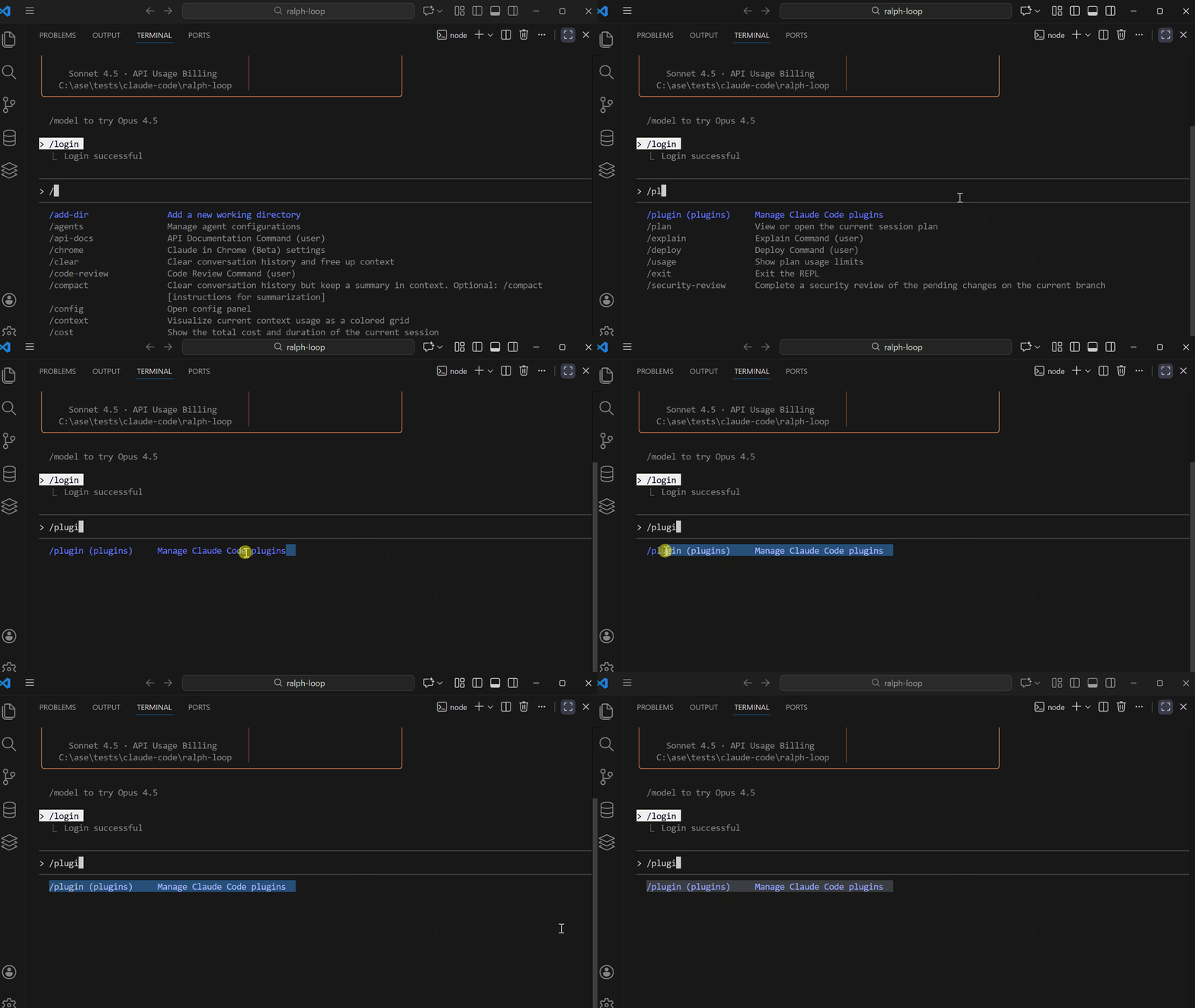
Version 2.0.76 or later should work fine.
To check your version, run:
claude --version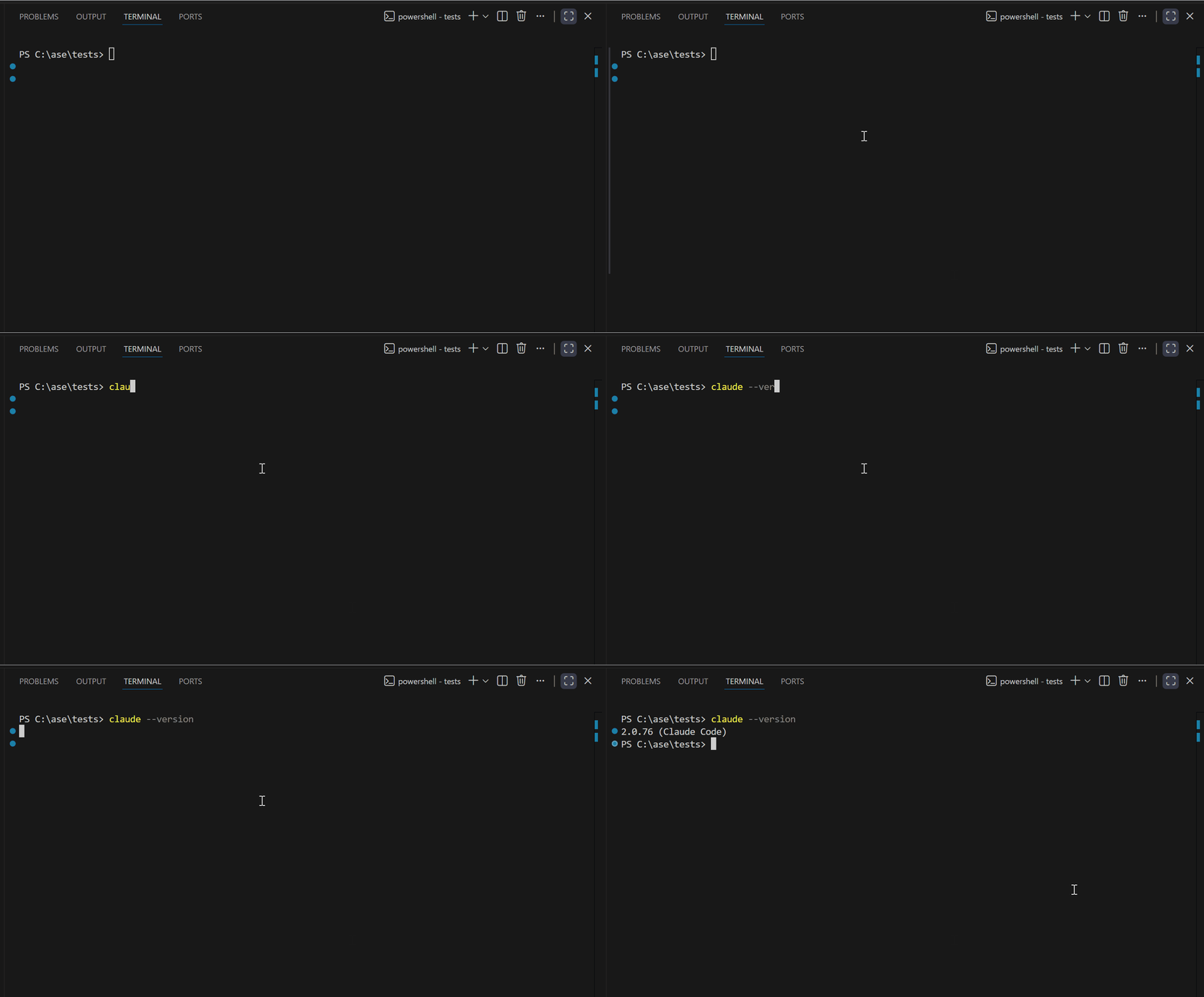
Installing the Ralph Plugin
Once Claude Code is ready, installing Ralph is straightforward.
Run this command in your terminal:
/plugin install ralph-wiggum@anthropics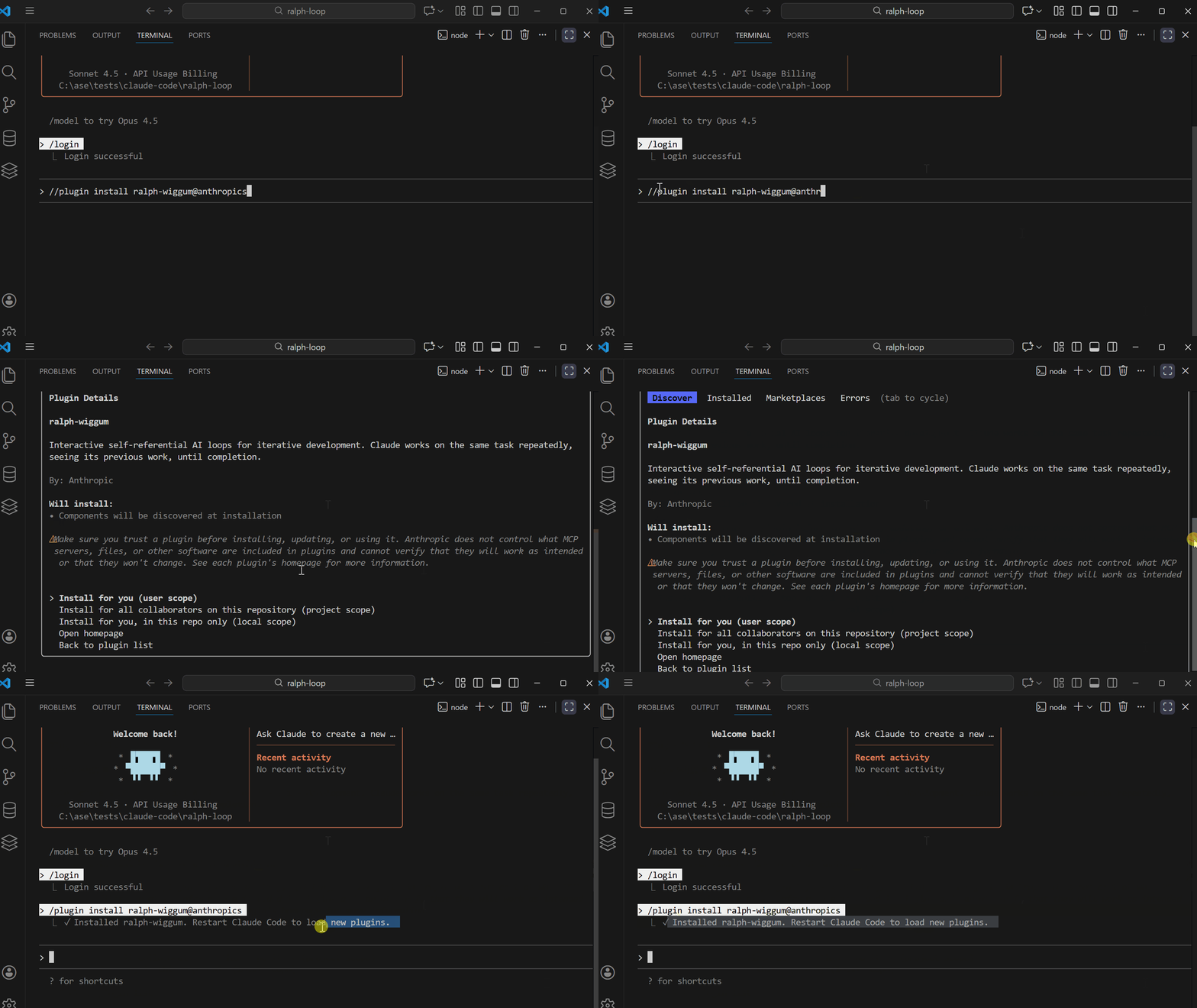
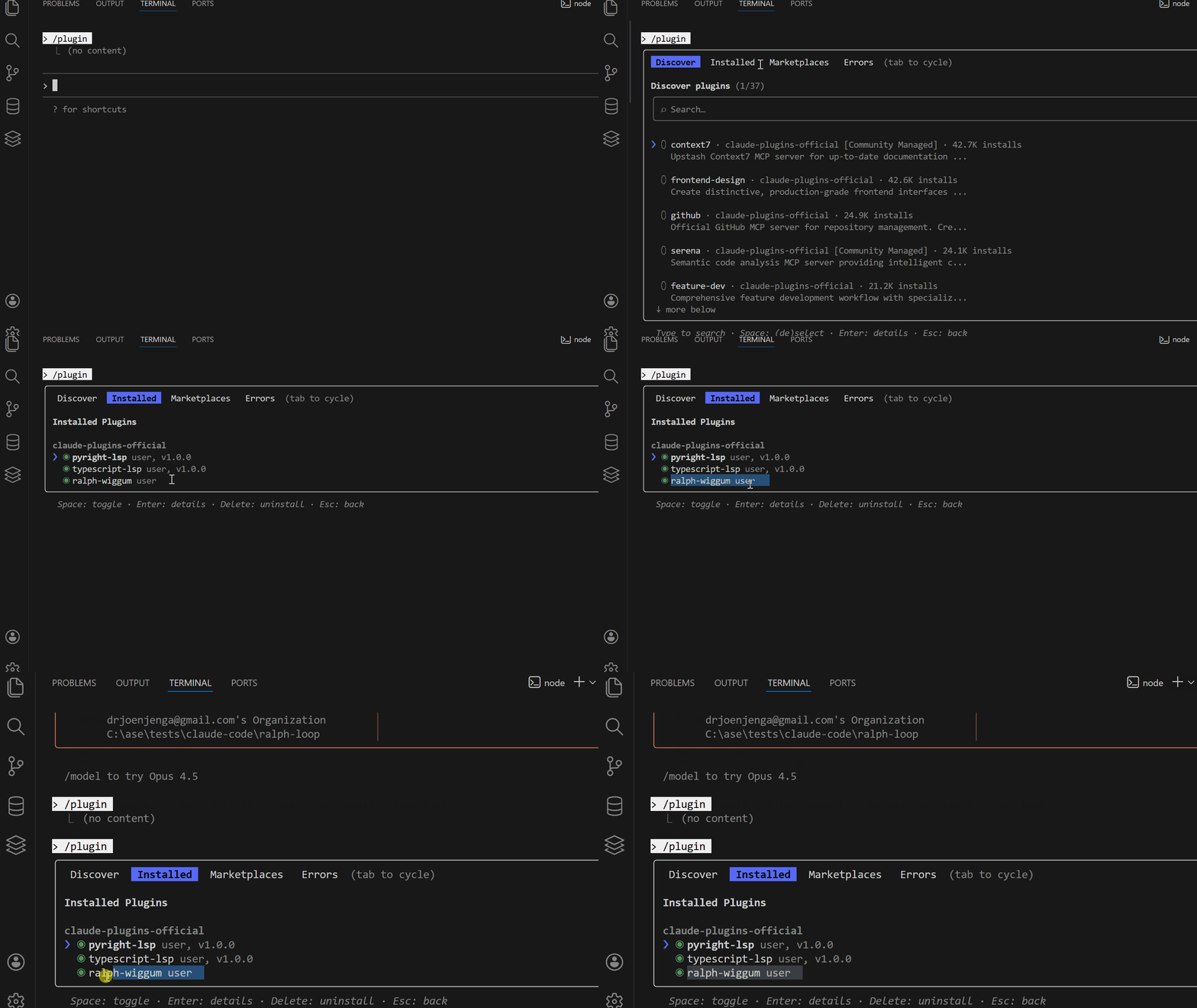
After installation, verify it worked by running:
/pluginYou should see the Ralph plugin listed.
Available Commands
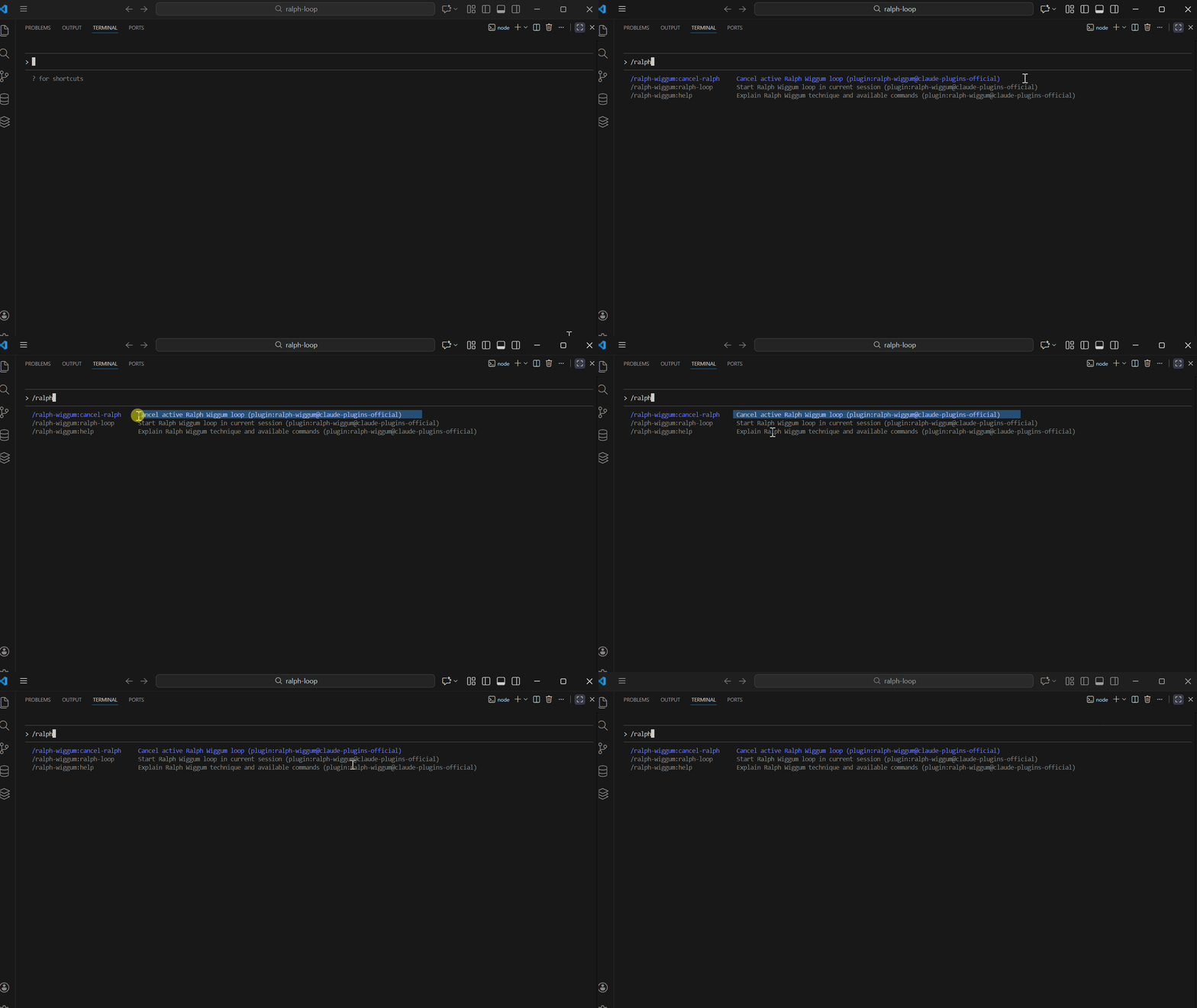
Once installed, you get access to three commands:
- /ralph-wiggum:ralph-loop — Start a Ralph Loop in your current session
- /ralph-wiggum:cancel-ralph — Cancel an active Ralph Loop
- /ralph-wiggum:help — Get help and explanation of the technique
Understanding the Command Structure
The basic Ralph Loop command looks like this:
/ralph-loop "<your prompt>" --completion-promise "DONE" --max-iterations 10Here's what each part does:
- "<your prompt>" — The task you want Claude to complete
- — completion-promise — The exact word Claude must output when finished (e.g., "DONE", "COMPLETE")
- — max-iterations — Safety net to prevent infinite loops and control costs
The --max-iterations flag is important.
Without it, Claude could loop forever on an impossible task and burn through your tokens.
How the Loop Actually Works
When you start a Ralph Loop, here's what happens behind the scenes:
- It creates a
.claude/.ralph-loop.local.mdstate file - You work on the task
- When Claude tries to exit, the stop hook intercepts it
- The same prompt gets fed back
- Claude sees its previous work in the files
- This continues until the completion promise is detected or max iterations are reached
Completion Promises
To signal that a task is complete, Claude needs to output the promise wrapped in tags:
<promise>DONE</promise>This is how the loop knows the task is truly finished.
Running Your First Ralph Loop
Let's start with something simple to see Ralph in action.
Run this command:
/ralph-wiggum:ralph-loop "Create a simple Python function that validates email
 addresses. Include edge case handling and write 3 test cases.
Output DONE when complete." --completion-promise "DONE" --max-iterations 5
Watch what happens:
- Claude starts working on the task
- It generates the function and tests
- It tries to exit
- The stop hook catches it and feeds the prompt back
- Claude reviews its work and improves it
- This continues until it outputs "
<promise>DONE</promise>" or hits max iterations
You'll notice Claude's output improves with each iteration.
The first pass might be basic, but by the final iteration, it's more refined and complete.
If you need to stop the loop early, run:
/ralph-wiggum:cancel-ralphWriting Effective Prompts & Advanced Usage
Here's the truth about Ralph Loop.
The model isn't the magic. Your prompts are. Ralph Loop amplifies whatever you feed it.
A vague prompt will loop endlessly without progress.
A clear, well-structured prompt will produce remarkable results.
Clear Completion Criteria
The biggest mistake is being vague about what "done" means.
Bad prompt:
Build a todo API and make it good.Claude has no idea what "good" means. It will loop forever guessing.
Good prompt:
Build a REST API for todos.

When complete:
- All CRUD endpoints working
- Input validation in place
- Tests passing with coverage above 80%
- README with API documentation
Output <promise>COMPLETE</promise> when all criteria are met.
See the difference?
Claude now has a checklist. It knows exactly when to stop.
Incremental Goals
For complex tasks, break things into phases.
Bad prompt:
Create a complete e-commerce platform.This is too big. Claude will get lost.
Good prompt:
Build an e-commerce platform in phases:

Phase 1: User authentication with JWT and tests
Phase 2: Product catalog with list and search functionality
Phase 3: Shopping cart with add and remove features
Complete each phase before moving to the next.
Output <promise>COMPLETE</promise> when all phases are done.
Each phase is manageable.
Claude can focus, complete, and then move forward.
Self-Correction Patterns
You can build error-checking directly into your prompts.
Bad prompt:
Write code for feature X.Good prompt:
Implement feature X using TDD:

1. Write failing tests first
2. Implement the feature
3. Run the tests
4. If any tests fail, debug and fix
5. Refactor if needed
6. Repeat until all tests pass
Output <promise>DONE</promise> when all tests are green.
This forces Claude to verify its own work.
Each iteration catches and fixes mistakes from the previous one.
Max Iterations Safety Net
Always use --max-iterations.
This prevents two problems:
- Runaway costs — Claude won't burn through tokens on an impossible task
- Infinite loops — If the task is unclear, the loop will eventually stop
A good starting point is 10–20 iterations for most tasks.
For complex projects, you might go up to 30–50.
/ralph-wiggum:ralph-loop "Your task" --max-iterations 20 --completion-promise "DONE"Advanced Pattern: Stuck Handling
You can tell Claude what to do if it gets stuck.
Implement feature X with full test coverage.

If after 10 iterations you cannot complete the task:
- Document what's blocking progress
- List approaches you've tried
- Suggest alternative solutions
Output <promise>DONE</promise> when complete or <promise>STUCK</promise> if blocked.
This way, even a failed loop gives you useful information.
Prompt Template for Most Tasks
Here's a solid template you can adapt:
[Clear task description]

Requirements:
- [Specific requirement 1]
- [Specific requirement 2]
- [Specific requirement 3]
Success criteria:
- [Measurable outcome 1]
- [Measurable outcome 2]
- [Measurable outcome 3]
Output <promise>COMPLETE</promise> when all criteria are met.
Keep it specific and measurable. Let Claude know what "done" looks like.
When to Use Ralph
Ralph Loop isn't for everything. But when it fits, it really delivers.
Good use cases:
- Well-defined tasks with clear success criteria — If you can describe what "done" looks like, Ralph will get there
- Tasks requiring iteration and refinement — Getting tests to pass, fixing linter errors, improving code quality
- Greenfield projects — Starting from scratch, where Claude can build incrementally
- Tasks with automatic verification — Anything where tests, linters, or builds can confirm success
- Overnight development — Set it running before bed, wake up to completed work
When Not to Use Ralph Loop
Some tasks don't fit the loop model.
Not ideal for:
- Tasks requiring human judgment — Design decisions, UX choices, subjective quality
- One-shot operations — Quick fixes that don't need iteration
- Unclear success criteria — If you can't define "done," Ralph can't find it
- Production debugging — Use targeted debugging instead
- Tasks needing external approvals — Anything requiring human-in-the-loop decisions
Cost Considerations
Ralph Loop can save money or burn through it.
The difference is how you use it.
To keep costs under control:
- Always use
--max-iterationsas a safety net - Start with smaller iteration limits and increase if needed
- Write clear prompts so Claude doesn't waste cycles guessing
- Use cheaper models for simpler tasks
Remember the $50K project completed for $297? That's possible because the prompts were clear and the task was well-defined. Vague prompts on complex tasks will drain your budget fast.
Final Thoughts
Ralph Loop solves a real problem with AI coding tools.
The single-pass approach leaves performance on the table. Claude can do better when it's allowed to iterate on its own work.
With Ralph Loop, you get:
- Persistent execution until the task is truly done
- Self-improvement through iteration
- The ability to walk away and let Claude work autonomously
The weird Simpsons-inspired name aside, this plugin is a practical tool for anyone serious about AI coding.
Try it on your next project and let me know your experience in the comments below.
Let's Connect!
If you are new to my content, my name is Joe Njenga
Join thousands of other software engineers, AI engineers, and solopreneurs who read my content daily on Medium and on YouTube where I review the latest AI engineering tools and trends. If you are more curious about my projects and want to receive detailed guides and tutorials, join thousands of other AI enthusiasts in my weekly AI Software engineer newsletter
If you would like to connect directly, you can reach out here:
Follow me on Medium | YouTube Channel | X | LinkedIn