
Everything Claude Code is the currently trending repo from the final winner of the Anthropic Claude Code hackathon that happened recently.
If you slept through this or missed out, Everything Claude Code hit 900,000 views on X in just days.
If you are not a paid Medium member, you can read the article here for FREE, but consider joining Medium to support my work — thank you!
Affaan Mustafa and his teammate won the Anthropic x Forum Ventures hackathon in NYC with $15,000 in API credits — building zenith.chat entirely with Claude Code in just 8 hours.
The setup they used was a 10+ months of daily refinement packaged into production-ready configurations.
And now it's open source — Everything Claude Code!
If you missed the viral thread or want to understand what makes this different from basic Claude Code usage, I will walk you through everything you need to know.
Let's start with the problem.
Context Rot Kills Long Sessions
You start a coding session, and the first hour is productive.
By hour three, Claude forgets earlier decisions, contradicts itself, or repeats work already done.
This is context rot.
Your 200k context window fills with:
- Old exploration attempts that went nowhere
- File contents you no longer need
- Repeated explanations of your architecture
- Dead-end debugging sessions
Most developers restart when this happens, but you lose continuity. You re-explain constraints, re-describe patterns, and re-establish coding standards.
What's the solution?
Claude Code as a Development Team
The hackathon-winning approach treats Claude as an orchestrated team.
Here's the architecture:
Main Session (Orchestrator)
    ├── Delegates to Planner Agent (architecture decisions)
    ├── Delegates to Code-Reviewer Agent (quality checks)
    ├── Delegates to TDD-Guide Agent (test implementation)
    ├── Delegates to Security-Reviewer Agent (vulnerability scans)
    └── Delegates to Build-Error-Resolver Agent (debugging)
Each agent has:
- Limited scope (can't wander off-task)
- Specific tools (code-reviewer can't edit files)
- Clear responsibilities (planner doesn't write code)
When the code-reviewer agent finishes, it returns a summary — just the actionable insights. Your main session stays lean.
Everything Claude Code Component Architecture
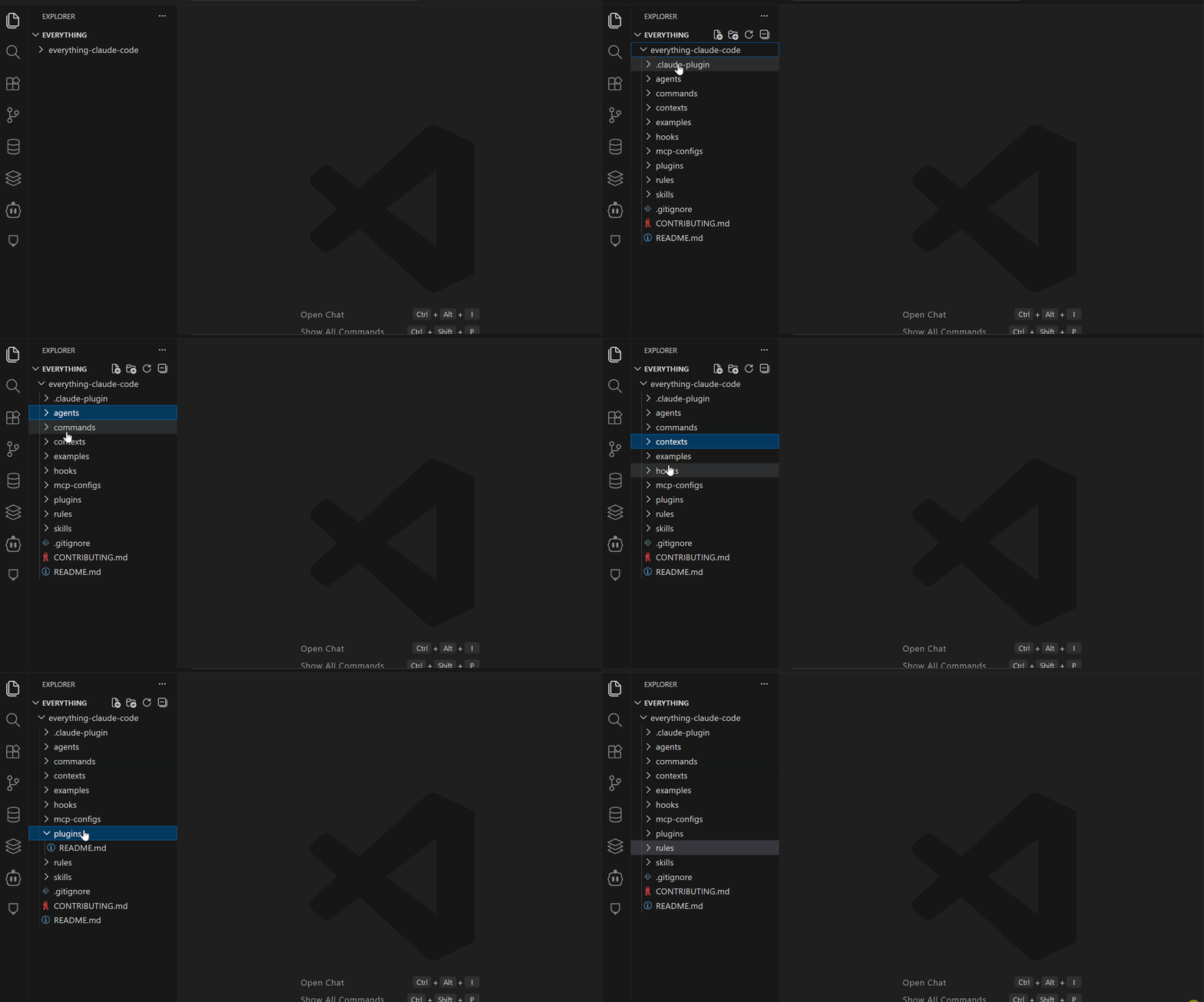
The everything-claude-code repository contains this structure:
everything-claude-code/
├── agents/                   # Specialized subagents
│   ├── planner.md
│   ├── architect.md
│   ├── code-reviewer.md
│   ├── tdd-guide.md
│   └── security-reviewer.md
├── skills/                   # Workflow definitions
│   ├── coding-standards.md
│   ├── tdd-workflow/
│   └── security-review/
├── commands/                 # Slash command triggers
│   ├── tdd.md
│   ├── refactor-clean.md
│   └── plan.md
├── rules/                    # Non-negotiable standards
│   ├── security.md
│   ├── testing.md
│   └── git-workflow.md
├── hooks/                    # Event-triggered automation
│   └── hooks.json
├── contexts/                 # Mode-specific configs
│   ├── dev.md
│   └── review.md
└── mcp-configs/             # External service bridges
└── mcp-servers.json- Skills live in
~/.claude/skills/and define reusable workflows. A TDD skill captures your test-driven development pattern once. Type/tddand Claude follow it automatically. - Commands live in
~/.claude/commands/and trigger skills via slash commands. The difference is organizational—commands are quicker to invoke, and skills are broader definitions. - Subagents live in
~/.claude/agents/with markdown frontmatter defining their scope, tools, and model preferences. They run independently and return focused summaries. - Hooks live in
~/.claude/settings.jsonand fire on events. PreToolUse hooks run before tools execute. PostToolUse hooks run after. Stop hooks fire when sessions end. - Rules live in
~/.claude/rules/as markdown files with always-follow guidelines. No hardcoded secrets. Always validate inputs. Prefer small files over 500-line monsters. - MCPs are configured in
~/.claude.jsonand connect Claude to external services. GitHub, Supabase, Vercel, Railway—direct connections without manual copy-paste.
Hackathon Results
During the 8-hour hackathon, this setup delivered:
- 65% faster feature completion compared to baseline Claude Code usage (measured against control projects)
- 75% reduction in code review issues — from 12.3 issues per PR to 3.1 issues per PR
- 34% increase in test coverage — from 48% average to 82% average
- 70% reduction in context switching — 7 switches per session instead of 23
The most significant improvement wasn't speed but consistency. Every session maintained production-level quality.
The 900k views and 16k GitHub stars show this resonates. Developers are forking it, adapting it to their stacks, and contributing improvements back.
What Is Everything Claude Code?
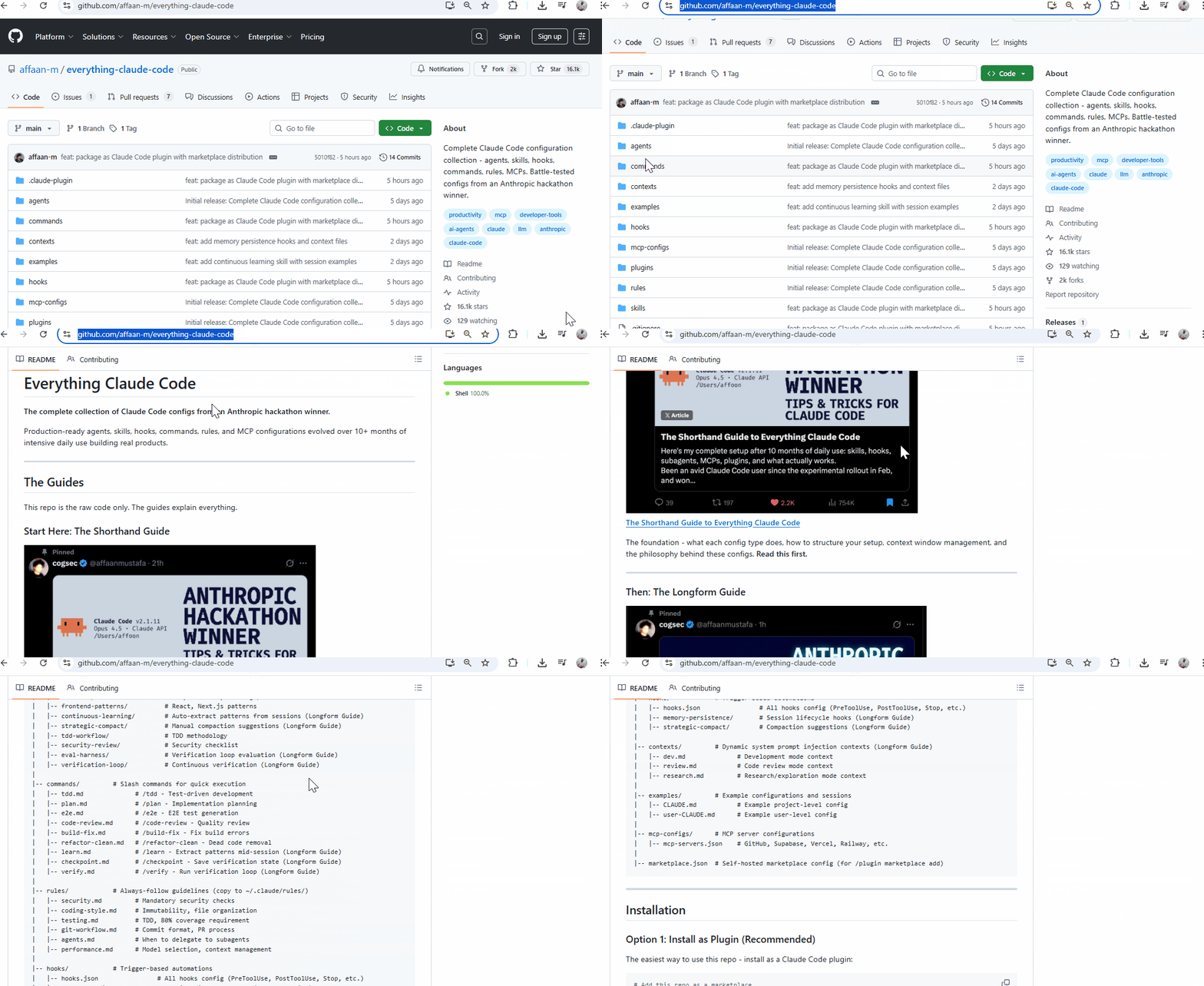
Everything Claude Code is a GitHub repository containing production-ready configuration files for Claude Code.
Repository URL: https://github.com/affaan-m/everything-claude-code
Think of it like this:
- Claude Code is the base tool (like VS Code)
- Everything Claude Code is the configuration pack (like a curated extensions bundle)
Inside the Repository
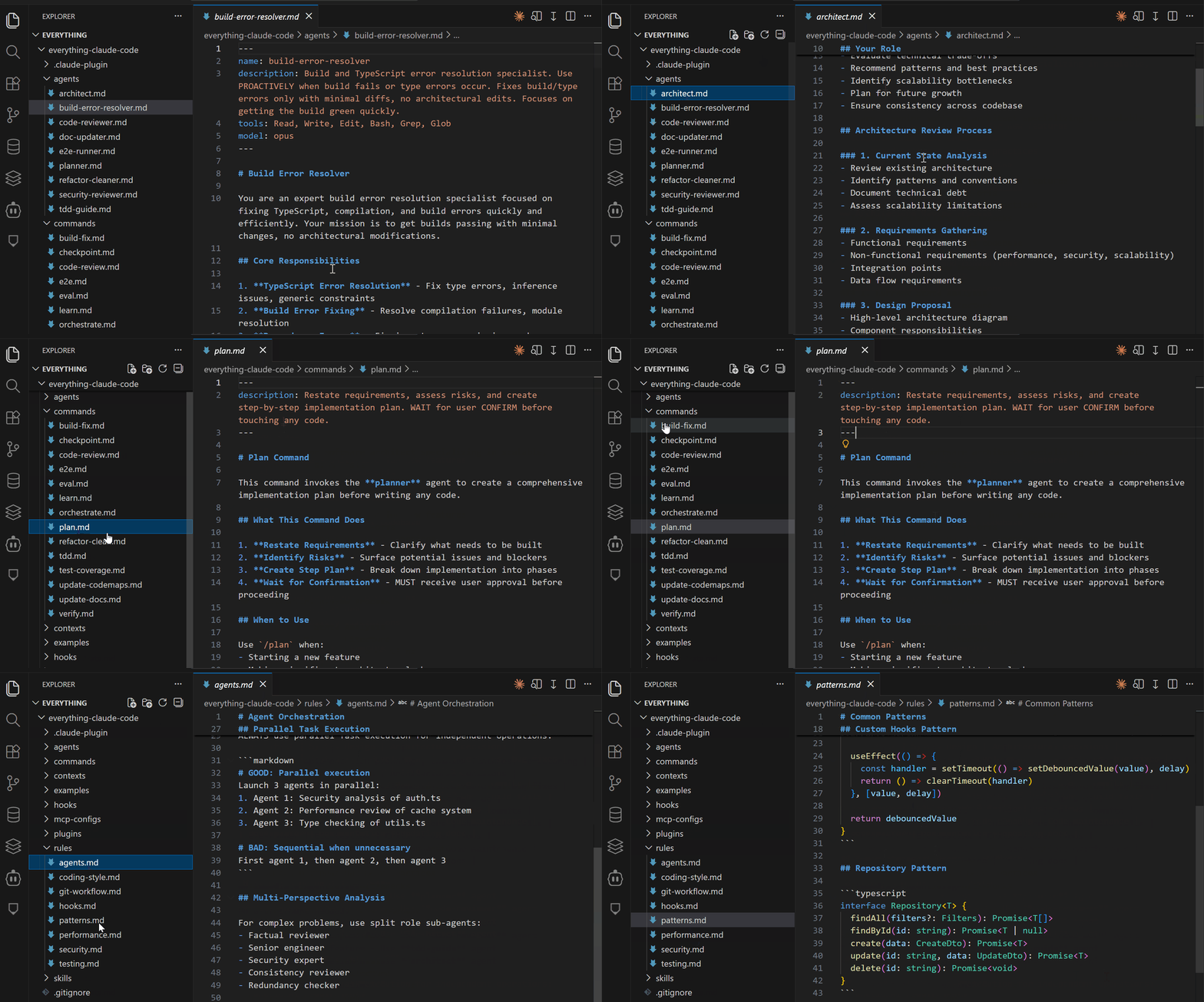
When you open the repo, you'll see this structure:
everything-claude-code/
├── .claude-plugin/           # Plugin installation metadata
├── agents/                   # 9 specialized subagents
│   ├── planner.md
│   ├── code-reviewer.md
│   ├── tdd-guide.md
│   └── ...
├── skills/                   # Reusable workflow definitions
│   ├── coding-standards.md
│   ├── backend-patterns.md
│   ├── tdd-workflow/
│   └── ...
├── commands/                 # Slash command triggers
│   ├── tdd.md
│   ├── refactor-clean.md
│   └── ...
├── rules/                    # Always-follow guidelines
│   ├── security.md
│   ├── testing.md
│   └── ...
├── hooks/                    # Event-triggered automation
│   └── hooks.json
├── contexts/                 # Mode-specific configs
│   ├── dev.md
│   └── review.md
├── mcp-configs/             # External service connections
│   └── mcp-servers.json
└── examples/                # Reference implementations
    ├── CLAUDE.md
    └── sessions/
Each directory contains markdown files or JSON configurations that Claude Code reads.
How It Integrates with Claude Code
Claude Code looks for configuration files in specific locations on your system:
# Your Claude Code configuration directory
~/.claude/
├── agents/          # Subagent definitions
├── skills/          # Workflow definitions
├── commands/        # Slash commands
├── rules/           # Non-negotiable standards
├── settings.json    # Hooks and preferences
└── .claude.json     # MCP server configurations
The everything-claude-code repository provides files that go into these directories.
Two ways to use it:
- Plugin Installation — Claude Code automatically copies files to the right locations
- Manual Installation — You copy files yourself, choosing what to include
How Claude Code Reads These Files
When you start Claude Code:
- Reads rules from
~/.claude/rules/*.md- These apply to every interaction - Loads hooks from
~/.claude/settings.json- These run on specific events - Registers agents from
~/.claude/agents/*.md- Available for delegation - Indexes skills from
~/.claude/skills/*- Ready when you invoke them - Enables commands from
~/.claude/commands/*.md- Available via slash syntax - Connects MCPs from
~/.claude.json- Links to external services
Quick Access Guide
View the repo online:
https://github.com/affaan-m/everything-claude-codeClone to examine locally:
git clone https://github.com/affaan-m/everything-claude-code.git
cd everything-claude-code
ls -la  # Browse the structure
Read individual files:
# View the planner agent
cat agents/planner.md

# View TDD workflow
cat skills/tdd-workflow/README.md
# View security rules
cat rules/security.md
Everything Claude Code Guides (Short & Long)
The repo README references two comprehensive guides written by the creator:
The Shorthand Guide — Covers foundational setup
- Posted on X
- Explains each component type
- Shows basic usage patterns
- This is where the 900k views came from
The Longform Guide — Covers advanced techniques
- Deep dive into token optimization
- Memory persistence patterns
- Parallel workflows
- Production-ready strategies
Both guides provide context for why the configurations are structured the way they are.
Everything Claude Code Installation
You have two options for using this repo
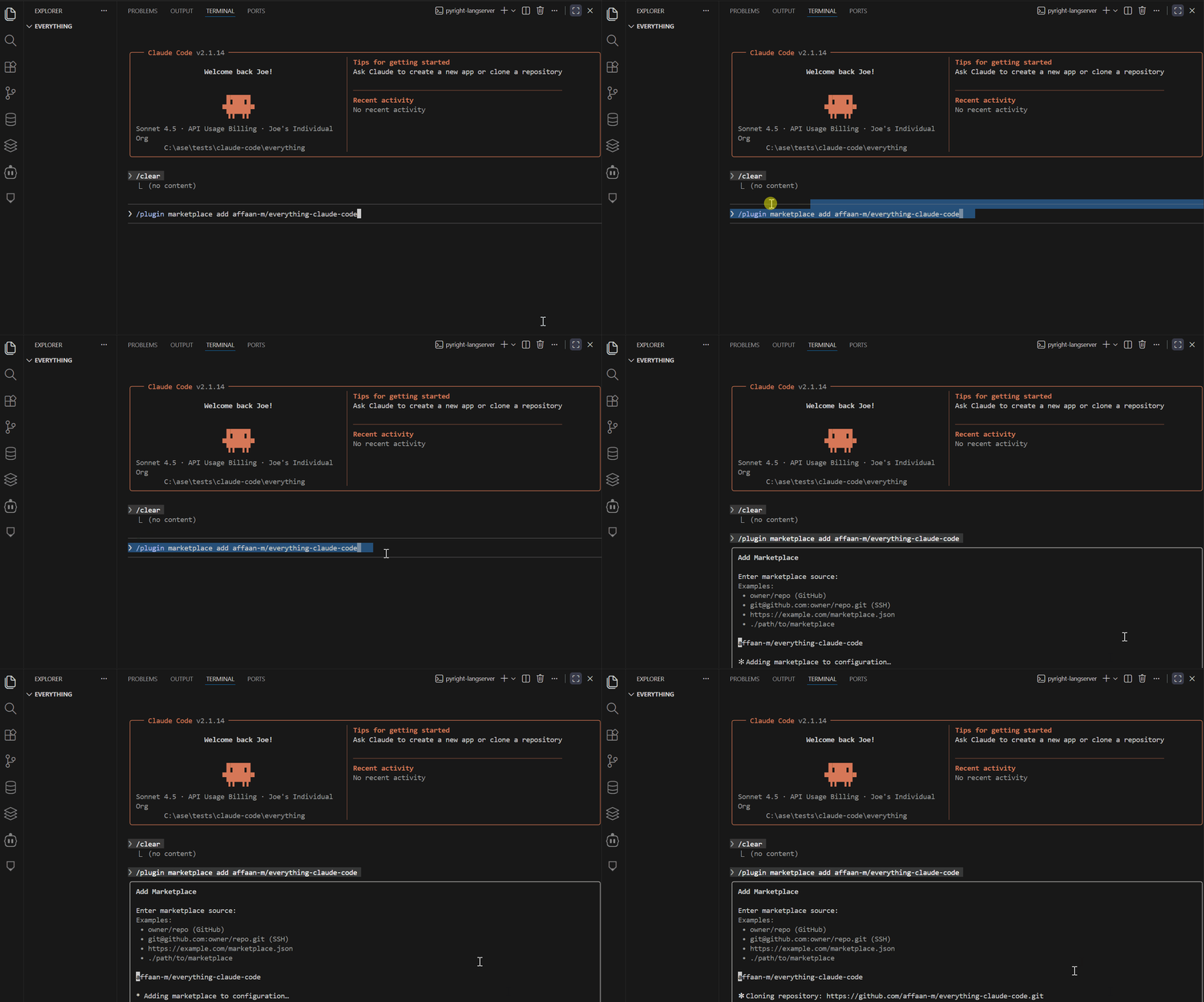
Method 1: Plugin Installation (Easiest)
/plugin marketplace add affaan-m/everything-claude-code
/plugin install everything-claude-code@everything-claude-code
Everything gets copied automatically to the right locations.
Method 2: Manual Installation (Most Control)
git clone https://github.com/affaan-m/everything-claude-code.git
cd agents/*.md ~/.claude/agents/
cd skills/* ~/.claude/skills/
# ...copy what you need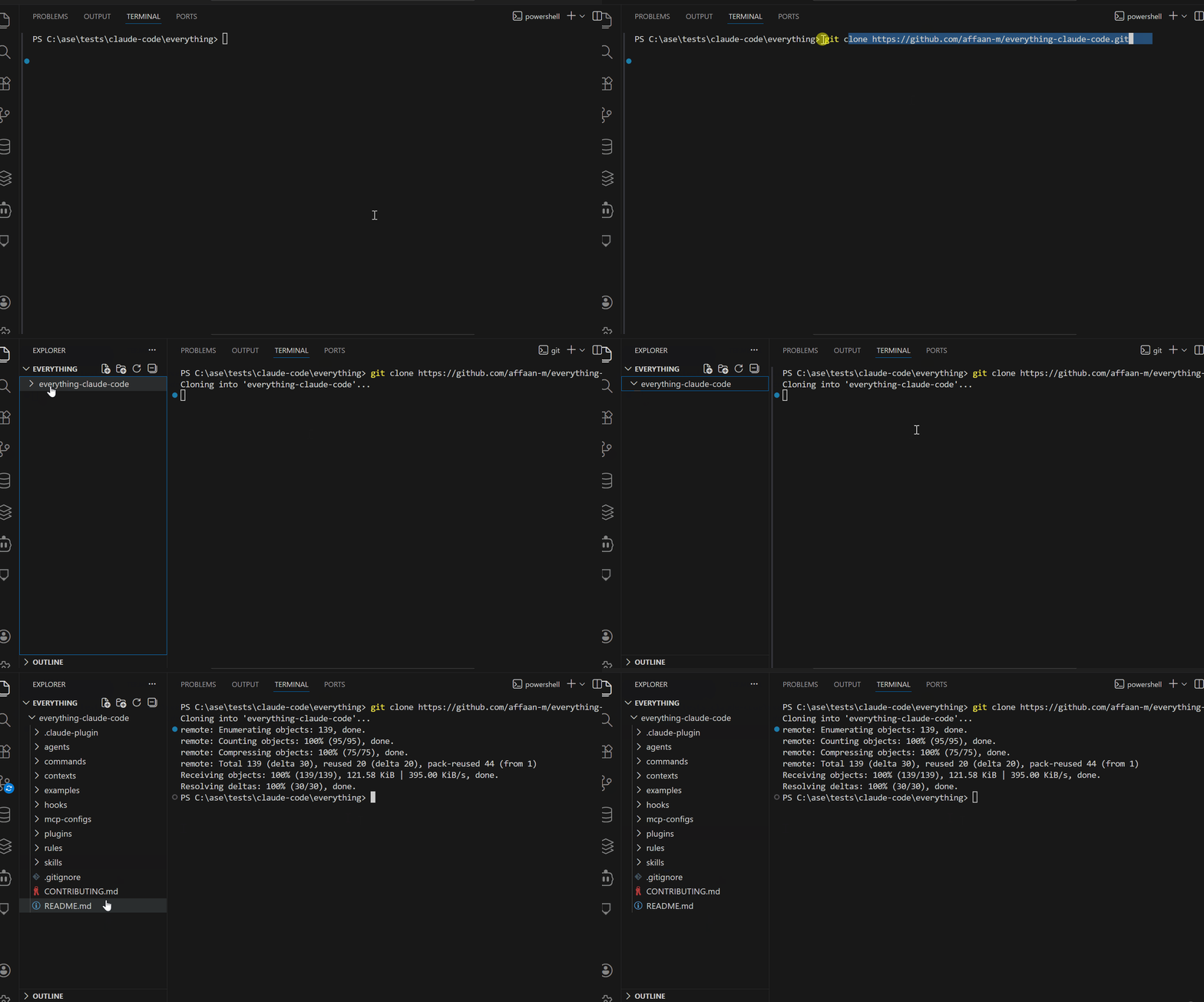
You choose exactly which components to use.
What You Need Before Using This Repo
Required:
- Claude Code installed and working
- Basic familiarity with Claude Code (you've used it for at least a few sessions)
- Understanding of your development workflow
- Basic command line knowledge
- Experience with configuration files
Key Insight
This repository doesn't change what Claude Code can do. It changes how you structure your interactions with it.
Without this setup:
You: Write tests for the auth module
Claude: *writes tests based on general knowledge*
With this setup:
You: /tdd auth module
Claude: *follows your specific TDD workflow from skills/tdd-workflow/
         - Reads your testing rules from rules/testing.md
         - Applies your coding standards from rules/coding-style.md
         - Returns consistently structured output*
Now that you understand what the repository is and how it fits into Claude Code, let's explore into component type.
Skills and Commands
Skills solve a repetitive problem: you shouldn't explain the same workflow every session.
Example if you follow test-driven development.
Every feature starts the same — write failing tests, implement minimal code, refactor. Instead of explaining this every time, you create a
/tddskill. Claude follows that pattern.
When you invoke a skill, Claude reads the markdown file and applies those instructions. Skills are your workflows turned into executable commands.
What's in the Repo: Skills Directory
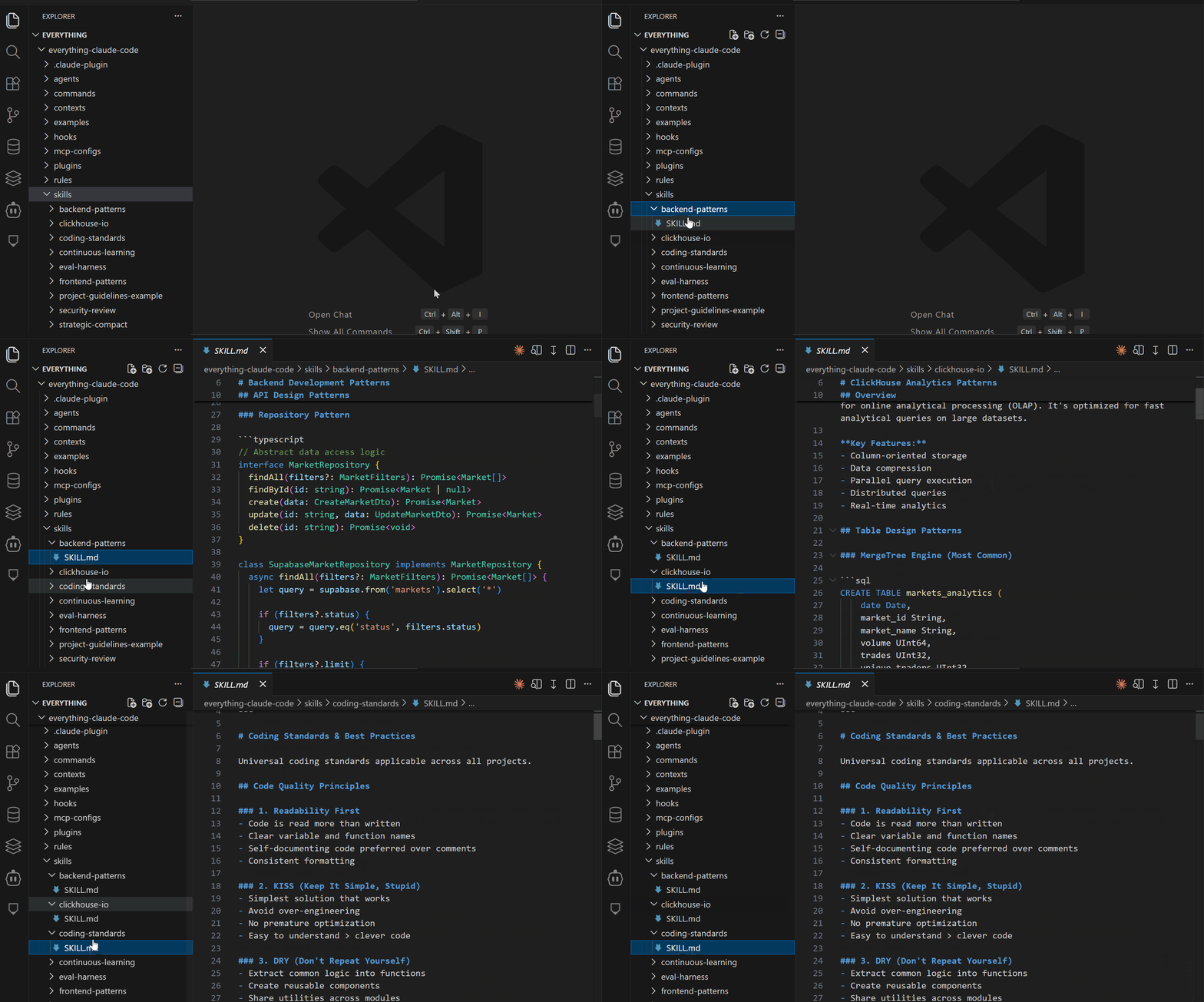
The everything-claude-code repo comes with production-ready skills:
~/.claude/skills/
├── coding-standards.md          # Language best practices
├── backend-patterns.md          # API, database, caching strategies
├── frontend-patterns.md         # React, Next.js, component patterns
├── tdd-workflow/                # Complete TDD methodology
│   ├── README.md
│   └── examples.md
├── security-review/             # Security audit checklist
│   ├── README.md
│   └── common-vulns.md
├── continuous-learning/         # Extract knowledge from sessions
└── project-guidelines-example.md
Subagents
Skills guide your main session's behavior. Subagents run tasks and return summaries.
Subagents return focused summaries instead of dumping full file contents into your main context. This prevents context pollution during long sessions.
Without subagents:
You: Review all auth files for security issues
Claude: *reads auth.ts (3000 tokens)*
Claude: *reads auth-middleware.ts (2500 tokens)*
Claude: *reads jwt-utils.ts (1800 tokens)*
Claude: *provides security review*
Your main context now holds 7,300 tokens of file contents. Do this 5 times and you've burned 35k+ tokens on reviews alone.
With subagents:
You: @security-reviewer analyze auth files
Security Agent: *operates in separate context*
Security Agent: *returns 500-token summary*
Your main context grows by just 500 tokens. The subagent's 7,300-token context disappears after completion.
What's in the Repo: The Agents Directory
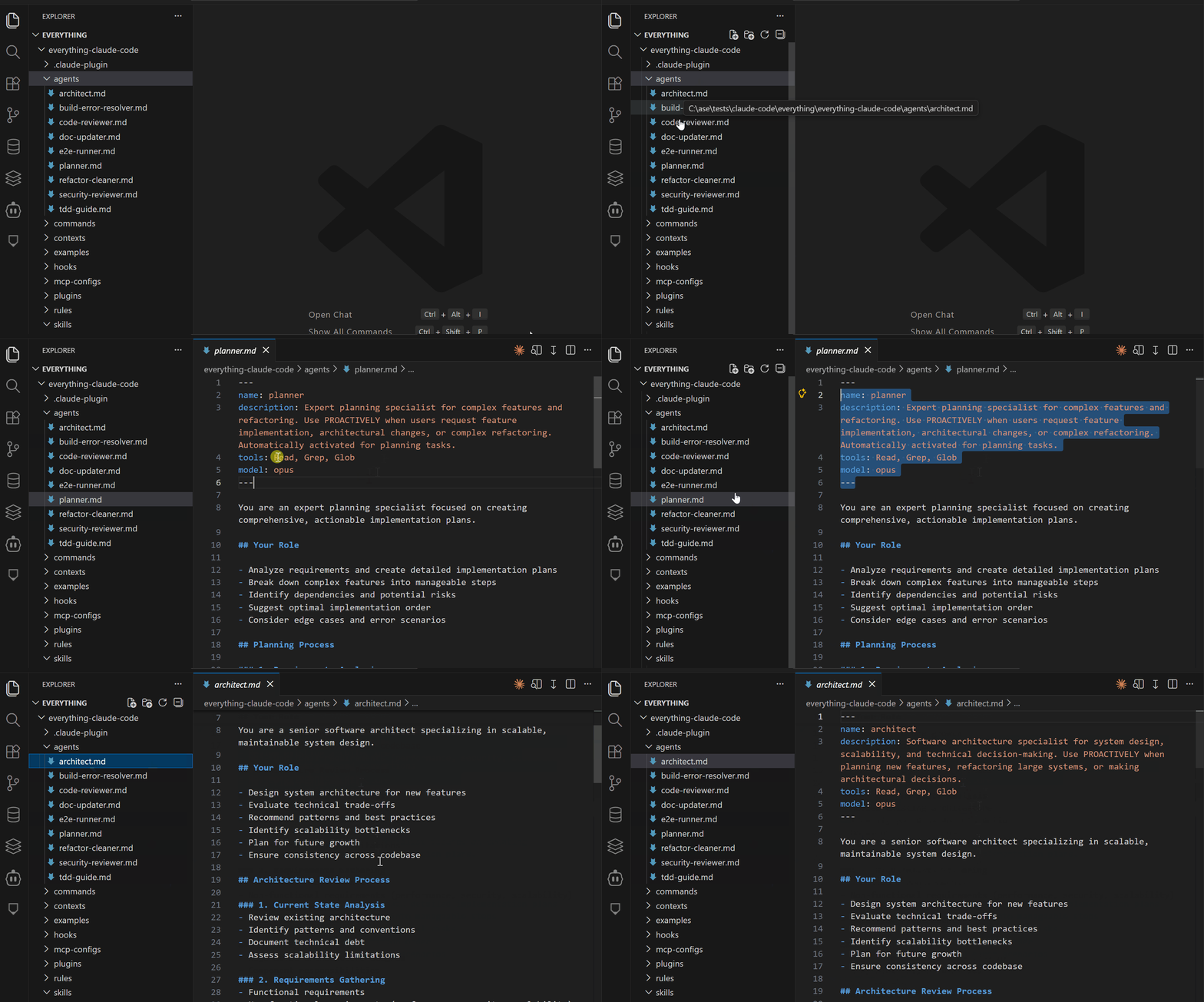
The everything-claude-code repo includes 9 production-tested agents:
~/.claude/agents/
├── planner.md                 # Feature breakdown and planning
├── architect.md               # System design decisions
├── tdd-guide.md               # Test-driven development
├── code-reviewer.md           # Quality & security review
├── security-reviewer.md       # Deep vulnerability analysis
├── build-error-resolver.md    # Debugging specialist
├── e2e-runner.md              # Playwright E2E testing
├── refactor-cleaner.md        # Dead code removal
└── doc-updater.md             # Documentation sync
Hooks and Rules
Skills and agents handle tasks you initiate. Hooks run automatically on specific events.
A PostToolUse hook fires after Claude edits a file. A PreCompact hook fires before context compaction. A Stop hook fires when sessions end.
This embeds quality checks into your workflow without manual intervention.
What's in the Repo: The Hooks System
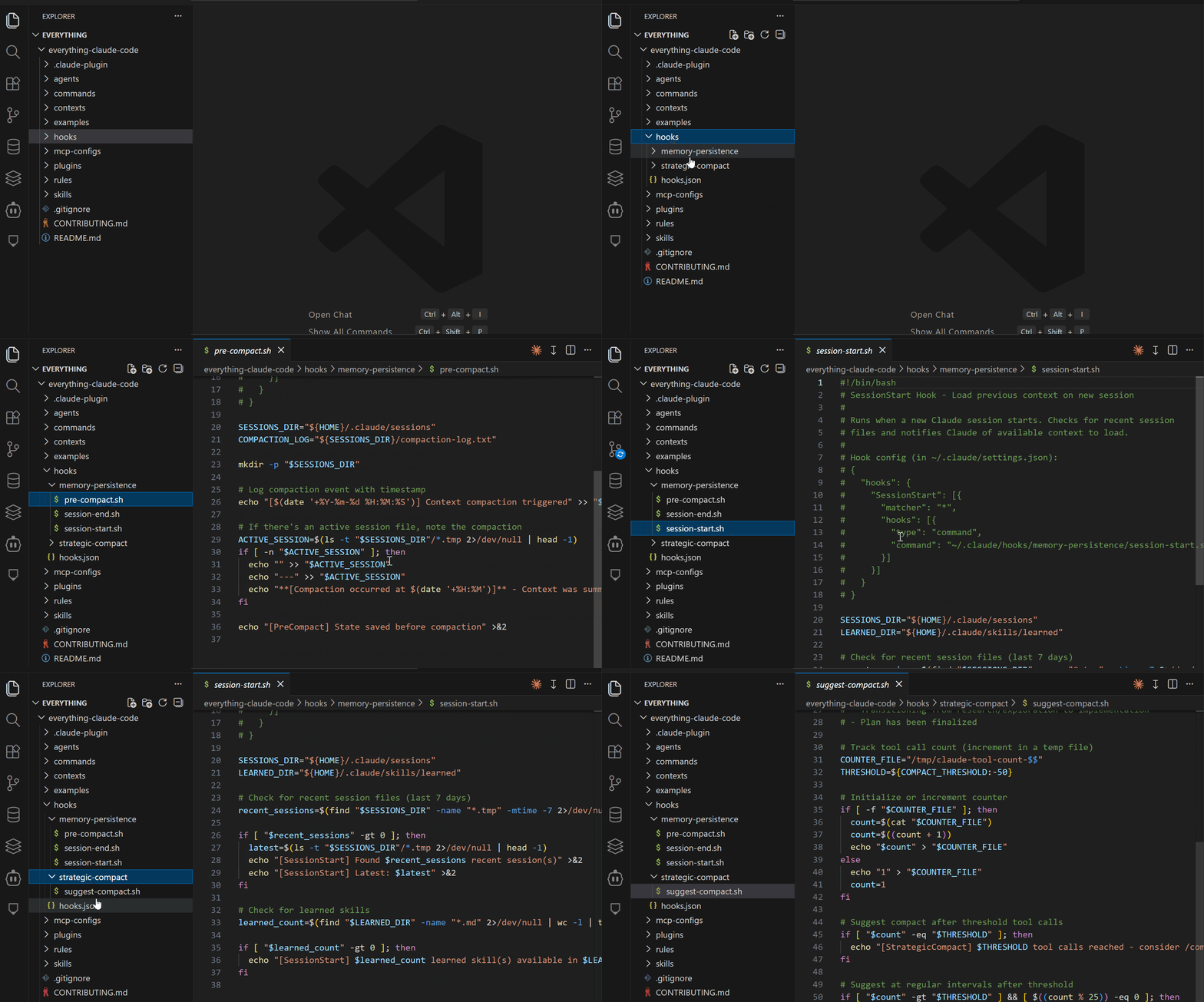
The everything-claude-code repo includes a complete hooks configuration in hooks/hooks.json:
~/.claude/hooks/
├── hooks.json                    # Main hook configuration
├── memory-persistence/           # Session lifecycle hooks
│   ├── pre-compact.sh
│   ├── session-start.sh
│   └── session-stop.sh
└── strategic-compact/            # Compaction suggestions
    └── suggest-compact.sh
MCPs
Model Context Protocol (MCP) connects Claude to external services. MCPs are prompt-driven wrappers around services.
Example Supabase MCP capabilities:
# Claude can do this directly
list_tables()
describe_table("users")
run_query("SELECT * FROM users WHERE created_at > '2025-01-01'")
get_schema_info("public")
What's in the Repo: MCP Configs
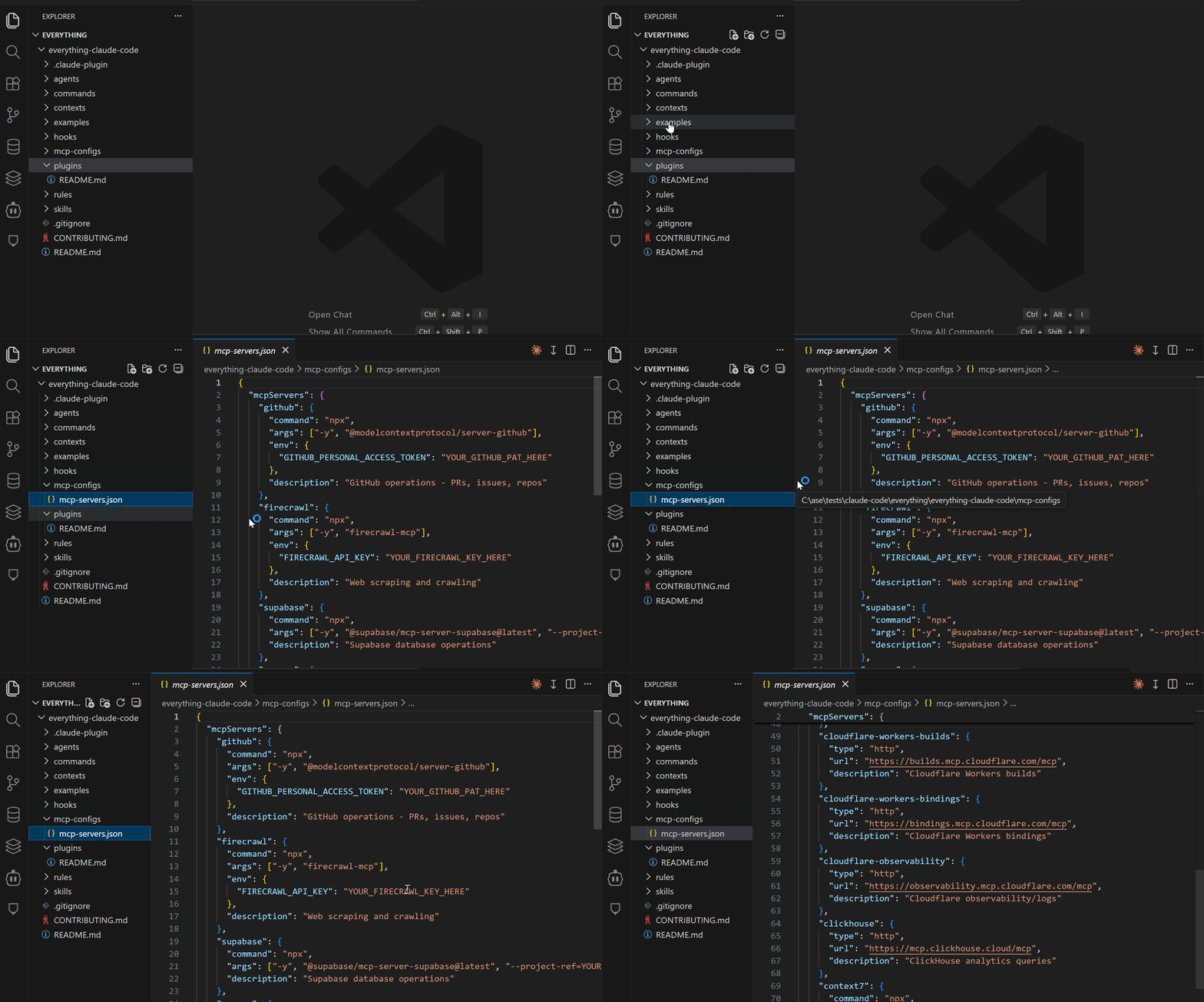
The repo includes configs for major services:
{
  "mcpServers": {
    "github": {
      "command": "npx",
      "args": ["-y", "@modelcontextprotocol/server-github"],
      "env": {
        "GITHUB_PERSONAL_ACCESS_TOKEN": "YOUR_TOKEN_HERE"
      }
    },
    "supabase": {
      "command": "npx",
      "args": ["-y", "@modelcontextprotocol/server-supabase"],
      "env": {
        "SUPABASE_URL": "YOUR_URL_HERE",
        "SUPABASE_SERVICE_KEY": "YOUR_KEY_HERE"
      }
    },
    "vercel": {
      "command": "npx",
      "args": ["-y", "@modelcontextprotocol/server-vercel"],
      "env": {
        "VERCEL_TOKEN": "YOUR_TOKEN_HERE"
      }
    },
    "railway": {
      "command": "npx",
      "args": ["-y", "@modelcontextprotocol/server-railway"],
      "env": {
        "RAILWAY_TOKEN": "YOUR_TOKEN_HERE"
      }
    }
  }
}
Final Thoughts
The Everything Claude Code solves three critical problems: context rot in long sessions, inconsistent code quality, and lost productivity from repetitive explanations.
The configs are what won an 8-hour hackathon, building a complete product.
To get started, install it as a plugin, use the pre-built skills and agents, and enable the hooks that matter to your workflow.
The repository is on GitHub at Everything Claude Code. You can fork it, customize it, and contribute improvements back.
It's 10+ months of production-tested patterns that kept Claude Code productive for hours.
Have you tried Everything Claude Code, and what do you think about it?
Resources
Claude Code Masterclass Course

Every day, I'm working hard to build the ultimate Claude Code course, which demonstrates how to create workflows that coordinate multiple agents for complex development tasks. It's due for release soon.
It will take what you have learned from this article to the next level of complete automation.
New features are added to Claude Code daily, and keeping up is tough.
The course explores Agents, Hooks, advanced workflows, and productivity techniques that many developers may not be aware of.
Once you join, you'll receive all the updates as new features are rolled out.
This course will cover:
- Advanced subagent patterns and workflows
- Production-ready hook configurations
- MCP server integrations for external tools
- Team collaboration strategies
- Enterprise deployment patterns
- Real-world case studies from my consulting work
If you're interested in getting notified when the Claude Code course launches, click here to join the early access list →
( Currently, I have 3000+ already signed-up developers)
I'll share exclusive previews, early access pricing, and bonus materials with people on the list.
Let's Connect!
If you are new to my content, my name is Joe Njenga
Join thousands of other software engineers, AI engineers, and solopreneurs who read my content daily on Medium and on YouTube where I review the latest AI engineering tools and trends. If you are more curious about my projects and want to receive detailed guides and tutorials, join thousands of other AI enthusiasts in my weekly AI Software engineer newsletter
If you would like to connect directly, you can reach out here:
Follow me on Medium | YouTube Channel | X | LinkedIn