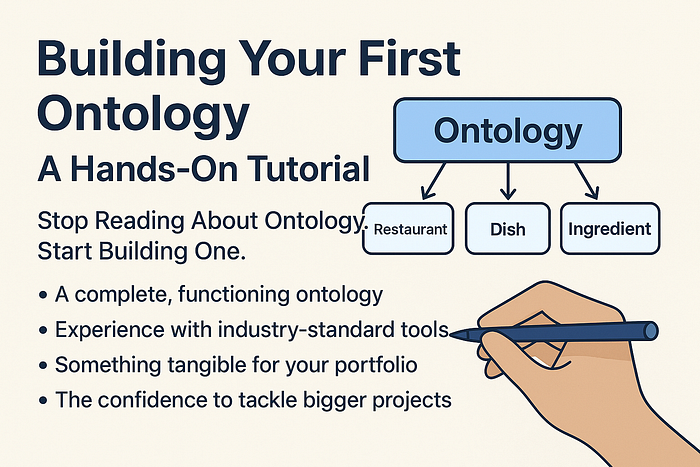

Stop Reading About Ontology. Start Building One.
You've read about ontologies. You understand why they matter for AI. You know they could advance your career. But here's the problem: you're stuck on one question.
Where do I actually start?
I've been there. After reading dozens of articles about knowledge graphs and semantic web standards, I still felt paralyzed. The theory made sense, but the gap between "understanding concepts" and "building something real" felt enormous.
That changes today. In the next 30 minutes, you're going to build your first working ontology. Not read about building one. Not watch a video about it. Actually build it.
By the end of this tutorial, you'll have:
- A complete, functioning ontology
- Experience with industry-standard tools
- Something tangible for your portfolio
- The confidence to tackle bigger projects
No computer science degree required. No coding necessary. Just follow along.
Why Most People Never Get Started
Here's what stops most people from building their first ontology:
Perfectionism: "I need to design the perfect domain model before I start."
Tool Overwhelm: "There are too many tools and standards to choose from."
Scope Creep: "My company's data is too complex to model."
Imposter Syndrome: "I'm not qualified to define how concepts should relate."
Let me address these right now:
You don't need a perfect design. You need a working prototype that you can iterate on. Professional ontology engineers refine their models over months or years. Your job today is to start.
The tool choice matters less than you think. We'll use Protégé because it's free, widely used, and requires zero setup. Once you understand the fundamentals, switching tools is easy.
Start absurdly small. We're not modeling your company's entire enterprise architecture. We're building a tiny ontology about something simple and familiar.
You're absolutely qualified. If you can explain your domain to another person, you can model it in an ontology. The formal languages just give structure to knowledge you already have.
Ready? Let's build.
Step 1: Choose Your Domain (5 minutes)
The secret to a successful first ontology: pick something you already understand deeply.
Good choices:
- Your morning coffee routine
- A hobby you're passionate about (board games, cooking, gardening)
- Your local restaurant scene
- Your favorite book genre
- Your workout routine
Bad choices:
- Quantum physics (unless you're a physicist)
- Enterprise resource planning
- Healthcare ontology (way too complex for a first project)
For this tutorial, we'll build a Restaurant Ontology. Why? Because everyone understands restaurants, the domain is rich enough to be interesting, and constrained enough to finish quickly.
Step 2: The Paper Exercise (Don't Skip This!)
Before touching any software, grab a piece of paper. This 10-minute exercise will save you hours of confusion later.
Exercise A: List Your Core Concepts
Write down 5–10 "things" that exist in your domain. In our restaurant example:
- Restaurant
- Dish
- Ingredient
- Cuisine Type
- Chef
- Customer
- Review
These become your classes (or concepts) in the ontology.
Exercise B: Draw the Relationships
Now draw arrows between concepts and label them. Ask yourself: "How do these things relate?"
Restaurant --serves--> Dish
Restaurant --specializes_in--> Cuisine Type
Dish --contains--> Ingredient
Dish --prepared_by--> Chef
Customer --writes--> Review
Review --rates--> Restaurant
Chef --works_at--> Restaurant
These become your object properties (relationships).
Exercise C: List the Attributes
For each concept, what information describes it?
Restaurant:
- name (text)
- address (text)
- phone_number (text)
- average_price (number)
- rating (number)
Dish:
- name (text)
- price (number)
- spiciness_level (number)
- is_vegetarian (true/false)
Ingredient:
- name (text)
- is_allergen (true/false)
These become your data properties (attributes).
Exercise D: Think About Rules
What logical rules exist in your domain?
- "A vegetarian dish cannot contain meat ingredients"
- "A restaurant must serve at least one dish"
- "Every review must have a rating between 1 and 5"
These become your axioms and constraints.
Done with the paper exercise? You've just completed the hardest part of ontology design. Everything from here is just translating your thinking into formal notation.
Step 3: Install Protégé (5 minutes)
Protégé is the industry-standard tool for building ontologies. It's free, open-source, and used by everyone from universities to Fortune 500 companies.
Installation:
- Go to https://protege.stanford.edu
- Download the latest version for your operating system
- Install it (Mac: drag to Applications; Windows: run installer)
- Launch Protégé
You'll see an interface that might look intimidating at first. Don't worry. We'll only use a handful of features.
Step 4: Create Your First Ontology (15 minutes)
Create a New Project
- Click File → New
- You'll see an empty ontology workspace
- Click Active Ontology tab (top of screen)
- Give your ontology a name:
http://example.org/restaurant-ontology
That URL-looking name is called an IRI (Internationalized Resource Identifier). It's like a unique ID for your ontology. It doesn't need to be a real website.
Add Your Classes
- Click the Entities tab
- Select the Classes tab (should already be selected)
- You'll see one default class:
owl:Thing(the root of everything)
Create your first class:
- Click the yellow diamond icon (⬥) or press Ctrl+Shift+C (Cmd+Shift+C on Mac)
- Name it:
Restaurant - Click OK
Create the rest: Repeat for: Dish, Ingredient, CuisineType, Chef, Customer, Review
You should now see all your classes listed under owl:Thing.
Create a Class Hierarchy
Not all classes are equal. Some are more specific versions of others.
Let's say we want to distinguish types of cuisines:
- Select
CuisineType - Create a subclass (click ⬥ again or Ctrl+Shift+C)
- Name it:
ItalianCuisine - Repeat for:
IndianCuisine,JapaneseCuisine,MexicanCuisine
Now you have a hierarchy:
owl:Thing
  └── CuisineType
       ├── ItalianCuisine
       ├── IndianCuisine
       ├── JapaneseCuisine
       └── MexicanCuisine
Add Object Properties (Relationships)
- Click the Object properties tab
- Click the purple diamond icon to create a new property
- Name it:
serves
Describe what this property connects:
- In the Description panel (right side), find Domains (intersection)
- Click the + button
- Select
Restaurant(this means "the thing doing the serving is a Restaurant") - Find Ranges (intersection)
- Click +
- Select
Dish(this means "the thing being served is a Dish")
You've just said: "Restaurants serve Dishes."
Create more properties:
contains(Dish contains Ingredient)specializesIn(Restaurant specializes in CuisineType)preparedBy(Dish prepared by Chef)writtenBy(Review written by Customer)rates(Review rates Restaurant)worksAt(Chef works at Restaurant)
Add Data Properties (Attributes)
- Click the Data properties tab
- Create a new property:
hasName - Set Domain:
Restaurant(or select multiple classes that have names) - Set Range:
xsd:string(means it's text)
Create more data properties:
hasAddress(string)hasPhoneNumber(string)hasAveragePrice(decimal)hasRating(decimal)hasSpiciness(integer)isVegetarian(boolean)isAllergen(boolean)
Create Some Individuals (Real Data)
Now let's add actual restaurants and dishes to test our ontology.
- Click the Individuals tab
- Click the purple person icon to create an individual
- Name it:
MamasTrattoria - Select its type:
Restaurant
Add properties to this individual:
- Select
MamasTrattoria - In the Property assertions panel (right side):
- Click + next to Object property assertions
- Select
specializesIn, then chooseItalianCuisine - Click + next to Data property assertions
- Select
hasName, enter"Mama's Trattoria" - Add
hasRating=4.5
Create a dish:
- Create individual:
MargheritaPizza - Type:
Dish - Add property:
preparedBy→ (you'll need to create a Chef individual first) - Add data:
hasName="Margherita Pizza" - Add data:
isVegetarian=true - Add data:
hasPrice=12.99
Connect them:
- Select
MamasTrattoria - Add object property:
serves→MargheritaPizza
Step 5: Add Logical Constraints (The Magic Part)
This is where ontologies become more than just fancy databases. Let's add some intelligence.
Create a Defined Class
Let's create a class for "Vegetarian Dishes" that's automatically populated:
- Go to Classes tab
- Create new subclass of
Dish:VegetarianDish - Select
VegetarianDish - In Description panel, find Equivalent To
- Click +
- Click Class expression editor tab
- Enter:
Dish and (isVegetarian value true)
This says: "A VegetarianDish is any Dish where isVegetarian equals true."
Run the Reasoner
Now comes the moment of truth. The reasoner will look at your data and rules and infer new knowledge.
- Click Reasoner menu → Pellet (or HermiT)
- Click Start reasoner
- Click Reasoner → Synchronize reasoner
What happened?
- The reasoner analyzed your ontology
- It found that
MargheritaPizzahasisVegetarian = true - It automatically classified
MargheritaPizzaas aVegetarianDish
You never explicitly said "MargheritaPizza is a VegetarianDish." The ontology figured it out.
This is the power of inference.
Add a Restriction
Let's add a rule: "Every Restaurant must serve at least one Dish."
- Select class
Restaurant - In Subclass Of section, click +
- Select Class expression editor
- Enter:
serves some Dish
This is OWL's way of saying "serves at least one Dish."
Now if you create a Restaurant that serves no dishes, the reasoner will flag it as inconsistent.
Step 6: Query Your Ontology
Let's ask questions of our knowledge.
DL Query Tab
- Click Window menu → Tabs → DL Query
- A new tab appears
- Make sure "Execute" is set to run automatically
Try these queries:
Find all Italian restaurants:
Restaurant and (specializesIn value ItalianCuisine)Find all vegetarian dishes:
VegetarianDishFind all dishes under $15:
Dish and (hasPrice some decimal[< 15.0])Find restaurants that serve vegetarian food:
Restaurant and (serves some VegetarianDish)The results appear instantly. Your ontology is now answering complex questions by reasoning over the relationships you defined.
Step 7: Save and Export
Save Your Work
- File → Save As
- Choose a location
- File format: RDF/XML (the default)
Export in Different Formats
- File → Save As
- Change format to:
- Turtle (.ttl) — more human-readable
- JSON-LD (.jsonld) — for web applications
- OWL/XML — for maximum compatibility
Common Beginner Mistakes (And How to Avoid Them)
Mistake 1: Creating Too Many Classes
Bad: Having separate classes for ItalianRestaurant, ChineseRestaurant, IndianRestaurant, etc.
Good: One Restaurant class with a specializesIn relationship to CuisineType.
Why: Use classes for fundamental types, use properties for variations.
Mistake 2: Confusing Classes and Individuals
Wrong: Creating Restaurant as an individual
Right: Creating Restaurant as a class, and MamasTrattoria as an individual
Remember: Classes are categories. Individuals are specific instances.
Mistake 3: Overly Complex Relationships
Bad: Creating properties like serves_spicy_vegetarian_italian_dishes
Good: Combining simple properties: serves, hasSpiciness, isVegetarian, specializesIn
Why: Simple properties are reusable and easier to maintain.
Mistake 4: Reinventing the Wheel
Before creating properties like hasName and hasAddress, check if standard ontologies already define them:
- Schema.org — for general web content
- FOAF (Friend of a Friend) — for people and relationships
- Dublin Core — for metadata
You can import and reuse these instead of creating everything from scratch.
Your Portfolio Challenge
You've built your first ontology. Now make it yours.
Choose one of these domains and build a small ontology (30–60 minutes):
- Personal Library: Books, Authors, Genres, Reading Lists
- Workout Routine: Exercises, Muscle Groups, Equipment, Workout Plans
- Recipe Collection: Recipes, Ingredients, Cooking Methods, Dietary Restrictions
- Board Game Collection: Games, Mechanics, Designers, Player Counts
- Course Catalog: Courses, Instructors, Prerequisites, Learning Outcomes
Requirements for a good portfolio project:
- At least 5 classes
- At least 5 object properties
- At least 5 data properties
- At least 10 individuals (real data)
- At least one defined class using logical expressions
- Demonstrate inference by running the reasoner
Share your work:
- Export your ontology to Turtle format (.ttl)
- Create a GitHub repository
- Add a README explaining your domain and design decisions
- Include screenshots of your ontology in Protégé
- Share on LinkedIn with hashtag #OntologyLearning
I'd love to see what you build. Tag me or drop a link in the comments.
What's Next?
You've crossed the threshold. You're no longer someone who reads about ontologies. You're someone who builds them.
Immediate next steps:
- Visualize your ontology: Try WebVOWL (http://www.visualdataweb.de/webvowl/) — upload your .owl file and see your ontology as an interactive graph
- Learn SPARQL: The query language for knowledge graphs. It's like SQL for ontologies and incredibly powerful.
- Connect to a triple store: Load your ontology into Apache Jena or GraphDB Free Edition to query it programmatically.
- Build a simple app: Create a basic web interface that queries your ontology and displays results.
In my next article, I'll cover:
- Ontology vs. Knowledge Graph vs. Taxonomy — clearing up the confusion once and for all
- Integrating your ontology with Python — making it part of real applications
- Advanced reasoning techniques — property chains, disjointness, cardinality restrictions
Which would you like to see first? Let me know in the comments.
The Power You Now Have
Think about what you just did:
You created a formal representation of knowledge that machines can understand and reason over. You built a system where new facts emerge from the relationships you defined. You crossed the bridge from consumer of ontologies to creator of them.
This is exactly how enterprise knowledge graphs start. Someone sits down, maps out a domain, and begins building. The only difference between your restaurant ontology and a production system at a Fortune 500 company is scale and refinement.
The fundamentals are identical.
You have those fundamentals now.
What will you build next?
👏 Found This Helpful?
If this tutorial helped you build your first ontology, please give it a clap (or 50!). Your engagement helps other learners discover this guide.
📢 Share Your Success
Built your first ontology? Share it:
- Post a screenshot on LinkedIn with #OntologyLearning
- Tag me so I can celebrate your achievement
- Inspire others who are just starting their journey
💬 Questions? Stuck Somewhere?
Drop a comment with:
- Where you got stuck in the tutorial
- What domain you're modeling
- Screenshots of your ontology
- What you want to learn next
I read every comment and regularly update this guide based on your feedback.
Common questions I'll answer:
- "My reasoner shows inconsistencies — help!"
- "How do I model X in my domain?"
- "Should I use a class or a property for Y?"
- "What's the difference between owl:equivalentClass and rdfs:subClassOf?"
Let's build your ontology skills together. Drop a comment below! 👇