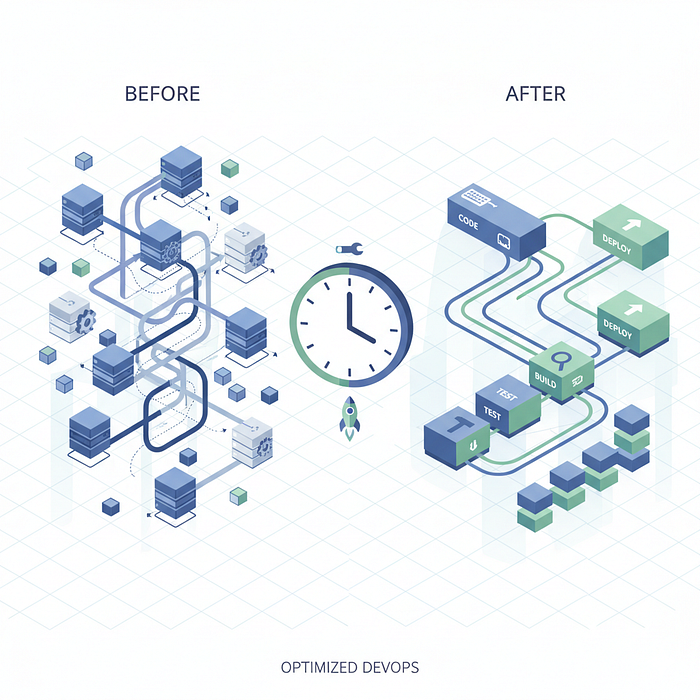

I'm not going to pretend this was some grand architectural vision we had from day one. Our deployment pipeline was slow, painfully slow, and we just… dealt with it. You know how it goes — you grab coffee, check Slack, maybe start writing some docs while the deployment runs. Before you know it, 40 minutes of "context switching productivity" becomes the norm.
Then one Thursday afternoon, our CTO deployed a hotfix three times because of a typo. That's two hours of just… waiting. That was the breaking point.
Where We Started (The Painful Truth)
Our original pipeline looked something like this:
# .gitlab-ci.yml (The Old Way)
stages:
  - test
  - build
  - deploy

test:
  stage: test
  script:
    - npm install
    - npm run test
    - npm run lint

build:
  stage: build
  script:
    - docker build -t myapp:$CI_COMMIT_SHA .
    - docker push myapp:$CI_COMMIT_SHA
deploy:
  stage: deploy
  script:
    - kubectl set image deployment/myapp myapp=myapp:$CI_COMMIT_SHA
    - kubectl rollout status deployment/myapp
Looks innocent enough, right? Here's what was actually happening:
- Installing dependencies from scratch every time — 8 minutes
- Building a Docker image with no layer caching — 15 minutes
- Running tests sequentially — 12 minutes
- Deployment and rollout verification — 5 minutes
Total: 40 minutes of thumb-twiddling.
The Aha Moments (What Actually Made a Difference)
1. Docker Layer Caching Is Your Best Friend
This was embarrassingly low-hanging fruit. Our Dockerfile was structured terribly:
# Old Dockerfile (Don't do this)
FROM node:18
WORKDIR /app
COPY . .
RUN npm install
RUN npm run build
CMD ["npm", "start"]
Every code change invalidated the entire cache. Every. Single. Change.
Here's what we switched to:
# New Dockerfile (Much better)
FROM node:18-alpine AS builder
WORKDIR /app

# Copy only package files first
COPY package*.json ./
RUN npm ci --only=production
# Then copy source code
COPY . .
RUN npm run build
# Multi-stage build for smaller image
FROM node:18-alpine
WORKDIR /app
COPY --from=builder /app/dist ./dist
COPY --from=builder /app/node_modules ./node_modules
COPY package*.json ./
CMD ["npm", "start"]
This change alone dropped our build time from 15 minutes to 3 minutes. Dependencies don't change often, but our code does. Now Docker only rebuilds what actually changed.
2. Parallel Test Execution (Why Did We Wait So Long?)
We had about 1,200 tests running sequentially. Not because we chose to — just because we never thought about it differently.
# Old approach
test:
  script:
    - npm run test
We split them up:
# New approach
test_unit:
  stage: test
  script:
    - npm run test:unit
  parallel: 4

test_integration:
  stage: test
  script:
    - npm run test:integration
  parallel: 2
test_e2e:
  stage: test
  script:
    - npm run test:e2e
Our package.json got some updates too:
{
  "scripts": {
    "test:unit": "jest --testPathPattern=unit --shard=$CI_NODE_INDEX/$CI_NODE_TOTAL",
    "test:integration": "jest --testPathPattern=integration --shard=$CI_NODE_INDEX/$CI_NODE_TOTAL",
    "test:e2e": "playwright test --shard=$CI_NODE_INDEX/$CI_NODE_TOTAL"
  }
}
Test time dropped from 12 minutes to 4 minutes. Honestly, we could probably optimize this more, but 4 minutes feels reasonable.
3. Aggressive Dependency Caching
This one's simple but made a huge difference. We set up proper caching for node_modules:
variables:
  npm_config_cache: "$CI_PROJECT_DIR/.npm"

cache:
  key:
    files:
      - package-lock.json
  paths:
    - .npm
    - node_modules
install:
  stage: .pre
  script:
    - npm ci --cache .npm --prefer-offline
  artifacts:
    paths:
      - node_modules
    expire_in: 1 hour
The --prefer-offline flag is clutch here. If the package is in the cache, npm won't even hit the registry. We went from 8-minute installs to 45 seconds on cache hits.
4. Smarter Deployment Strategy
We were waiting for the entire rollout to complete before marking the pipeline as successful. This meant watching pods slowly come up, health checks running, the whole nine yards.
# Old way
deploy:
  script:
    - kubectl set image deployment/myapp myapp=myapp:$CI_COMMIT_SHA
    - kubectl rollout status deployment/myapp --timeout=10m
New way:
deploy:
  script:
    - kubectl set image deployment/myapp myapp=myapp:$CI_COMMIT_SHA
    - kubectl rollout status deployment/myapp --timeout=2m || true
    - |
      if ! kubectl rollout status deployment/myapp --timeout=2m; then
        echo "Deployment initiated, checking in background"
        kubectl get pods -l app=myapp
      fi
We also added readiness probes to our deployments:
# k8s/deployment.yaml
apiVersion: apps/v1
kind: Deployment
spec:
  template:
    spec:
      containers:
      - name: myapp
        image: myapp:latest
        readinessProbe:
          httpGet:
            path: /health
            port: 3000
          initialDelaySeconds: 5
          periodSeconds: 5
        livenessProbe:
          httpGet:
            path: /health
            port: 3000
          initialDelaySeconds: 15
          periodSeconds: 10
The pipeline now completes once the deployment is initiated and at least one pod is ready. We still get alerted if something goes wrong, but we're not blocking the pipeline waiting for every single pod.
The Complete Pipeline (What It Looks Like Now)
# .gitlab-ci.yml (The New Way)
stages:
  - install
  - test
  - build
  - deploy

variables:
  DOCKER_DRIVER: overlay2
  DOCKER_BUILDKIT: 1
cache:
  key:
    files:
      - package-lock.json
  paths:
    - .npm
    - node_modules
install_dependencies:
  stage: install
  script:
    - npm ci --cache .npm --prefer-offline
  artifacts:
    paths:
      - node_modules
    expire_in: 1 hour
test_unit:
  stage: test
  parallel: 4
  script:
    - npm run test:unit
test_integration:
  stage: test
  parallel: 2
  script:
    - npm run test:integration
build_image:
  stage: build
  script:
    - docker build --cache-from myapp:latest -t myapp:$CI_COMMIT_SHA .
    - docker push myapp:$CI_COMMIT_SHA
deploy_production:
  stage: deploy
  only:
    - main
  script:
    - kubectl set image deployment/myapp myapp=myapp:$CI_COMMIT_SHA
    - kubectl rollout status deployment/myapp --timeout=2m
The Results (And What We Learned)
- Install dependencies: 8 min → 45 sec
- Run tests: 12 min → 4 min
- Build Docker image: 15 min → 3 min
- Deploy: 5 min → 30 sec
Total: 40 minutes → 8 minutes
That's an 80% reduction. But here's what really changed: we deploy more frequently now. Before, deployments felt like an event. You'd batch up changes, schedule a deployment window, and hope nothing broke. Now? We deploy 4–5 times a day without thinking twice about it.
The faster feedback loop also caught bugs earlier. When tests run in 4 minutes instead of 12, you're more likely to wait for them instead of moving on to the next task.
Things We're Still Working On
This isn't the end. We're looking at:
- Remote Docker cache for even better layer caching across runners
- Selective test execution based on what files changed
- Canary deployments with automatic rollback
- Better parallelization for our E2E tests
The Takeaway
You don't need to rewrite your entire pipeline in one go. We made these changes over three weeks, measuring the impact of each one. Start with the biggest bottleneck. For us, it was Docker layer caching. For you, it might be something else.
And yeah, our CTO can now deploy hotfixes three times in 24 minutes instead of two hours. We don't let him forget about that Thursday afternoon.