

3D design become popular in the recent year. In the past you had to use heavy programs for this, but now there are UX design tools that can generate 3D designs quite easily.
Figma is a very powerful tool, especially in the design community. Here I share how to create 3D-like icon using Figma. You don't have to know basic 3D creation in Blender or Cinema 4D to create this icon.
The result:

Use basic shape and adjust it as needed. For the perspective view, use plugin called "Perspective Toolkit". It can help to create isometric view so the 3D effect feels more natural.
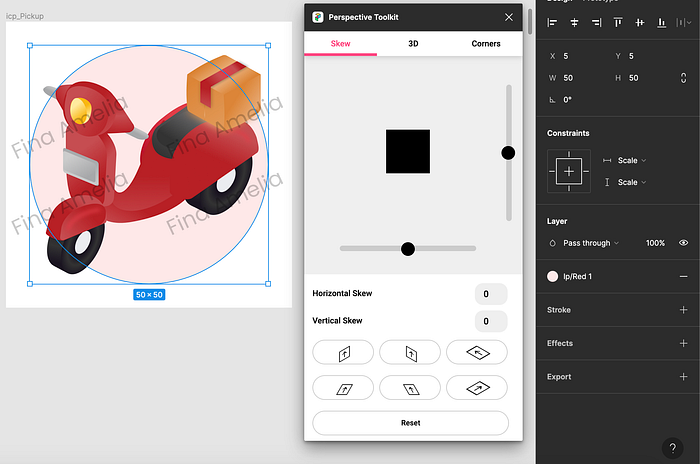
For colouring, use the gradient tool. Gradient can create the effect of light & shadow. Be creative, for darker side use dark colour then add lighter colour for the brighter side.
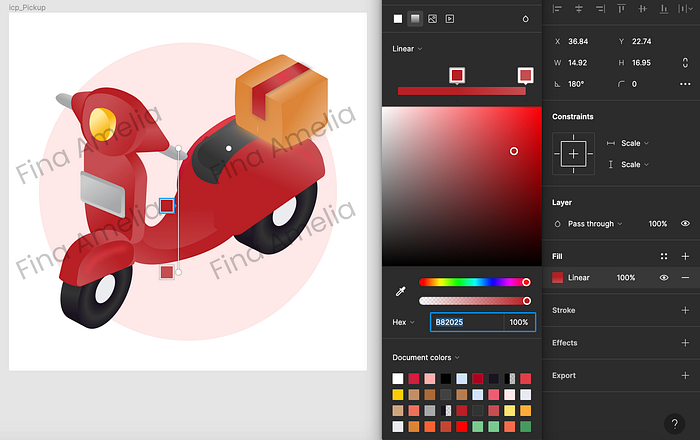
Just playing around and explore the available tools in Figma. As design envelope a designer also should catch up with the current trend, so we won't left behind.
That's all thank you!
Recommended to read: