
When I joined Hublo two years ago, I inherited an 6-year-old mobile app that was holding us back. Built in Java and Objective-C, it was a relic that made adding new features a nightmare and left our healthcare professional users frustrated.
In this post, I'll walk you through how I transformed our dinosaur of an app into a sleek, modern powerhouse. I'll share the challenges I faced, the custom solutions I built (like our WebView bridge), and how this overhaul has supercharged our development process.
If you're grappling with a legacy app or curious about the real-world impact of React Native and Expo, buckle up. This is the story of how I turned my biggest tech headache into my company's greatest asset.
Hublo we have a problem
Since my arrival at Hublo, I was told that our biggest legacy in place was our 6-year-old mobile application written at the early stages of the project. It was forked from an OSS project called GoNative, whose promise was to be able to embed a webview in an app — with only a configuration file to manage (website URL, colors, icons, etc.). The concept was interesting, and all you had to do was import the provided Objective-C code into XCode and the Java code into Android Studio to get started. The project is now known under the median.co brand and offers to transform your website into an app using a no-code approach via a SaaS interface.
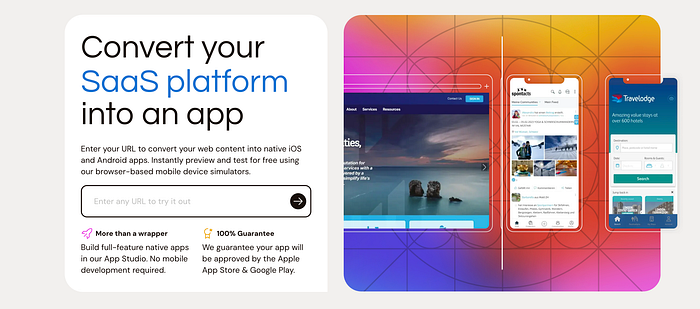
This solution is interesting for websites, e-commerce stores, or SaaS platforms needing a presence in the app stores.
While this kind of tool might be sufficient for a Shopify store, its limitations quickly become apparent on more complex projects that require implementing SSO or using native phone modules to function (such as geolocation, push notifications, analytics…). Median had addressed this problem by creating additionnal modules and a "js bridge". This bridge was build to send requests from the website embedded to the GoNative layer, which would then execute native commands and return it back. This bridge was thus used by our app for some scenarios: downloading a file, receive notifications, …
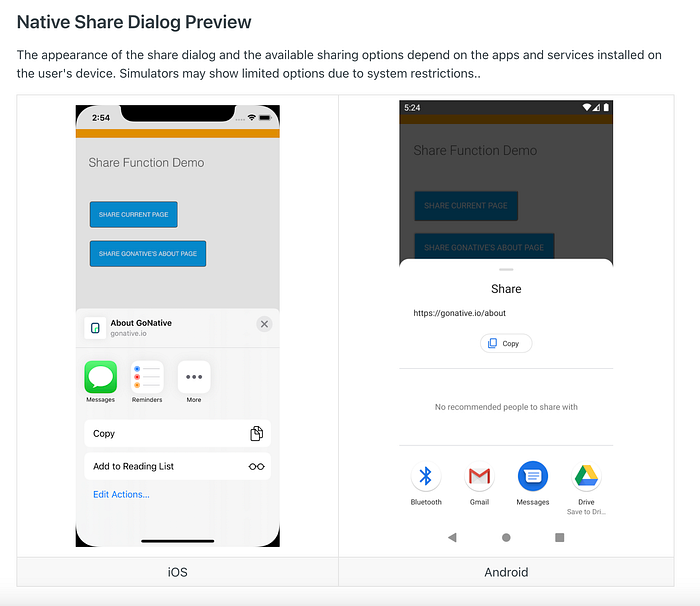
We'll come back to this later in the article.
Upon discovering the code used (Android & iOS), and getting my hands on it, I noticed several things:
- The project was deprecated and hasn't been updated for 2 years to keep up with Android and iOS OS updates
- The setup and compilation were complex (Java environment installations for Android and specific tools needed on Mac OS).
- Many initial compilation errors for which I needeed to go back 7–8 years on developer forums (I quickly setted up a complete Notion page and videos to explain the setup and common errors)
Another problem: no one at Hublo had the skills to update the packages, fix bugs, keep our fork up to date on the main branch…
In other words, we were dealing with the coding equivalent of an archaeological dig. Our app was like a digital dinosaur, frozen in time, waiting for some brave developer-paleontologists to chip away at its fossilized codebase.

At this time, the company had to rely on an external contractor, and my team would cry every time a bug ticket regading the mobile app came in. We systematically refused requests for new features, even if their value was obvious and could have helped our users.
Even worse, some OS updates would regularly make our app completely inoperative, making our service unusable for healthcare professionals using our app — a real disaster.
It was like walking on eggshells in a minefield… on a foggy day. Every OS update was a potential app-ocalypse, and new feature requests were treated like radioactive material. It started to become a real problem, for our company and our users.
This obvious technical debt had to be tackled.

Hybrid app: because 1 codebase is better than 2 codebases
We spent several months listing all the places in our app where native features were used (via the bridge): login→analytics, search for a mission→geolocation, sign a contract→file download…
Then, we analyzed different options:
Option 1 : Completely recode the app in native (Swift/Kotlin): impossible.
- Our service on the healthcare provider side is a React web app with hundreds of views and complex business logic.
- It must also be accessible via the web
- We had no internal native development expertise.
- No need for specific native components (like AR/VR, gyroscope, HomeKit, SiriKit, Wallet etc…)
Option 2 : Recode the app in Hybrid: same issues (with fewer drawbacks on the team skills aspect)

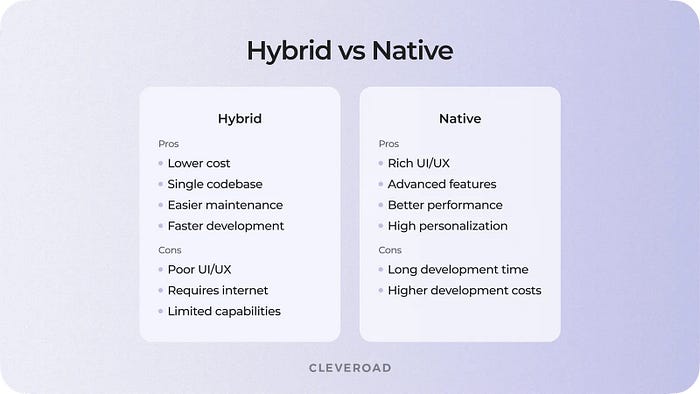
Option 3 : Recode a webview-app in Hybrid: the most obvious choice
- with Capacitor (formerly Ionic Cordova)
- with Flutter
- with React Native
We tried the different solutions through proof of concepts, and it became apparent that React Native was the framework that best met our needs.
Indeed, the structure and patterns close to React, which is used and mastered internally, the significant development ecosystem, and the React Native APIs allow easy access to native components.
The announcements related to the layoffs of Dart and Flutter teams at Google and the announced abandonment also convinced us to move forward with the React Native framework for our app.
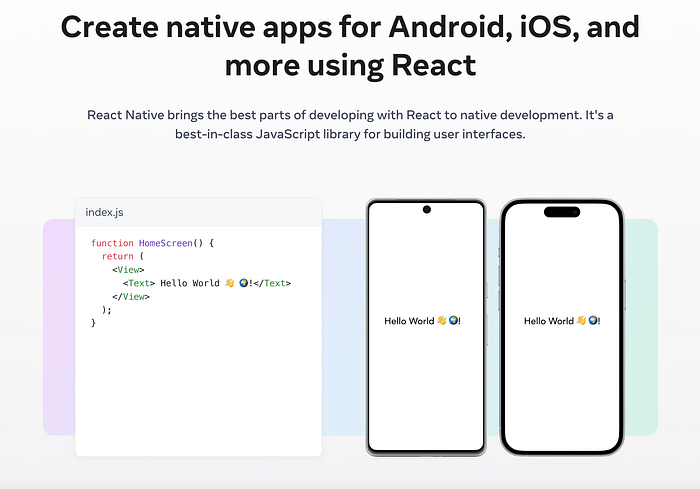
With React Native selected as our framework, we turned our attention to optimizing our development process. We needed a tool that could streamline our workflow and accelerate our mobile app development. This led us to explore Expo.
Expo: code, build & deploy for mobile faster than ever
https://expo.dev/ emerged as a powerful solution to complement our React Native development. It offered several compelling advantages that aligned with our goals:
- Rapid development cycle: quick iteration and testing.
- Simplified build process: seamless building and deploying apps.
- Cross-platform compatibility: consistent performance across iOS and Android.
- Rich ecosystem: wide range of pre-built components and APIs.
- Over-the-air updates: quick fixes and updates without going through app stores.
These factors made Expo an excellent choice for enhancing our development workflow and improving our overall efficiency. Let's explore how Expo fit into our development strategy…"
This transition maintains a professional tone while clearly outlining the reasons for considering and ultimately choosing Expo. It sets up the subsequent section to delve deeper into how Expo was implemented in your development process.
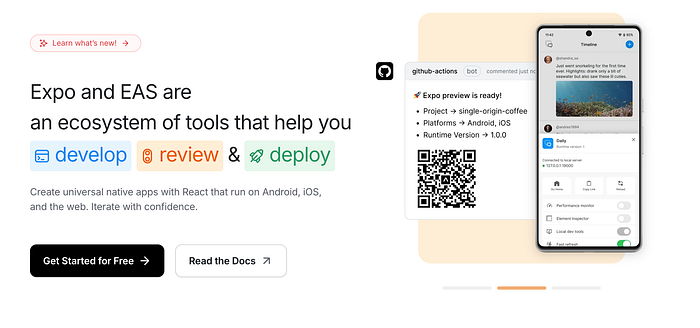
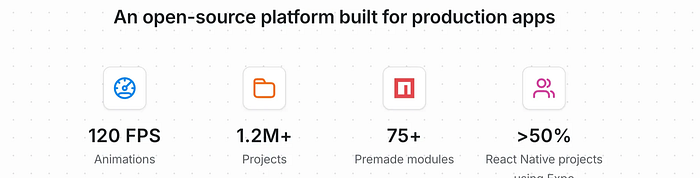
Expo and its seamless development cycle saved us months of work. It offers an SDK that consolidates all possible interactions with the phone's native layer, allowing you to integrate necessary functionalities with just a few lines of code.
Example: Expo Location to retrieve the phone's GPS position (long, lat)

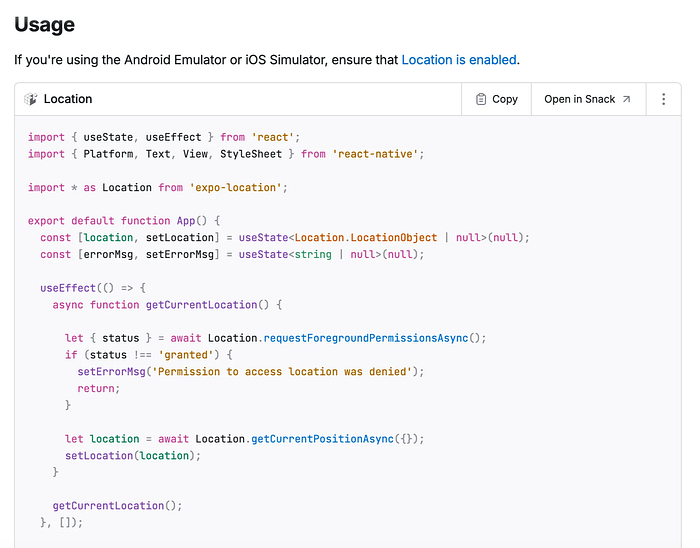
Everything is extremely well explained and documented: the differences between each platform, the permissions to add in your configuration file for the stores, how to test, everything!
The big advantage is that you only have to do this kind of integration once, and the SDK will automatically follow the changes of the different OS to save you the trouble of constantly modifying your code with each new version.
Couple this with AI in your IDE, and you can literally integrate a feature into your app in 2 minutes. I would always provide the documentation link to Cursor, and everything was automatically configured and ready to be deployed!
"A simple webview app"

Since our service is based on a React web app, the starting point for developing this new application was to create an empty app whose sole role was to provide an embedded webview that would display our platform.
The React Native Webview Library is perfect for this job, so it was simply a matter of integrating it and going through the documentation to configure the webview with all the necessary permissions for our site to work properly.
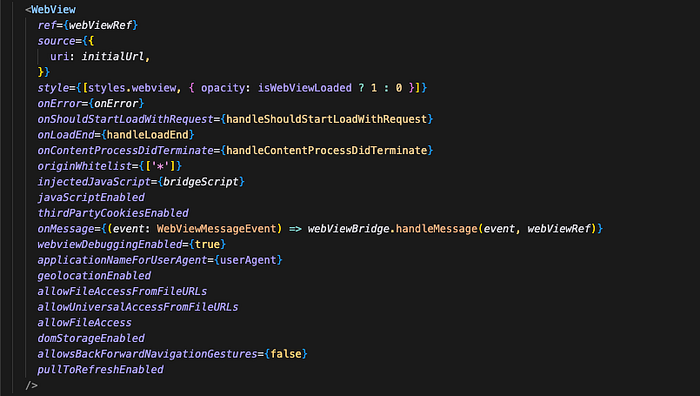
You'll notice some interesting parameters: pullToRefreshEnabled to offer a native reload of the current page, applicationNameForUserAgent to recognize our app on our platform (and condition actions accordingly), webviewDebuggingEnabled to trace logs received in the webview context, etc...
Up to this point, everything was going well.
Things got complicated when I had to handle :
- Links that needed to open in an in-app browser and externally (redirecting to the OS browser, e.g., Facebook page).
- Deep Links: automatically opening the app at the correct URL in the webview context when the user browses the site on their browser. Example flow: email received from our service prompting the user to update their documents → Link in the email → Website → OS Browser → Automatically redirects via deep link configuration in the app → Must load the webview with the received URL
- Push Notifications: same logic as before, each opening of a push notification had to open the webview at the correct URL
- Managing the app's background state which disconnected the webview and caused it to crash
Here's an overview that Cursor compiled for me by analyzing all my commits related to webview management:
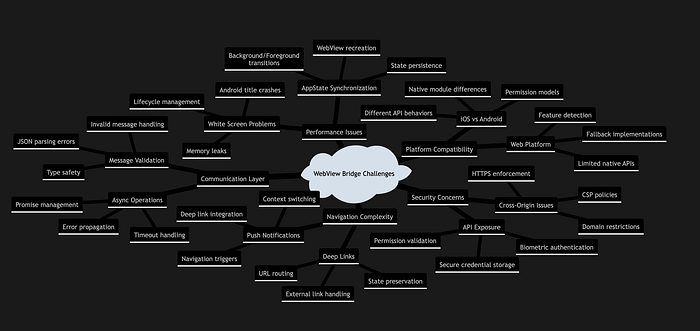
Solving these issues transformed our app from a simple webview container into a production-ready app able to answer all our users needs.
It was a complex dance of redirects, state management, and event handling, but the result was a smooth, intuitive user experience that felt truly native.
Let's add some native in our app !
Once all these problems were corrected, we now had to find a way to replicate the behavior of GoNative's js bridge.
This was the moment our app evolution reached its next stage. We had successfully created a seamless webview experience, but now we needed to give our app some native superpowers : we needed to replicate the GoNative js bridge.

The goal of this maneuver was to establish communication between the Webview and the native application context, which could then use the native APIs (as seen previously with the Expo SDK).
I implemented an Observer pattern, where the native layer acts as an observer to events emitted by the web content. This pattern establish a robust & event-driven communication system between the web interface embedded and native components.
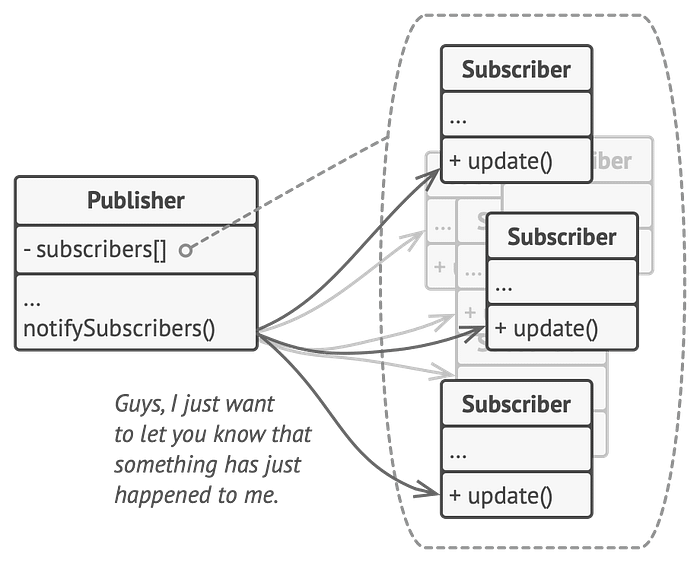
This was made possible by using window.postMessage() on the web front-end, and by listening to emitted messages via WebView.onMessage() integrated into the React Native Webview library.
All that was missing was a dispatcher to filter the received messages, perform native actions, and return the results to the WebView context: thus, the WebView Bridge hook was born in the application.
This approach allowed us to create a seamless communication channel between our web content and the native layer of our app. It was like building a two-way street where web and native could exchange information freely and efficiently.
I then added a WebView Bridge hook to direct messages to their appropriate destinations and ensuring smooth operation between web and native functionalities.

Here's a global overview of the functioning and interactions between the different application layers:
- At the core, we have our React web app
- This is encapsulated within the React Native WebView
- The WebView Bridge facilitates communication between the web content and native functionalities.
- On the native side, we leverage Expo SDK to access device capabilities.

With this mechanism, it became extremely easy to integrate new features brick by brick, such as adding a mission to the calendar, adding a prompt modal to request activation of push notifications, and several other features that were previously almost impossible for us to add.
One of the biggest challenges in using this bridge was the integration of FaceID/TouchID (and its equivalent on Android, which is also the magic of hybrid development) into our user login flow.
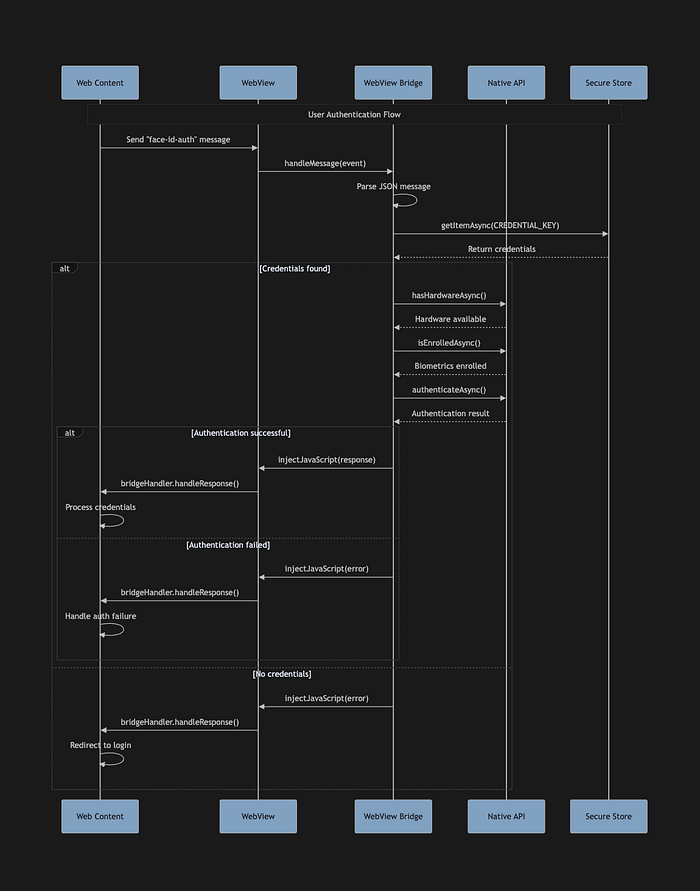
A quick demo of the in-app rendering :
Just Ship It

Testing is one of the biggest challenges in mobile development.
With our previous app, we had to compile the entire project to launch it on a simulator or a physical device connected to the computer. I'm not even mentioning the necessities of certificates and various verifications (especially on iOS), it was pretty tedious.
With the Expo/EAS suite, testing and running the application during development has been a real pleasure.
Expo automatically handles hot reloading, logs, device management, sending to a device via a QR Code and the Expo GO application!
This QR Code-feature felt almost magical : it eliminated the need for complex setup procedures and made it incredibly easy to test on multiple devices. This was particularly useful for catching device-specific issues early in the development process.
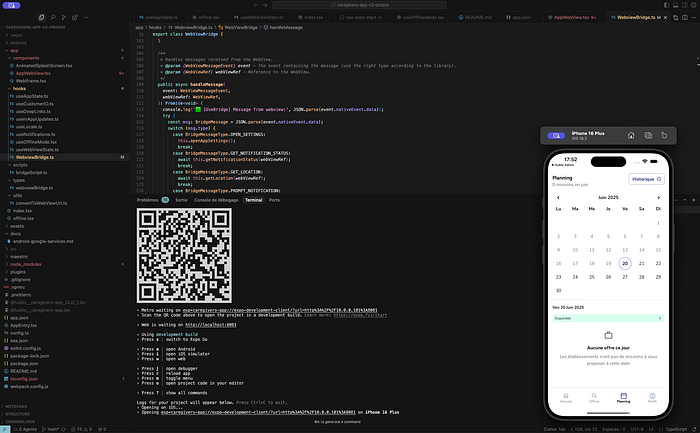
The build process is also simplified, using simple commands to directly compile iOS and Android bundles without ever having to go through XCode or Android Studio (via EAS Cloud Build).
Certificates and permissions, usually complex to set up (e.g., for push notifications), are integrated into the flow and automatically managed by expo-cli, which connects to your Apple / Android account to perform actions thanks to the new Store APIs.
This all-in-one approach democratizes the build and deployment process. It no longer requires deep expertise in iOS and Android specifics, making it easier for every devs in our tech teams to add and deploy new features easily.
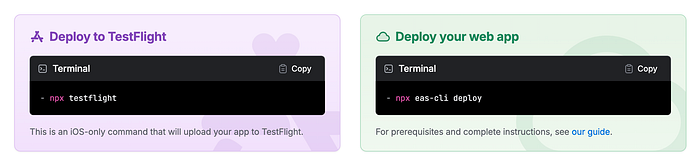
The final submission to the stores is also automated with the — auto-submit option: builds are directly sent in your AppStore Connect and Google Play Console interfaces.
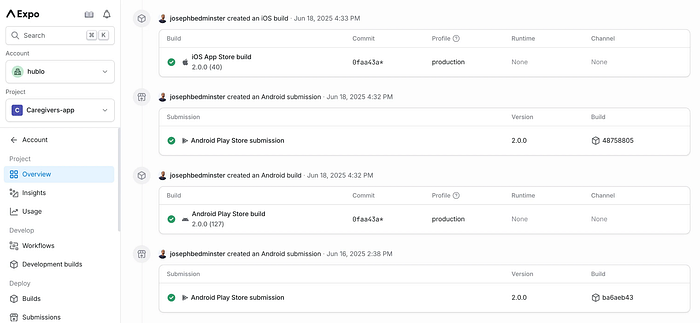
This level of automation has several benefits:
- Reduced the risk of human error in the submission process.
- Speed up the time from development to market.
- Shortened time from user feedback to production updates and fixes.
- Freed up developer time to focus on improving the app rather than managing submissions.
In essence, Expo and EAS have transformed what was once a bottleneck in the development process into a smooth, almost effortless pipeline from code to app store.
Where 'Hello World' Meets 'Hello, Actual Humans'
Launching this new app wasn't just a technical refactoring after all, given the activation of a whole bunch of new features for our users. So we decided to coordinate the delivery of this new version with several flagship features to make a big splash in terms of communication. Advice to developers: wrap your legacy renovation projects with innovative product features to make a lasting impression.
Pro tip to my fellow developer friends : Sprinkle some product fairy dust on your spaghetti code makeover!

Therefore, my team and I worked on a brand new customized dashboard, exclusively accessible through this new version of the application, and communicated with our users to explain all the changes. We didn't just slap a new coat of paint on the old app — we built a shiny new control center that would make NASA jealous. It's like we gave our app a facelift, a brain transplant, and a crash course in charm school all at once. Our users didn't just get an update; they got a whole new experience !
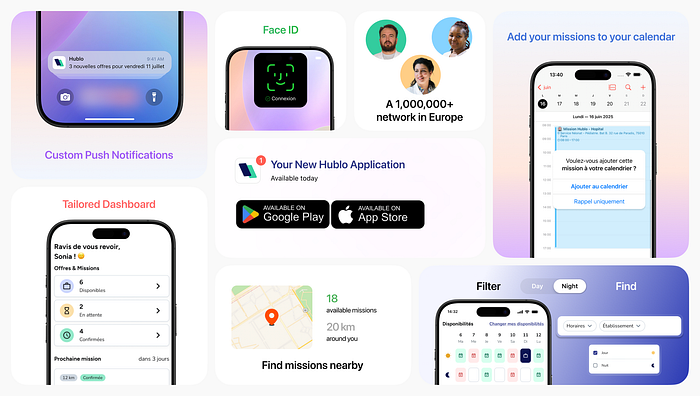
And it wasn't just about the app's internal glow-up; we meticulously crafted a suite of compelling new visuals for the app stores. Our goal was to ensure that the moment a potential user encountered our app, they'd instantly grasp the transformation — the enhanced user experience, the intuitive design, and the wealth of new features. This visual overhaul was crucial, serving as our digital shop window, designed to convey a message of modernity and innovation, ultimately boosting our conversion rates from store view to download and setting the stage for deeper user engagement even before the first tap inside the app.

Conclusion
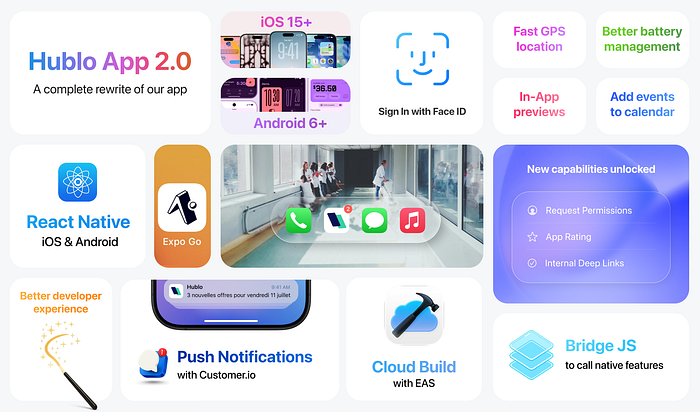
Our transition from two natives app to a modern React Native solution with Expo has been transformative, yielding benefits that extend far beyond mere technical upgrades. This shift has revolutionized our approach to mobile development, significantly enhancing our app's performance, maintainability, feature set, and deployment speed.
Key outcomes and learnings from this journey include:
- Enhanced Performance and User Experience: The move to React Native has resulted in noticeable improvements in app speed and battery efficiency. By leveraging native components and optimizing our codebase, we've created a more responsive and energy-efficient application that provides a smoother user experience.
- Improved Maintainability and Development Workflow: Transitioning to a modern, well-structured React Native application has dramatically improved our code maintainability and development process. The Expo ecosystem has supercharged our workflow with features like hot reloading and streamlined testing, increasing team productivity and satisfaction. This not only makes it easier to fix bugs and add features but also facilitates onboarding new developers.
- Expanded Capabilities and Innovation: Our custom WebView Bridge, coupled with React Native's extensive ecosystem, has unlocked access to a wide array of native device features. This has been a game-changer, enabling us to implement advanced functionalities like biometric authentication and setting the stage for future innovations, including AI-powered features.
- Agile Deployment and Future-Proofing: The Expo ecosystem has dramatically accelerated our deployment process. With streamlined building, testing, and submission processes, we can now push updates and new features to users faster than ever before. This agility allows us to be more responsive to user feedback and market demands, while positioning us for future optimizations in our development pipeline.
While this transition presented challenges, particularly in integrating complex native features, it has ultimately led to innovative solutions and a more robust application. It has also democratized our development process, making it easier for team members with web development backgrounds to contribute effectively to our mobile app.
Links : AppStore Play Store Hublo Website