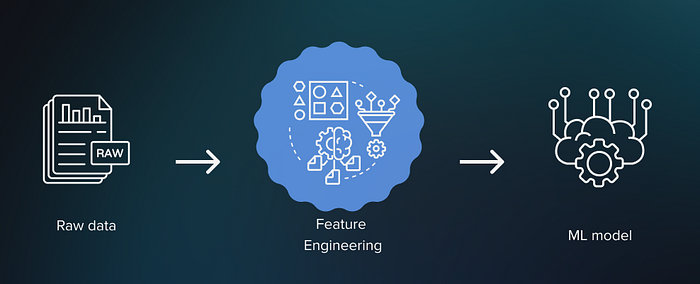

Feature engineering is one of the most important steps in the machine learning pipeline. It involves transforming raw data into meaningful input features for models, which can significantly improve the model's accuracy. However, feature engineering can be tedious and requires domain expertise. Autofeat helps alleviate this by automating the entire process.
This guide will walk you through the key features of Autofeat and provide step-by-step instructions with code examples.
1. Introduction to Autofeat
Autofeat is a Python library designed for automated feature engineering. It automates the creation, transformation, and selection of features, particularly for linear models, to improve model accuracy while maintaining interpretability.
Autofeat performs two main tasks:
- Feature Generation: Automatically creates non-linear features from the original data.
- Feature Selection: Chooses the most relevant features using L1-regularized linear models, which makes the process more efficient by selecting features that contribute most to predictive performance.
2. Installation
To get started with Autofeat, you first need to install the library. You can install it directly using pip:
pip install autofeat Autofeat has dependencies on common data science libraries like scikit-learn, numpy, pandas, sympy, pint, and numba, which will be automatically installed during the setup.
3. Step-by-Step Guide with Code Example
Step 1: Import Necessary Libraries
You'll need to import Autofeat and other essential libraries to run the code. We'll use a standard dataset for demonstration, such as the Boston Housing dataset.
from autofeat import AutoFeatRegressor
from sklearn.datasets import load_boston
from sklearn.model_selection import train_test_split
from sklearn.metrics import mean_squared_error
Step 2: Load and Prepare the Dataset
We'll load the Boston Housing dataset, which is commonly used for regression tasks. The dataset contains various features like crime rate, average number of rooms per dwelling, etc.
# Load the dataset
data = load_boston()
X, y = data.data, data.target

# Split the data into training and testing sets
X_train, X_test, y_train, y_test = train_test_split(X, y, test_size=0.2, random_state=42)
Step 3: Feature Generation with Autofeat
We initialize AutoFeatRegressor, which automatically generates non-linear features. During the fitting process, Autofeat creates a large number of features by applying various mathematical transformations to the existing ones.
# Create an instance of AutoFeatRegressor
afreg = AutoFeatRegressor()

# Fit the regressor to the training data (this generates new features)
X_train_transformed = afreg.fit_transform(X_train, y_train)

# Apply the same transformation to the test data
X_test_transformed = afreg.transform(X_test)
At this stage, Autofeat uses multiple feature transformations (e.g., polynomial, exponential, logarithmic) and generates new features based on combinations of the original ones. The library also automatically selects the most important features.
Step 4: Train a Model Using the New Features
With the newly generated features, you can train a regression model or any machine learning model of your choice. Below, we use a simple linear regression model:
from sklearn.linear_model import LinearRegression

# Initialize the model
model = LinearRegression()

# Train the model on the newly generated features
model.fit(X_train_transformed, y_train)

# Make predictions on the test set
y_pred = model.predict(X_test_transformed)

# Evaluate the model
mse = mean_squared_error(y_test, y_pred)
print(f"Mean Squared Error: {mse}")
The mean squared error (MSE) will give you an idea of the model's performance with the newly generated features. You can compare this with the performance of a model trained without Autofeat to see the improvement.
Step 5: Feature Selection and Interpretability
Autofeat also allows you to access the newly generated features. You can examine them to see which ones are important for the model's predictions.
# Get the generated feature names
new_features = afreg.get_feature_names()
print(f"New Features: {new_features}")
This list of features helps in interpreting which transformations or feature interactions are significant. For example, you may find that combinations of features (e.g., the square of a feature or the interaction between two features) improve model accuracy(ar5iv).
4. Advanced Usage: Hyperparameter Tuning
Autofeat allows for customization by adjusting the hyperparameters to control the complexity of the feature generation process. The key hyperparameters include:
feateng_steps: Number of feature engineering steps to perform.max_features: Maximum number of new features to generate.n_jobs: Number of CPU cores to use for parallel computation.
Here's how you can specify these parameters:
afreg = AutoFeatRegressor(feateng_steps=2, max_features=1000, n_jobs=-1)
X_train_transformed = afreg.fit_transform(X_train, y_train)
By tuning these parameters, you can optimize performance based on the complexity of your dataset and computational power.
5. Best Practices and Tips
- Start Small: Begin with default hyperparameters, then gradually increase the complexity if needed.
- Cross-Validation: Always use cross-validation to prevent overfitting, especially when generating many features.
- Interpretability: Ensure that the generated features align with your domain knowledge. Autofeat makes the process interpretable, so validate the features before using them in decision-making models.
6. Conclusion
Autofeat simplifies the feature engineering process, making it more accessible to practitioners without extensive domain expertise. By automating the generation of non-linear features and providing powerful feature selection methods, Autofeat enables you to improve the performance of linear models without sacrificing interpretability. Whether you're working with regression or classification problems, Autofeat can streamline your workflow and allow you to focus on other aspects of model development
👉 Linkedin : Hamdi Boukamcha