

First of all, congrats! You finished coding your app, and you want to add your Google Analytics account. That's awesome! Bravo!
I know how exciting this would be. I create a lot of apps and each time when it's time to bring to the world's light is just a bunch of positive feelings of excitement.
I won't blabla for a long time, let's dive into the exciting part.
Let's goooo ~ ᕕ(ᐛ)ᕗ
Step #1: Creating a Google Analytics Account if not already done
First of all, to add a Google Analytics account to your React application, you obviously need a GA account or, more precisely, the tracking id.
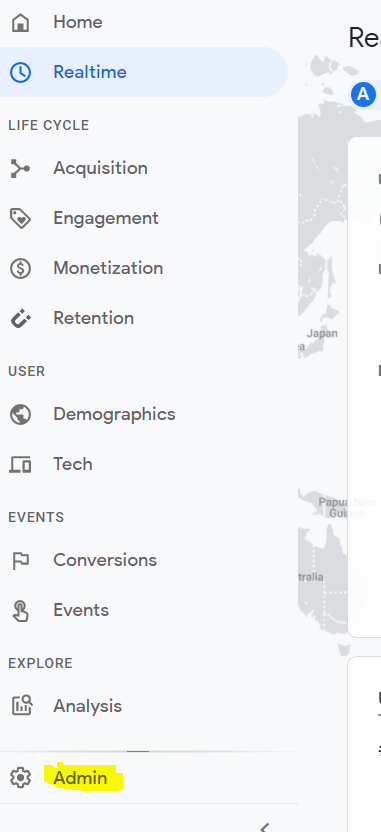
- First, connect or create an account and go to Admin:
- Click on create a new account.
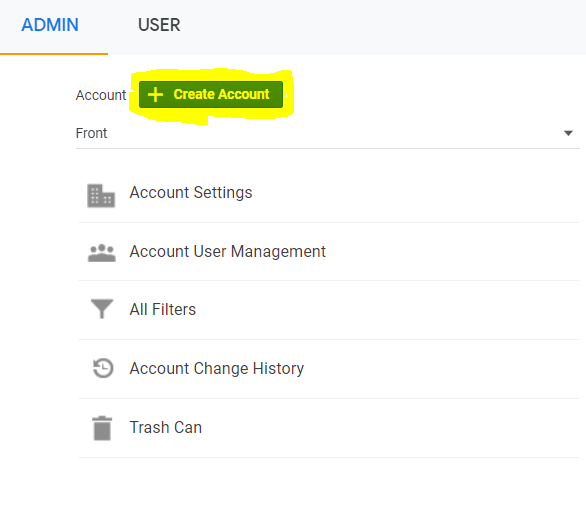
⚠️ Don't worry if you already have an account for another website. You can create as many as you want!
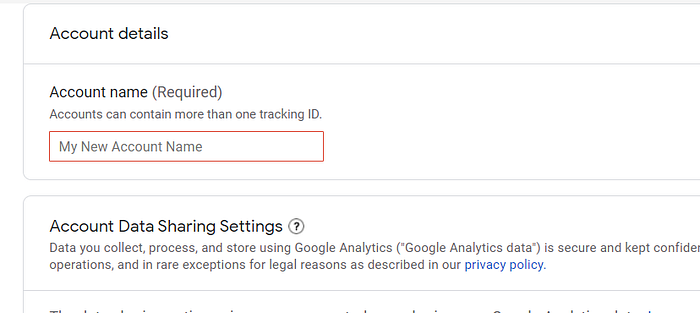
- Fill in the required information:
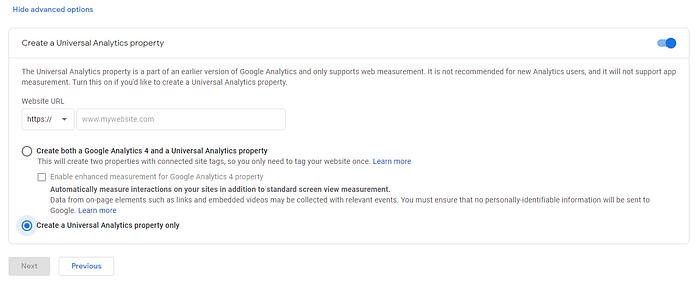
- The next step is super important: the advanced option. You need to make sure that you create a universal ID and, by default, is disabled, so make sure you activate it. Otherwise, it won't work:
- Now, you're done. You need to keep aside the Tracking ID will need it later.
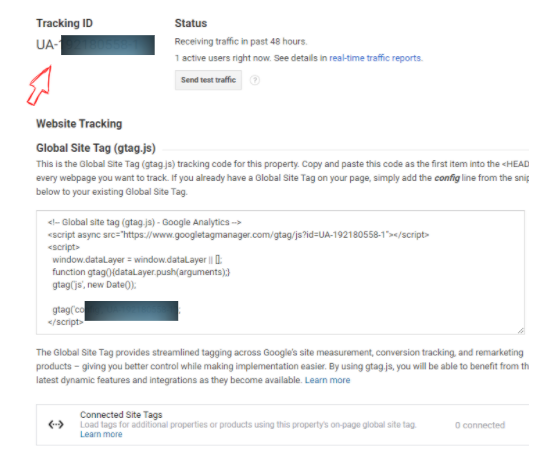
⚠️ If you got a measurement ID that starts with G- it wouldn't work with ReactGA because it's not a universal ID that starts with UA-.
Step #2: Retrieving your tracking ID and linking it to your React App.
Now that we got the tracking id, you will only need to set the right configuration from the client side in your React App:
- First will need to install a package that will help us connect our React app to GA.
npm install --save react-gaFor more information about this package: here is where to go!
- Now that we installed the package, the next step is tracking page views by adding the following:
...
import ReactGA from 'react-ga';
ReactGA.initialize('UA-000000-01');
function App() {
useEffect(() => {
    ReactGA.pageview(window.location.pathname + window.location.search);
}, []);
return (
....
)
}
So far we saw how to track page views. What about triggered events, we need to track them too, Nah?
In fact, there is a lot of things that we can do with ReactGA so don't hesitate to check and read more about it. For my events, here is the example code:
const useGAEventsTracker = (category = 'Event Category') => {

  const trackEvent = (action = 'action', label = 'label') => {
      ReactGA.event(category, action, label);
      return trackEvent;
  };
};
You can externalize this function to reuse it each time you want to track an event. To use, all you need is:
const eventTracker = trackEvent("Link triggered");Then trigger it when an event is triggered:
<a href="..." onClick={e=eventTracker(actions)}>
...
</a>
You can add as eventTracker param's the actions or just a label to see more details.
Finally, enjoy your real-time visitor dashboard ~ ᕕ(ᐛ)ᕗ
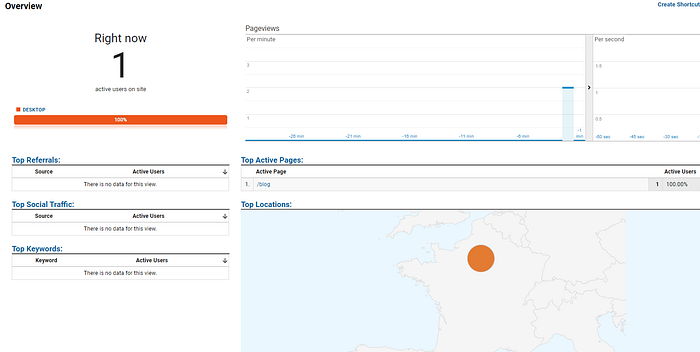
Me visiting my new website 🤣🤣🤣
Dear reader, thank you ❤
I hope you're safe wherever you are and your family too! Hang in there. Tomorrow will be better!
Let's get in touch on Medium, Linkedin, Facebook, or Twitter.
FAM