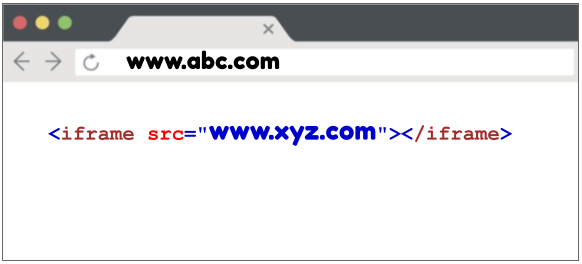

Ideally in this case you have the parent application which is loaded in the browser as the main app and the iframe in it where you are loading another web page through the src attribute of the iframe. So you have two origins, one is for the parent app and other is for the iframe as follow.
Scenario 1 - Parent and Iframe having same origin and you have control in both parent and child
As an example parent would have www.abc.com and child would have www.abc.com/child
In this case browser will allow to communicate from parent to child as well as child to parent through window object.
Parent -> Child
// In child app
// Bind a method to window object
window.childCallback = function() {
  console.log('parent calling the child method');
}


// In parent app
// Just load the iframe
<iframe id='iframe' src="http://www.abc.com/child"/>
// Just call the method through iframe window
const iframe = document.getElementById("iframe");
iframe.contentWindow.childCallback();
Child -> Parent
// In parent app
// Bind a method to window object
window.parentCallback = function() {
  console.log('child calling the parent method');
}

// In child app
// Just call the method through window object
window.parent.parentCallback();
Sample demo - https://thinugigs-iframe-test-same-origin.web.app/
Source(This is a simple react app) - https://github.com/thinugigs/-Iframe-test-same-origin
Scenario 2 - Parent and Iframe having different origins and you have control in both parent and child
As an example parent would have www.abc.com and child would have www.xyz.com
In this scenario browser will allow to communicate from parent to child as well as child to parent through postMessage.
Parent -> Child
// In child app
// Bind a message event listener to window object
window.addEventListener("message", function(event) {
  console.log('parent calling the child method');
});

// In parent app
// Just load the iframe
<iframe id='iframe' src="http://www.xyz.com"/>
// Just fire a message through iframe window
const iframeWindow = document.getElementById("iframe").contentWindow;
iframeWindow.postMessage("", "*");
Child -> Parent
// In parent app
// Bind a message event listener to window object
window.addEventListener("message", function(event) {
  console.log('child calling the parent method');
});

// In parent app
// Just fire the message through parent object
parent.postMessage("", "*");
Sample demo - https://thinugigs-iframe-test-different-origin-parent.web.app/
Source(This is a simple html app) - https://github.com/thinugigs/-iframe-test-different-origins
Scenario 3 - Parent and Iframe having different origins but you have control in one of them either parent or child
In this kind of a scenario either you belongs the parent app or child app. So you can do the message implementation in one side not the other, making you a blocker to do the communication in both directions, parent to child and child to parent.
So following is a summary of what we went through
Parent and child having same origin and you have control on both. Then you can achieve communication through window
Parent and child having different origins and you have control on both. Then you can achieve communication through postMessage
Parent and child having different origins and you have control only in either of them. Then you cannot achieve communication at all.
Feel free to connect with me if you have any questions and I'll be there to help you :)
Email — thinugigs@gmail.com
LinkedIn — https://www.linkedin.com/in/thinuwan/
Thank you !