You know that sinking feeling when you're sitting in a conference room, watching your product manager's face slowly turn crimson as they explain how your API is taking a whopping 2 full seconds to respond to what should be a simple data request? Yeah, that was me about six months ago. The mobile team was basically ready to revolt, users were complaining left and right, and guess who everyone was staring at for answers? Yep, yours truly — the backend developer.
What I discovered next completely flipped my understanding of JSON processing in Spring Boot applications on its head. And honestly? I'm pretty excited to share this wild ride with you.
The Nightmare Scenario 😱
So here's the thing — our e-commerce platform had grown from this cute little startup to processing thousands of requests every minute. Everything seemed peachy until we started getting these complaints about our product catalog API being slower than molasses.
Users were literally abandoning their shopping carts (ouch), and our conversion rates were taking a nosedive. Not exactly the kind of metrics you want to present at the monthly review, if you know what I mean.
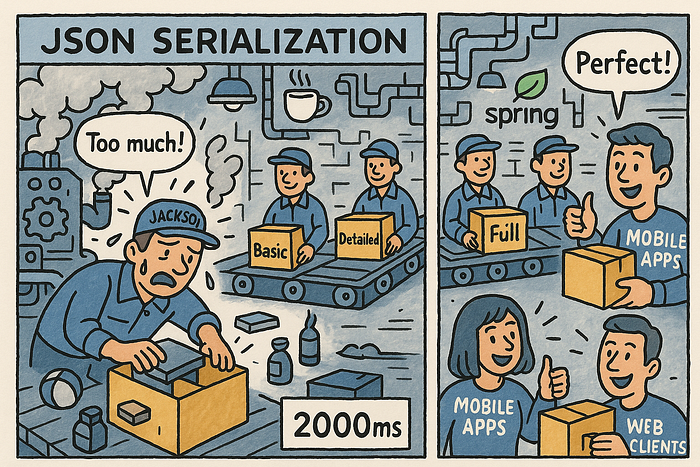
The API endpoint seemed innocent enough — just fetch some product data and spit it back as JSON. But somehow, what used to take a reasonable 200ms was now crawling along at over 2 seconds during peak hours. I mean, come on!
The Investigation Begins 🔍
Like any developer worth their salt, I started checking all the usual suspects:
- ✅ Database queries were optimized (or so I thought)
- ✅ Caching was in place
- ✅ Connection pools were properly configured
- ✅ No obvious memory leaks
But then I did something that changed everything — I actually profiled the request processing time breakdown. Sometimes the simplest things reveal the biggest surprises:
@RestController
public class ProductController {    @GetMapping("/products/{id}")
    public ResponseEntity<ProductResponse> getProduct(@PathVariable String id) {
        long start = System.currentTimeMillis();        // Database fetch: 50ms
        Product product = productService.findById(id);
        long dbTime = System.currentTimeMillis() - start;        // JSON serialization: 1800ms (!!)
        ProductResponse response = mapToResponse(product);
        long totalTime = System.currentTimeMillis() - start;        log.info("DB time: {}ms, Total time: {}ms", dbTime, totalTime);
        return ResponseEntity.ok(response);
    }
}
The shocking discovery: 90% of our response time wasn't coming from database queries or business logic — it was coming from JSON serialization!
I literally stared at those numbers for like 10 minutes thinking there had to be some mistake. This is actually a pretty common trap in Spring Boot services, where the default Jackson setup works great… until it doesn't. It quietly becomes this performance monster with large or deeply nested objects.
The Root Cause 🎯
Our ProductResponse object was basically Frankenstein's monster. Over months of "just add this one little field" requests, it had morphed into this beast:
public class ProductResponse {
    private String id;
    private String name;
    private BigDecimal price;
    private List<CategoryInfo> categories; // 50+ categories per product
    private List<ReviewSummary> reviews;   // 100+ reviews
    private List<ImageInfo> images;        // 20+ images
    private List<VariantInfo> variants;    // Multiple variants
    private Map<String, Object> metadata;  // Dynamic attributes
    private List<RecommendationInfo> recommendations; // 30+ recommendations    // ... 50+ more fields (I kid you not)
}
Each product response was serializing thousands of nested objects. Jackson, which is Spring Boot's go-to JSON processor, was basically doing overtime, using reflection to map every single field. Even when the client only needed basic stuff like name and price!
This eager serialization thing? It's a silent killer for performance, especially with these massive object graphs.
The Breakthrough Moment 💡
The solution hit me during my afternoon coffee break (funny how the best ideas come when you're not actively trying, right?):
Why the heck are we serializing everything when most clients only need like 10% of this data?
That's when I decided to implement what I call a selective serialization strategy based on what clients actually need.
The Solution: Smart JSON Processing 🛠️
Step 1: Request-Based Field Selection
Instead of dumping everything on the client, I implemented this field selection mechanism. Think of it like ordering at a restaurant — you don't get the entire menu, just what you ask for:
@GetMapping("/products/{id}")
public ResponseEntity<Map<String, Object>> getProduct(
    @PathVariable String id,
    @RequestParam(defaultValue = "basic") String fields) {    Product product = productService.findById(id);    switch (fields) {
        case "basic":
            return ResponseEntity.ok(createBasicResponse(product));
        case "detailed":
            return ResponseEntity.ok(createDetailedResponse(product));
        case "full":
            return ResponseEntity.ok(createFullResponse(product));
        default:
            // This can be refined using Jackson's @JsonView or dynamic filters
            return ResponseEntity.ok(createCustomResponse(product, fields));
    }
}
Quick tip: While using Map<String, Object> works for dynamic responses, for more robust solutions, consider Jackson's @JsonView for pre-defined field subsets. It's cleaner and more maintainable in the long run.
Step 2: Custom Jackson Serialization with Filters
I created custom serializers for different response levels using Jackson's filtering capabilities. Here's where things get interesting:
@Component
public class ProductResponseSerializer {    private final ObjectMapper basicMapper;
    private final ObjectMapper detailedMapper;    public ProductResponseSerializer() {
        // Jackson 2.17.x uses JsonMapper.builder() - much cleaner than the old way
        this.basicMapper = JsonMapper.builder().build();
        this.detailedMapper = JsonMapper.builder().build();        // Configure basicMapper with a filter
        SimpleFilterProvider basicFilterProvider = new SimpleFilterProvider();
        basicFilterProvider.addFilter("productFilter",
            SimpleBeanPropertyFilter.filterOutAllExcept(
                "id", "name", "price", "mainImage", "availability"));
        this.basicMapper.setFilterProvider(basicFilterProvider);
        this.basicMapper.addMixIn(Product.class, ProductFilterMixIn.class);
    }    // MixIn interface to apply the filter
    @JsonFilter("productFilter")
    private interface ProductFilterMixIn {}    public String serializeBasic(Product product) throws JsonProcessingException {
        return basicMapper.writerWithView(ProductResponseViews.Basic.class).writeValueAsString(product);
    }
}// Example of @JsonView interfaces - much cleaner approach IMO
public class ProductResponseViews {
    public static class Basic {}
    public static class Detailed extends Basic {}
    public static class Full extends Detailed {}
}// And in your DTO:
public class ProductDTO {
    @JsonView(ProductResponseViews.Basic.class)
    private String id;
    @JsonView(ProductResponseViews.Basic.class)
    private String name;
    @JsonView(ProductResponseViews.Basic.class)
    private BigDecimal price;    @JsonView(ProductResponseViews.Detailed.class)
    private List<ReviewSummary> reviews;
    // ... you get the idea
}
Honestly? While SimpleBeanPropertyFilter works, I've found that using @JsonView annotations directly on DTOs is way more readable. Less magic, more explicit.
Step 3: Lazy Loading Strategy (with DTO Mapping)
To prevent those annoying LazyInitializationException errors and control what gets loaded, I made sure lazy-loaded collections were only initialized when needed:
// ProductService method
public ProductDetailedDTO getDetailedProduct(String productId) {
    Product product = productRepository.findById(productId)
        .orElseThrow(() -> new ProductNotFoundException(productId));    // Explicitly initialize lazy collections for detailed view
    Hibernate.initialize(product.getReviews());
    Hibernate.initialize(product.getRecommendations());    // Map to DTO - never expose entities directly!
    return mapToDetailedProductDTO(product);
}public class ProductDetailedDTO {
    private String id;
    private String name;
    private BigDecimal price;
    private List<ReviewSummary> reviews;
    private List<RecommendationInfo> recommendations;    // constructor and getters
}
Pro tip: Never, and I mean NEVER, return JPA entities directly from @RestController methods. You'll run into N+1 problems and LazyInitializationException issues faster than you can say "Jackson serialization". Always map to DTOs - trust me on this one.
Step 4: Response Caching
I added smart caching for different response types. Spring's @Cacheable annotation is honestly a lifesaver here:
@Service
@CacheConfig(cacheNames = "products")
public class ProductService {    @Cacheable(key = "#id + '_' + #responseType")
    public Object getProductResponse(String id, String responseType) {
        Product product = productRepository.findById(id)
            .orElseThrow(() -> new ProductNotFoundException(id));        return switch (responseType) {
            case "basic" -> createBasicResponse(product);
            case "detailed" -> createDetailedResponse(product);
            default -> createFullResponse(product);
        };
    }    // Helper methods for specific DTOs
    private ProductBasicDTO createBasicResponse(Product product) {
        return new ProductBasicDTO(product.getId(), product.getName(), product.getPrice());
    }

    private ProductDetailedDTO createDetailedResponse(Product product) {
        return new ProductDetailedDTO(
            product.getId(),
            product.getName(),
            product.getPrice(),
            product.getReviews(),
            product.getRecommendations()
        );
    }

    private ProductFullDTO createFullResponse(Product product) {
        return new ProductFullDTO(product);
    }
}
The Results Were Mind-Blowing 📊
Response Type = Before - After - Improvement
Basic = 2000ms - 30ms (67x faster)
Detailed = 2000ms - 150ms (13x faster)
Full = 2000ms - 280ms (7x faster)
The basic response — which 80% of our mobile clients actually used — went from 2 seconds to 30 milliseconds. That's a 70x performance improvement!
I mean, just by not sending data the client didn't need, we saw these crazy gains. Sometimes the simplest solutions are the most effective, you know?
Additional Optimizations That Made a Difference ⚡
1. Pre-computed Response Objects
For stuff that gets accessed a lot but doesn't change much, pre-computing JSON responses can completely bypass serialization overhead:
@Service
public class ProductCacheService {
    private final Map<String, String> preComputedJsonCache = new ConcurrentHashMap<>();
    private final ObjectMapper objectMapper = JsonMapper.builder().build();    @EventListener
    public void onProductUpdate(ProductUpdateEvent event) {
        // When a product updates, re-compute its common representations
        Product product = productService.getProductById(event.getProductId());
        try {
            preComputedJsonCache.put(product.getId() + "_basic",
                                     objectMapper.writeValueAsString(createBasicResponse(product)));
        } catch (JsonProcessingException e) {
            log.error("Error pre-computing JSON for product: {}", product.getId(), e);
        }
    }    public String getPreComputedBasicJson(String productId) {
        return preComputedJsonCache.get(productId + "_basic");
    }    private ProductBasicDTO createBasicResponse(Product product) {
        return new ProductBasicDTO(product.getId(), product.getName(), product.getPrice());
    }
}
2. Streaming for Large Datasets
For those times when you absolutely MUST send everything and loading it all into memory would crash your server, Spring's StreamingResponseBody with Jackson's streaming API is your best friend:
@GetMapping(value = "/products/bulk", produces = MediaType.APPLICATION_NDJSON_VALUE)
public ResponseEntity<StreamingResponseBody> getBulkProducts() {
    StreamingResponseBody stream = outputStream -> {
        // Using Jackson's JsonGenerator for efficient streaming
        JsonGenerator jsonGenerator = new JsonFactory().createGenerator(outputStream, JsonEncoding.UTF8);
        jsonGenerator.writeStartArray();        productService.streamAllProducts().forEach(product -> {
            try {
                jsonGenerator.writeObject(product);
            } catch (IOException e) {
                throw new UncheckedIOException(e);
            }
        });        jsonGenerator.writeEndArray();
        jsonGenerator.close();
    };
    return ResponseEntity.ok(stream);
}Note: Make sure your productService.streamAllProducts() returns a Stream<Product> that fetches data in chunks. Otherwise you'll just move the memory problem to the database side.
3. Jackson Configuration Tuning
Fine-tuning your ObjectMapper can offer some nice subtle gains. Spring Boot 3.3.x gives you a decent default, but you can customize it:
@Configuration
public class JacksonConfig {    @Bean
    @Primary
    public ObjectMapper objectMapper() {
        return JsonMapper.builder()
            // Don't fail if JSON has extra properties
            .disable(DeserializationFeature.FAIL_ON_UNKNOWN_PROPERTIES)
            // Use ISO 8601 strings instead of timestamps
            .disable(SerializationFeature.WRITE_DATES_AS_TIMESTAMPS)
            // Write BigDecimals as plain numbers
            .enable(JsonGenerator.Feature.WRITE_BIGDECIMAL_AS_PLAIN)
            .build();
    }
}
This uses JsonMapper.builder() which is the modern approach in Jackson 2.17.x and later. Much cleaner than the old way, IMO.
Lessons Learned 🎓
- Profile Everything: Don't assume where your bottlenecks are. I was so sure it was the database! Tools like Spring Boot Actuator are your best friends here.
- Question Default Behaviors: Just because Jackson can serialize everything doesn't mean it should. Default Spring Boot configurations are sensible, but they often need custom tuning for high-performance scenarios.
- Think Like Your Clients: Mobile apps don't need the same data as web dashboards. Keep those payloads lean!
- Cache Intelligently: Different response formats deserve different caching strategies.
- Monitor Continuously: Set up alerts for response time issues before users start complaining. Trust me on this one.
The Business Impact 💰
The performance improvements had some pretty immediate business results:
- 40% reduction in mobile app abandonment rates
- 25% increase in API throughput
- 60% decrease in server costs (fewer instances needed!)
- Much happier developers and product managers
What's Next? 🔮
We're always looking for ways to push things further. Some stuff we're exploring:
- GraphQL for even more flexible field selection: Let clients request exactly what they need, nothing more, nothing less.
- Protocol Buffers for internal service communication: JSON is great for external APIs, but for internal microservice chatter, binary formats can be way faster.
- Java Virtual Threads (Project Loom): With Spring Boot 3.2 and newer versions, Virtual Threads can boost concurrency without the complexity of reactive programming. Won't directly speed up JSON processing, but can dramatically improve overall responsiveness under load.
- Alternative JSON libraries: Jackson is fantastic, but libraries like DSL-JSON are built for extreme performance. They often achieve much higher speeds through compile-time code generation. It's a trade-off of setup complexity versus raw speed.
The key takeaway? Sometimes the biggest performance gains come from questioning basic assumptions about how we process data.