
🚀 Introduction — Why "Data-Driven" Is the SDET Superpower
If you've ever spent hours updating selectors or rewriting tests for new data, you're not alone. The problem? Tightly coupled test logic and test data.
True data-driven automation separates what you test (data) from how you test (logic). And that's exactly what JSON, ENV variables, and dynamic locators can help you achieve in Playwright.
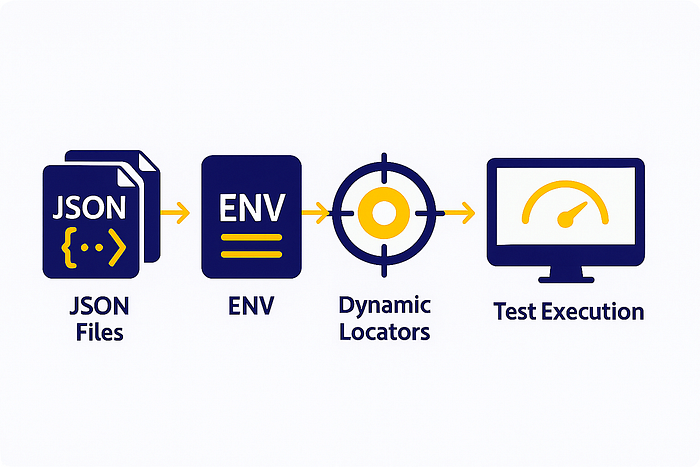
Let's dive into how these three components can turn your test suite into a flexible, scalable powerhouse.
🧩 1. Store Test Data in JSON Files
Instead of hard-coding values, define them in simple, reusable JSON files:
// testdata/userData.json
{
  "validUser": { "username": "qa_tester", "password": "Pass@123" },
  "invalidUser": { "username": "wrong_user", "password": "fail@123" }
}
Then load them dynamically in your tests:
import testData from "../testdata/userData.json";
test('Login validation', async ({ page }) => {
  await page.fill('#username', testData.validUser.username);
  await page.fill('#password', testData.validUser.password);
  await page.click('#login');
  await expect(page).toHaveURL('/dashboard');
});
✅ Benefit: You can test multiple user flows just by swapping JSON data — no code changes required.
⚙️ 2. Manage Environments with .env Files
Different environments (Dev, QA, Staging, Prod) need different credentials and URLs.
Instead of editing files manually, use a .env file and the dotenv library:
BASE_URL=https://qa.myapp.com
USERNAME=qa_user
PASSWORD=qa_pass
In your Playwright test or config:
import * as dotenv from 'dotenv';
dotenv.config();
export const env = {
  baseUrl: process.env.BASE_URL,
  username: process.env.USERNAME,
  password: process.env.PASSWORD
};
Now, your tests automatically adapt to any environment just by switching .env files.
💡 Pro Tip: Combine .env with CI/CD pipelines (like Jenkins or GitHub Actions) for seamless environment-based runs.
🎯 3. Use Dynamic Locators for Reusable Tests
Static locators often break when UI or labels change. Instead, use parameterized or dynamic locators that adapt on the fly:
export const getMenuItem = (menuName: string) =>
  page.locator(`//a[normalize-space(text())='${menuName}']`);
Usage:
await getMenuItem('Products').click();
await getMenuItem('Support').click();
✅ Result: One function, multiple reuses — clean, scalable, and future-proof.
🧠 Conclusion — Build Once, Scale Everywhere
When you combine JSON for test data, ENV for configurations, and dynamic locators for UI handling, your Playwright framework becomes:
- ✅ Environment-independent
- ✅ Easy to scale and maintain
- ✅ Resistant to UI and data changes
That's the essence of a truly data-driven framework — flexible, intelligent, and SDET-ready.
📢 Takeaway
Separate logic from data. Let your automation framework adapt — not your code. Because smart SDETs don't chase changes — they architect for adaptability.