

Portfolios are sales pages in 2025, not for decoration collections.
Recruiters and clients scan portfolios like speed readers, hiring teams are much quicker, and job requirements are more focused.
You're missing the one thing that truly gets you hired if your case studies look like a Dribbble gallery of nice screens: impactful, logical reasoning.
After 6+ years building, hiring, and reviewing portfolios for SaaS, mobile, and enterprise roles.
I reduced everything to a single useful system that you can use right now.
This is the roadmap for a job-ready portfolio; it is practical, easy to read, and designed to make your work become interviews instead of compliments.
Quick promise
Your portfolio will
- Respond to a recruiter's 3 silent queries in ten seconds.
- Convert interviews into discussions about strategy compared to pixel polish.
- Keep narrative control if you follow these rules.

Why the old rules no longer apply (and what is important now)

Big galleries and "beautiful UI" were the main topics of old portfolio suggestions.
When designers received feedback based on visual individuality, it was important.
- Recruiters scan quickly, so give them the signal instead of giving them the complete image.
- Making decisions is greater than decorating. Don't just show what you made; show how you thought.
- Update speed is important because hiring managers look for current, meaningful proof of impact.
The main goal of your portfolio is straightforward: getting an interview.
The rest is irrelevant.
The 4-P Framework, your filter for every page
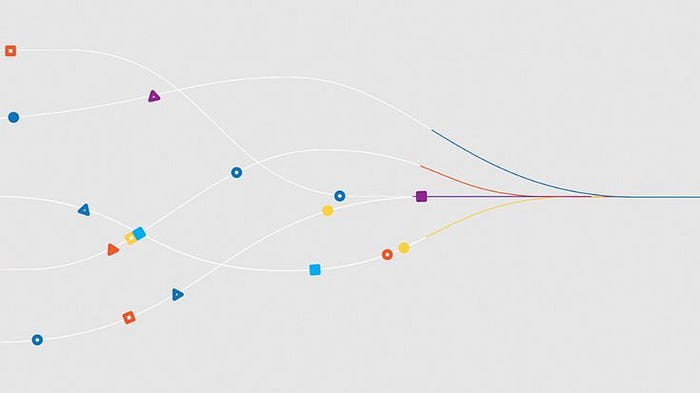
Use this on every portfolio element.
If a section can't pass one P, cut or rewrite it.
Pitch:Who are you, and what do you do? One-line headline + 2–4 line human About. Make recruiters know what they're looking at in 3–6 seconds.
Problem-solving:Did you pinpoint the right problem? Explain who's impacted, why it matters, and what happens if it's not solved.
Presentation: Can you communicate the decision story quickly? Annotated screenshots, short copy, prototypes, and microinteraction clips that make your thoughts visible.
Polish: Does skill show your ability to ship? Clean exports, readable type, and consistent spacing are proof that you'll finish the project on time.
Pick 3–5 projects that actually sell you
Quality > quantity. Your portfolio should be a curated shortlist:
- Anchor project (1): a deep case study that shows end-to-end thinking (research → solution → metrics).
- Supporting projects (2–3): Each highlights a different skill (e.g., onboarding flow, growth UX, mobile UX).
- Optional light projects: Tiny thumbnails for side projects or design challenges.
Rule of thumb: Showcase multiple types of achievements (research, product the conception process, and implementation), not just a selection of flashy UIs.
Anatomy of a case study: the structure that converts
Use these H2s or section cards; recruiters will be staring at them:
- Context (1–2 lines): Who, what, when, and your role.
- Problem statement: Clear, specific, and measurable when possible.
- Research & insights: Data points, quotes, and analytics (even small samples are fine if you state limits).
- Ideation & process: Decision story: alternatives, trade-offs, and why you chose a direction.
- Design execution: Selective screens, annotated flows, and GIFs for interactions.
- Validation: Usability learnings, A/B tests, metrics. If you don't have numbers, state hypotheses and next tests.
- Outcome & reflection:Tie back to the problem. What changed? What did you learn?
Short, clear copy is the best asset. Don't describe every step; instead, pay attention to key points.
Visuals that prove process (not just prettiness)
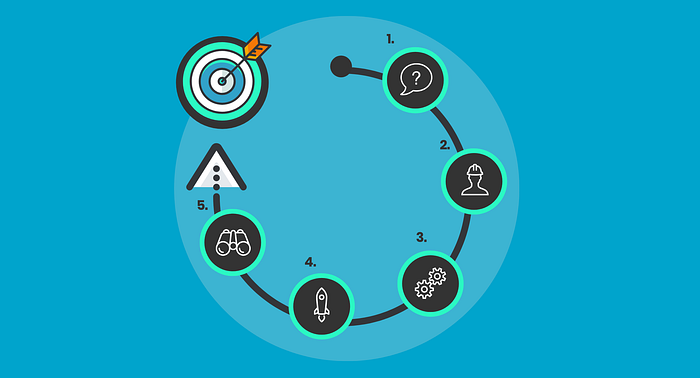
Designers skim visuals. Make every image answer a question.
- Hero: One-line pitch + CTA, centered (I love centered layouts). below the 3-frame carousel or animated screenshot.
- Process panels: sketch → mid-fi → final (2–3 frames).
- Artifacts: annotated user flows, journey maps, research cards (quote + N), and a mini metrics dashboard.
- Microinteraction GIFs: 4–8 s clips that show behavior.
- Thumbnail: 1–2 clean screenshots + one line that sells the outcome.
Give each part a Figma frame so you can quickly copy and paste it into Framer.
Impact proof, an asset
The numbers speak for themselves. Please add a metric if you can. Examples that apply include:
- Conversion ↑ 7% (A/B test).
- Onboarding time ↓ 1m30s → 45s.
- Support tickets about X ↓ 24% in 30 days
- The headline "Client closed $50K after redesign" is easy to understand, accurate, and meaningful.
If you don't have hard metrics, show emotional validation (quotes, usability topics) and a clear plan for measurement.
Make it easy to scan and take advantage of people's attention spans.
Recruiters often make rapid choices. Make use of these rules:
- Project Images (2–3 lines): One-liner + role + outcome.
- Bold key phrases and short paragraphs.
- Section anchors or in-page index.
- Consistent visual rhythm so eyes land where you want them to.
Think of each project as a landing page: headline, problem, signal of credibility, and CTA to read more.
Format choices: pick what matches your goals
Each format has tradeoffs:
- Website (Framer): best for interaction, polish, and discoverability.
- PDF Deck: great for attachments and pitches for freelance work. Although I feel it is outdated, I still use it when I need to secure new clients (who can pay me more than my past clients) because it takes time to customize the deck to the client and must be done every single time.
- Notion: most easily updated; excellent for sharing links and repeating quickly.
Expert tip: Choose a format that supports easy sharing and fast improvement. The purpose of your portfolio is to generate leads, not to win design competition.
Clean checklist
Before you publish:
- Consistent spacing, image ratios, and typography.
- No lorem ipsum; replace with real or believable copy.
- One-line pitch on each case study.
- Proofread for grammar and clarity (Grammarly helps).
- Compress images (Squoosh) to keep the load fast.
- Add a visible CTA: "Let's work together" → email / Cal.
Small clean stuff creates trust. Hiring teams notice it in seconds.
Keeping your portfolio updated
Portfolios had to be updated on an ongoing basis. (They can tell right away if your portfolio hasn't been updated; at the very least, I believe it should be updated every month.)
- Quarterly updates: add new projects, remove stale work.
- Mini posts: 300–500 word "process breakdowns" for new techniques or experiments.
- What I'm working on section: shows passion as well as curiosity (and it makes you seem more real than others).
Speed of changes tells recruiters you're active and learning.
Pro tips & common pitfalls
- If you want a career, continue to Level 2. If you want to share yourself creatively, keep improving. Both paths are valid.
- If at all possible, use actual numbers. Weak statements (I'm talking about fake ones) get beaten by actual improvements.
- If you're not good at writing, use AI to draft and edit for voice, but don't let AI create research.
- Don't show all of your projects.
- Jargon should not be used as a filler. Make options instead of claiming a "standard process."
- Don't fake tests or metrics. Honesty + stated limits = credibility.
60-minute mini challenge (do this now)
Choose your own project, and in an hour, finish these:
- Write a one-line pitch (10 min): who you are for this project + outcome.
- Reframe the problem statement (10 min.): who's affected and why it matters.
- Add a context card (10 min): 3 facts: users, scale, constraint.
- Make one visual improvement (30 min): create a thumbnail with a single annotated screenshot or a 6–8 s GIF.
Publish the update and share it online. Track which version gets more responses.
Tools & visuals to use
- Design: Figma (frames + prototype clips)
- Sites: Choose Framer for speed
- GIFs/Export: Lottie/Figma export → convert to GIF for thumbnails
- Compress: Squoosh for images
- Proofread: Grammarly
- Scheduling: Cal.com for easy interview booking
A title and one-liner, context card, problem snapshot, feedback sessions, prototype clip, outcomes and learnings, and other suggested Figma frames should be included with every case.
Final thoughts
The purpose of a portfolio is to show how best to figure out the proper challenge, make clear trade-offs, and provide verifiable results, not to showcase your creativity.
Interviews are won if a hiring team can follow your choices in 90 seconds. You are invisible if they are unable to.
Are you looking for a Figma case study template that is ready to use? Send me a "Template" message on Instagram, and I'll give it to you for free.
How would you approach your best case study using the 4-P framework? Which issue can you reframe today? Leave a brief comment here, and I'll respond right away.