
In this post, I will show you which tools gave me the best results.
Top Picks
Here are the top picks for the busy readers:
👉 1. DomoAI
👉 2. ChatGPT
👉 3. Canva AI
Now, let me show you how to use those and what kinds of results you can get.
Disclaimer: This post has affiliate links at no cost to you. Any questions about the content? Contact me at artturi@codingem.com.

1. DomoAI
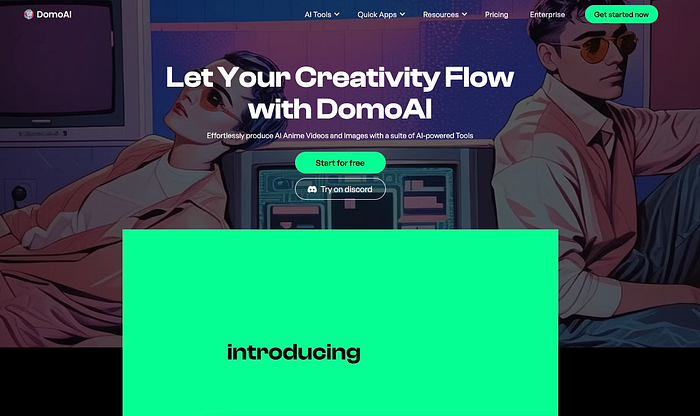
DomoAI is the best AI anime art generator that I've tested. It has AI anime image-to-video features, anime character movement features, and more.
Key Features
- Image to Video: Animate static images, turning photos, paintings, or drawings into dynamic videos.
- Video to Video: Convert existing videos into animated styles, including anime and illustration, with over 30 style options.
- Text to Image: Generate images from textual descriptions using AI.
- Image Animation: Convert static images into engaging animations.
- Character Animation: Bring characters to life by applying motion effects based on a base video.
My Results & Experience
Let me show you how it works and what kinds of results I got.
1. Image to Animation
I started by testing the AI image-to-video feature that turns your images into anime animations.
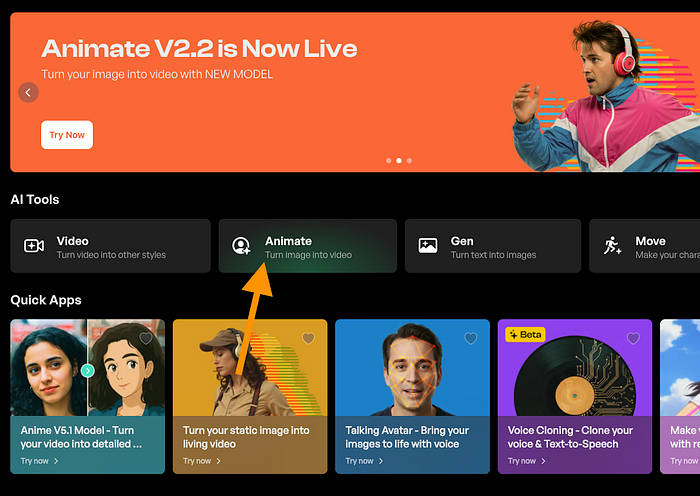
Sign in and choose the "Animate" tab on the homepage if you want to repeat the actions:
Here's my input image that I sent to DomoAI:

Here are the instructions I gave to it:
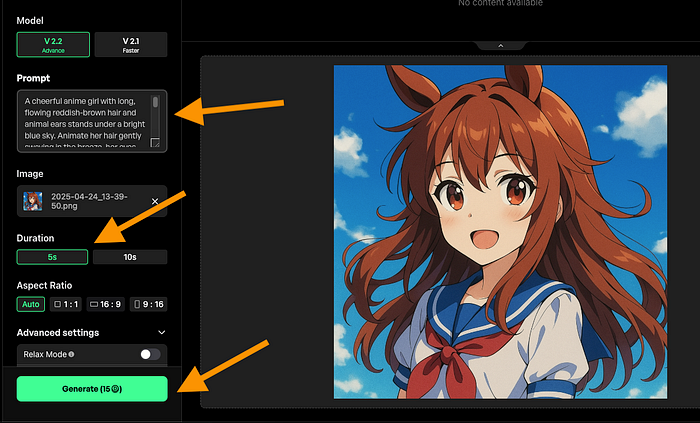
I told it to make an Animation of 5 seconds in duration. I used a prompt to help the AI make a video. (It's optional.)
After about 5 minutes, here's the result:
Isn't that cool? The AI turned just a flat image into an animation like this in minutes.
This tool made it look like a proper animation and kept the character consistent.
However, this was just a 5-second clip. Let's try another one that's a bit longer.
Here's another input image that I sent to DomoAI:
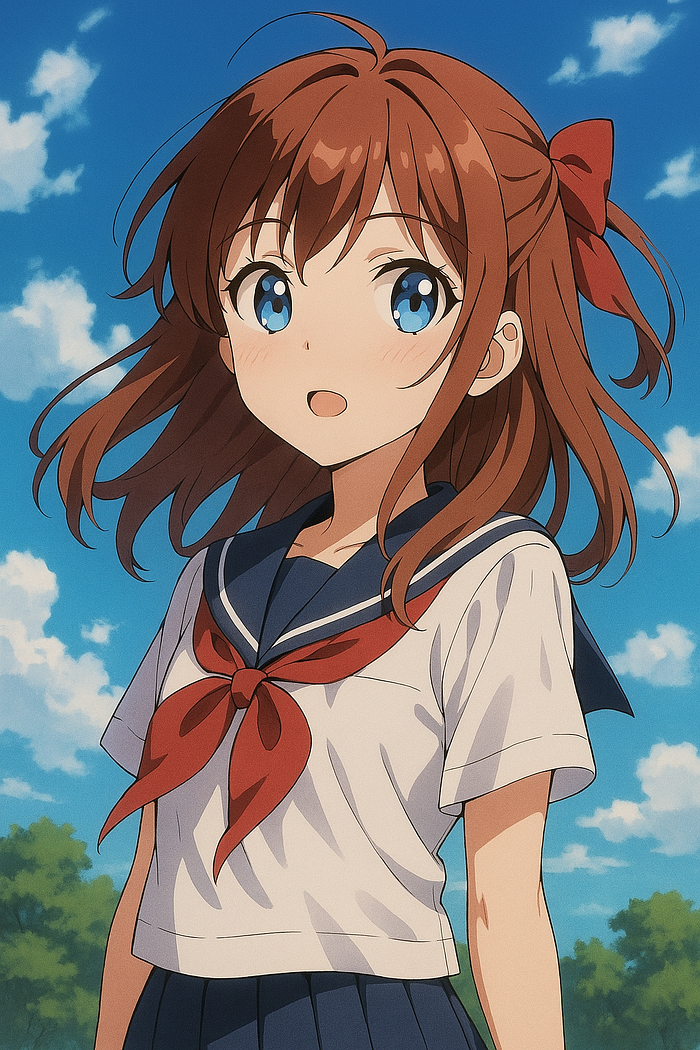
Here's the result I got:
That's so epic! It's smooth and "natural" in the sense that it could be anime created by a real professional. Very few things suggest it's an AI-generated piece of art, if you asked me.
The last time I tried tools like this, those could only make 1–2 second clips from images.
2. Video to Video AI
Then I tested the video-to-video feature. This lets you turn your videos into anime-style videos in minutes.
First, I tried this feature on a random clip I found online, in which someone is talking to a phone.
To turn this clip into anime, use the video-to-video feature, head to domoai.app/create/video/.
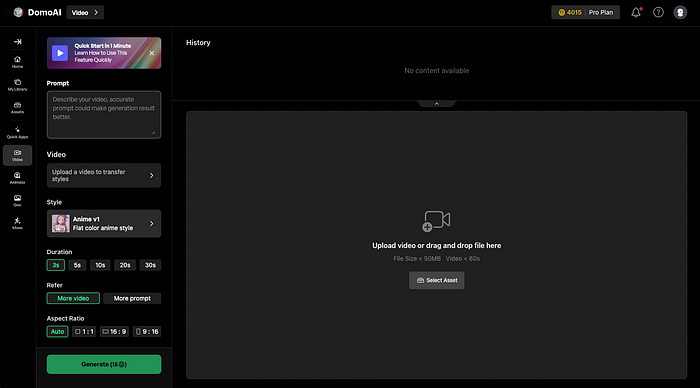
Drop the video to this view. Tweak the settings and pick a style you want to get back from the AI for your video.
There are many styles to choose from.
I tried the Illustration v1.2 first.
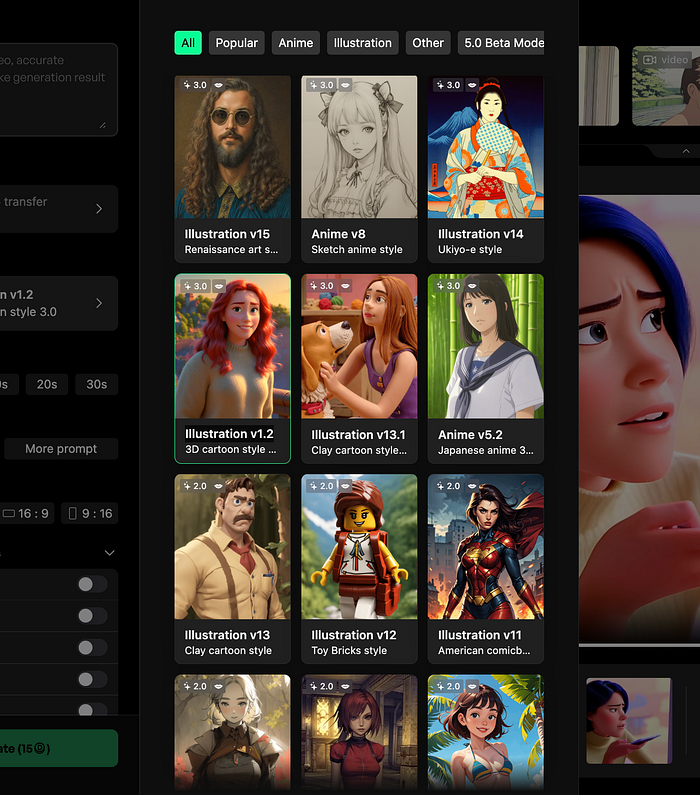
Change the duration (and other settings) if you want to.
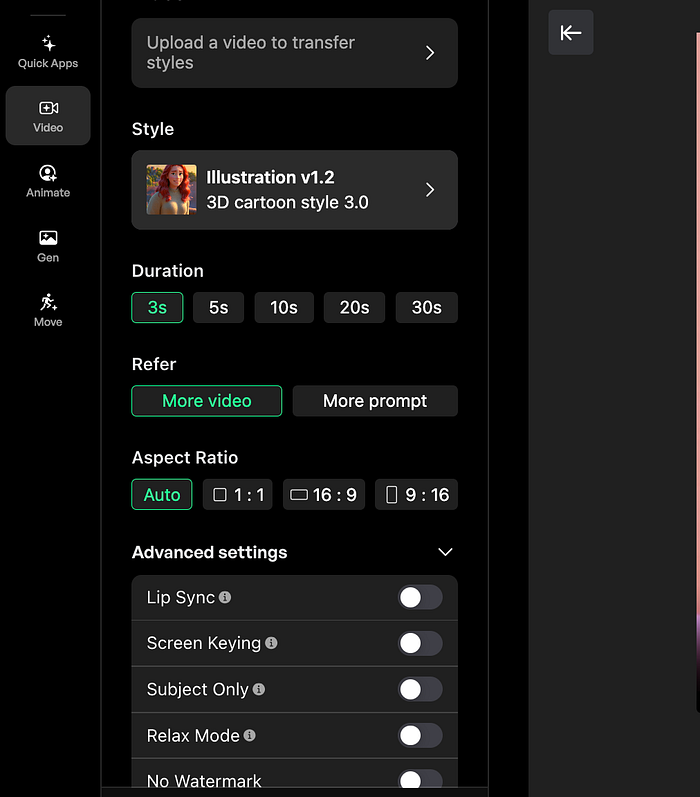
I changed my clip from 3 seconds to 10 seconds.
Once you're ready, hit "Generate".
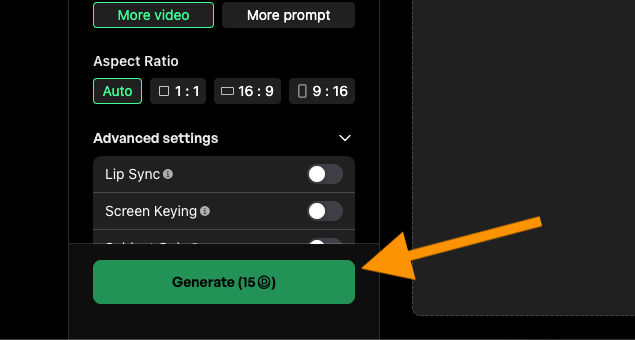
After about 10 minutes of waiting, I got my results.
Here's the AI-generated clip:
I love the character consistency in this one. The background still changes a bit, and the fingers too, but those are subtle changes.
Here's the original clip to compare:
I liked it so much that I tried different styles. Here's a clip I got with the Anime v5.1 model:
Epic! Here's one that I got with the Illustration v9 model:
Your footage should be stable, though! Keep this in mind when creating videos. Also, with some of these models, you get the best results with half-body shots.
The best place to look for examples is the DomoAI X page.
3. Text to Image
Then, I tried the text-to-image feature.
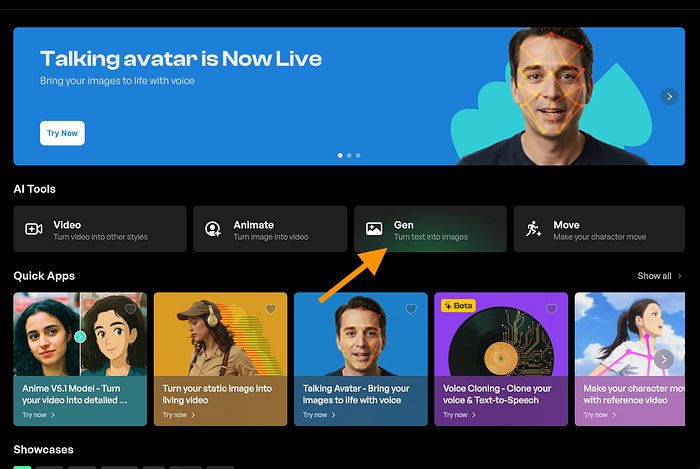
This turns text into anime images.
Let's do a comparison between DomoAI and ChatGPT image generators.
First, I told DomoAI to "Create an anime image".
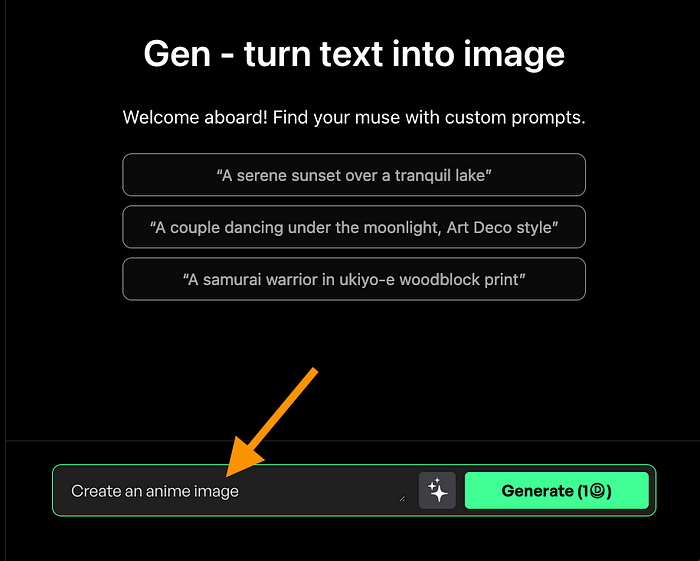
To my surprise, I didn't just get one image, but a bunch of them.
Here's my favorite image I got:
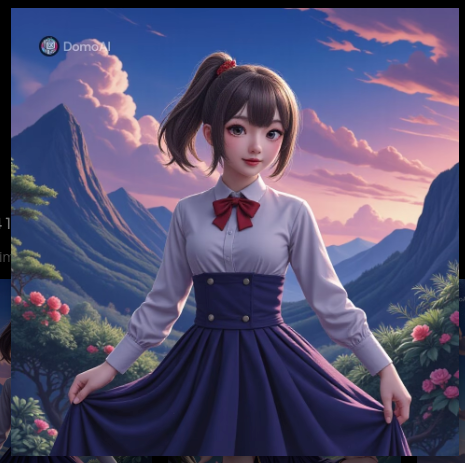
That's impressive! To compare the DomoAI images with ChatGPT-generated ones, here's what I got from ChatGPT with the same input:
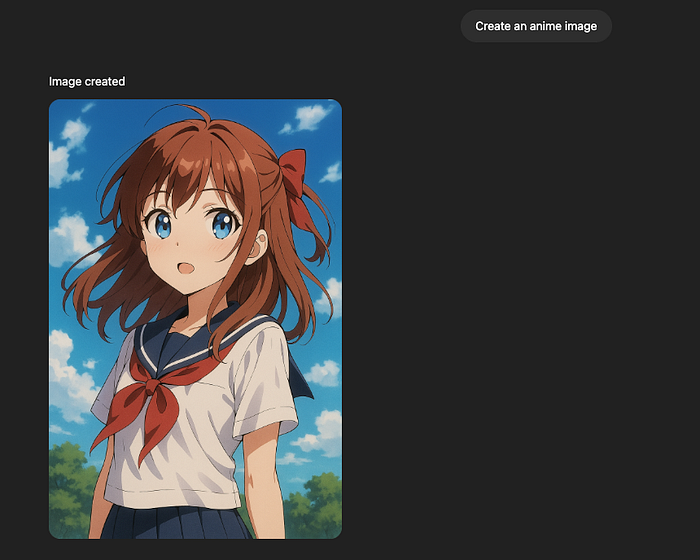
(Yes, it's the image I just animated earlier in this guide.)
That's more of a cartoon-style image.
Obviously, I could tweak my prompts on both, but to keep it simple, I'm going to leave it at that. Based on these couple of tests, I can already tell that the images DomoAI creates are much better. This is not a surprise, though, because they're an AI anime generator.
4. Character Move
Then, I tested the character move feature.
This allows you to take a video (for example, of yourself) and copy the video movements to your character in an image.
To use this feature, you need to sign in and pick the "Move" feature from the Home view.
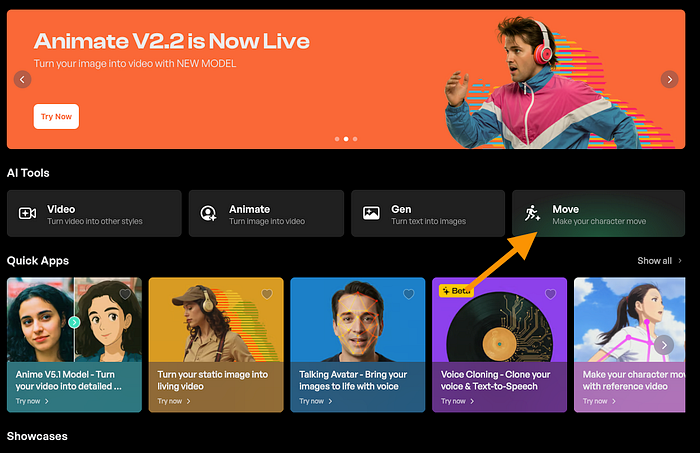
Here's a video of a person dancing that I found online:
Now, I'd like to add those dope moves to my anime character I just created.
To do this, I dropped a short 3-second clip I found online of a person dancing. I wanted to make my anime character do the same moves, so I added that image as the character.
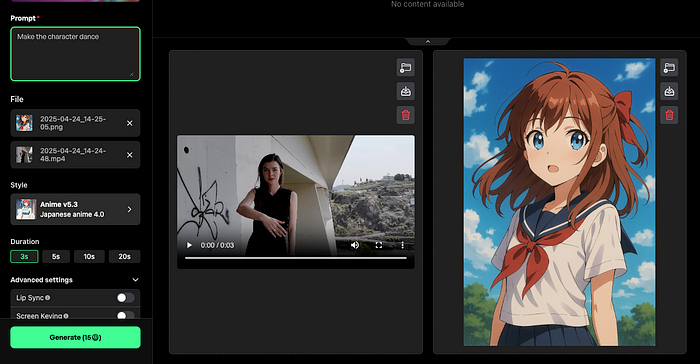
After about 8 minutes of waiting, here's the result I got:
To be fair, that's not quite what I expected.
There are a couple of characters in the view, and just one is dancing. Also, one is missing a leg.
Let's see if I give it a simpler task, such as walking, to see what happens.
For example, I found this clip of someone walking:
I think that looks cool, so I want to see how well the AI can copy that walk to my anime character. I dropped the image and the video into the Move feature and waited for about 15 minutes.
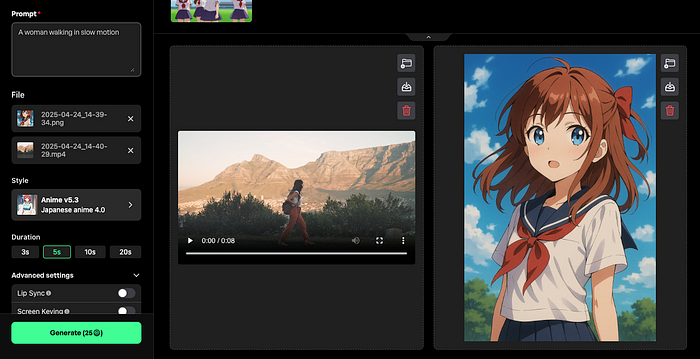
Here's the result:
A lot better!
I think it's otherwise just what I wanted, but the character consistency breaks a bit if you take a closer look. The hand movements and clothing seem to change oddly.
Still worth a shot, though. Also, imagine how this feature works in a year or two…
5. Apps
There are also additional AI apps you can use in DomoAI.
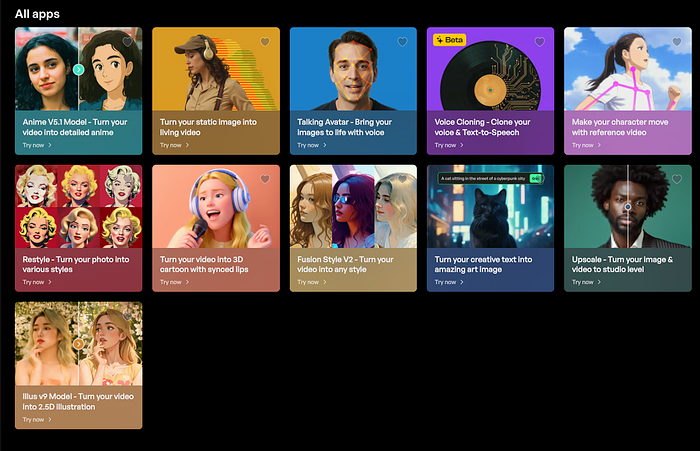
Here's a quick summary of what these apps do:
- Talking Avatar — Makes images talk by adding synced voice and facial motion.
- Voice Cloning (Beta) — Clones your voice or uses text-to-speech with your chosen voice.
- Make your character move with reference video — Animates a character by copying movements from another video.
- Restyle — Transforms your photo into different artistic or pop culture styles.
- 3D Cartoon with Synced Lips — Turns your video into a 3D cartoon character with lip-syncing.
- Text to Art — Generates artistic images from your text prompts.
- Upscale — Enhances image and video quality to a professional/studio level.
I tested the AI upscaler app that takes low-res images and turns them into higher resolution.
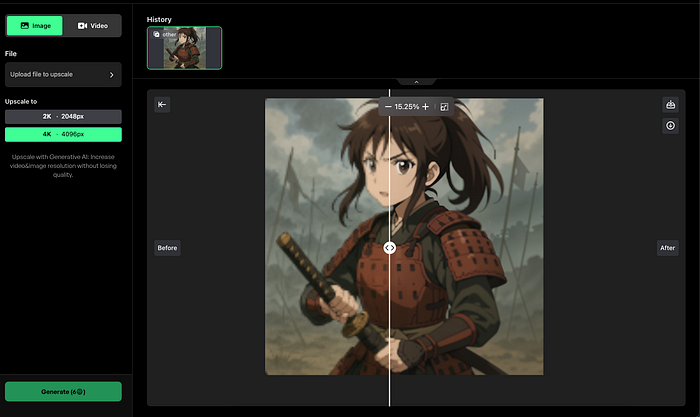
Let's zoom in a bit:
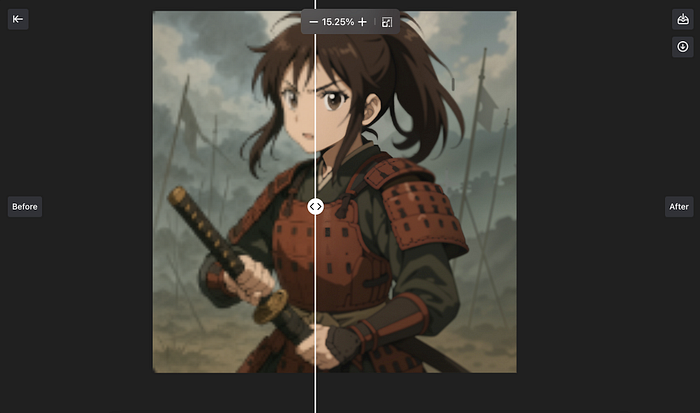
Good one, it looks a lot better.
The image on the left-hand side is blurry and low-res. On the right side, the AI did some magic to make it look a lot better.
Since I already tried the core features, I didn't test all these apps since they use the same technology. I don't want to make this one a 2-hour read. But feel free to experiment with them as well.
Pros
- Easy to use — Just sign up, choose an AI app, and start creating.
- Pretty quick — The tool renders the results in less than 15 minutes (shorter clips way quicker than that).
- Accurate — The anime results are cool! I liked the text-to-animation maker most. It's a smoothly flowing animation with little to no artifacts. Also, the text-to-image generator was impressive
- Styles — There are lots of anime styles to choose from when creating your images and clips.
- AI Apps — On top of the core features, DomoAI is expanding to different areas, such as AI voice cloning and image upscaling.
Cons
- Video-to-video — I was impressed by almost everything. But some videos didn't play out that well. Also, the character animation didn't impress me that much just yet. I'll give it some time.
- Some clips render slowly — This tool is fast, but I think that it's worth mentioning that some clips can take up to 15 minutes to render. This can feel like a long time for some, so just mentioning it here! :)
Pricing
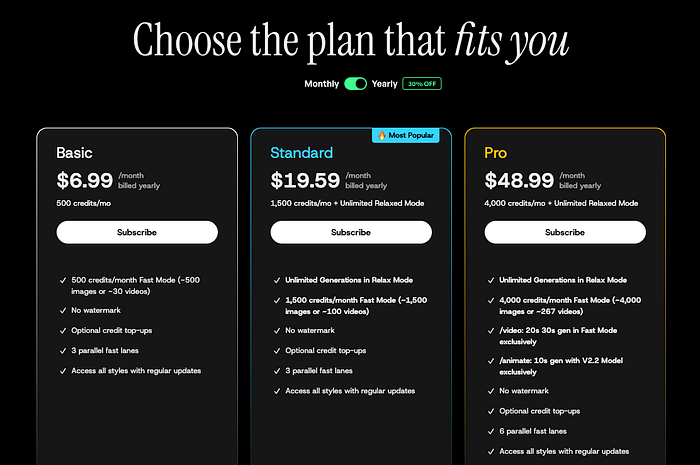
Basic — $6.99/month (billed yearly)
Standard — $19.59/month (billed yearly)
Pro — $48.99/month (billed yearly)
My Verdict
I'm really impressed with DomoAI.
The text-to-animation tool is so cool — short clips, but they look amazing.
Character consistency is surprisingly solid for how quickly it is, with just a couple of minutes of waiting.
This is hands down the best AI anime tool I've seen so far.
2. ChatGPT
This may or may not be a surprise, but ChatGPT is an epic anime art generator too.
You can use it to create images, or heck, you can even use it to craft prompts for other AI anime generators.
Key Features
- Image Generator: Create any type of anime images with ChatGPT's o4 image generator model.
- Prompt Generator: Create detailed prompts for AI anime generators, such as DomoAI.
- Upscale: Turn low-res anime images into higher resolution
- Edit: Use ChatGPT to do edits on existing anime images
- Character Designer: Build full anime character concepts with traits, outfits, and powers.
- Style Mixer: Blend art styles (e.g., Studio Ghibli + Cyberpunk) for unique looks.
My Experience
Let me show you what kind of anime I've been able to create using ChatGPT.
1. Creating Anime Images
First of all, you can use ChatGPT to create images that are unlike before. Thanks to the March 2025 o4 image model update, these images are epic.
You can even include text in the images with a high success rate.
In other words, you can use ChatGPT to create unique and original anime-style images.
For example, I told ChatGPT to create anime with the following prompt:
"Create an anime image of a boy walking in the rain during a thunderstorm in a big city."
Here's what I got as a result:
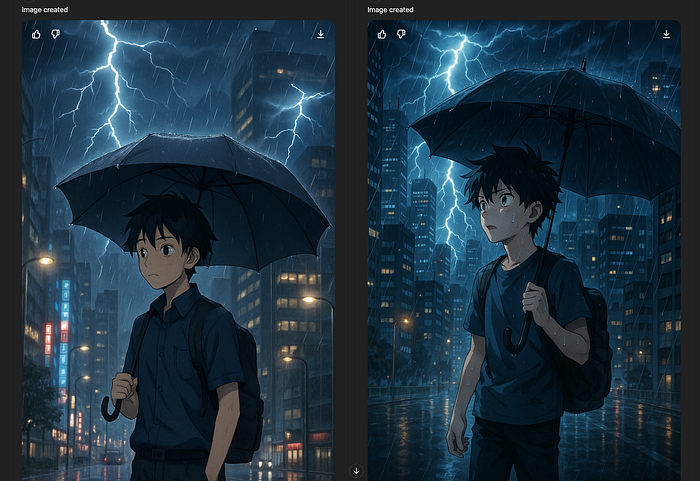
Isn't that cool?
You can tell from the prompts to follow a specific anime style.
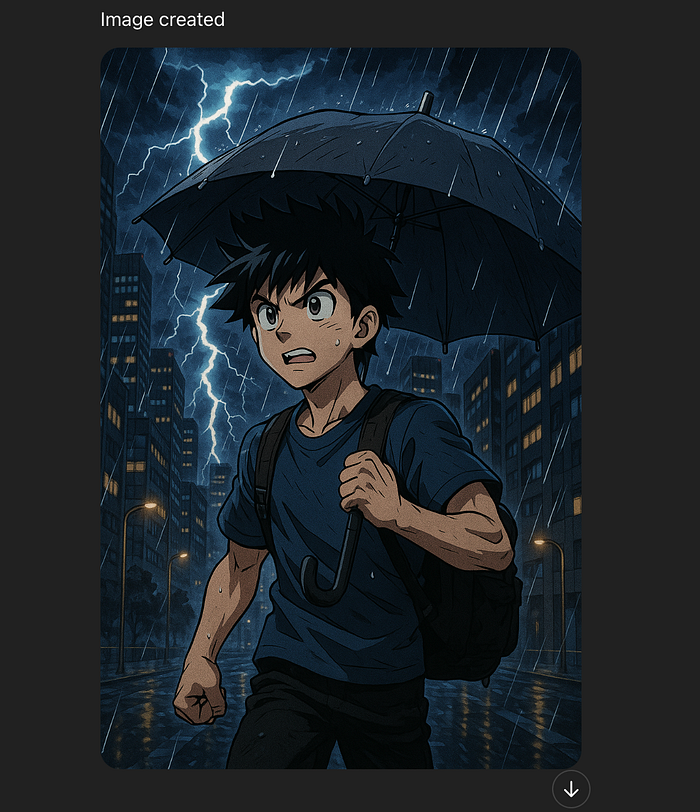
For example, here's what I got when I prompted ChatGPT to re-create the above image in Shonen style:
Or, for example, here's the same image in Josei Anime Style, made by ChatGPT in seconds:
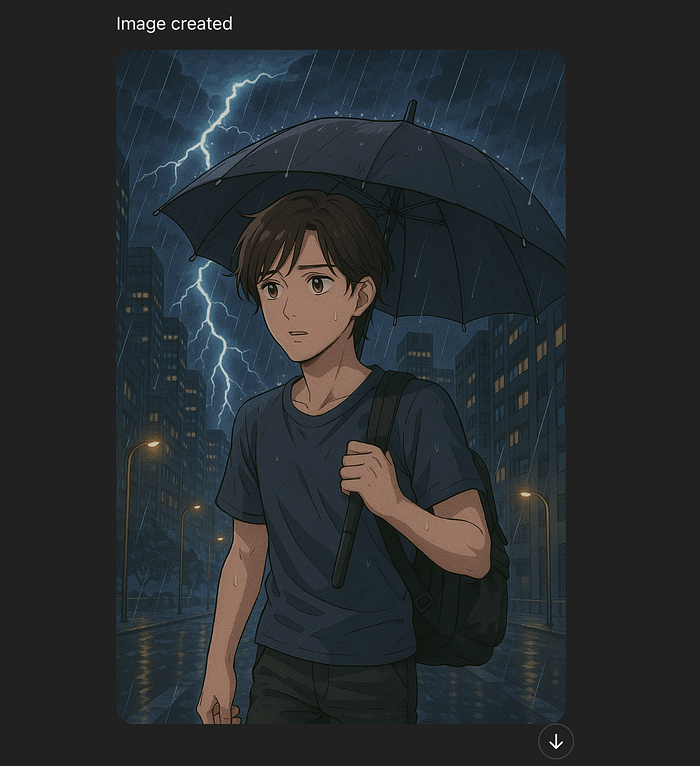
That's is freaking good, isn't it?
Also, you can use ChatGPT for free to create 3–5 images every day. So you can easily test it without a paid plan.
2. Anime Prompting
Another cool way to use ChatGPT for anime is to create inputs for anime generators.
For example, I'm not a consumer of anime and I have a hard time coming up with clever prompts for best outputs.
But that's where I can use ChatGPT.
For example, this is what I got from ChatGPT as I told it to give me an accurate prompt for creating the previous images in another AI anime app.
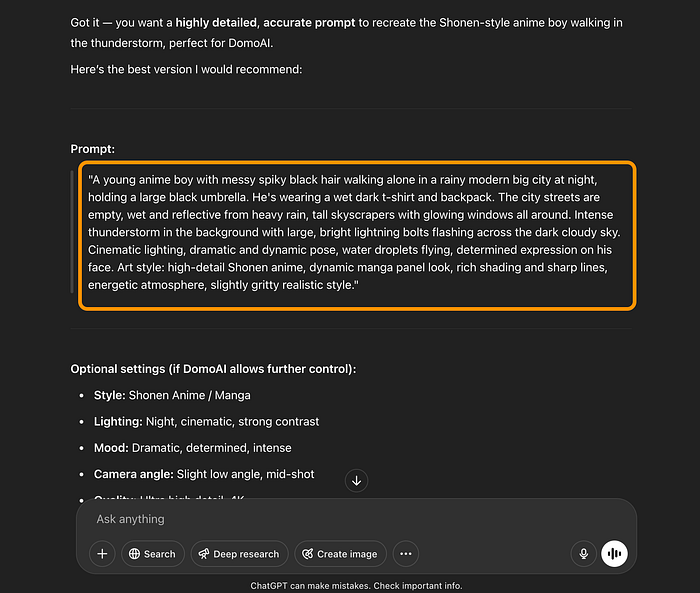
If the text is hard to see, here's the prompt that I got:
A young anime boy with messy spiky black hair walking alone in a rainy modern big city at night, holding a large black umbrella. He's wearing a wet dark t-shirt and backpack. The city streets are empty, wet and reflective from heavy rain, tall skyscrapers with glowing windows all around. Intense thunderstorm in the background with large, bright lightning bolts flashing across the dark cloudy sky. Cinematic lighting, dramatic and dynamic pose, water droplets flying, determined expression on his face. Art style: high-detail Shonen anime, dynamic manga panel look, rich shading and sharp lines, energetic atmosphere, slightly gritty realistic style.
As you can see, this is a pretty incredible description. I'd have to scratch my head for at least 30 minutes to whip up something even remotely close to this.
Then I can use the above prompt in different AI anime generators.
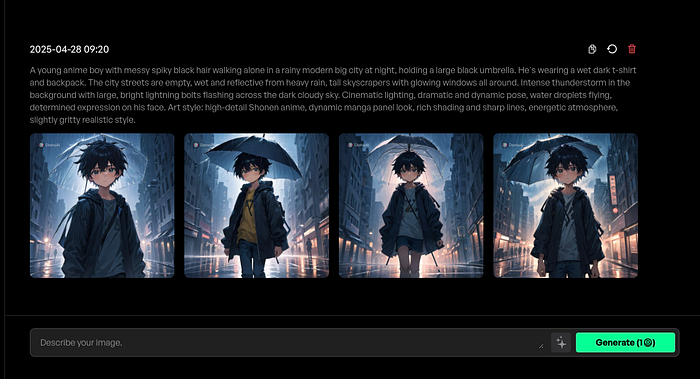
That's handy because otherwise I couldn't create outputs like this with my limited knowledge of anime.
3. Upscaling Anime Images
After the March 2025 updates, you can use ChatGPT to edit images.
It's not technically editing because the AI will still create a new image.
Nonetheless, you can use this capability to increase the quality of your anime images.
For example, here I've asked ChatGPT to sharpen my anime image that's blurry.

Here's the result I got back:
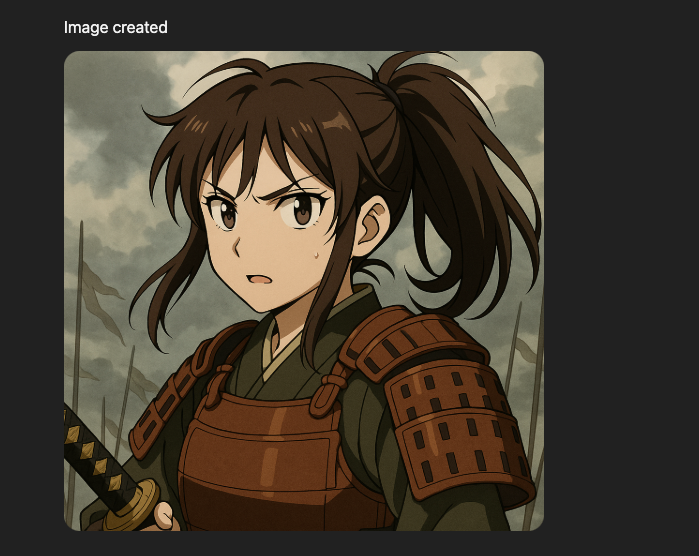
Some of you may notice that it's not the same image that I asked the AI to upscale. However, it's very close.
That's because the AI doesn't directly edit the photo. Instead, it uses the information in that image to turn it into another image.
The reason it performs so well is that it "sees" the original image through the blur and noise. But because it's AI, there's always some randomness in the outputs.
Nonetheless, this is a good way to use ChatGPT on low-resolution anime images.
4. Editing Anime Images
Similar to enhancing the image quality, you can use ChatGPT to do edits on the anime character images.
Once again, the AI doesn't directly change the pictures, but it creates a new one that closely resembles the original one.
For example, here I've told ChatGPT to create lightning in the background of this anime image:
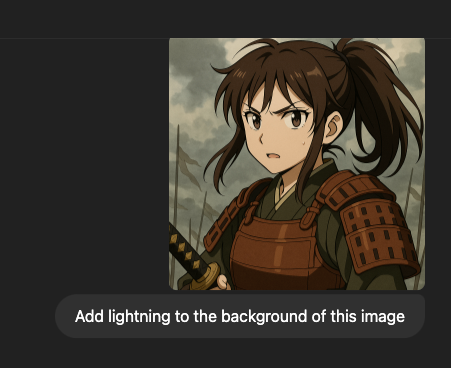
Here's the result:
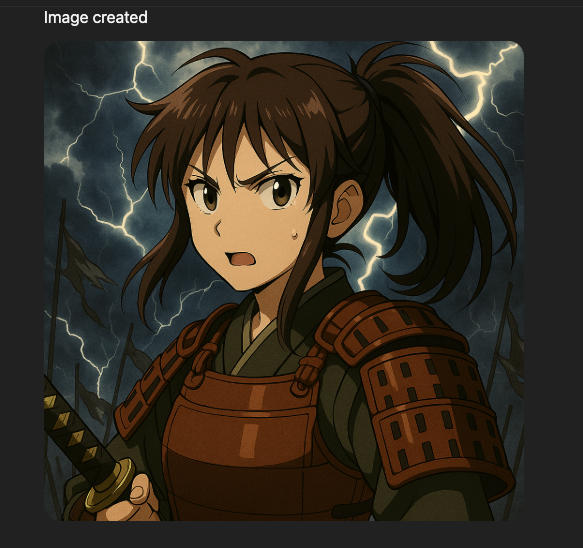
That's so cool! In fact, it's surprisingly good. I tested similar stuff on real images, and it wasn't that good, but clearly with anime and cartoons, it gets better results.
Pros
- Easy—Sign up for ChatGPT and start creating. Use text like you'd use when chatting with a human. Don't know what to ask? Just ask ChatGPT to teach you what to ask.
- Epic results—Thanks to the newest OpenAI o4 model, the results are incredible, and you can even add text to them.
- Edits—ChatGPT can also "edit" images by creating new ones with slight modifications to the original ones.
Cons
- No video—ChatGPT can help with images, edits, and prompts, but it doesn't create anime animations just yet.
- No video-to-video—ChatGPT also doesn't allow you to create those "turn me into anime" style videos. You can do that with images, though.
- Expensive—If you're not using ChatGPT for anything else, it might be overkill to pay $20 per month for a limited number of restricted anime images.
3. Canva AI Anime Maker
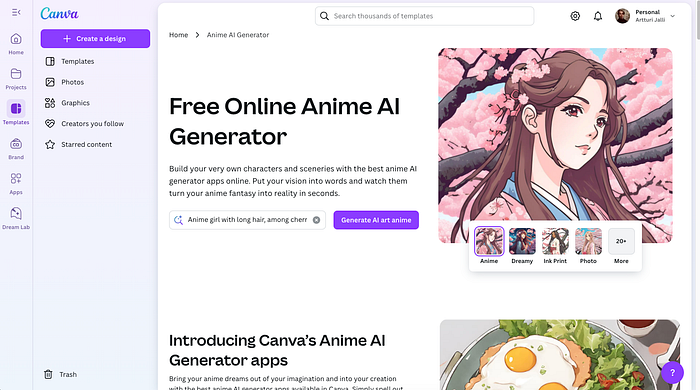
Canva is a popular tool that people use for photo editing, design, and more.
They have all sorts of features, including cool AI apps, such as the anime maker app that you can try for free.
If you want to create original anime art and do customizations on it, Canva is a good option.
If you're not using Canva, it's very intuitive and only takes 10–20 minutes to learn.
Key Features
Canva has a boatload of features, and I won't list them all here.
However, from the anime standpoint, the essential features are:
- Free Anime generator—Turn text into anime characters in different styles
- Fast creation—The anime generator takes just a few seconds to create 4 unique and original images
- Edits—You can use the Canva editor to remove backgrounds, apply filters, apply colors, and more
- Animations—While you can't directly animate your characters, you can do basic transitions and that kind of stuff on your designs.
My Experience
I've used Canva AI for a long time, so I had to give a shot to the anime maker.
To use this, first, you need to head over to this page:
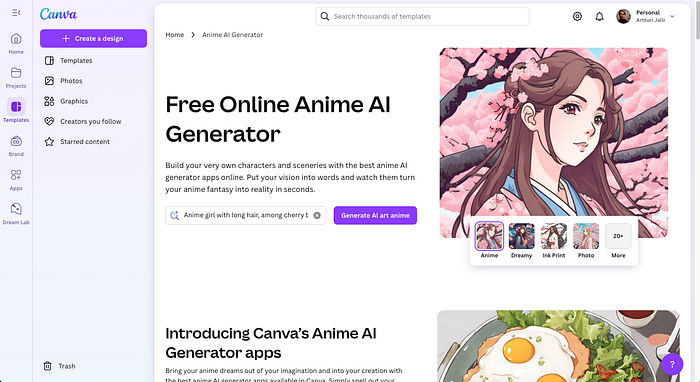
Give the AI a prompt to create images with.
For example, you can use the default prompt of: "Anime girl with long hair, among cherry blossoms".
Then the AI takes a few seconds to render your AI anime images.
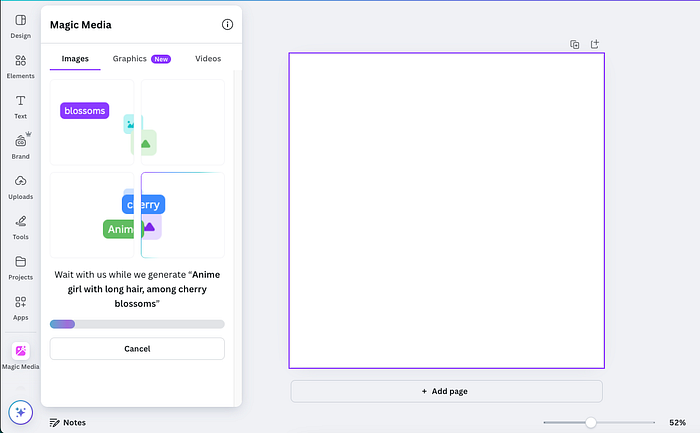
After 5–10 seconds or so, here are the images that the AI gave me.
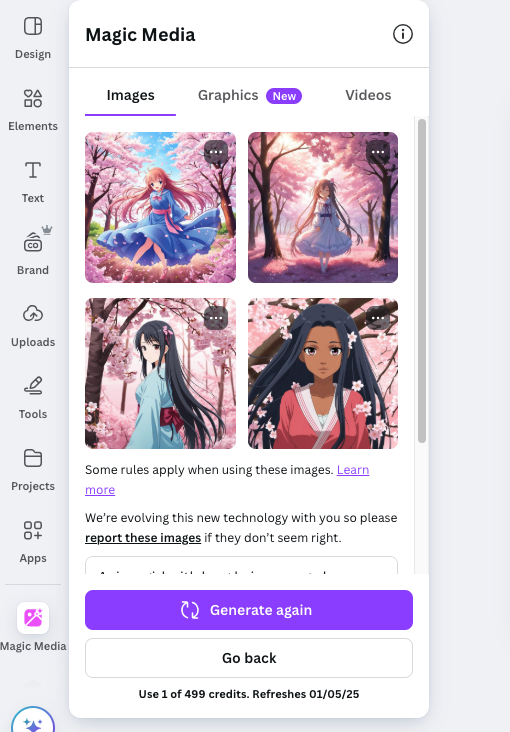
Pick the one that best matches what you need. Or if you're not happy, just hit "Generate again" to create the anime characters from scratch.
To add the image to the Canva canvas, click on it.
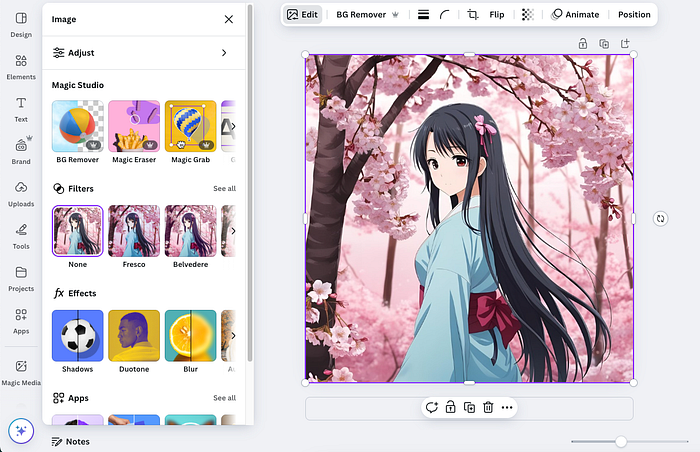
You can then download the design or do customizations on it.
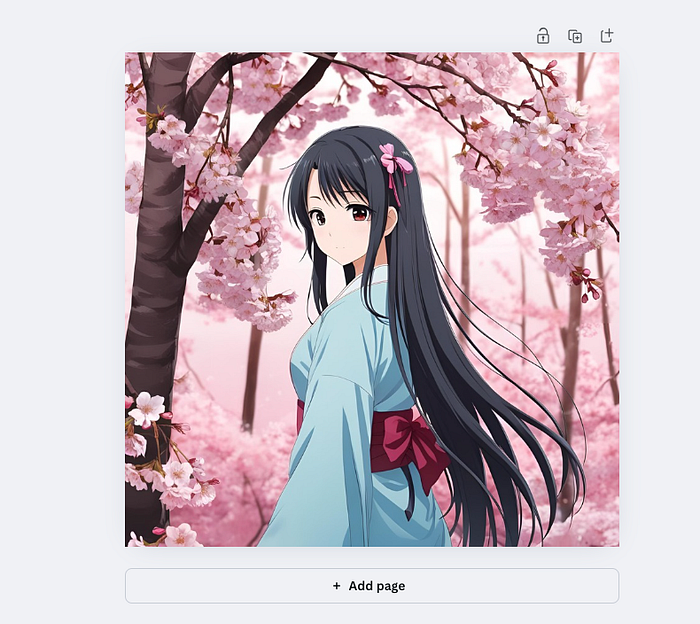
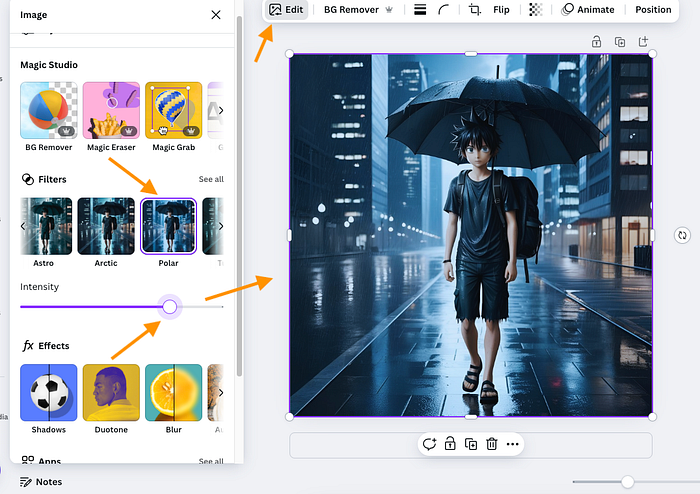
If you click on the image again, you'll find a bunch of editing options that Canva offers.
I created another image and started to work on it.
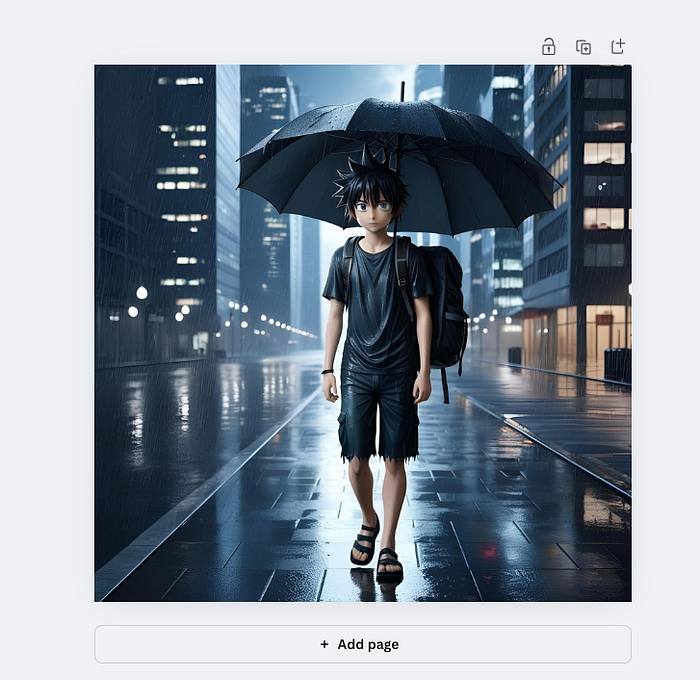
For example, here I've applied the Polar filter to create more vibrant and cool coloring to the image.
Heck, if you want to, you can also remove the background from your image.
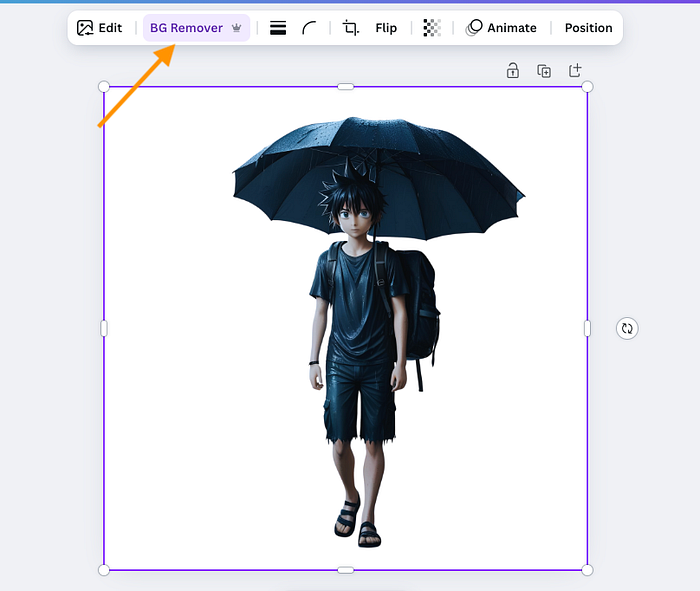
Then you can replace it with the colors of the character.
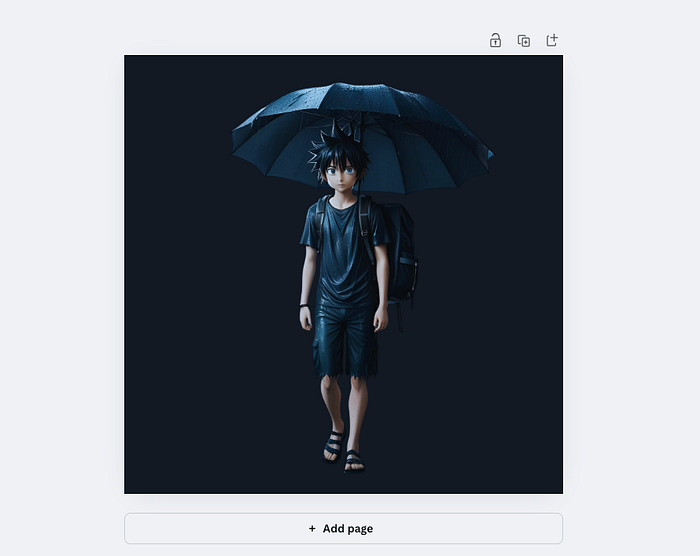
However, Canva is quite limited when it comes to creating videos or customizations.
You can do some simple transitions, for sure:
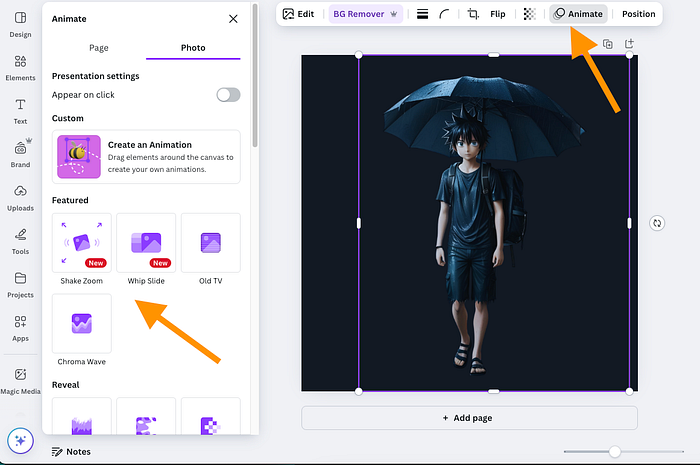
What's cool about Canva is that you can do mock-ups with your anime designs.
For example, here I've placed the previous anime image that I just generated on a coffee mug:
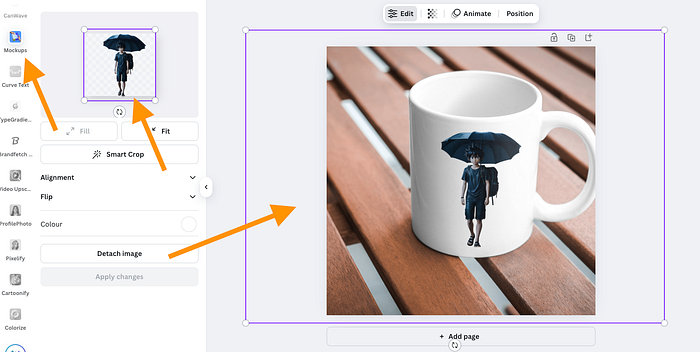
To use the mockups, just open up Canva, go to "Apps" and search for "Mockups".
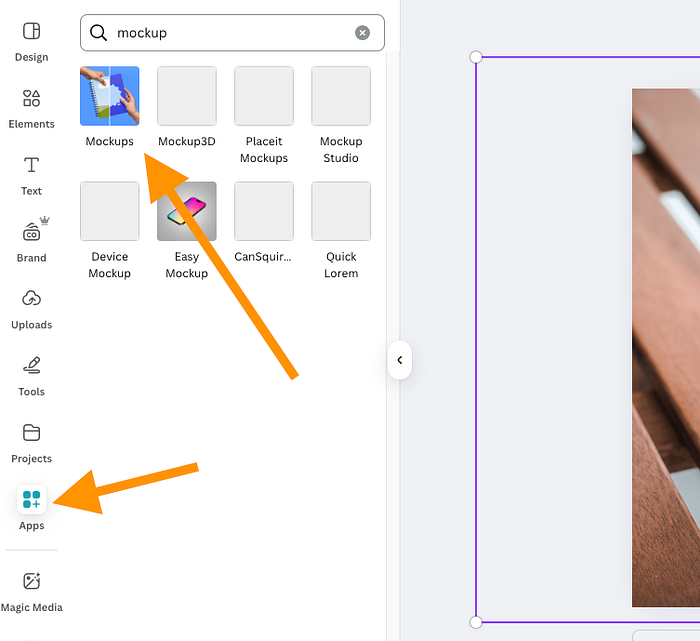
This is cool if you want to do coffee mugs, bags, or clothing with your anime characters.
In this sense, Canva is different. It's not an anime platform—far from it. However, it's a popular design platform that lets you customize your designs, create mockups, apply color schemes, do transitions, and more.
Pros
- Easy to use—Just tell the AI what you want to see, and it will get the job done.
- Fast—For me, it took only 5–10 seconds for the AI to create the anime images.
- Edit designs—Canva is a popular online design tool, and it allows you to do all sorts of filters, AI edits, and more on your anime artwork.
Cons
- No animations—Canva allows for transition-style animations, but not character animations or movements.
- Pricey—If you're not using Canva for anything else, I think it's not worth the investment if you only do Anime. However, the anime image generator is free to use, but most of the edits are paid.
Pricing
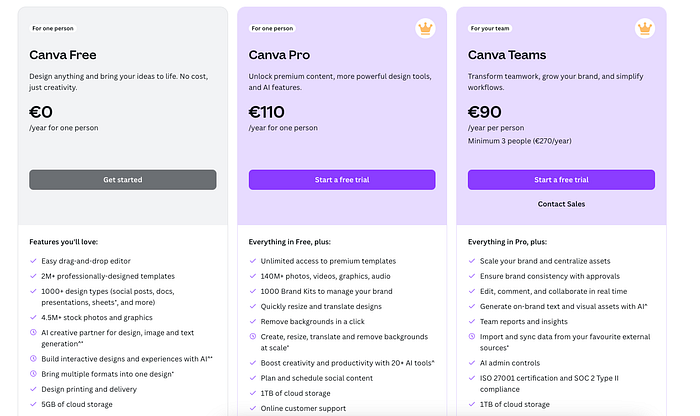
- Canva Free: €0/year — Basic tools, templates, 5GB storage.
- Canva Pro: €110/year — Premium content, AI tools, 1TB storage.
- Canva Teams: €90/year/person (min 3) — Pro features + team collaboration and admin tools.
To Take Home
There are lots of AI anime generators. Also, a lot of them are similar to one another.
In this post, I showed you a proper anime platform (DomoAI) that creates videos, animations, images, and more.
That's the best one I've tested.
Then I also showed you how to use ChatGPT (that you're probably already using) and some epic use cases, such as prompting, editing, and creating images from scratch.
Lastly, I wanted to show that you can also use Canva to create anime art if you want to use those in your designs. You can do smart mock-ups, edits, color schemes, and more.
Yes, there are many more AI anime platforms and creators out there, but I think no matter what the use case, you'll find one of these tools on this list ideal.
Thanks for reading! Hope you liked it.