
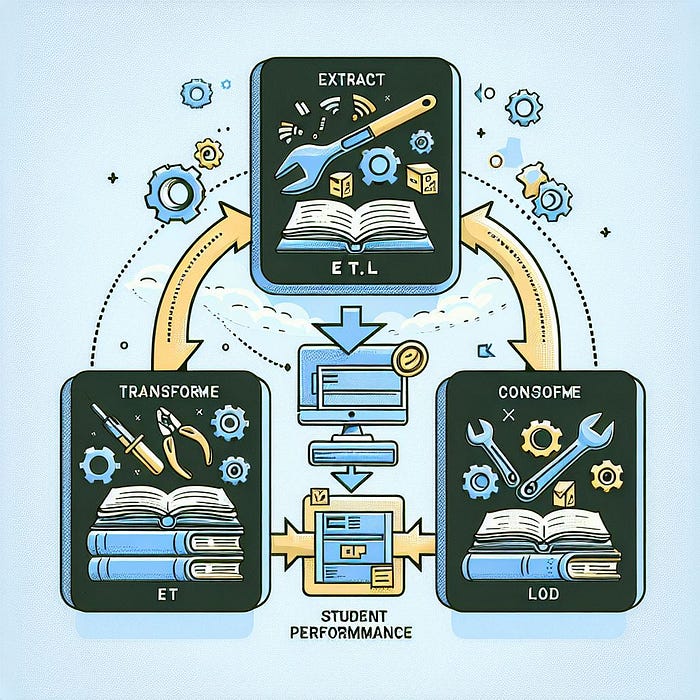
Welcome to Day 74 of our 100 Days of ML Journey! After laying down the foundational structure of our Machine Learning project in the previous article, today we will focus on the ETL (Extract, Transform, Load) and EDA(Exploratory Data Analysis) process. This marks the beginning of our end-to-end project pipeline.
A Simple Analogy: Preparing for an Exam
Imagine you're preparing for a big exam. The first step is to gather all your study materials. Then, you organize and clean these materials to focus on relevant topics. Finally, you begin your preparation and start solving problems. Similarly, in a machine learning project, you:
- Extract the data from a source.
- Transform the data to make it usable.
- Load it into your pipeline for analysis and modeling.
- You then preprocess the data and do some analysis.
Let's walk through these steps using the Student Performance Dataset.
Step 1: Understanding the Problem Statement
The goal of this project is to understand how student performance, measured by test scores in math, reading, and writing, is influenced by factors such as:
- Gender
- Ethnicity
- Parental level of education
- Lunch type
- Test preparation course
By analyzing this dataset, we aim to identify patterns that affect student success and provide actionable insights.
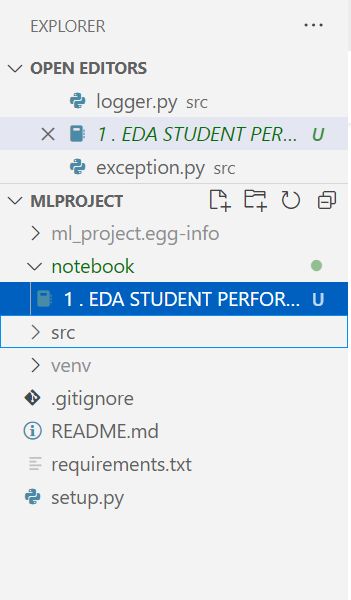
Before starting, create a folder 'notebook' in you mlproject folder and inside create a jupyter notebook in which we will perform all the below analysis and step-wise implementation.
Step 2: Extracting Data
Importing Libraries
We start by importing the necessary libraries for data manipulation and visualization.
import numpy as np
import pandas as pd
import seaborn as sns
import matplotlib.pyplot as plt
%matplotlib inline
import warnings
warnings.filterwarnings('ignore')
Loading the Dataset
The dataset is sourced from Kaggle and contains 1,000 rows and 8 columns.
df = pd.read_csv('data/StudentsPerformance.csv')
df.head()
Dataset Overview
The dataset includes:
- Categorical variables: Gender, race/ethnicity, parental level of education, lunch type, test preparation course.
- Numerical variables: Scores for math, reading, and writing.
Step 3: Data Checks and Transformations
3.1 Check for Missing Values
df.isna().sum()Insight: No missing values are present.
3.2 Check for Duplicates
df.duplicated().sum()Insight: No duplicate records exist.
3.3 Data Types and Structure
df.info()This reveals that the dataset contains a mix of categorical (object) and numerical (int64) columns.
3.4 Basic Statistics
df.describe()Insight:
- The average math, reading, and writing scores are around 66, 69, and 68, respectively.
- There is a wide range of scores, with some students scoring as low as 0 in math.
Step 4: Exploratory Data Analysis (EDA)
EDA is where we uncover patterns and relationships in the data.
4.1 Gender Distribution and Impact
Univariate Analysis
sns.countplot(x=df['gender'], palette='bright')
plt.title('Gender Distribution')
plt.show()Insight: The dataset is balanced, with 52% males and 48% females.
Bivariate Analysis
gender_group = df.groupby('gender').mean()
gender_group[['average', 'math score']].plot(kind='bar')
plt.title('Average Scores by Gender')
plt.show()Insight:
- Females outperform males overall.
- Males have a slight edge in math scores.
4.2 Lunch Type and Performance
sns.boxplot(x='lunch', y='average', data=df, palette='coolwarm')
plt.title('Impact of Lunch Type on Performance')
plt.show()Insight: Students with standard lunch consistently perform better than those with free/reduced lunch.
4.3 Parental Level of Education
sns.barplot(x='parental level of education', y='average', data=df, palette='muted')
plt.xticks(rotation=45)
plt.title('Parental Education vs Student Performance')
plt.show()Insight: Students whose parents have a master's or bachelor's degree score higher than others.
4.4 Race/Ethnicity
sns.barplot(x='race/ethnicity', y='average', data=df, palette='pastel')
plt.title('Race/Ethnicity vs Average Performance')
plt.show()Insight: Students from Group E perform the best, while those from Group A perform the worst.
4.5 Test Preparation Course
sns.barplot(x='test preparation course', y='average', data=df, palette='spring')
plt.title('Test Preparation Course vs Performance')
plt.show()Insight: Completing the test preparation course improves scores across all subjects.
Step 5: Feature Engineering
Creating New Columns
We add two new columns:
- Total Score: Sum of all three subject scores.
- Average Score: Mean of all three subject scores.
df['total score'] = df['math score'] + df['reading score'] + df['writing score']
df['average'] = df['total score'] / 3
Identifying High and Low Performers
high_performers = df[df['average'] >= 85]
low_performers = df[df['average'] < 50]
print(f"High Performers: {len(high_performers)}")
print(f"Low Performers: {len(low_performers)}")
Step 6: Data Visualization
Distribution of Scores
sns.histplot(df['average'], kde=True, color='blue')
plt.title('Distribution of Average Scores')
plt.show()Insight: The majority of students score between 60 and 80.
Correlation Heatmap
sns.heatmap(df.corr(), annot=True, cmap='coolwarm')
plt.title('Correlation Between Scores')
plt.show()Insight: All three scores (math, reading, writing) are positively correlated.
Step 7: Insights and Conclusions
- Standard Lunch: Students with standard lunch perform better.
- Parental Education: Higher parental education correlates with better performance.
- Gender Differences: Females outperform males overall, but males excel in math.
- Test Preparation: Completing the preparation course has a positive impact.
Reference:
Tutorial 3-End To End ML Project With Deployment by Krish Naik
Wrapping up
The ETL and EDA processes are the first steps in any ML project. By thoroughly analyzing and preparing the data, we ensure that our models will be built on a strong foundation.
In the next article, we'll dive into Model training — handling categorical variables, scaling numerical features, and preparing the data for modeling. Stay tuned as we continue our journey to build a powerful ML pipeline!
Thank you for reading…Let's connect!