

Bypass email confirmation on Instagram and Facebook — Meta Bug Bounty [$5000]
In this writeup, I've included the entire story of my findings. If you want to focus solely on the technical details, you can check it out on Bugreader.
Now, let's dive into the beginning of the story. It all started when Meta invited me to test Threads before its public release. I discovered some security vulnerabilities in Threads mobile application ( $7500) and I will be sharing some of those findings in a talk at GISEC in Dubai this year in the Dark Stage. If you're attending, would love to see you there!
Since Threads is a subset of Instagram, I configured both apps and began testing some interesting endpoints from Instagram using the Threads token account.
Failed Attempts
I was trying to play around with some parameters in Threads and successfully bypassed the "Too Many Tries" rate limit.
This error usually occurs when trying to brute force any request, such as resetting a password or brute-forcing the OTP code.
After discovering this method to bypass the 'Too Many Tries' limitation, I tested it by attempting to brute-force the OTP code during password resets (Account Takeover) and also during registration when confirming the account using a mobile/phone number. In both scenarios, a code is sent to the contact point, and I tried to guess that code through brute force.
However, the bypass did not affect those endpoints, as they rely on identifiers. Even when bypassing the 'Too many tries,' the code would become invalid and also the same bypass can be achieved using another methods like the IP Rotation.
Nevertheless, I thought it was worth a try.
The idea of confirming any contact point (e.g., email, phone) remained in my mind. When registering a new account using any contact point, you need to confirm it by entering the code sent to you.
Later, while exploring Threads, I noticed that in the 'Edit Profile' section, the username and name are synced with Instagram and can only be changed there.
I intercepted the request while editing my profile from Instagram, checking for parameters. I found some parameters that aren't included in the 'Edit Profile' request of Threads. One of these was the 'username,' which isn't editable from Threads.
POST /api/v1/accounts/edit_profile/ HTTP/2 Host: i.instagram.com
signed_body=SIGNATURE.{"primary_profile_link_type":"0","phone_number":"you_phone_nb","username":"username","hide_ig_app_switcher_badge":"false","show_fb_link_on_profile":"false","first_name":"","_uid":"your_uid","device_id":"your_device","biography":"","_uuid":"ur_uuid","email":"any_new_email"}
I added the 'username' parameter to the Threads request in an attempt to change my username through Threads, to observe the behavior, but it was unsuccessful.
Note: Even if I had managed to change the username from Threads, it wouldn't have constituted a valid bug. However, my aim was to observe the behavior, as sometimes unexpected results can occur
Returning to the Instagram "Edit profile", I found the "email" parameter in the request.
signed_body=SIGNATURE.{"primary_profile_link_type":"0","phone_number":"you_phone_nb","username":"username","hide_ig_app_switcher_badge":"false","show_fb_link_on_profile":"false","first_name":"","_uid":"your_uid","device_id":"your_device","biography":"","_uuid":"ur_uuid","email":"any_new_email"}
I applied the same approach by adding an email parameter to the Threads request and attempted to input a random email. However, an error was thrown, indicating that email changes can only be made through Instagram
Keep It Simple
There's a quote attributed to Bill Gates, but regardless of who actually said it, its wisdom is undeniable
I choose a lazy person to do a hard job. Because a lazy person will find an easy way to do it
I attempted to add the 'email' parameter from Instagram to Threads to see if the email would be added. In doing so, I overlooked the simplest approach. What if I tried it directly from Instagram? I simply added a random email and sent the request.
The server responded with my Instagram profile information (e.g., name, username, profile, email, etc…)
I checked the response, and the "email" is still the old one :/
Don't trust response
Don't trust response
Don't trust response
while (true){
Don't trust response
}
I decided to take another look by opening the Instagram Account Center
Guess what
Email is automatically confirmed ✅
To my surprise, I discovered that the random email I had added was now associated with my account. The Instagram Account Center indicated that this email was successfully added and confirmed on my Instagram account
Investigation
I called my brother Bassem M Bazzoun, he's familiar with Meta Account Center and we began trying to validate it.

Before reporting, we always make it a point to
- Reproduce the bug with another account
2. Understand the Program Policy
3. Analyze the impact and search for other similar reports
Then we decide if we should proceed by reporting the bug to the Bug Bounty Program
- We created a new, fresh Instagram account and successfully reproduced the bug, demonstrating that any random email can be added to the account
- Those familiar with the Meta Account Center know that a contact point can be added to your account and remain 'Unconfirmed.' You may still be able to log in using this email/phone number, but it's not a confirmed contact point and won't qualify for the Bug Bounty program (as this is intended functionality).
You can distinguish between confirmed and unconfirmed contact points by checking the 'Personal Details' section in the Account Center.
An unconfirmed contact point will be shown as 'Pending Confirmation'
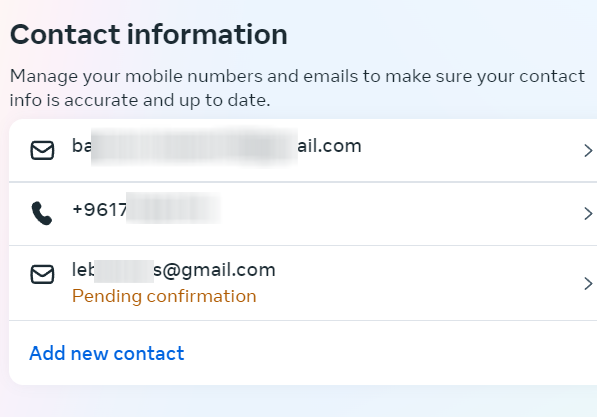
Fortunately (at least for me) and unfortunately (for Meta), the email was indeed confirmed, and we did not see the 'Pending Confirmation' message!
3. We found a similar issue previously reported by Lokesh Kumar, which had the same impact and valid under Facebook Bug Bounty program.
Note: Meta's policies may change, and there is no guarantee that older issues will be handled in the same way. After analyzing the impact of our findings, we believed that this issue still warranted consideration
I reported it and got that response after few weeks
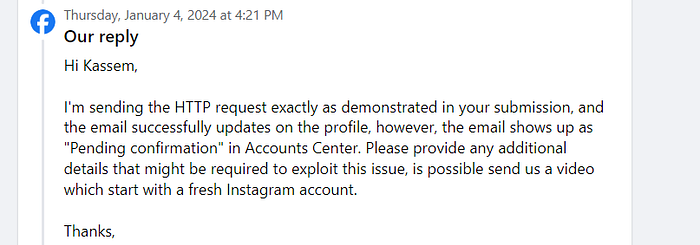
The analyst attempted to reproduce the issue, but the email was shown as 'Pending Confirmation,' which meant it wasn't confirmed!
I was certain that his test was correct since the email was added to the Account Center. While reading the message, I speculated that the bug might have been fixed due to some internal changes, particularly considering that my request came from an older Instagram app version (the new version has a different Edit Profile request). If that was the case, this report would likely end with a 'Not Applicable' (N/A) status!
I think most researchers are familiar with these kinds of feelings
I attempted to reproduce the bug once again, and it still worked for me! I was able to confirm any email!
Why is it still showing 'Pending Confirmation' on the security analyst's side? 🤔
I was certain the analyst was taking the correct steps, yet I couldn't pinpoint the missing link that made it work on my end but not on his.
I began considering factors to achieve the same result as him
- Account types (e.g., professional or normal).
2. I hypothesized that the issue might be related to account linking. During registration, if logged into a previous account, the new account tends to link to it. To test this theory, I attempted to reproduce the issue with a new, unlinked account! — it wasn't the case!
3. After some logical analysis, I began to wonder if the email could be a contributing factor. In all previous attempts, I had used my personal email, confirmed it, and successfully reproduce the issue. To further test this theory, I registered a new account using a confirmed phone number and intentionally did not include an email.
Upon reproducing the bug in this new environment, I encountered the same result as the analyst: -> Pending Confirmation
So, the missing step turned out to be confirming the new account with our own email address before attempting to reproduce the issue. It appears that the server checks whether we have a previously confirmed email address. If we do, the new random email is added and immediately confirmed. If not, it triggers a request for confirmation, resulting in the 'Pending Confirmation' status being displayed
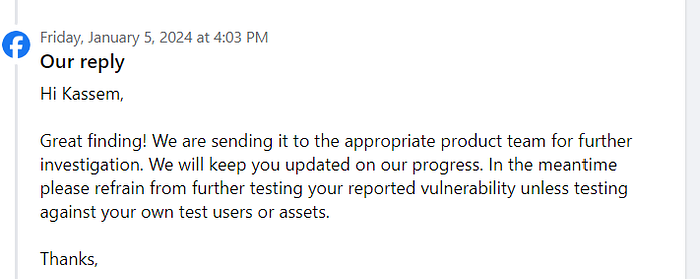
Finally, Triaged!
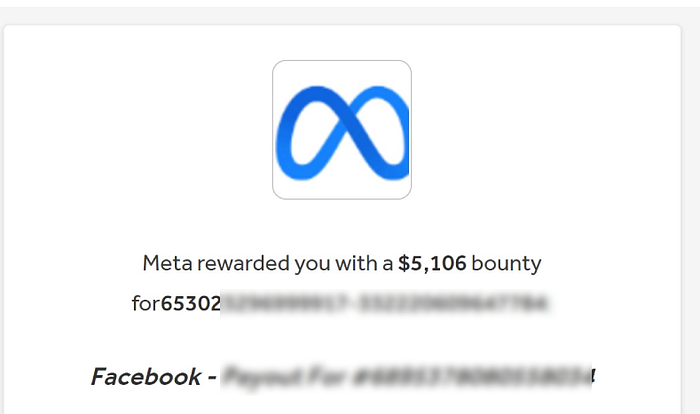
To summarize
Despite the bug's simplicity, I have intentionally included the entire narrative of how I discovered it. It wasn't uncovered on my first attempt; rather, it was through exploring different behaviors and various impacts that I ultimately stumbled upon this particular issue.
- Create an Instagram account and confirm it using your own email address
- Got to Instagram "Edit Profile" section
- Intercept the request and change any of your Instagram info (e.g Bio)
- In the request, you'll find the 'email' parameter. Simply add any email you wish to confirm (e.g., bazzoun-whitehat-test@semsec.org)
- Send the request and the email will be automatically added and confirmed.
- If you want to add this contact to your Facebook account, link your Facebook account to the Instagram Account Center using this new Instagram account. This will enable you to link the confirmed email to your Facebook account.
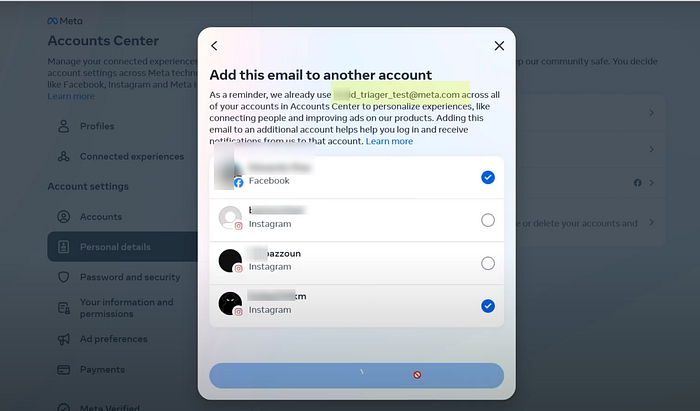
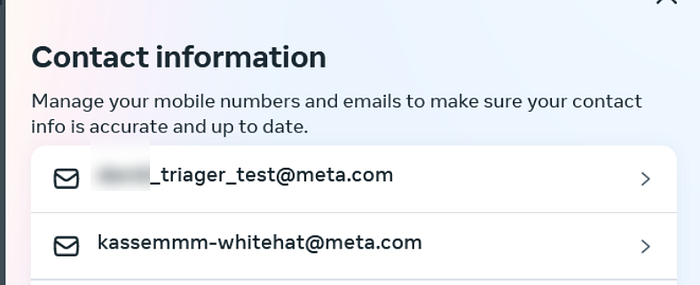
I successfully added and confirmed emails with the @meta.com domain (an invalid email address) for both my Instagram and Facebook accounts.
Thanks for reading!
Linkedin: https://www.linkedin.com/in/kassem-bazzoun-b55172166/
Threads: https://www.threads.net/@kassembazzoun
For business inquiries: https://academy.semsec.org