
Database migrations are one of those critical infrastructure tasks that can make or break your application's reliability. Whether you're working with PostgreSQL, time-series databases like GreptimeDB, or distributed key-value stores like etcd, managing schema changes across multiple backends has traditionally been a fragmented and error-prone process.
Enter Backend For Migrations (BfM) — a comprehensive, production-ready migration system that unifies database migration management across multiple backends with a modern API-first approach and an intuitive web interface. In addition to enabling the use of multi-schema migration for systems that need to guarantee sharded structure
The Problem BfM Solves
Modern applications rarely rely on a single database. You might have:
- PostgreSQL for transactional data
- GreptimeDB for time-series metrics and observability
- etcd for distributed configuration and metadata
Each of these systems requires different migration strategies, and managing them separately leads to:
- Inconsistent migration workflows
- Manual coordination between teams
- Higher risk of errors in production
- Lack of visibility into migration status
- Difficulty tracking what's been applied where
BfM addresses all of these challenges by providing a unified platform for managing migrations across all your database backends.
Key Features
BfM is designed with production use in mind, offering:
Multi-Backend Support
- PostgreSQL: Full support for fixed schemas and complex relational structures
- GreptimeDB: Optimized for time-series data with dynamic schema support
- etcd: JSON-based migrations for distributed configuration management
Modern API Architecture
- HTTP REST API: Complete OpenAPI v3.2.0 specification for easy integration
- Protobuf/gRPC API: High-performance binary protocol for microservices
- Token-based Authentication: Secure API access with configurable tokens
Production-Ready Features
- Migration State Tracking: Centralized state management in PostgreSQL/MySQL
- Idempotent Migrations: Safe to run multiple times without side effects
- Dry-Run Mode: Test migrations before applying them
- Rollback Support: Built-in down migrations for safe reversals
- Embedded SQL Scripts: Migrations compiled into Go binaries for portability
Developer Experience
- CLI Tool: Generate migration files from SQL/JSON scripts
- Web Dashboard: Beautiful React-based UI for monitoring and management
- OpenAPI Documentation: Auto-generated API docs for all endpoints
Visual Tour: The BfM Dashboard
BfM comes with a modern web interface (FfM — Frontend For Migrations) that makes migration management visual and intuitive.
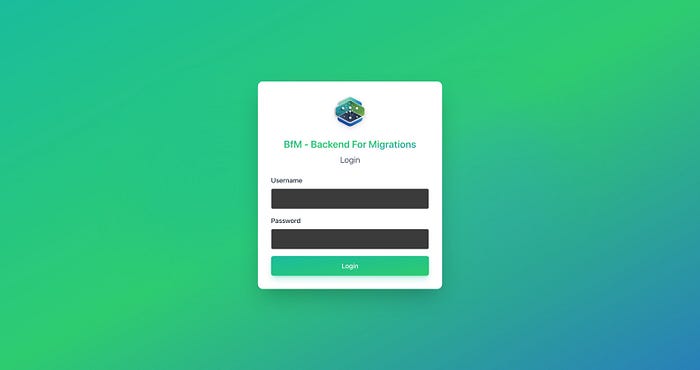
Login Screen
The secure login interface ensures only authorized users can manage your database migrations.
Dashboard Overview
The dashboard provides a comprehensive overview of your migration landscape:
- Total migrations count
- Applied/Pending/Failed statistics
- Status distribution charts
- Migrations by backend and connection
- Recent migrations timeline
- Health status indicators

Migration List
Browse all available migrations with powerful filtering and sorting capabilities:
- Filter by backend, schema, connection, or status
- Sortable columns for easy navigation
- Real-time status updates
- Quick access to migration details

Migration Details
View comprehensive information about each migration:
- Complete metadata and version information
- Current status and execution history
- Rollback functionality
- Error messages and troubleshooting information

Usage Examples
Let's explore how BfM works in practice with real-world examples across different backends.
Example 1: PostgreSQL Migration
PostgreSQL migrations in BfM follow a simple structure. Here's an example that creates a solution_runs table for tracking feature deployments:
Up Migration (20250115000000_bootstrap_solution.up.sql):
CREATE SCHEMA IF NOT EXISTS core;
CREATE TABLE IF NOT EXISTS core.solution_runs (
    id UUID PRIMARY KEY DEFAULT gen_random_uuid(),
    environment_id UUID NOT NULL,
    feature_flag TEXT NOT NULL,
    applied_by TEXT NOT NULL,
    applied_at TIMESTAMPTZ NOT NULL DEFAULT NOW(),
    metadata JSONB NOT NULL DEFAULT '{}'::jsonb
);
CREATE UNIQUE INDEX IF NOT EXISTS idx_solution_runs_environment_feature
    ON core.solution_runs (environment_id, feature_flag);
Down Migration (20250115000000_bootstrap_solution.down.sql):
DROP TABLE IF EXISTS core.solution_runs;This example demonstrates:
- Schema creation with
IF NOT EXISTSfor idempotency - UUID primary keys with auto-generation
- JSONB columns for flexible metadata storage
- Unique indexes for data integrity
- Safe rollback with
DROP TABLE IF EXISTS
Example 2: GreptimeDB Time-Series Migration
GreptimeDB is optimized for time-series data. Here's how you'd create a table for streaming observability metrics:
Up Migration (20250115000000_stream_metrics.up.sql):
CREATE TABLE IF NOT EXISTS solution_streams (
    ts TIMESTAMP TIME INDEX,
    environment_id STRING,
    feature TEXT,
    stage STRING,
    value DOUBLE,
    attributes MAP(STRING, STRING),
    PRIMARY KEY (ts, environment_id, feature)
);
Down Migration (20250115000000_stream_metrics.down.sql):
DROP TABLE IF EXISTS solution_streams;Key features:
TIME INDEXfor efficient time-series queriesMAPtype for flexible attribute storage- Composite primary keys optimized for time-series access patterns
Example 3: etcd Configuration Migration
For distributed configuration management, BfM supports JSON-based migrations for etcd:
Up Migration (20250115000000_seed_feature_flags.up.json):
[
  {
    "operation": "put",
    "key": "solution/feature_flags/zero_downtime",
    "value": "enabled"
  },
  {
    "operation": "put",
    "key": "solution/feature_flags/audit_logging",
    "value": "enabled"
  }
]
Down Migration (20250115000000_seed_feature_flags.down.json):
[
  {
    "operation": "delete",
    "key": "solution/feature_flags/zero_downtime"
  },
  {
    "operation": "delete",
    "key": "solution/feature_flags/audit_logging"
  }
]
This approach allows you to:
- Seed initial configuration values
- Manage feature flags across environments
- Maintain version control for configuration changes
Executing Migrations via API
Once your migrations are defined, executing them is straightforward via the HTTP API:
POST /api/v1/migrate
Authorization: Bearer {BFM_API_TOKEN}
Content-Type: application/json
{
  "target": {
    "backend": "postgresql",
    "schema": "core",
    "tables": [],
    "version": "",
    "connection": "core"
  },
  "connection": "core",
  "schema": "core",
  "environment": "",
  "dry_run": false
}
The API returns detailed results:
{
  "success": true,
  "applied": ["core_users_20250101120000_create_users"],
  "skipped": [],
  "errors": []
}
Using the CLI Tool (Optional)
BfM includes a powerful CLI tool for generating migration files :
# Install via Homebrew
brew install toolsascode/tap/bfm
# Or via Go
go install github.com/toolsascode/bfm@latest
# Build migrations from SFM directory
bfm-cli build examples/sfm --verbose
# Dry run to validate
bfm-cli build examples/sfm --dry-run
This tool is only useful when it is necessary to reduce the workload for the service or for metadata customizations. If the file has not been provided, BfM will automatically create the metadata files!
The CLI automatically:
- Generates Go files that embed SQL/JSON
- Registers migrations in the global registry
- Validates migration syntax
- Ensures proper naming conventions
Benefits of Using BfM
1. Unified Migration Management
Instead of maintaining separate migration tools for each database backend, BfM provides a single platform. This means:
- Consistent workflows across all your databases
- Single source of truth for migration state
- Reduced cognitive load for your team
2. Production Safety
BfM is built with production reliability in mind:
- Idempotent migrations: Safe to run multiple times
- Dry-run mode: Test before applying
- State tracking: Know exactly what's been applied
- Rollback support: Built-in down migrations
- Error handling: Detailed error messages and recovery options
3. Developer Experience
Modern tooling that developers love:
- CLI tool: Fast, local development workflow
- Web dashboard: Visual monitoring and management
- OpenAPI spec: Auto-generated client SDKs
- Embedded migrations: Compile migrations into binaries
4. Scalability and Performance
Designed for enterprise-scale deployments:
- Multi-instance support: Run behind load balancers
- Distributed locking: Prevent concurrent migration conflicts
- Efficient state tracking: Minimal overhead
- Queue support: Async migration execution (optional)
5. Flexibility
BfM adapts to your infrastructure:
- Multiple backends: PostgreSQL, GreptimeDB, etcd (and extensible)
- Fixed and dynamic schemas: Support for both traditional and NoSQL patterns
- Environment-specific: Different migrations per environment
- Connection pooling: Efficient database connections
6. Observability
Full visibility into your migration landscape:
- Dashboard metrics: Real-time statistics and charts
- Migration history: Complete audit trail
- Health checks: Monitor system status
- Error tracking: Detailed error logs and messages
7. CI/CD Integration
Seamless integration with modern DevOps workflows:
- API-first: Easy to integrate into pipelines
- Docker images: Production-ready containers
- CLI in containers: Run migrations in CI/CD
- Validation: Pre-deployment checks
Getting Started
BfM is easy to get started with. Here's a quick setup:
Using Docker Image
# Docker Pull
docker pull ghcr.io/toolsascode/bfm:latest
Using Docker Compose (Recommended)
# Clone the repository
git clone https://github.com/toolsascode/bfm.git
cd bfm
# Configure environment
cp .env.example .env
# Edit .env with your database credentials
# Start the service
docker compose -f deploy/docker-compose.standalone.yml up -d
# Access the dashboard
open http://localhost:7070
Configuration Example
# API Authentication
BFM_API_TOKEN=your-secure-random-token-here
# State Database
BFM_STATE_DB_PASSWORD=your-secure-password
BFM_STATE_DB_USERNAME=postgres
# Backend Connections
CORE_BACKEND=postgresql
CORE_DB_HOST=your-postgres-host
CORE_DB_PASSWORD=your-password
CORE_DB_NAME=your-database
CORE_SCHEMA=core
Real-World Use Cases
Microservices Architecture
In a microservices environment, BfM enables:
- Centralized migration management across services
- Consistent deployment of database changes
- Service-specific migrations with connection isolation
- Rollback capabilities for rapid incident response
Multi-Tenant Applications
For SaaS applications:
- Tenant-specific migrations via environment variables
- Schema versioning per tenant
- Safe migrations with dry-run testing
- Audit trails for compliance
Observability Platforms
For platforms managing time-series data:
- GreptimeDB migrations for metric schema evolution
- PostgreSQL migrations for metadata and configuration
- etcd migrations for distributed feature flags
- Unified dashboard for monitoring all migrations
Conclusion
Backend For Migrations (BfM) represents a significant step forward in database migration management. By unifying migration workflows across multiple backends, providing modern APIs and tooling, and ensuring production-grade reliability, BfM eliminates the fragmentation and complexity that has plagued multi-database applications.
Whether you're managing a microservices architecture, a multi-tenant SaaS platform, or a complex observability system, BfM provides the tools you need to manage database migrations confidently and efficiently.
The combination of a powerful CLI, intuitive web dashboard, comprehensive APIs, and production-ready features makes BfM an excellent choice for teams looking to modernize their database migration workflows.
Resources
- GitHub Repository: github.com/toolsascode/bfm
- Go Package: pkg.go.dev/bfm/api/migrations
- Documentation: See the README and docs/ directory for detailed guides
- Examples: Check out the
examples/sfm/directory for migration samples
Start managing your database migrations the modern way with BfM!
Have questions or want to contribute? Check out the GitHub repository and join the community!