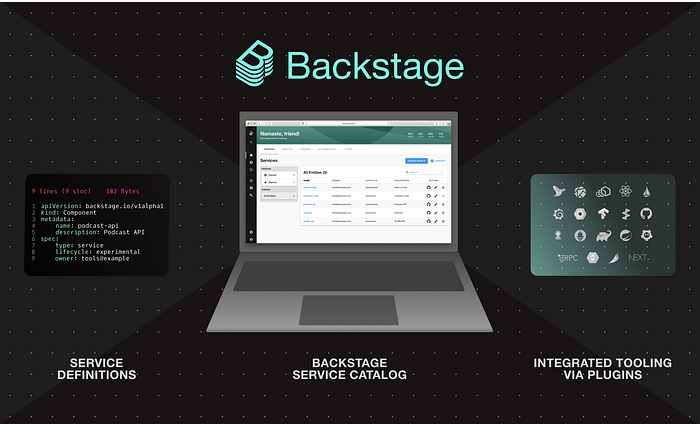
Backstage.io is an open-source platform developed by Spotify for building developer portals. It provides a unified platform for managing various software assets such as services, APIs, documentation, dashboards, and more. The platform is highly customizable and extensible, thanks to its plugin architecture. In this blog, we will explore the plugin architecture in Backstage.io in more detail and look at some code snippets to see how it works.
Plugin Architecture in Backstage.io
At its core, the plugin architecture in Backstage.io is a system for dynamically loading and managing plugins. Plugins are separate modules that contain code and resources that extend the functionality of the platform. They can add new features, integrate with external systems, or customize the appearance of the platform. Each plugin is contained within a separate directory, and its code and resources are isolated from other plugins and the platform itself.
Plugins in Backstage.io are loaded and managed using the @backstage/plugin-api package. This package provides a set of interfaces and methods that plugins can use to interact with the platform. The most important interface is the Plugin interface, which represents a single plugin. Each plugin exports a function that creates and returns a new instance of the Plugin interface. This function is typically named, createPlugin,and it takes an object with various configuration options as its only parameter. Here's an example of a simple plugin that adds a new page to the platform:
import { createPlugin, createRouteRef } from '@backstage/plugin-api';
import MyPage from './MyPage';

export default createPlugin({
 id: 'my-plugin',
 routes: {
 myPageRoute: createRouteRef({ path: '/my-page' }),
 },
 register(registry) {
 registry.registerPage({
 title: 'My Page',
 path: 'myPageRoute',
 component: MyPage,
 });
 },
});
This plugin defines a new page with the title "My Page" and the path "/my-page". The page component is defined in the MyPage module, which is not shown here. The routes option defines a new route reference with the path "/my-page", which can be used later to navigate to the page. The register method is called when the plugin is loaded and is used to register the new page with the platform using the registry object.
Plugin Loading and Management
Once a plugin is defined, it needs to be loaded and managed by the platform. This is typically done using the loadBackend function from the @backstage/backend-common package. This function takes an instance of the App interface, which represents the entire platform, and an array of plugins to load. Here's an example:
import { createApp } from '@backstage/core';
import { loadBackend } from '@backstage/backend-common';
import myPlugin from './my-plugin';

const app = createApp();
loadBackend(app, [myPlugin]);
This code creates a new instance of the platform using the createApp function and loads the myPlugin plugin using the loadBackend function. Once the plugin is loaded, it can be accessed and used by other plugins and the platform itself.
Plugin API
The @backstage/plugin-api the package provides a set of interfaces and methods that plugins can use to interact with the platform. Here are some of the most important ones:
Plugin- Represents a single plugin and defines its configuration and functionality. Here's an example of how a plugin can create and return a new instance of thePlugininterface:
import { createPlugin } from '@backstage/plugin-api';
export default createPlugin({
 id: 'my-plugin',
 // …
 // Other configuration options and methods
 // …
});
The createPlugin function takes an object with various configuration options and methods, which are used to define the behavior and appearance of the plugin. The id option is required and should be a unique identifier for the plugin.
PluginContext- Provides access to various platform APIs and services, such as the catalog API, the entity provider API, the config API, and more. Plugins can use this interface to interact with the platform and other plugins. Here's an example of how a plugin can access the catalog API:
import { PluginContext } from '@backstage/plugin-api';
export default class MyPlugin implements Plugin {
 // …
async myMethod(pluginContext: PluginContext) {
 const catalogApi = pluginContext.getExtensions('catalogApi')[0];
 const entities = await catalogApi.getEntities();
 // …
 }
// …
}CatalogApi- Provides methods for interacting with the catalog, such as adding, and updating. Here's an example of how a plugin can use theCatalogApiinterface to add a new entity to the catalog:
import { PluginContext, CatalogApi } from '@backstage/plugin-api';

export default class MyPlugin implements Plugin {
  // ...

  async myMethod(pluginContext: PluginContext) {
    const catalogApi = pluginContext.getExtensions('catalogApi')[0] as CatalogApi;
    const entity = {
      metadata: {
        name: 'my-entity',
        description: 'My entity description',
      },
      spec: {
        type: 'my-entity-type',
        // ...
      },
    };
    await catalogApi.addEntity(entity);
    // ...
  }

  // ...
}
Conclusion
In this blog, we have explored the plugin architecture in Backstage.io in more detail and looked at some code snippets to see how it works. We have seen how plugins are loaded and managed using the @backstage/plugin-api package, how they can add new features and customize the appearance of the platform, and how they can interact with other plugins and platform APIs using the PluginContext interface. We have also seen how the CatalogApiinterface can be used to interact with the catalog and manage entities. Backstage.io's plugin architecture is a powerful and flexible system that enables developers to extend and customize the platform to meet their specific needs.