
HTML Syntax
This is very similar to native HTML syntax as well, where certain attributes provide boolean semantics, e.g.:
<button type="submit" class="submit-button" disabled>Submit</button>The disabled attribute is a boolean value, functionally the equivalent to disabled="true" (the button above is disabled).
React Syntax
React has something similar. So if you've got a component defined like this:
import React, { Component } from 'react';
export default class Foo extends Component {
  render() {
    if (this.props.loggedIn) {
      return "Welcome back!";
    } else {
      return "Hello world!";
    }
  }
}
And you probably know this already, but you can then invoke the component like so and get the output from the true branch of that conditional:
<Foo loggedIn /> // Welcome back!Which is a nice API for a developer who might be using this component in their own app.
Ember Syntax?
Ember recently introduced angle bracket invocation. I won't get into the many whys and hows of the new syntax and features, but perhaps the most obvious change is the new visual similarity to React and native HTML markup when using components.
And so with that change, I asked myself: are boolean attributes possible in Ember angle bracket syntax?
// angle-foo.hbs
{{#if @loggedIn}}
  Welcome back!
{{else}}
  Hello world
{{/if}}
And invoked like so:
<AngleFoo @loggedIn /> // Hello world :(That won't work. @loggedIn evaluates to false if you pass it as an argument without a value.
Empty @arguments Have a Value
But let's take a closer look. Using the {{log}} helper, we can see if @loggedIn is actually ignored, or if there's a value that we can work with.
// angle-foo.hbs
{{log '@loggedIn:' @loggedIn}}
{{#if @loggedIn}}
  Welcome back!
{{else}}
  Hello world
{{/if}}
// templates/application.hbs
<AngleFoo />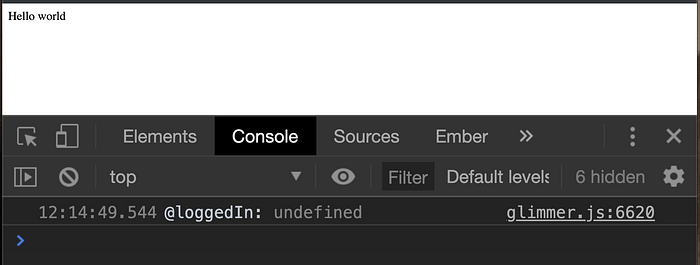
Not passing in a @loggedIn key results in a value of undefined. But what if we use the the boolean attribute syntax? What value do we get?
// templates/application.hbs
<AngleFoo @loggedIn />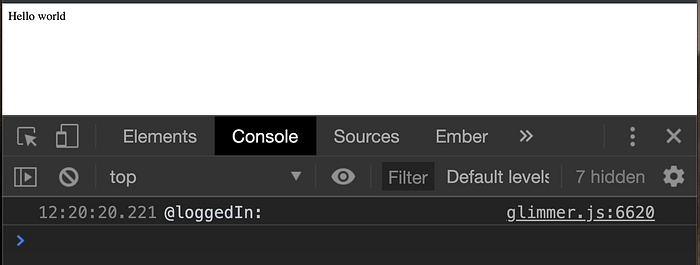
Funny thing, but if you pass an empty string ('') to Chrome's console.log, you get whitespace:

So if an empty string looks like a blank space when logged, does that mean that the value of an empty key in angle bracket syntax is an empty string?
Let's find out. We'll need the always helpful ember-truth-helpers to implement.
// angle-foo.hbs
{{log '@loggedIn:' @loggedIn}}
{{#if (eq @loggedIn '')}}
  Welcome back!
{{else}}
  Hello world
{{/if}}
// templates/application.hbs
<AngleFoo @loggedIn />
There it is! using a simple conditional, we can unlock a new convenient API for other developers (and ourselves) who happen to use our components.
The downside is that this can be something of WAT moment for other engineers who are used to Ember conventions, but if you document is properly (perhaps using ember-cli-addon-docs), then you'll find it's an easy way to add expressive power to your ember components.