
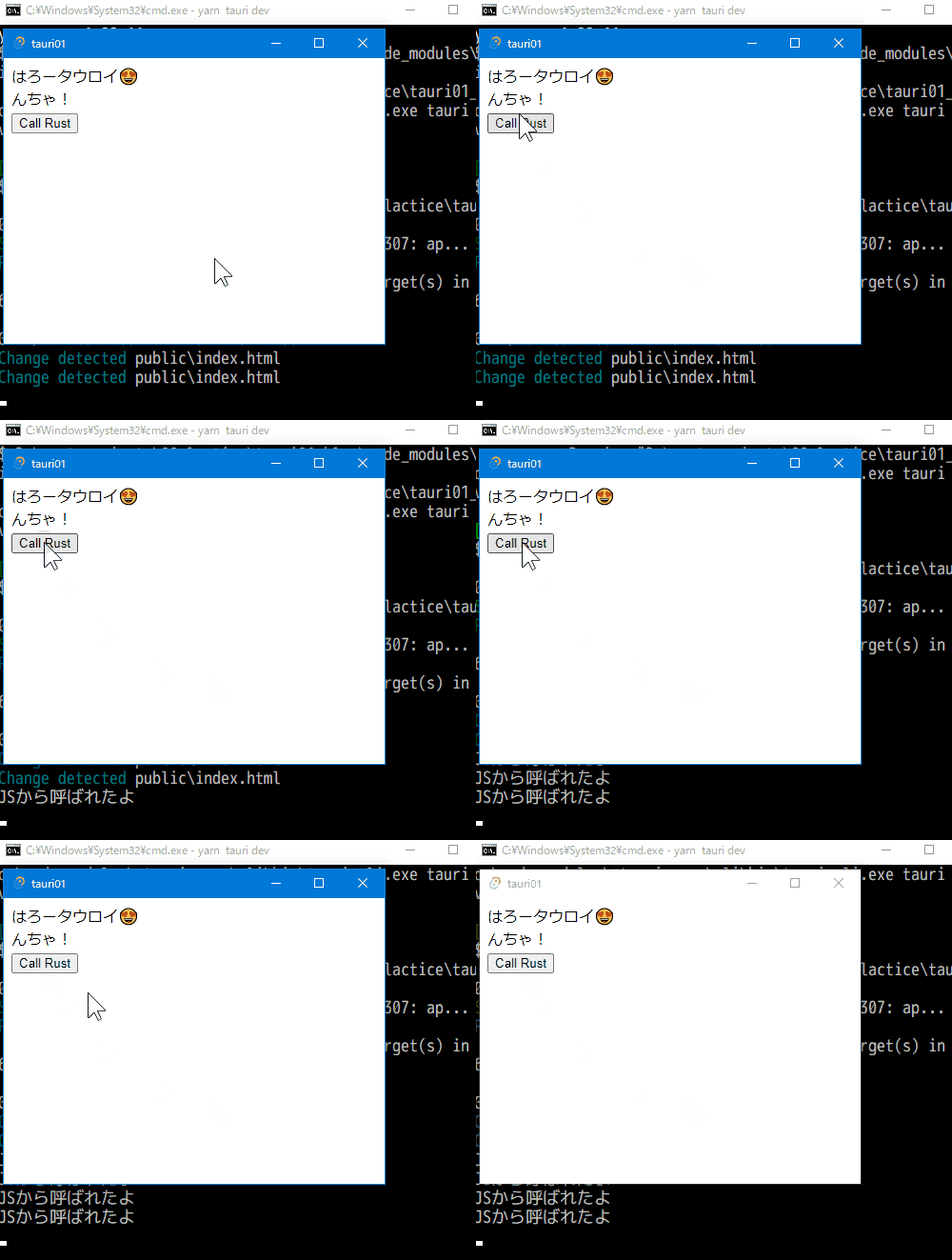
It is a continuation from the previous.
- I'm trying out a desktop app with Tauri and an unfamiliar WebView2.
- I'm experimenting with a minimal and pure skeleton to clearly see the roles of html, js and Rust.
- For example, js should be separated into separate files and
document.addEventListener("DOMContentLoaded", …, etc. should be set..
Preparing @tauri-apps/api
I chose "No" in Tauri initialization, so install @tauri-apps/api .
tauri01> yarn add -D @tauri-apps/apiEdit src-tauri/tauri.conf.json and add "withGlobalTauri": trueto the "build" section.
Now you are ready to use @tauri-apps/api from js with const invoke = window.__TAURI__.invoke;.
However, if you do it with "withGlobalTauri": true, be careful about XSS. If you do it false, it seems that you need to import it using a bundler such as Rollup.
Execute Rust function from JS
For the time being, let's experiment with a simple call operation.
Embed buttons and scripts for experiments that call Rust functions in index.html.
<div>
  <Button onclick="callRust()">Call Rust</Button>
</div>
<script>
  const invoke = window.__TAURI__.invoke;
  const callRust = () => {
    invoke('call_rust');
  };
</script>
Add the call_rust () function, and add the handler to the tauri::Builder.
#[tauri::command]
fn call_rust() {
  println!("JSから呼ばれたよ"); // I was called by JS
}
fn main() {
  tauri::Builder::default()
  .invoke_handler(tauri::generate_handler![call_rust]) // This one
  :
Click the Call Rust button in the yarn tauri dev or hot reloaded app window.
"JSから呼ばれたよ"(I was called by JS) is displayed in the terminal where the app is running.
Passing values with JS and Rust
Edit index.html.
Add an argument to the invoke() function. Argument is passed as a JSON object with camelCase key.
Conversely, it prints the value returned by Rust to the console. Since it is returned as a promise, it is processed with .then()...
const callRust = () => {
  invoke('call_rust', {jsMsg: 'どもJSです'}) // Hi It's JS
  .then((rustMsg) => console.log("from Rust:" + rustMsg));
};
Next, edit src-tauri/src/main.rs.
Change call_rust() to accept the argument js_msg (jsMsg in JSON), and print this. In addition, add a return value.
#[tauri::command]
fn call_rust(js_msg: String) -> String {
  println!("from JS:{}", js_msg);
  "ぼくRust!".into() // I'm Rust!
}
After running the app, right-click to open the developer tools and display the console. Click the "Call Rust" button.
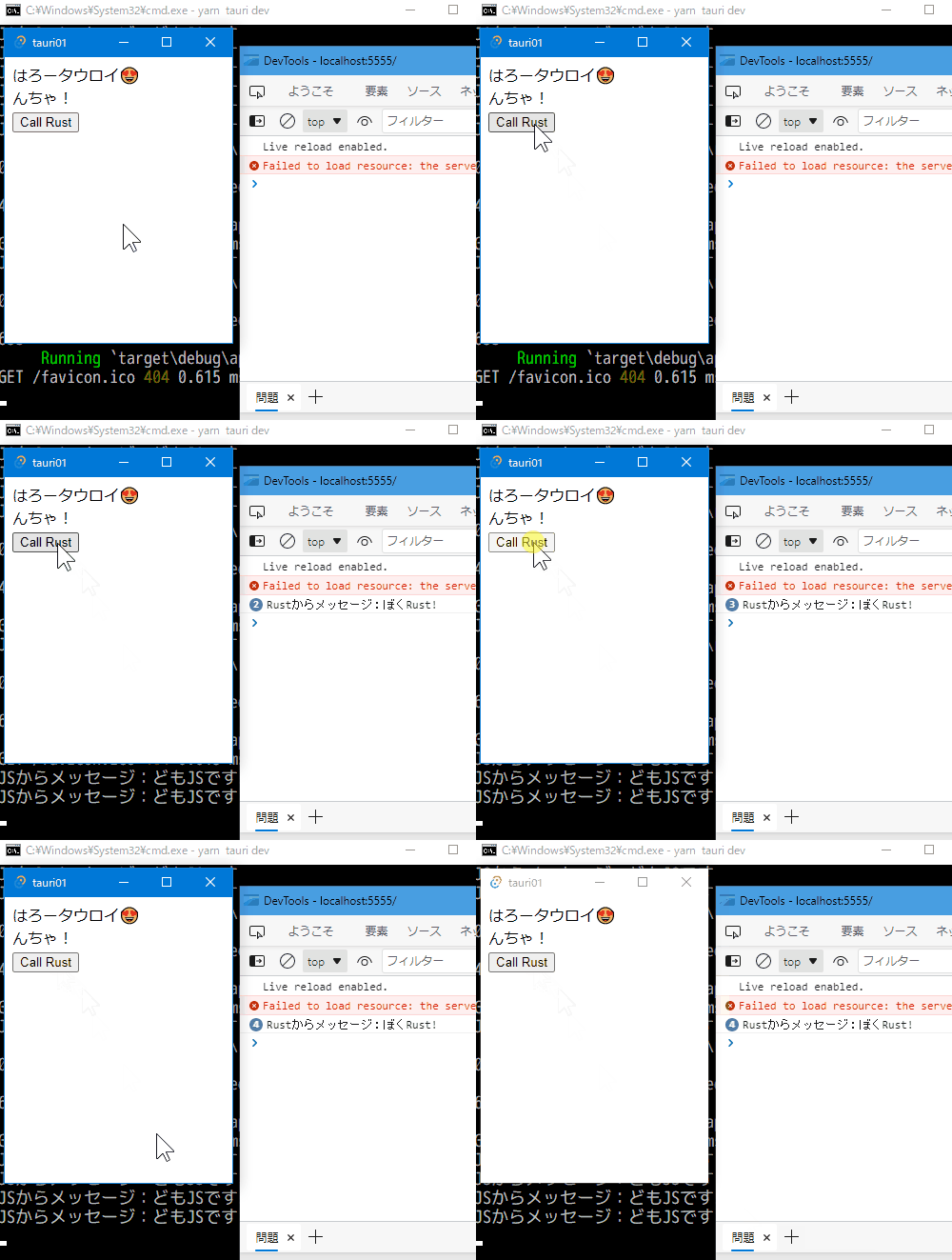
A message was displayed on each of the terminal and console.
Finally, paste the entire source code here.
Thank you for reading! If you like it, please follow me.🤩
Next time, I'll try to manage the status in Rust and create a count program.
Originally published at https://jnsmith.blog.fc2.com.