

Asynchronous Processing in Enterprise Commerce
The modern digital commerce landscape, particularly in the Business-to-Business (B2B) sector, is defined by complexity. Unlike Business-to-Consumer (B2C) models, which often rely on simplified pricing and catalog structures, B2B platforms like OroCommerce must handle intricate, customer-specific logic writen on PHP with high abstraction(more abstraction = slower code). This includes personalized price lists, massive catalog visibility rules, complex workflow approvals, and integration with legacy Enterprise Resource Planning (ERP) systems. In such an environment, the synchronous execution of tasks — processing a request immediately upon a user's action — is an architectural impossibility for maintaining performance. The latency introduced by calculating the visibility of ten thousand products or regenerating a search index for a localized website would render the user interface unresponsive.
To mitigate this, OroCommerce employs a robust Message Queue (MQ) architecture that decouples heavy processing from the user experience. By offloading resource-intensive tasks to background worker processes, the platform ensures that the storefront remains snappy while the heavy lifting occurs asynchronously. However, as transaction volumes grow and catalogs expand into the millions of SKUs, the default configuration of these background workers often becomes the primary bottleneck. "Heavy PHP consumers" — long-running processes responsible for these arduous tasks — can saturate Central Processing Unit (CPU) cycles, exhaust memory, and create "thundering herd" scenarios that degrade the database performance.
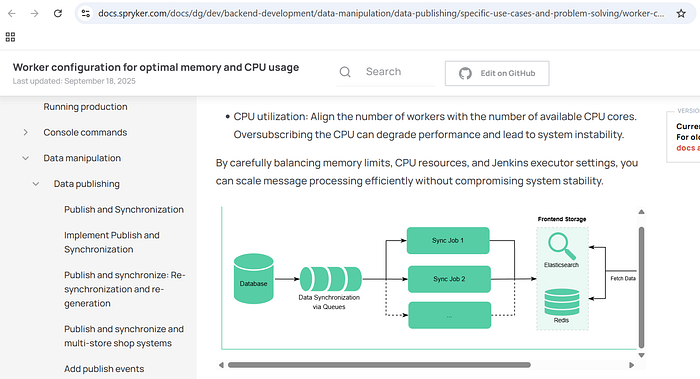
CPU utilization: Align the number of workers with the number of available CPU cores. Oversubscribing the CPU can degrade performance and lead to system instability. — Sprykler documentation
The OroCommerce Message Queue Architecture
Understanding the optimization of heavy consumers requires a deep understanding of the OroMessageQueueBundle and its abstraction layers. OroCommerce does not simply interface with a broker; it employs a sophisticated client-side architecture that manages message routing, serialization, and job orchestration before data ever leaves the application server.
The Abstraction Layer and Transport Mechanisms
The OroMessageQueueBundle integrates the OroMessageQueue component, creating a unified configuration layer that registers services, ties them together, and provides Command Line Interface (CLI) commands for management. This abstraction allows the application to remain agnostic regarding the underlying transport mechanism, theoretically allowing a switch between database-backed queues and message brokers without code changes.
However, the choice of transport is the single most critical decision for performance.
The DBAL Transport: Limitations in High-Performance Scenarios
Out of the box, OroCommerce includes a Doctrine DBAL (Database Abstraction Layer) transport. This mechanism utilizes the application's primary relational database (PostgreSQL or MySQL) to store messages in a table, typically oro_message_queue. While this offers the advantage of zero external dependencies—making it ideal for development or small-scale deployments—it introduces severe limitations for heavy consumers.
The DBAL transport operates on a polling model. Unlike event-driven brokers that push messages to consumers, a DBAL consumer must actively query the database to check for new work. By default, this polling interval is set to 1,000 milliseconds (1 second). In a high-throughput environment requiring dozens of parallel consumers, this architecture creates substantial overhead.
- Polling Frequency vs. Latency: If the polling interval is set too high, message processing latency increases. If set too low, the database is bombarded with
SELECTqueries. - Database Lock Contention: To ensure a message is processed by only one consumer, the DBAL transport uses row-level locking. When a consumer claims a message, it updates the record with a unique identifier. Upon completion, the record is removed. In scenarios with heavy concurrency, this constant locking and unlocking on a central table creates contention, negatively impacting the performance of the storefront and checkout flows which rely on the same database instance.
- Lack of Event-Driven Capability: RDBMS systems are not designed for the high-churn, ephemeral nature of message queues. They lack the native ability to listen for new inserts efficiently without triggers or polling, both of which are resource-expensive.
The AMQP Transport (RabbitMQ): The Standard for Production
For any environment anticipating heavy PHP consumers, the AMQP (Advanced Message Queuing Protocol) transport, specifically implemented via RabbitMQ, is mandatory. RabbitMQ shifts the architecture from a pull-based polling model to a push-based delivery model.
RabbitMQ supports advanced features critical for scaling:
- Multiple Queues and Exchanges: Unlike the flat structure of a DBAL table, RabbitMQ allows complex routing topologies using Exchanges (Direct, Topic, Fanout) to distribute messages to specific queues based on routing keys.1
- Consumer Pools: It enables the creation of separate consumer pools for different queues, a prerequisite for isolating heavy workloads.
- Efficient Acknowledgment: RabbitMQ handles message acknowledgments (ACKs) and redelivery mechanisms (NACKs) at the protocol level, significantly reducing the I/O load on the application server.3
The Message Lifecycle: From Producer to Processor
The journey of a message in OroCommerce is a state machine that governs data integrity. Understanding this lifecycle is essential for debugging "stuck" or "failed" heavy jobs.
- Production and Validation: A
MessageProducercreates a message body. For performance, this body typically contains lightweight references (e.g., Entity IDs) rather than full objects. The message is validated and sent to the "tail" of the specific queue. - Consumption: A
Consumercomponent, running as a CLI process, retrieves the message. It is critical to note that the standard Oro consumer is single-threaded and blocking. It processes one message at a time.2 If a queue contains 10,000 messages and the consumer picks up a heavy job taking 60 seconds, the subsequent 9,999 messages are blocked unless multiple consumer processes are running in parallel. - Processing: The consumer passes the message to a
MessageProcessorsubscribed to the message's topic. The processor executes the business logic. - Completion or Failure:
- Success (
self::ACK): The entity is updated, and the message is acknowledged and removed from the queue. - Rejection (
self::REJECT): Used when the entity no longer exists (e.g., deleted before processing). The message is discarded. - Requeue (
self::REQUEUE): If a recoverable error occurs, the processor returns this status. The consumer puts a copy of the message at the end of the queue with a redelivery flag. ARedeliveryMessageExtensionthen sets a delay (e.g., via RabbitMQ'sx-delayed-messageplugin or internal logic) to prevent immediate thrashing.
The Job Runner Pattern for Heavy Batch Processing
For truly heavy tasks — such as a full catalog price recalculation or a mass import — processing a single message in a monolithic function is an architectural anti-pattern. If the process dies midway, the entire progress is lost. OroCommerce solves this with the Job and JobRunner system.5
The JobRunner allows the decomposition of a massive task into a hierarchical tree of Root Jobs and Child Jobs.
- Root Job: Represents the high-level task (e.g., "Import Product Data"). It tracks the overall status and aggregate progress.
- Child Jobs: The
JobRunnersplits the workload into smaller chunks (e.g., batches of 100 products). Each chunk is dispatched as a new, separate message to the queue usingcreateDelayed.
When a consumer picks up a Root Job, it does not process the data itself. Instead, it calculates the chunks and publishes thousands of Child Job messages. These child messages are then consumed by any available worker in the pool. This transforms a serial processing problem into a parallel processing solution.
This architecture implies that "heavy consumers" essentially behave as "dispatchers" (creating child jobs) and "workers" (processing child jobs). A burst of child jobs can flood the queue, creating what is known as Queue Pollution. If oro.default is used for both password resets (latency-sensitive) and batch import chunks (latency-insensitive), the password resets will be buried behind thousands of import tasks. This necessitates the queue segregation strategies discussed in later chapters.
Anatomy of a Heavy PHP Consumer
A "consumer" in OroCommerce is simply a PHP process running the oro:message-queue:consume command. While PHP is traditionally a "share-nothing" architecture designed for short-lived web requests, consumer processes are long-running daemons. This misuse of PHP's original design intent introduces specific challenges regarding memory management and process stability.
The Memory Management Imperative
In a long-running worker, memory leaks — however microscopic — accumulate. A consumer that processes thousands of search indexing documents will inevitably see its RAM usage climb due to circular references or static caches within the Doctrine EntityManager. If left unchecked, the process will hit the memory_limit defined in php.ini and crash fatally.
OroCommerce provides a built-in mechanism to handle this gracefully: the --memory-limit option.
php bin/console oro:message-queue:consume --memory-limit=700The consumer operates in a loop. After processing each message, it checks the current memory usage (memory_get_usage()).
- Check: Is
Current Memory>Option Limit? - Action: If yes, the consumer terminates itself gracefully (exit code 0 or similar expected code).
- Restart: The external process manager (Supervisord) detects the exit and spawns a fresh process.
Optimization Best Practice:
The — memory-limit passed to the command must be lower than the hard memory_limit in the PHP configuration.
- Scenario:
php.inihasmemory_limit = 2G. - Configuration: Set
--memory-limit=1500.
This 500MB buffer ensures that the consumer can finish processing the current heavy message without hitting a fatal "Out of Memory" (OOM) error. A fatal OOM error halts execution immediately, potentially preventing the ACK from being sent to RabbitMQ, causing the message to remain "Unacked" and eventually be redelivered, leading to a "poison message" loop.
Time Limits and Process Recycling
Heavy consumers are prone to hanging. A CURL request to an external PIM might stall, or a recursive loop in visibility calculations might never terminate. The --time-limit option defends against this.
php bin/console oro:message-queue:consume --time-limit='now+600 seconds'For the DBAL transport, setting a time limit (e.g., 5–10 minutes) is mandatory to avoid database connection timeouts ("MySQL server has gone away"). For RabbitMQ, long-lived consumers are generally preferred to avoid the overhead of TCP handshakes and channel establishment. However, periodic recycling (e.g., every hour) is a healthy practice to reset the unpredictable state of the application's internal caches.7
CPU-Bound vs. I/O-Bound Workloads
To configure workers effectively, one must categorize the workload type, as this dictates the numprocs (number of processes) configuration in Supervisord.
CPU-Bound Consumers
These tasks spend the majority of their execution time utilizing the CPU. Examples in OroCommerce include:
oro_visibility: Calculating recursive visibility rules for product trees.8oro_image: Resizing and processing uploaded media.oro_search: Tokenizing and standardizing text for the search index.
CPU-bound tasks do not scale well beyond the number of physical CPU cores. If a server has 4 cores, running 20 CPU-bound consumers will degrade performance due to context switching. The Operating System (OS) scheduler must constantly pause one process to run another, flushing CPU caches and wasting cycles on overhead.
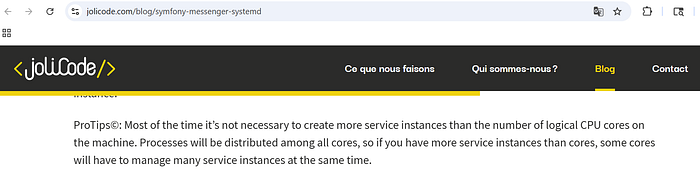
ProTips©: Most of the time it's not necessary to create more service instances than the number of logical CPU cores on the machine. Processes will be distributed among all cores, so if you have more service instances than cores, some cores will have to manage many service instances at the same time. — Community Symfony Documentation
I/O-Bound Consumers
These tasks spend the majority of their time waiting for external systems. Examples include:
oro_email: Waiting for the SMTP server to accept a payload.oro_integration: Synchronizing data with third-party APIs (e.g., Salesforce, ERPs).- Thats it..
I/O-bound tasks can be safely oversubscribed. A 4-core server can handle 20, 40, or even 50 I/O-bound consumers because they are "sleeping" (blocked on I/O) for most of their lifecycle, consuming negligible CPU resources.
Supervisord: The Process Orchestrator
Since PHP consumers are processes that are designed to die (either via memory limits or time limits), a robust process manager is required to ensure they are immediately resurrected. Supervisord is the industry standard for this orchestration in the OroCommerce ecosystem.6
Configuration Best Practices
The goal of Supervisord configuration is to ensure continuity. The configuration file (typically in /etc/supervisor/conf.d/oro.conf) defines how workers are managed.
Essential Directives:
autostart=true: Ensures the consumer starts when the server boots.autorestart=true: Critical for heavy consumers. It dictates that if a consumer exits (e.g., hits its memory limit), Supervisord should restart it immediately.startsecs=0: Defines the process as "successfully started" immediately. This is useful for PHP scripts that might crash quickly if there is a configuration error, allowing for rapid retry loops (though fast failures should be monitored).stopwaitsecs=10: The number of seconds to wait for the OS to return a SIGCHLD after a stop signal. If the heavy consumer is stuck in a loop, Supervisord will eventually send a SIGKILL.
Calculating numprocs: The Golden Ratios
The numprocs setting controls horizontal scaling on a single node. Determining the correct value is a function of the workload type and available hardware.
The CPU-Bound Formula:
For queues handling search indexing (oro_search) or visibility (oro_visibility), the theoretical limit is the number of physical CPU cores available to the worker node.
N_{workers} \approx N_{cores}If a Worker Node has 4 vCPUs, setting numprocs=4 is optimal. Setting numprocs=20 will increase the "Load Average" significantly without increasing throughput, as processes fight for execution time.
The I/O-Bound Formula:
For queues handling emails (oro_email) or API syncs:
N_{workers} \gg N_{cores}A multiplier of 4x or 5x the core count is often safe. For a 4-core machine, 20 email workers can operate efficiently, as 16 of them will likely be waiting on network responses at any given millisecond.
Supervisord Log Management
A common failure mode for heavy consumer nodes is disk exhaustion caused by Supervisord logs. Heavy consumers, especially when debug mode is accidentally left on or exceptions are frequent, generate massive stdout/stderr streams.
Configuration Recommendation:
redirect_stderr=true: Capture error output in the main log for easier correlation.- Log Rotation: Always configure
stdout_logfile_maxbytes(e.g., 50MB) andstdout_logfile_backups(e.g., 10). Without this, a single runaway consumer loop printing stack traces can fill a 100GB disk in minutes, taking down the entire node.
Advanced Queue Management: Segregation and Routing
In a default installation, OroCommerce routes most messages to oro.default. This monolithic queue approach is the primary scalability killer. A massive import job pushing 100,000 messages to oro.default will bury the "Reset Password" email message, resulting in a poor user experience. The solution is Queue Segregation.
The Strategy of Separate Queues
Optimization requires identifying distinct workload types and assigning them to dedicated queues with dedicated consumers.
Recommended Queue Topology:
oro.default: Reserved for high-priority, low-latency, user-facing transactional messages (User creation, checkout flows).oro.search_index: High-volume, CPU-intensive, memory-heavy messages for Elasticsearch.oro.visibility: Extremely CPU-intensive, recursive calculations. Low priority (eventual consistency).oro.batch/oro.import: Long-running background jobs.oro.email: I/O intensive, high concurrency.
By isolating oro.search_index, you can assign specific resources to it. If the search queue backs up with 1 million messages, the oro.default queue remains empty, ensuring the storefront remains responsive.
Implementing Queue Splitting with RabbitMQ
Splitting a single queue into multiple queues involves advanced RabbitMQ configuration using Exchanges and Bindings. OroCommerce allows this reconfiguration via the rabbitmqadmin CLI tool or the Management UI.
Configuring Supervisord for Split Queues
Once the queues exist, Supervisord must be updated to spawn consumers explicitly for these queues. The generic oro:message-queue:consume command consumes from oro.default. To consume from a specific queue, you must use the transport:consume command.
Optimized supervisord.conf Example:
Ini, TOML
; High Priority - Default Queue (Latency Sensitive)
[program:oro_default]
command=php bin/console oro:message-queue:transport:consume oro.default --env=prod --no-debug --memory-limit=256
numprocs=4
process_name=%(program_name)s_%(process_num)02d
autostart=true
autorestart=true
user=apache

; Heavy CPU - Search Indexing (High Memory Allocation)
[program:oro_search]
command=php bin/console oro:message-queue:transport:consume oro.search_index --env=prod --no-debug --memory-limit=1024
numprocs=2  ; Limited by CPU cores
process_name=%(program_name)s_%(process_num)02d
autostart=true
autorestart=true
user=apache
; Heavy I/O - Email (High Concurrency)
[program:oro_email]
command=php bin/console oro:message-queue:transport:consume oro.email --env=prod --no-debug --memory-limit=128
numprocs=10 ; High concurrency for I/O bound
process_name=%(program_name)s_%(process_num)02d
autostart=true
autorestart=true
user=apache
This configuration achieves true resource isolation. A memory leak in the search consumer will trigger a restart of only the search workers, leaving the email and default workers unaffected.
Domain-Specific Heavy Consumers: The Search Engine
The Search Indexing subsystem is arguably the heaviest consumer in the OroCommerce ecosystem. It involves hydrating entities from the database, normalizing them into a document format, and pushing them to Elasticsearch.
Website vs. Standard Index
OroCommerce maintains two distinct index types:
- Standard Index (
oro_search): Used for the backend (admin) search. - Website Index (
oro_website_search): Used for the frontend storefront.
The Website index is significantly heavier. It stores data scoped by website, customer, and localization. A single product might have multiple document representations (one for each localization). Furthermore, frontend search requirements often differ from backend requirements (e.g., searching by price ranges or inventory levels).
Optimization: The all_text Field
By default, OroCommerce generates an all_text field for every document. This is a massive concatenated string of all searchable fields, designed to allow "search by anything" queries.
Performance Impact: Generating this string requires CPU cycles to concatenate data, and storing it significantly increases the Elasticsearch index size and memory pressure during serialization.
For heavy catalogs, disable all_text for the website index if the storefront search logic targets specific fields (like Name, SKU, Description) rather than a generic "catch-all".
# config/config.yml
oro_website_search:
    engine_parameters:
        enable_all_text: false
This single configuration change can reduce the size of search payloads by 30–50%, drastically reducing the memory footprint of the consumer.
Tuning indexer_batch_size
The indexer_batch_size parameter (default 100) controls how many entities are loaded into PHP memory at once before being flushed to Elasticsearch.
- Mechanism: The consumer loads 100 entities via Doctrine, hydrates them, converts them to search documents, and sends a bulk request to Elasticsearch.
- The Problem: Loading 100 complex products with all their associations (Prices, Inventory, Attributes) can bloat the
EntityManagerand consume gigabytes of RAM. - Tuning: If search consumers are hitting memory limits, decrease the batch size to 50. While this increases the number of HTTP round-trips to Elasticsearch (network overhead), it significantly reduces the peak memory usage of the PHP process, preventing crashes.
Domain-Specific Heavy Consumers: Visibility
Product Visibility in OroCommerce is a recursive, hierarchical calculation that determines if a customer can see a product. The logic follows a fallback chain:
Customer > Customer Group > Category > System Config
The Calculation Bottleneck
The formula used for calculation is:
Visibility = Product + (Group \times 10) + (Customer \times 100)This calculation must be performed for every product, for every customer scope. Changing the visibility of a Root Category triggers a cascading update event. The system must find all sub-categories, all products within them, and recalculate visibility for all contexts. This creates a massive surge of messages in the oro.visibility queue.
Optimization Strategies
- Dedicated Queue: As emphasized,
oro.visibilitymust be separated. These calculations are pure CPU work. If mixed withoro.default, they will paralyze the system during a catalog update. - Denormalization: OroCommerce uses
oro_visibility_product_idxtables to store pre-calculated values. Ensure the database hosting these tables uses high-performance SSD storage, as the consumer performs high-velocity writes/updates to these tables. - Deferring Updates: For massive catalog restructuring, it is often more efficient to disable the event listeners that trigger real-time visibility updates, perform the changes, and then run the CLI command
php bin/console oro:product:visibility:recalculatemanually. This avoids the overhead of managing thousands of individual queue messages and allows the recalculation to happen in a controlled, optimized batch process.
RabbitMQ Clustering and Sharding
In extreme scenarios, the RabbitMQ broker itself can become the bottleneck.
- Clustering: RabbitMQ nodes are clustered for high availability.
- Sharding: The
rabbitmq-shardingplugin can be utilized to split a logical queue across multiple physical nodes. This allows the consumption throughput to exceed the bandwidth limit of a single network interface card. - Quorum Queues: For critical data (like Order Placement), Quorum Queues provide data safety via Raft consensus. However, for heavy, regenerative data like Search Indexes, Classic Queues are preferred for their higher raw throughput and lower latency.
Monitoring, Observability, and Performance Tuning
Deploying heavy consumers without observability is akin to flying blind. A robust monitoring strategy is required to detect "stuck" consumers and capacity bottlenecks.
The Heartbeat Mechanism
OroCommerce includes a built-in heartbeat mechanism.
- Command:
oro:cron:message-queue:consumer_heartbeat_check - Function: It checks if consumers have updated their status in the database recently. If a consumer is "alive" (process exists) but hasn't updated its heartbeat (stuck), it sends a notification.6
- Configuration: The
heartbeat_update_period(default 15 mins) can be tuned. For heavy consumers, ensure this is not set too aggressively, as a 10-minute blocking job might be falsely flagged as dead.
Real-Time Metrics via RabbitMQ
To proactively manage capacity, you must monitor RabbitMQ metrics directly.
- Queue Depth (Ready): The number of messages waiting. A consistently growing number indicates the need for more consumers (scale out).
- Queue Depth (Unacked): The number of messages currently being processed. If this number drops to zero while Ready is high, your consumers are dead or disconnected. If it stays high but throughput is zero, your consumers are hung.
- Consumer Utilization: A metric indicating if consumers are busy. If Utilization < 100% but Queue Depth is high, check the
prefetch_count. A low prefetch on a high-latency network prevents consumers from staying busy.
Serverless Processing Options: The Future of Scalability
As an alternative to constantly running dedicated worker nodes, implementing Serverless Processing (using technologies like Google Cloud Run Jobs or AWS Lambda with Bref) offers a modern approach to handling bursty workloads. In this architecture, the consumer pool is not a fixed set of long-running Supervisord processes but an elastic fleet of ephemeral containers that spin up only when messages are detected in the queue. This is particularly effective for heavy, irregular tasks like full catalog reindexes; the infrastructure can scale from zero to hundreds of concurrent containers to process the index in minutes and then scale back to zero, optimizing costs. However, integrating serverless consumers requires distinct architectural adjustments: the application must be strictly stateless (as local filesystem caches are lost between executions), and max_execution_time must be carefully tuned to fit within the serverless platform's hard timeout limits (e.g., 60 minutes for Cloud Run, 15 minutes for Lambda). For standard OroCommerce deployments on GCP, Cloud Run Jobs is the preferred vehicle for this pattern, as it supports the long-running batch processes typical of B2B commerce workloads while eliminating the resource waste of idle worker nodes.
Tuning the PHP Runtime and Database
Hardware tuning is the final layer of optimization.
- Opcache for CLI: Enable Opcache for the CLI version of PHP. Set
opcache.validate_timestamps=0to prevent the worker from checking file modification times on every loop iteration, saving I/O ops. - Realpath Cache: Increase
realpath_cache_sizeto4096K. OroCommerce has a massive file structure; caching file paths is critical for performance. - PostgreSQL
work_mem: For consumers performing heavy aggregations (Analytics), increasingwork_memfor the consumer's session prevents sorting operations from spilling to disk, which is orders of magnitude slower than RAM sorting. - Redis Eviction: Ensure the Redis instance used for caching has
maxmemory-policy allkeys-lru. If the cache fills up during a massive reindex, you want it to drop old keys, not crash the worker with an OOM error.
Optimizing OroCommerce for heavy PHP consumers is not a single configuration change but a holistic architectural strategy. It requires acknowledging the limitations of PHP as a long-running process and wrapping it in layers of protection — Supervisord for lifecycle management, RabbitMQ for efficient transport, and dedicated hardware for isolation.
By moving from a monolithic oro.default queue to a segregated topology (search, visibility, email), tuning numprocs based on CPU/IO characteristics, and leveraging the granular control of indexer_batch_size and memory-limit, administrators can transform the message queue from a performance bottleneck into a scalable, high-throughput engine that drives the enterprise commerce experience.