
Lest use a TDD approach and start connecting to another API. We will explore some challenges a developer might encounter and how to address them. We want to create a scalable and easy to test implementation with Finagle.
Finagle is an extensible RPC system for the JVM, used to construct high-concurrency servers. Finagle implements uniform client and server APIs for several protocols, and is designed for high performance and concurrency. Most of Finagle's code is protocol agnostic, simplifying the implementation of new protocols.
Usually you start with the API documentation. You can paste the content below here to see better the 3 endpoints we are going to call: accounts, transactions and balance.
Our application should provide an endpoint returning the accounts with all their transactions and balance information. For each account in the list we have a balance and a list of available transactions. We are going to use this scenario because we have to chain multiple calls in the end.
Let's create a simple application. We are going to use Spring Web to expose our new endpoint and the Contract Stub Runner to use Wiremock in our tests. The Spring Boot Actuator will prove useful in our troubleshooting sessions.

We need to add the Finagle dependencies too:
<dependency>
    <groupId>com.twitter</groupId>
    <artifactId>finagle-core_2.13</artifactId>
    <version>20.4.0</version>
</dependency>
<dependency>
    <groupId>com.twitter</groupId>
    <artifactId>finagle-http_2.13</artifactId>
    <version>20.4.0</version>
</dependency>
A simple http client looks like this. I am adding this port property to bind it to our wiremock instance.
@Bean
public Service<Request, Response> httpClient(@Value("${wiremock.server.port:8080}") int port) {
    return Http.client().newService(":" + port);
}
For each entity, we are going to create a service. In the code below, we are transforming the Future<Response> from Finagle. You can read more here on how it works. The promise is to support millions of concurrent operations by using featherweight threads.
We are also deserialising the content using ObjectMapper to work with Java objects instead of strings. If there are any problems, we signal them with failedFuture.
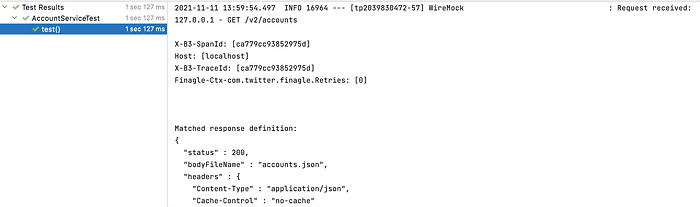
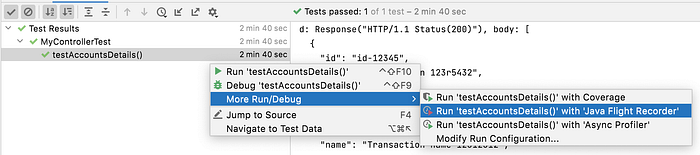
This simple test can validate if we can consume any content with our new http client. Because I added the wiremock mappings for each endpoint, we can see a successful call in the logs. The AutoConfigureWireMock annotation populates the wiremock.server.port to a random value used by our finagle client.
There are many problems that can appear when calling a remote service: it may be unreachable, busy, dead etc. Fortunately Finagle supports many features to create a resilient connection.
- Retry — add a retry filter to handle situations when a new call might help. Be careful not to create a retry storm.
- Timeouts — you don't want to block your resources for an unlimited amount of time
- Circuit Breakers — if a remote service is down, you can allow it to recover by not sending more requests to it. At the same time, you still need to attempt a new connection at some point.
- Load Balancing — with Service Discovery in place, usually an API exposes multiple instances that can handle our requests. Finagle supports client side-load balancing to decide what instance to call.
- The rest of the list here.
Wouldn't it be nice to see how our AccountService reacts if the api responds very slow? Wiremock allows us to configure a different response time.
{
  "request": {
    "method": "GET",
    "url": "/v2/accounts"
  },
  "response": {
    "status": 200,
    "headers": {
      "Content-Type": "application/json",
      "Cache-Control": "no-cache"
    },
    "fixedDelayMilliseconds": 15000,
    "bodyFileName": "accounts.json"
  }
}
If we run the test again we can see that we waited for more than 15 seconds to complete. Now we need to add a configurable timeout for each request. If we also implement the BalanceService and TransactionService we don't want to copy paste the timeout logic in many places. The best place for it is in the FinagleConfig.
I am also adding a LogFilter to log all the sent requests for debugging.
import com.twitter.finagle.Service;
import com.twitter.finagle.SimpleFilter;
import com.twitter.finagle.http.Request;
import com.twitter.finagle.http.Response;
import com.twitter.util.Future;
import org.slf4j.Logger;
import org.slf4j.LoggerFactory;

public class LogFilter extends SimpleFilter<Request, Response> {
    private static final Logger log = LoggerFactory.getLogger(LogFilter.class);

    @Override
    public Future apply(Request request, Service<Request, Response> service) {
        log.debug("Request:" + request);
        return service.apply(request);
    }
}
After running the test again we can see there is an IndividualRequestTimeoutException.

When you are consuming an API which has a slow response time, in some situations (i.e: idempotent requests) it is ok to retry. Changing the API response time to a normal distribution around 1 second will trigger timeouts occasionally. You can see now the test is sometimes passing.
"delayDistribution": {
  "type": "lognormal",
  "median": 1000,
  "sigma": 0.4
},
To add a retry mechanism in our Finagle client we can apply the filter below.
Stream<Duration> backoff = Backoff.exponentialJittered(Duration.fromMilliseconds(100), Duration.fromMilliseconds(30_000));
RetryExceptionsFilter<Request, Response> rt = new RetryExceptionsFilter<>(
        RetryPolicy.backoffJava(Backoff
                        .toJava(backoff),
                RetryPolicy.TimeoutAndWriteExceptionsOnly()), HighResTimer.Default(), NullStatsReceiver.get());
If Finagle observes a timeout, another request is sent and the test should always pass because eventually there should be a response time under 1 second according to the delayDistribution above. We are also preventing a retry storm with our backoff mechanism but you are free to choose whatever fits better your needs.
If you are wondering what the NullStatsReceiver does, you should know that Finagle computes many metrics and if you use them, you should have a better visibility when something happens (services are down, number of retries etc). With the NullStatsReceiver we ignore all of them in our example.
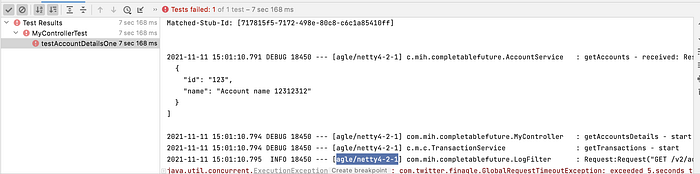
Until here we have 3 services: AccountService, BalanceService and TransactionService that return a CompletableFuture with their results. There is a switch in our mindset we need to do when we are creating a async chain: don't block. If we write the implementation below (still blocking completableFuture.get()) and test it, we notice the GET /v2/account/123/transactions endpoint is never sent.
From the Finagle documentation: don't perform blocking operations in a Future. Futures aren't preemptive; they must yield control via flatMap. Blocking operations disrupt this, halting the progress of other asynchronous operations, and cause your application to experience unexpected slowness, a decrease in throughput, and potentially deadlocks.
In the logs we can confirm the finagle/netty4–2–1 thread is used to execute our code.
One option is to move the rest of the flow to another executor with .thenApplyAsync. I find this approach however prone to errors because you can't always keep track on which thread is blocked or not in a complex chain.
Running a test like the one below may sound like a good idea. The problem is that it validates the responses request after request.
The next step is to use our own Executor. We can create a list of CompletableFuture for each call we trigger and wait for everything to execute with the CountDownLatch. If any exception occurs, we update our hasErrors variable in the completableFuture.handle(result, error) method.
We can now configure the number of calls we want to trigger at the same time.
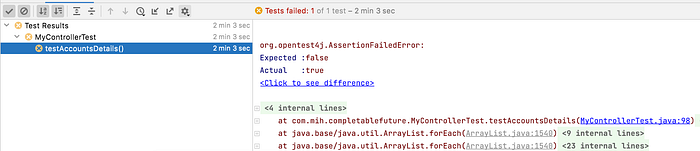
But now the test failed with a TimeoutException.
Enabling Spring Boot Admin UI while running the test can provide some visibility on what our test execution is doing.
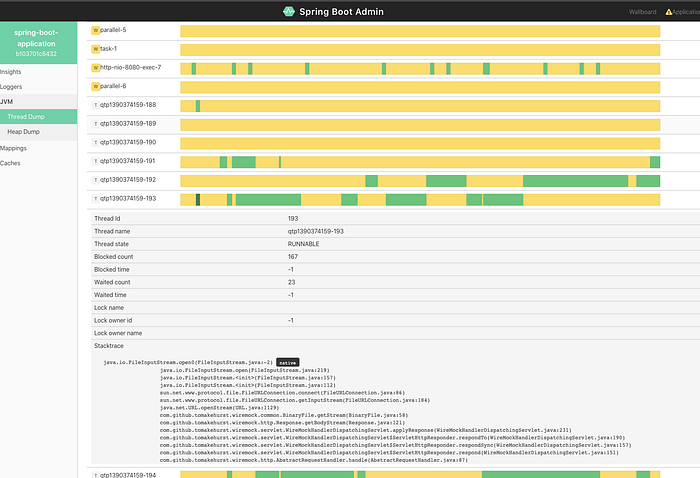
You have to enable the properties below for it to work (the actuator dependency should already be in our pom)
@SpringBootTest(properties = {
        "management.endpoints.web.exposure.include=*",
        "spring.boot.admin.client.url=http://localhost:8080"
}, webEnvironment = SpringBootTest.WebEnvironment.DEFINED_PORT)
Please note you are running a thread dump with every update on that page, so there are side effects that impact our simulation. Your IDE might also support other profilers which are exporting a file you can analyse post-mortem.
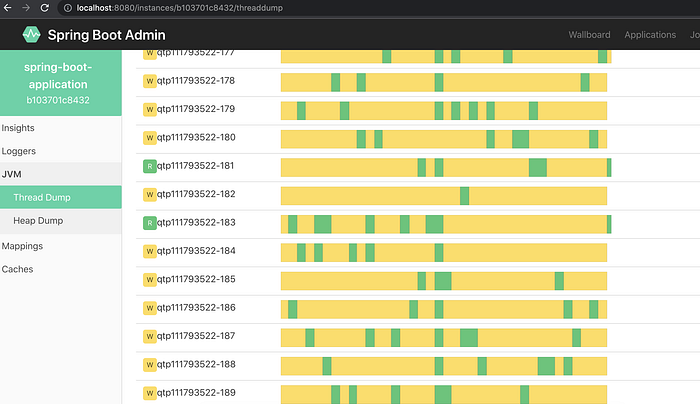
For the fun of learning, if you explore the Spring Boot Admin pages, you can see there are many Wiremock waiting threads. We are still using the fixedDelayMilliseconds and we need to provide a custom configuration to our Wiremock instance to boost its performance.

At this moment we need to improve Wiremock to be able to handle more requests. If you execute a long running test you can consider to use disableRequestJournal to prevent OOM exceptions too. Adding the configuration below addresses our problem:
@Bean
WireMockConfigurationCustomizer optionsCustomizer() {
    return options -> {
        options.asynchronousResponseEnabled(true);
        options.asynchronousResponseThreads(30);
        options.jettyAcceptQueueSize(100_000);
        log.info("changing wiremock config: {}", options);
    };
}
However, this means that we are building our own performance testing library. There are better alternatives using JMeter or Gatling (You can check here how to run everything locally). Another advantage is that if we separate wiremock and our code, the performance issues in one place shouldn't impact the other.
When we run the test again, you can see the new Wiremock threads handling requests from our test:
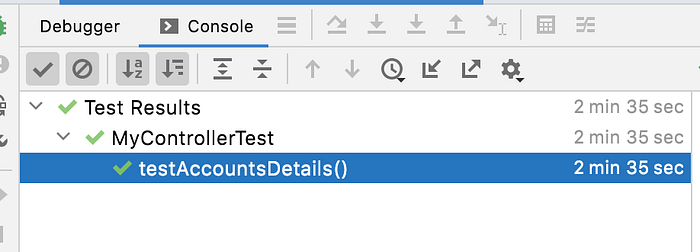
The test completed successfully after some time.
There is one more thing we can improve in our code. We can use thenCombine to send two calls for each account to get the balance and the transactions. Together with the CompletableFuture.allOf we can flatMap each account to another type of account that includes the balance and transactions.
Our test completed now a little faster:

In this article, we used a different http client to connect to a remote API. Usually we use RestTemplate or WebClient with Spring, but this time we covered some problems one can face when using Finagle. In a future post, we will see a more fluent implementation with Spring WebFlux.
You can find the source code here. Thanks for reading and happy coding!