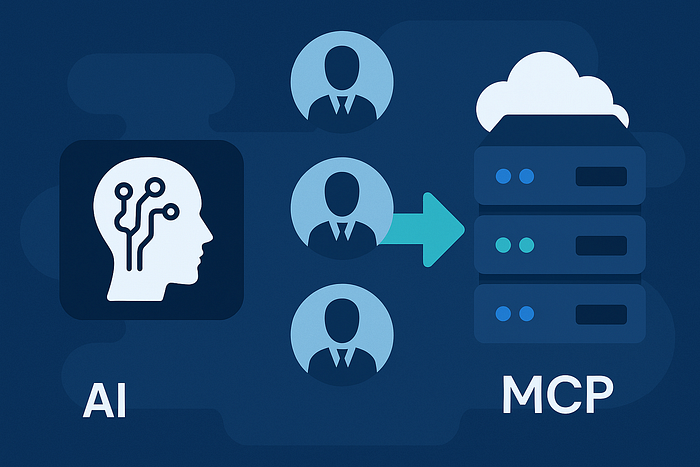

How to Supercharge Your AI Research Squad with Live Knowledge and Tools using Model Context Protocol (MCP) in the Agno Framework
Multi-agent AI systems are increasingly powerful, but they often struggle to access up-to-date data and tools. Traditionally, each agent or LLM needed custom integrations for web searches, databases, documentation, etc., leading to fragmented, brittle pipelines.
Enter Model Context Protocol (MCP), an open standard that bridges AI agents with external knowledge and tools in a unified way.
In this article, we'll explore what MCP is, why it's beneficial for multi-agent orchestration and how to integrate MCP servers into the Agno agent framework.
If you're unable to view the full post and wish to read it, please use: "Read Full Post"
What is Model Context Protocol (MCP)?
MCP (Model Context Protocol) is an open standard for connecting AI systems to data sources and tools.
Think of MCP as a kind of universal adapter or "USB-C port" for AI models. Just as USB-C standardized how we plug in peripherals, MCP standardizes how AI agents plug into various external services (knowledge bases, APIs, file systems, etc.).
Instead of every integration being bespoke, MCP provides a single protocol for tool usage. In practice, developers can implement an MCP server to expose a set of tools/capabilities (e.g. querying a database, searching documents) and an AI agent (the MCP client) can dynamically discover and call those tools in a structured way.
How MCP Works:
Under MCP, an AI assistant doesn't call external APIs directly. Instead, it communicates with the MCP server using a standardized interface (often JSON-RPC under the hood).
The MCP server then translates those high-level requests to the actual service API calls. The agent first asks the MCP server "what tools do you have and how do I use them?" (via a list_tools call).
The server responds with a list of available tools (operations) and their parameters. The AI model is given these tool specs (usually in its system prompt), so it knows it can invoke them.
When the model decides to use a tool, it formulates a call (following MCP's JSON schema) and the client library forwards that to the MCP server, which executes the action and returns results. All this happens in a stateful session that can carry context between calls if needed (MCP is designed to maintain conversational context across tool uses).
MCP vs. Traditional Tools:
Traditionally, adding tools to an agent meant manually crafting prompt instructions for each API and hoping the LLM calls them correctly, or using specific function-calling formats tied to a provider (e.g. OpenAI Functions). MCP abstracts this complexity. It standardizes tool definitions and calls, so the model doesn't worry about the exact API syntax, it just follows the MCP schema. Moreover, MCP is provider-agnostic: you can use it with any model that can follow the protocol.
"Kinda like how OpenRouter lets you swap AI models without rewriting everything, MCP aims to do the same for tools, resources and prompts. It's a standard interface, freeing you from lock-in and letting you tap into any MCP server's capabilities on the fly."
In other words, an agent using MCP can easily switch or add new data sources by pointing to a different MCP server, without custom code changes.
Without MCP (top) vs With MCP (bottom). Without a standard protocol, each tool integration is custom and ad-hoc (notice the question marks indicating uncertainty in how the LLM talks to each tool). With MCP, the LLM connects to a single intermediary (the MCP server) which provides a clear, uniform interface to all tools. This yields a cleaner, more reliable architecture for equipping AI agents with extended capabilities.
Benefits of MCP in Multi‑Agent Orchestration
Integrating MCP into a multi-agent system like Agno offers several concrete benefits:
Standardized Tool Access: MCP replaces fragmented, one-off integrations with a universal protocol. Instead of hardcoding how an agent calls Google, Slack, GitHub, etc., the agent just speaks MCP. "MCP provides a universal, open standard for connecting AI systems with data sources, replacing fragmented integrations with a single protocol. The result is a simpler, more reliable way to give AI systems access to the data they need." In multi-agent setups, this means each agent can use a common approach to access different resources, reducing complexity.
- Dynamic, Real-Time Context: Agents can retrieve fresh information on the fly via MCP servers. For example, an MCP server might provide tools to query current database entries or latest documentation. The AI agent is no longer limited to its static training data; it can pull in live context as needed. This is crucial in multi-agent teams (e.g. a research agent can fetch up-to-date info for a coding agent). Anthropic's Claude team provided pre-built MCP servers for popular systems like Google Drive, Slack, GitHub, etc., precisely to enable AI assistants to securely access those data sources in real time.
- Multi-Agent Collaboration: MCP can serve as a shared "knowledge bus" for agent teams. Multiple agents (or sub-agents) can communicate with the same MCP server to store or retrieve context. For instance, one planning agent could use MCP to gather data that another execution agent will use. An advanced example of this is the OpenRouter Agents MCP server, a sophisticated research orchestrator exposed as an MCP endpoint. It internally uses a team of sub-agents (a planner, researchers using different LLMs, etc.) with a vector database for memory. To an outside client, however, it appears as one "model" that you send a query to. This shows how MCP can encapsulate multi-agent orchestration behind a unified interface, making complex agent teams easier to integrate and reuse.
- Efficiency in Context Management: Because MCP formalizes tool descriptions and parameters, it can help minimize prompt size. Rather than injecting large, bespoke instructions for each tool, the MCP client can use standardized, compact schemas. For example, parameter formats are consistent and versioned, which makes them easier for the model to understand in natural language. This means the system prompt (which includes tool specs) stays slimmer, preserving more of the token budget for actual conversation or another important context.
- Clear Separation and Maintainability: MCP cleanly separates the AI reasoning (the LLM and its chain-of-thought) from the tool implementation. Tools are abstracted behind the MCP interface. This yields a more maintainable system: we can update or swap out a tool's backend (say, switch from one search API to another) without retraining or heavily re-prompting the model. "MCP is like the API boundary between your AI model (the thinker) and the external tools (the doers). The beauty here is that your fancy AI agent doesn't break every time a service tweaks its API, the MCP layer translates changes, so the model doesn't need constant prompt overhauls." In a multi-agent context, each agent can be focused on what to do, while MCP handles how it's done at the API level.
- Security and Reliability: In traditional tool-use, we might naively give an LLM direct access to APIs or include secret keys in the prompt (a big no-no in production). MCP introduces a secure authorization flow, often using OAuth 2.0 and scoped permissions, to ensure the agent can only do what it's permitted to. The agent never sees raw credentials; the MCP server handles auth. This is vital in production where you might have agents manipulating sensitive data. Also, because MCP calls are explicit and structured, it's easier to log and monitor them, adding observability to your multi-agent system. The standardized error handling of MCP also means if something goes wrong with a tool call, the client can handle it more gracefully instead of the model getting confused by an unexpected API response.
In summary, MCP makes multi-agent systems more robust, extensible and safe. Agents can orchestrate complex tasks with the confidence that their toolbelt is well-defined and can evolve without breaking. Next, let's see how we can set this up in Agno.
Setting Up MCP Servers in the Agno Framework
Agno is a lightweight Python framework for building AI agents that is model-agnostic and multimodal. It natively supports tools and even multiple agents working in teams.
Agno has built-in support for MCP-based tools via its agno.tools.mcp utilities, which align closely with the official MCP client approach.
This means we can spin up an MCP server and attach it to an Agno agent with minimal effort, letting the agent use the server's tools.
Public MCP Servers: A number of MCP servers are publicly available (as open-source packages) for common use cases. Anthropic released connectors for Google Drive, Slack, GitHub, Git, PostgreSQL, web browsing (Puppeteer) and more. There are also community-driven MCP servers.
For example:
- Context7 MCP: a server (by Upstash) that provides access to a vast repository of programming library documentation and code examples in real-time. This is great for coding assistant agents who need up-to-date docs.
- OpenRouter Agents MCP: mentioned earlier, an orchestrator that uses multiple LLMs (Claude, GPT-4o, etc.) to do deep research and return synthesized answers. It's like an "agent-of-agents" you can query for complex questions.
- Filesystem MCP: an official server that allows reading/writing to local files in a controlled way (useful for agents that need to browse or modify files).
- Knowledge-based MCPs: there are servers for Notion, Obsidian and others emerging, enabling agents to query notes and wikis.
- Custom/Internal MCP: companies can build their own MCP servers to expose proprietary data safely to agents. In an enterprise setting, you might have an MCP server for your internal database or CRM, which any compliant AI agent can use without bespoke integration.
MCP via STDIO vs. HTTP: MCP servers can run as local subprocesses (STDIO mode) or as remote services (HTTP with Server-Sent Events) as per the spec. For local development and testing, it's common to use the STDIO approach with Node.js packages (many MCP servers are published on NPM). For production, you might deploy an MCP server as a persistent microservice (accessible via a URL). Agno's MCPTools utility (much like the OpenAI Agents SDK's MCPServerStdio) can manage launching a local server process and communicating with it or connect to a remote one.
In our examples, we'll use a local process for simplicity, but you can easily adapt this by providing a remote URL if you have the MCP server running elsewhere.
Installation Requirements: Before proceeding, ensure you have Node.js and npm installed on the system (since many MCP servers, including Context7, are Node packages).
Also have your OpenAI/OpenRouter API keys ready if your model or MCP server requires it. (For instance, the OpenRouter Agents MCP server needs an OpenRouter API key configured in its .env and our Agno agent will need an OpenAI API key to use GPT-4o.) It's a best practice to load these keys from environment variables in your code (using something like python-dotenv) so you don't accidentally hardcode secrets.
Replacing a Standard LLM with an MCP-Powered Agent
Let's walk through a concrete example. Suppose previously you had a basic Agno agent that used OpenRouter (or OpenAI) directly as its model for answering questions. We will modify this agent to leverage an MCP server for enhanced capabilities.
As a scenario, imagine we're building a coding assistant that can answer questions about programming libraries by fetching fresh documentation, a perfect use case for the Context7 MCP server.
Original Approach (without MCP): You might have set up an Agno Agent like so:
from agno.agent import Agent
from agno.models.openai import OpenAIChat  # could be OpenRouter as well

# Standard LLM model (e.g., GPT-4 via OpenRouter/OpenAI)
model = OpenAIChat(id="openai/gpt-4o")  # assumes API key set via env
agent = Agent(
    name="CodeAssistant",
    role="An AI agent that answers programming questions.",
    model=model,
    tools=[],  # no external tools, just the LLM
    instructions="You are a coding assistant. Answer questions helpfully."
)
In this setup, the agent relies purely on the LLM's knowledge. If the user asks about a new library or a recent update, the agent may not know the answer or could hallucinate. There's no mechanism to fetch documentation or real-time info.
New Approach (with MCP): We will integrate the Context7 MCP server so the agent can query live documentation. Agno provides the class MCPTools for this. The steps are:
- Define the MCP server configuration — in this case, the command to launch Context7. It's available as an NPM package, so we'll use
npxto run it on the fly. - Launch MCP server and get tool interface — using
async with MCPTools(...)to start the server process and prepare the tools. - Instantiate the agent with the MCP tools — pass the
mcp_toolsobject in the agent's tools list and give the agent instructions on how to use these tools effectively. - Run the agent for user queries — the agent's LLM will now be able to call the Context7 tools when needed (e.g., to look up a library's docs).
Here's how the code looks after applying these changes:
from agno.tools.mcp import MCPTools
from agno.agent import Agent
from agno.models.openai import OpenAIChat

async def main():
    # 1. MCP server command for Context7 (public library docs)
    command = "npx -y @upstash/context7-mcp@latest"

    # 2. Launch the MCP server as a subprocess and initialize tools
    async with MCPTools(command) as mcp_tools:
        # 3. Create an Agno agent with an LLM and the MCP tools
        agent = Agent(
            name="Agno Context7 Doc Agent",
            role="An AI agent that provides up-to-date library documentation "
                 "and code snippets using Context7 MCP.",
            model=OpenAIChat(id="gpt-4"),  # using GPT-4 via OpenAI API
            tools=[mcp_tools],
            instructions='''
You are a programming assistant with access to Context7 (a tool that fetches live documentation).
When a user asks for documentation:
1. Identify the library name (the first word/phrase of the query).
2. Use the `resolve-library-id` tool with that name to get the internal library ID.
3. Take the rest of the query as the documentation topic.
4. Use the `get-library-docs` tool with the library ID and topic to fetch relevant docs.
5. Limit results to about 5000 tokens (unless the user asks for a different amount).
6. Present the information clearly with any code snippets.
'''
        )
        # 4. Use the agent to answer a question (as an example)
        question = "Agno MCP tools usage"  # e.g., user asks about "Agno MCP tools"
        answer = await agent.run(question)
        print(answer)
In the above code, we replaced the direct LLM-only approach with an LLM + MCP approach.
We still use a powerful language model (GPT-4o in this case) as the agent's reasoning engine, but we've augmented it with mcp_tools that connect to Context7.
The instructions given to the agent explicitly tell it when and how to use the MCP tools for answering user queries. For instance, if the user asks, "Agno MCP tools", the agent will follow the steps: find "agno" as the library name, call the resolve-library-id tool (provided by Context7 MCP) to find the library's identifier, then call get-library-docs for the topic "MCP tools". The Context7 server will return documentation content, which the agent can then incorporate into its final answer.
Notice how natural it is to attach the MCP server: we didn't have to manually implement how to fetch docs or parse HTML pages. By adding tools=[mcp_tools], the agent automatically became aware of all the capabilities that the Context7 server provides. Under the hood, Agno's MCP integration calls list_tools() on the server to get the available tool definitions and includes those in the model's context. In our example, the tools would include at least resolve-library-id and get-library-docs, each with specific parameters.
The agent's LLM (GPT-4o) will know these tools are available and will output a tool call (in a special format) when it decides it needs them. Agno captures that and invokes the mcp_tools.call_tool() method to execute the action, then returns the result back to the LLM's context. All of this is handled by Agno's framework, so our code stays clean and high-level.
Code Change Implications: By replacing the plain model with an MCP-backed setup, our agent's capabilities dramatically improve:
- Up-to-date knowledge: The agent can fetch latest docs and data, so it won't rely solely on its training data. In our case, if Agno releases new tools tomorrow, Context7 will have those docs, and our agent can access them immediately.
- Reliability: The standardized MCP calls mean fewer miscommunications between the model and the tool. In a custom integration, an LLM might struggle with the exact format of an API call, but MCP's schema guides it. This increases success rates of tool use.
- Slight complexity in prompt: We had to instruct the agent how to use the new tools. This prompt engineering is important; you want to guide the LLM to use tools appropriately. In production, you'd refine these instructions and perhaps the tool definitions (if custom) to ensure the agent uses them efficiently. The payoff is a far more capable agent.
- Performance considerations: Calling external tools will typically make responses slower than a pure LLM response, because the agent has to pause, wait for the MCP server, possibly consume more tokens with the additional context, etc. For this reason, it's wise to only use MCP when needed (the agent could decide not to call a tool if the question can be answered from memory).
Also consider using the caching features — for example, the OpenAI Agents SDK allows caching the
list_tools()result to avoid overhead each run. Agno'sMCPToolslikely has similar caching, or you can implement one at the application level if you frequently reuse the agent. - Asynchronous code: Note that we used
async with MCPTools(...)and anasync def main(). MCP tool calls are I/O-bound (network or subprocess communication), so an async model fits well. In a Streamlit app, you might useasyncio.run(main())or integrate with any async support that Streamlit offers, to ensure the UI remains responsive while the agent works.
Updating the Multi‑Agent Streamlit Application for MCP
If you have a multi-agent Streamlit app (for example, an app where a "team" of Agno agents collaborate to answer user queries), integrating MCP is usually a matter of injecting the MCP tools into one or more of those agents and adjusting their roles/instructions.
Previous Setup:
In a prior version of our app (as discussed in Part 2 of our series), we had a research squad of agents: e.g., one agent specialized in web search, another in analysing YouTube transcripts, etc., coordinated via an Agno team to answer user questions.
They likely used OpenAI/OpenRouter models and some built-in Agno tools for web search or browsing. The user's question would trigger these agents to fetch information and then combine results.
New Setup with MCP:
We can upgrade this system by incorporating MCP servers for certain tasks:
- For documentation or coding questions, use Context7 MCP instead of a generic web search. This provides more targeted and reliable results from official docs.
- For general web searches or knowledge, we could use an MCP server designed for web content (Anthropic's Puppeteer MCP connector could retrieve web pages, or a community-built search MCP).
- If we had an agent doing code execution or file I/O, we could employ the Filesystem MCP for safe file access, etc.
Concretely, to use the Context7 MCP server as the backend for library Q&A, we would modify the Streamlit app's code as follows (in pseudocode terms):
Import and configure MCPTools:
from agno.tools.mcp import MCPTools
context7_cfg = {"command": "npx",
                "args": ["-y", "@upstash/context7-mcp@latest"]
                }
This sets up the command that will launch the Context7 server. You can define this config at the top of your app script. (Using a dict of command and args is equivalent to the single string we used earlier, Agno can accept either. The -y ensures npm installs without prompts.
Initialize MCPTools and incorporate into agents:
If our app created agents on the fly for each query, we could do:
async with MCPTools(**context7_cfg) as mcp_tools:
    doc_agent = Agent(
        name="DocAgent",
        model=OpenAIChat(id="gpt-4"),
        tools=[mcp_tools],
        # perhaps other agents like web_agent, etc.
    )
    team = Agent(
        team=[doc_agent, ...],
        instructions="Cooperate to answer the user."
    )
    result = await team.run(user_query)
Here we add the mcp_tools to whichever agent benefits from documentation access. We also ensure the instructions of that agent (or the team coordinator) encourage usage of the new tool when relevant (similar to the step-by-step prompt we provided earlier for Context7).
If your Streamlit app maintained long-running agents (e.g., stored in st.session_state), you might launch the MCP server once at startup and reuse it across interactions, this can improve performance by avoiding repeatedly starting the Node process.
Adjust the UI if needed:
The Streamlit interface can remain mostly the same. You might want to display sources or tool outputs to the user for transparency. For instance, if the MCP server returns a snippet of documentation, you could show it or cite it in the chat. Because MCP returns structured data, you can decide how to format the output. In many cases, the agent will include the relevant info in its final answer directly. You should also handle exceptions: if the MCP server fails or times out, catch those and perhaps let the agent know the tool failed (so it can respond gracefully or try an alternative strategy).
By implementing these changes, our Streamlit app's "brain" now has access to a wealth of fresh knowledge via MCP. Users asking about, say, "How do I use the new Agno MCPTools class?" will trigger the doc_agent to call Context7, retrieving the latest documentation on agno.tools.mcp usage and the agent can then answer with accurate information and even code snippets. This vastly improves the usefulness of the assistant compared to a vanilla GPT-4 that might not have that info.
Implications for Multi-Agent Coordination:
Each agent in the team can be given a specific strength thanks to MCP. One agent might specialize in documentation (Context7), another in general knowledge (perhaps using a Wikipedia search MCP) and another in executing Python code (maybe using an eval tool or an MCP that connects to a sandbox environment).
Agno's framework allows these agents to collaborate. With MCP, you ensure each agent's tool usage is reliable and standardized. The overall orchestration becomes more robust, for example, if the doc_agent gets the info, it can pass it to the writing agent to formulate the final answer.
Should one tool fail or not have the info, another agent could try a different approach. This redundancy and specialization, when done with production-grade tools, makes the system resilient.
Best Practices for MCP Integration in Production
When using MCP servers with Agno (or any agent framework) in a production scenario, keep in mind the following best practices drawn from trusted sources and community experience:
- Manage Token Usage: Tool results can be large (imagine dumping a whole documentation page). Most MCP tools let you specify a token or size limit on responses. Tune this based on your needs. For Context7, for instance, you can adjust the
tokensparameter onget-library-docsto fetch more or less content. Be mindful of your model's context window, don't fetch 100k tokens of data that the model can't even ingest. Also, consider summarizing or chunking results if very large. - Caching Frequent Calls: If your agent often queries the same thing (e.g. library docs, or a particular database record), implement caching. This could be in-memory or using a fast database.
The idea is to avoid hitting the MCP server (and the underlying service) repeatedly for identical queries. For example, cache the result of
resolve-library-idfor each library name, as those IDs don't change often. Agno doesn't provide caching out-of-the-box, but you can easily wrap calls or use the caching option in the underlying MCP client if available. - Error Handling & Timeouts: In production, always anticipate errors. MCP servers might crash, network calls can fail, tools might throw exceptions (e.g., "file not found"). Ensure you log errors from MCP tool and consider using try/except around
agent.run()to catch any unhandled issues. Set timeouts for tool calls – you don't want your agent hanging indefinitely if a service is down. Agno's tool interface is asynchronous, so you can useasyncio.wait_foror similar to bound execution time. Logging errors (to a file or monitoring service) helps in debugging and improving reliability over time. - Security Considerations: Only enable the tools you truly want the agent to use. MCP servers will advertise all their capabilities, for example, a filesystem MCP might allow file read and write. Expose only what's necessary and use MCP's per missioning if available. Always validate user inputs that might go into tool calls. For instance, if a user query is directly used in a command (some MCP servers allow free-form queries), guard against prompt-injection or malicious instructions. Keep your API keys secret; run MCP servers with limited scope tokens when possible (e.g., a GitHub MCP with a token that only has read access to certain repos).
- Model Selection: Use the right model for the job. If you need complex reasoning and tool use, a stronger model like GPT-4 or Claude 2 will perform better (albeit at higher cost). The Agno example above used
gpt-4for the agent. For lighter tasks or higher volume, you could use GPT-3.5 or a local LLM but ensure it can reliably follow the MCP protocol format. In evaluations, more capable models tend to handle the tool interface more accurately. Also note that Anthropic's Claude 3.5 (Sonnet) is specifically mentioned as being adept at building MCP server implementations, showing that new models are being optimized around these use cases. Choose a model that is known to work well with tools/MCP (and test with your specific server). - Persistent MCP Services: In a dev setting it's fine to spin up an MCP server as needed (like our
async with MCPToolswhich starts and stops Context7). In production, you might want a more persistent setup. Consider running critical MCP servers as separate microservices or background processes (perhaps in Docker containers). This way, the agent can connect via HTTP (usingMCPTools(url="https://your-mcp-server")) and you have more control over scaling and monitoring the MCP server itself. Cloud providers and platforms like Cloudflare are already providing support to deploy MCP servers easily on their infrastructure. A stable MCP server will reduce cold-start latency and avoid re-initializing heavy connectors on every call. - Monitoring and Analytics: Treat your MCP-augmented agent as a mini distributed system. Monitor both the LLM usage (tokens, response times) and MCP server usage (latency of each tool call, error rates, etc.). This will help you identify bottlenecks. For example, if the documentation server is slow, you might cache more aggressively or upgrade its host. Or if the agent rarely uses a certain tool, you can possibly remove that MCP server to save resources.
By following these practices, you can ensure that integrating MCP doesn't just make your multi-agent system more powerful, but also keeps it production-grade: reliable, secure and maintainable.
Conclusion
The Model Context Protocol (MCP) is a game-changer in how we build context-rich AI agents. By standardizing tool integration, MCP allows frameworks like Agno to easily plug in new capabilities, whether it's querying live documentation, searching internal databases, or orchestrating complex multi-step research via sub-agents.
We've seen how to configure an Agno agent to use MCP, using a publicly available server (Context7) as an example and how to update a Streamlit multi-agent app to leverage this. The benefits are clear: our agents become less isolated and more knowledgeable, able to draw on fresh information and perform actions beyond just chat. Moreover, they do so through a well-defined protocol that enhances reliability and security.
For developers, the key takeaway is that you don't have to hand-craft each tool hookup for your AI agent. By adopting MCP and Agno's support for it, you can focus on your agents' logic and let MCP handle the interface to the outside world. This results in cleaner code and faster iteration when adding new capabilities. As MCP matures, we can expect an ecosystem of ready-to-use MCP servers, from enterprise data connectors to community-contributed knowledge bases, that you can mix and match in your agent applications. Agno, being model-agnostic and extensible, is well positioned to take advantage of this "app store" of AI tools.
In embracing MCP with Agno, we are essentially future proofing our multi-agent systems. We get the best of both worlds: powerful large language models and direct access to tools and data. The AI agents we build can therefore operate with greater autonomy and usefulness, whether it's answering a developer's question with the latest library info or coordinating a complex task across several services. By following the best practices outlined (around caching, error handling, etc.), you can bring these advanced capabilities to production in a robust manner.
Wrapping up: Integrating an MCP server into Agno is straightforward and highly beneficial. We encourage you to try replacing a standard LLM in your project with an MCP-enhanced setup. As demonstrated, just a few lines of code can connect your agent to a world of external knowledge, a significant upgrade from siloed AI. With reliability in mind and the flexibility of Agno+MCP at your disposal, you can build AI agent applications that are both smart and dependable, ready to handle real-world demands with the latest information at their fingertips.
Happy building!