
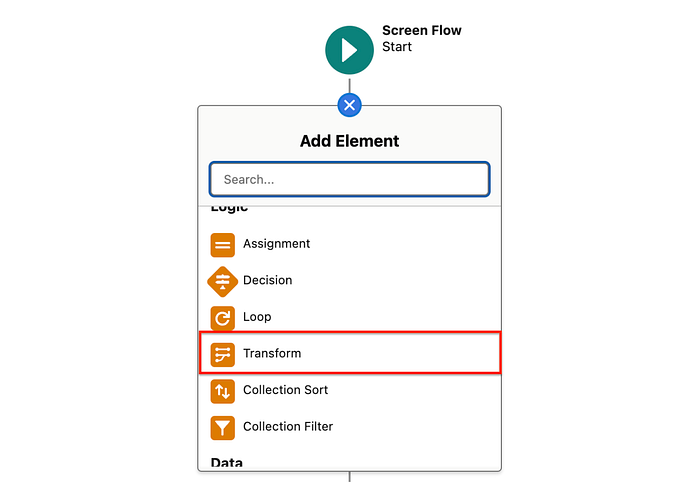
Data mapping is the process of defining how data from a source (e.g., a Salesforce object, variable, or collection) is transferred, transformed, or aligned to a target (e.g., a new record, variable, or external system). In Salesforce Flow, the Transform Element revolutionizes this process by eliminating manual loops and assignments. Below is a detailed breakdown of how data mapping works in the Transform Element, with practical examples.
What is Data Mapping in the Transform Element?
The Transform Element allows you to:
- Map fields directly from source collections or variables to target variables/collections.
- Transform values using formulas (e.g., concatenate fields, apply logic).
- Handle bulk data without writing repetitive loops.
- Combine data from multiple sources into a unified structure.
Key Features of Data Mapping
- Field-to-Field Mapping
Directly assign values from source fields to target fields (e.g.,
Account.Name→Contact.Account_Name__c). - Formula Support
Modify values during mapping using Salesforce formulas (e.g.,
TEXT(TODAY())orLEFT(Name, 10)). - Collection Mapping Process entire collections (e.g., map 100 Opportunity records to a custom object in one step).
- Cross-Object Mapping
Combine fields from different objects (e.g., map
Account.IndustryandContact.Emailinto a single target variable). - Default Values
Assign static values if the source field is empty (e.g., set
Statusto "New" if not provided).
Example 1: Mapping Account Data to a Custom Object
Scenario: Create a custom "Account Summary" record for each Account, combining Name, Industry, and a formatted CreatedDate.Steps:
Get Records: Fetch Accounts using a Get Records element.
Transform Element:
Source: Account collection.
Target: Account_Summary__c collection.
Mappings:
Account.Name→Account_Summary__c.Name__cAccount.Industry→Account_Summary__c.Industry__c- Formula:
TEXT(Account.CreatedDate)→Account_Summary__c.Creation_Date__c
Create Records: Use the transformed collection to create Account_Summary__c records.
Example 2: Merging Contact and Lead Data
Scenario: Combine Contact and Lead records into a unified "Prospect" collection for a marketing campaign.Steps:
Get Records: Retrieve Contacts and Leads separately.
Transform Element:
Sources: Contact and Lead collections.
Target: Prospect__c collection.
Mappings:
Contact.FirstName→Prospect__c.First_Name__cLead.Company→Prospect__c.Company__c- Formula:
IF(NOT(ISBLANK(Contact.Email)), Contact.Email, Lead.Email)→Prospect__c.Email__c
Send to External System: Use the transformed Prospect__c collection in an Apex Action or Outbound Message.
Example 3: Bulk Status Update with Formula
Scenario: Update the Status of 200 Case records to "Escalated" if their Priority is "High".Steps:
Get Records: Fetch Cases where Priority = "High".
Transform Element:
Source: Case collection.
Target: Case collection (for update).
Mappings:
Case.Id→Case.Id(retain the record ID for update).- Formula:
"Escalated"→Case.Status(override existing status).
Update Records: Bulk update the transformed Case collection.
Best Practices for Data Mapping
Use Consistent Naming Conventions
Align source and target field names to simplify mapping (e.g., Account.Name → Custom_Object.Account_Name__c).
Leverage Formulas for Dynamic Values Example: Combine First and Last Names into a Full Name field:
{!Contact.FirstName} & " " & {!Contact.LastName}
Validate Data Before Mapping Use a Decision Element to check for nulls or invalid values.
Test with Small Collections Debug your flow with 5–10 records before scaling to large datasets.
Limitations
- No In-Place Updates: The Transform Element always creates a new target variable/collection.
- No Filtering: Use a Collection Filter element before mapping if you need to exclude records.
Conclusion
The Transform Element's data mapping capabilities empower admins to handle bulk data operations efficiently, reducing flow complexity and runtime. Whether you're merging datasets, reformatting fields, or preparing data for integrations, this tool ensures scalability and accuracy. Start using it today to replace tedious loops with streamlined transformations! 🚀