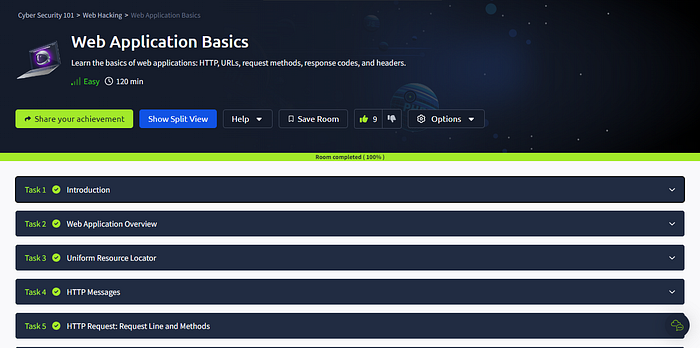

Overview: Welcome to Web Application Basics! In this room, we'll walk through the key elements of a web application, such as URLs, HTTP requests, and responses. This is perfect if you're starting and want to get a handle on the essentials or if you're looking to build or work with web apps.
Task 1: Introduction
1)I am ready to learn about Web Applications!
Ans: No answer needed
Task 2: Web Application Overview
2)Which component on a computer is responsible for hosting and delivering content for web applications?
Ans: web server
3)Which tool is used to access and interact with web applications?
Ans: web browser
4)Which component acts as a protective layer, filtering incoming traffic to block malicious attacks, and ensuring the security of the the web application?
Ans: web application firewall
Task 3: Uniform Resource Locator
5)Which protocol provides encrypted communication to ensure secure data transmission between a web browser and a web server?
Ans: HTTPS
6) What term describes the practice of registering domain names that are misspelt variations of popular websites to exploit user errors and potentially engage in fraudulent activities?
Ans: Typosquatting
7)What part of a URL is used to pass additional information, such as search terms or form inputs, to the web server?
Ans: Query String
Task 4: HTTP Messages
8)Which HTTP message is returned by the web server after processing a client's request?
Ans: HTTP response
9)What follows the headers in an HTTP message?
Ans: Empty Line
Task 5: HTTP Request: Request Line and Methods
10) Which HTTP protocol version became widely adopted and remains the most commonly used version for web communication, known for introducing features like persistent connections and chunked transfer encoding?
Ans: HTTP/1.1
11) Which HTTP request method describes the communication options for the target resource, allowing clients to determine which HTTP methods are supported by the web server?
Ans: OPTIONS
12) In an HTTP request, which component specifies the specific resource or endpoint on the web server that the client is requesting, typically appearing after the domain name in the URL?
Ans: URL Path
Task 6: HTTP Request: Headers and Body
13) Which HTTP request header specifies the domain name of the web server to which the request is being sent?
Ans: Host
14) What is the default content type for form submissions in an HTTP request where the data is encoded as key=value pairs in a query string format?
Ans: application/x-www-form-urlencoded
15) Which part of an HTTP request contains additional information like host, user agent, and content type, guiding how the web server should process the request?
Ans: Request Headers
Task 7: HTTP Response: Status Line and Status Codes
16) What part of an HTTP response provides the HTTP version, status code, and a brief explanation of the response's outcome?
Ans: Status Line
17) Which category of HTTP response codes indicates that the web server encountered an internal issue or is unable to fulfil the client's request?
Ans: Server Error Responses
18) Which HTTP status code indicates that the requested resource could not be found on the web server?
Ans: 404
Task 8: HTTP Response: Headers and Body
19) Which HTTP response header can reveal information about the web server's software and version, potentially exposing it to security risks if not removed?
Ans: Server
20) Which flag should be added to cookies in the Set-Cookie HTTP response header to ensure they are only transmitted over HTTPS, protecting them from being exposed during unencrypted transmissions?
Ans: Secure
21) Which flag should be added to cookies in the Set-Cookie HTTP response header to prevent them from being accessed via JavaScript, thereby enhancing security against XSS attacks?
Ans: HttpOnly
Task 9: Security Headers
22) In a Content Security Policy (CSP) configuration, which property can be set to define where scripts can be loaded from?
Ans: script-src
23) When configuring the Strict-Transport-Security (HSTS) header to ensure that all subdomains of a site also use HTTPS, which directive should be included to apply the security policy to both the main domain and its subdomains?
Ans: includeSubDomains
24) Which HTTP header directive is used to prevent browsers from interpreting files as a different MIME type than what is specified by the server, thereby mitigating content type sniffing attacks?
Ans: nosniff
Task 10: Practical Task: Making HTTP Requests
25) Make a GET request to /api/users. What is the flag?
Ans: THM{YOU_HAVE_JUST_FOUND_THE_USER_LIST}
26) Make a POST request to /api/user/2 and update the country of Bob from UK to US. What is the flag?
Ans: THM{YOU_HAVE_MODIFIED_THE_USER_DATA}
27) Make a DELETE request to /api/user/1 to delete the user. What is the flag?
Ans: THM{YOU_HAVE_JUST_DELETED_A_USER}
Task 11: Conclusion
28) I'm ready to move forward and learn more about web application security.
Ans: No answer needed
Peace out!