


Executing a project is challenging, regardless of size or industry. Project managers recommend the five phases of project management: initiation, planning, execution, monitoring and closure. These phases ensure that teams achieve their goals within the allocated time, budget, and resources. With the right direction, artificial intelligence (AI) agents can autonomously plan, execute, and perform quality control. Sounds unbelievable? Some of you already know this. In this article, we'll take an exciting journey into comprehending what AI agents are and use them to write a project research paper.
Understanding AI Agents
What is an AI agent? AI agents are intelligent systems performing specific tasks without human intervention. AI agents work by simplifying and automating complex tasks. The AI agent receives a particular instruction or goal from the user and uses the goal to plan tasks that make the outcome relevant and valuable to the user. Then, the agent breaks down the goal into several smaller actionable tasks. To achieve the goal, the agent performs those tasks based on specific orders or conditions.
An intelligent agent can access the Internet and interact with other agents or machine learning models to access or exchange information. In between task completions, the agent evaluates whether it has achieved the designated goal by seeking external feedback and inspecting its logs. The workflow is programmable to allow human participation at specified points.
Organisations create and deploy different types of intelligent agents. Goal-based agents evaluate the task requirements, compare different approaches, and choose the most efficient, for example, natural language processing (NLP) tasks. Utility-based agents prioritise rewards, such as the best product price. Another type of AI agent are learning agents, which continuously learn from previous experiences to improve their results. There are more types, each following a specific workflow when performing assigned tasks.
In the following sections, we will walk through the process of using
- OpenAI: using a large language model, GPT-4o, in processing tasks assigned to AI agents
- AutoGen: a programming framework used to build AI agents
- AutoGen Studio: a low-code/no-code platform for rapid build and experimentation of AI agents
- AgentOps: a telemetry platform to track the AI agents
Installing necessary packages
Before creating agents, we need to install some crucial resources on the system. For a guide on how to do this, check our article on getting the Python environment ready. The required Python packages for the workflow of AI agents created in this article are:
agentops==0.3.14
flaml[automl]==2.3.1
openai==1.53.0
python-dotenv==1.0.1
autogen-agentchat~=0.2
pathlib==1.0.1
Configurations
To accomplish the intended result, we need the Application Programming Interface (API) key for OpenAI (to access the GPT-4o model) and AgentOps (the tracker/ telemetry of AI agents for this article).
'OPENAI_API_KEY' = "***************************************************"
'AGENTOPS_API_KEY' = "*************************************"
Assigning Duties to AI Agents

Every project has its dynamics and requirements to make it a success. This article will use these ten main agents to bring our research paper to life. I created other secondary agents you would see as the process unfolds (like User Agent or Manager) to make the system autonomous. These ten are the essential ones.
1. Topic Understanding Agent: The agent defines and refines the research topic by breaking it into subtopics, identifying key questions or hypotheses, and assessing its academic suitability.
2. Literature Review Agent: It collects and organises relevant literature from trusted sources, summarises key findings, and identifies gaps in existing research.
3. Research Question Formulation Agent: It refines the research question based on the literature review, defining the exact question for the paper and proposing a hypothesis if needed.
4. Research Methodology Agent: It recommends suitable research methods based on the research question and details necessary data collection nuances.
5. Data Collection Agent: It simulates or gathers data for the research question or guides data collection methods like surveys or interviews.
6. Data Analysis Agent: It analyses data using suitable methods, performing statistical tests for quantitative or thematic analysis for qualitative research.
7. Discussion and Interpretation Agent: It interprets results, compares them with existing research, and assesses how findings address the research question or hypothesis.
8. Conclusion and Recommendations Agent: It summarises the research findings, proposes future directions, and provides recommendations.
9. Formatting and Citation Agent: It formats the research paper in the chosen academic style and automates citation collection and formatting.
10. Quality Control Agent: This agent performs proofreading, plagiarism checks, grammar and style analysis, and overall coherence evaluation.
Let's Create some AI Agents!
Import necessary libraries
import agentops
from agentops import track_agent
from openai import OpenAI
import os
from dotenv import load_dotenv
import logging

import autogen
from autogen import UserProxyAgent, AssistantAgent
Configuration of the model (GPT-40) I used in this project
config_list_gpt4 = [{"model": "gpt-4o", "api_key": OPENAI_API_KEY}]

gpt4_config = {
    "cache_seed": 42,
    "temperature": 0,
    "config_list": config_list_gpt4,
    "timeout": 120, #in seconds
}
We'll define our research topic for this tryout
topic = "Role of AI in Climate Modelling for Environmental Sustainability"Using OpenAI
Now, we need the OpenAI API key addressed above to initialise OpenAI.
OPENAI_API_KEY = os.getenv("OPENAI_API_KEY") #no neeed for this line if previously done

openai_client = OpenAI(api_key=OPENAI_API_KEY)
The next step is to create the various AI agents for our project. I created Python classes for each of the agents. An example is the first agent, the Explainer below:
@track_agent(name="explainer")
class ExplainerAgent:
    def completion(self, prompt: str):
        res = openai_client.chat.completions.create(
            model="gpt-4o",
            messages=[
                {
                    "role": "system",
                    "content": """Explainer. You collect research topic and break it down to subtopics, identifying key research
                    questions or hypothesis. You also analyze the scope of the research topic and generate suitable
                    research questions for an academic research. If the research topic is not good enough to generate
                    enough scope for academic research, rephrase the topics and generate the research questions and hypothesis.
                    You output the research topic, key research questions and hypothesis generated from the research topic.
                    """,

                },
                {"role": "user", "content": prompt},
            ],
            temperature=0,
            max_tokens=16000,
        )
        return res.choices[0].message.content
Here are all the AI agents created for the generation of the research paper
explainer = ExplainerAgent()
reviewer = LiteratureReviewer()
formulator = FormulationAgent()
director = MethodAgent()
collector = CollectorAgent()
analyst = DataAnalyst()
interpreter = DiscussionAgent()
recommender = RecommendationAgent()
formatter = CitationAgent()
qaengineer = QAEngineer()
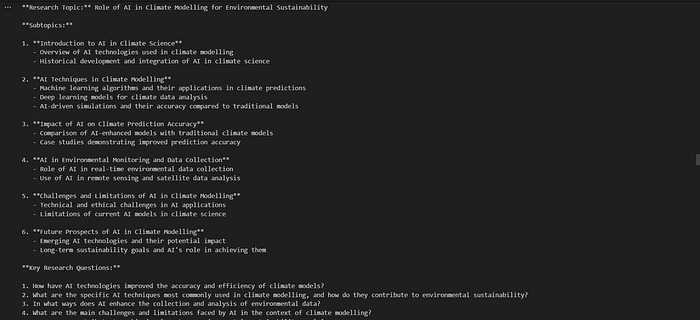
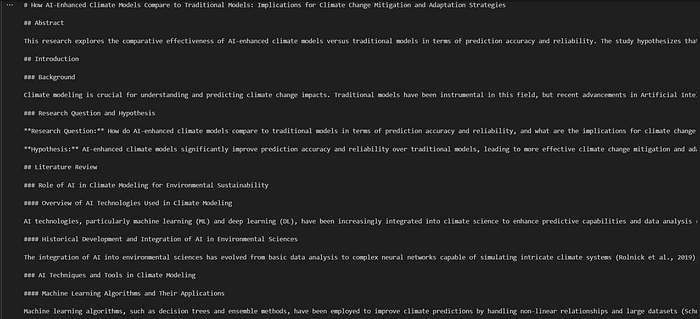
The next step was to go through the task of each AI agent created. Examples of the code used and snapshots of the results are below:
# Topic Understanding
sub_topics = explainer.completion(
    "Generate research questions, subtopics and hypothesis for this topic : \n " + topic
)
# Formatting and Citation

draft =formatter.completion(
    "Generate the fully formatted research paper using the final research topic: \n " + fin_question + "\n the literature review:" + literature
    + "\n the methodology:" + methods + "\n the data analysis:" + analysis + "\n the discussion:" + discourse + "  \n and the recommendation and conclusion:" + conclusion
)
Utilising OpenAI and AutoGen
In the AutoGen version of generating a research paper, I used AutoGen GroupChat. To do this, you would create all the agents needed, including a user proxy and critic (if necessary for yours), and then add them all to a group chat. Example of agents created:
user_proxy = UserProxyAgent(
    name="Admin",
    system_message="A human admin. Initialize the chat and pass on the instruction to the GenExplainer",
    code_execution_config=False,
)

explainer = AssistantAgent(
    name="Explainer",
    llm_config=gpt4_config,
    system_message="""Explainer. You collect research topic and break it down to subtopics, identifying key research
                    questions or hypothesis. You also analyze the scope of the research topic and generate suitable
                    research questions for an academic research. If the research topic is not good enough to generate
                    enough scope for academic research, rephrase the topics and generate the research questions and hypothesis.
                    You output the research topic, key research questions and hypothesis generated from the research topic.
                    """,
)
After creating the agents, create the AutoGen GroupChat and assign a manager to it.
groupchat = autogen.GroupChat(
    agents=[user_proxy, explainer, reviewer, formulator, director, collector, analyst, interpreter, recommender, formatter, qaengineer, critic], messages=[], max_round=3
)

manager = autogen.GroupChatManager(groupchat=groupchat, llm_config=gpt4_config)
You can initiate the group chat, and AutoGen takes over from start to finish!
user_proxy.initiate_chat(
    manager,
    message="""Write an academic research paper on the topic: """ + topic,
)
Here is a snapshot of the result I got:
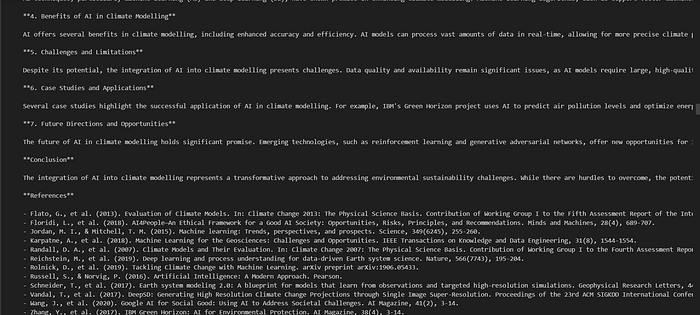
Tracking with AgentOps
AgentOps offers session replays, metrics, and monitoring specifically for AI agents. It lets you track LLM calls, costs, latency, agent failures, multi-agent interactions, tool usage, session-wide statistics, and other critical metrics.
Did you notice that AgentOps was one of the packages pip installed and even imported into the Python file? Yes, it was. We also added an API key to the environment. Generate the AgentOps API key and view the dashboard after an AgentOps session.
To keep logs of all assignments and calls, place these above before the AI agent chat is initiated or started.
# log calls assigned to agents
logging.basicConfig(
    level=logging.DEBUG
)

# initialize agentops
agentops.init(api_key=AGENTOPS_API_KEY, default_tags=["gen-research-paper"])
If you already have AgentOps initialised but you want to create another session, you can do
agentops.start_session(tags = ["another-agentops-session"] )After the agents have run their course, the AgentOps session can be closed using
agentops.end_session("Success")Here is a demonstration of OpenAI, AutoGen, and AgentOps (the telemetry) working together.
Having Fun with AutoGen Studio
AutoGen Studio is a low-code platform designed to enable quick prototyping of AI agents, equipping them with skills, organising them into workflows, and interacting with them to complete tasks. The creators built it on the AutoGen framework, a comprehensive toolkit for creating AI agents. For more info, link.
There are two ways to install Autogen Studio. One is to pip install (pip install autogenstudio), as mentioned earlier in this article. Another way is to install it from the source. For more clarity on the latter, check this link.
To run AutoGen Studio, run the following in your terminal.
autogenstudio ui --port 8081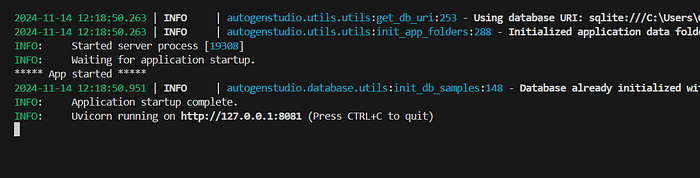
As the section's heading says, I had so much fun with AutoGen Studio. Sadly, AutoGen Studio is not built for production, so I can't share mine. Try AutoGen Studio with your preferred workflows. It is easy to implement. Here's a video showing one of my experiences with the platform.
Conclusion
In this guide, we've learned how to use AI agents, starting from the basics and working our way up to using code and no-code to write research papers. We went through the stages of defining agents, creating them (with OpenAI classes, AutoGen, and AutoGen Studio), and running the AI agents to achieve our goal of getting a research paper. Let's remember that we also added telemetry to our code.
One of these platforms' best features is its flexibility. It can support various tasks and workflows, allowing you to explore and discover what suits you best. We hope you try them out.
Please follow us for our weekly AI news updates, AI tool guides, and more to come in this space.