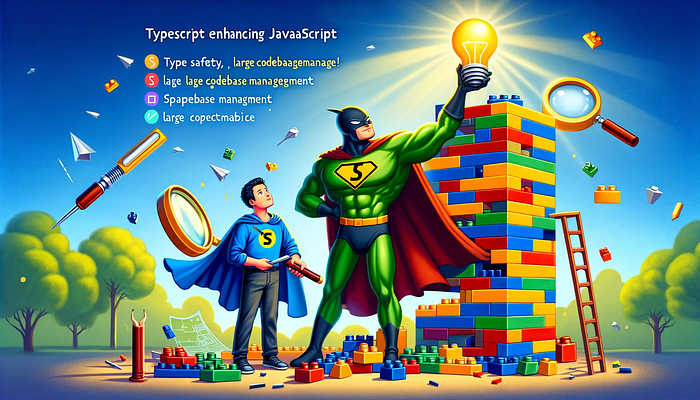

TypeScript is a programming language developed and maintained by Microsoft. It is a superset of JavaScript, meaning that any valid JavaScript code is also valid TypeScript code. TypeScript was created to address some of the shortcomings of JavaScript, especially in large-scale applications.
Why TypeScript was created
- Type Safety: JavaScript is a dynamically typed language, which can lead to runtime errors. TypeScript introduces static typing, allowing developers to catch errors at compile time rather than runtime.
- Improved Tooling: TypeScript's static typing enables better tooling and editor support for features like auto-completion, navigation, and refactoring.
- Scalability: Large codebases can become difficult to manage in JavaScript due to its dynamic nature. TypeScript's typing system makes the code more predictable and easier to maintain.
- Future-Proofing: TypeScript allows the use of future JavaScript features by compiling down to current JavaScript standards, making it easier to adopt new JavaScript features.
1. Basic Types
In TypeScript, you can specify the type of a variable. This helps catch errors where you might assign a value of the wrong type.
let message: string = "Hello, TypeScript!";
let count: number = 42;
let isActive: boolean = true;
// This would cause a TypeScript error because 'message' is a string
// message = 123;
2. Classes and Interfaces
TypeScript supports modern JavaScript features like classes and interfaces. This helps in defining structured and complex types.
interface Person {
    name: string;
    age: number;
}

class Employee implements Person {
    name: string;
    age: number;
    employeeId: number;

    constructor(name: string, age: number, employeeId: number) {
        this.name = name;
        this.age = age;
        this.employeeId = employeeId;
    }

    greet() {
        console.log(`Hello, my name is ${this.name} and I am ${this.age} years old.`);
    }
}

const employee = new Employee("Alice", 30, 1234);
employee.greet();
3. Functions with Typed Parameters
TypeScript allows you to specify types for function parameters and the return type. This can prevent a lot of runtime errors.
function addNumbers(a: number, b: number): number {
    return a + b;
}

const sum = addNumbers(5, 10);
// This would cause a TypeScript error because the function expects numbers
// const incorrectSum = addNumbers("5", "10");
These examples show how TypeScript adds a layer of type safety and structure on top of standard JavaScript. The type annotations help in catching errors during development, making the codebase more reliable and easier to maintain, especially as it grows in size.
You can mix TypeScript and JavaScript to some extent, especially when you're gradually migrating a JavaScript project to TypeScript or when using JavaScript libraries in a TypeScript project. In your example:
let message: string = "Hello, TypeScript!";
let count = 42;
let isActive = true;
Here, message is explicitly typed as a string in TypeScript style, while count and isActive are declared without type annotations, similar to plain JavaScript. This is perfectly valid in TypeScript. TypeScript will infer the types of count and isActive based on their assigned values. So, count will be inferred as a number, and isActive as a boolean.
TypeScript's type inference is powerful and can often determine the appropriate type without explicit annotations. However, using explicit types can make your intentions clearer and ensure that you and your team adhere to the expected types, especially in complex or large-scale applications.
Also, when integrating TypeScript and JavaScript, you may need to consider:
- Type Declarations for JavaScript Libraries: If you are using a JavaScript library in a TypeScript project, you might need to use type declaration files (
.d.tsfiles) for that library, so TypeScript knows the types to expect. - Gradual Migration: For large JavaScript codebases, you can gradually migrate to TypeScript, starting with more critical parts of your application, and eventually converting the entire codebase to TypeScript.
This flexibility is one of the strengths of TypeScript, making it easier to adopt in existing JavaScript projects.
Strengths of TypeScript
- Error Detection: Early detection of type-related and some syntactical errors during development.
- Enhanced Code Quality: Strong typing leads to more robust codebases, with fewer bugs slipping into production.
- IDE Support: Rich development experience with intelligent code completion, inline documentation, and more.
- Easier Refactoring: Safely refactor code with confidence that changes won't introduce undetected bugs.
- Community and Ecosystem: Growing community and wide adoption in web development projects.
- Compatibility with JavaScript: Seamless integration with existing JavaScript code and libraries.
Weaknesses of TypeScript
- Learning Curve: Additional complexity for developers not familiar with type systems.
- Compilation Step: Requires a compilation step to convert TypeScript to JavaScript, which can add complexity to the build process.
- Verbose in Some Cases: Sometimes, the type annotations can make the code more verbose.
- Type Definitions: Relying on third-party type definitions for JavaScript libraries can be risky if they are not well-maintained.
- Runtime Overhead: There's no runtime type checking, so some errors can still occur at runtime, unlike in languages with inherent type safety.
In summary, TypeScript is aimed at enhancing the JavaScript development experience, particularly for larger, more complex projects. Its type system and tooling support offer significant advantages, but it also introduces additional complexity and learning requirements compared to plain JavaScript.
Understanding .tsx (TypeScript XML File)
The .tsx extension is specifically designed for files that contain both TypeScript code and JSX. TypeScript is an extension of JavaScript that adds static type checking, while JSX is a syntax extension that allows you to write HTML-like elements directly in your JavaScript code, commonly used with the React library.
What Happens in a .tsx File
- TypeScript + JSX: In a
.tsxfile, you can write TypeScript code, including its type annotations, and intermingle it with JSX elements. The TypeScript compiler understands and processes both these types of syntax in.tsxfiles. - Type Checking JSX: One of the key benefits of
.tsxfiles is that TypeScript can perform type checking on JSX elements. This means errors like passing the wrong type of props to a React component can be caught at compile time.
Potential Issues with Incorrect Usage
- Using Plain JavaScript: If you use plain JavaScript in a
.tsxfile (without type annotations or JSX), while technically it will work (since JavaScript is valid TypeScript), you're not utilizing the file extension for its intended purpose. It could lead to confusion, as developers expect both TypeScript and JSX in a.tsxfile. - Regular TypeScript Without JSX: Similarly, using regular TypeScript code without JSX in a
.tsxfile is overkill and can be misleading. It's more appropriate to use the.tsextension in this case. - JSX with Regular JavaScript: If you include JSX with plain JavaScript (not TypeScript), the TypeScript compiler will throw errors due to the lack of type annotations and the TypeScript-specific syntax it expects in a
.tsxfile.
The .tsx extension is a clear signal to developers and the TypeScript compiler that the file contains a combination of TypeScript and JSX. Using this extension for any other combination (like plain JavaScript or TypeScript without JSX) could lead to confusion, errors during compilation, and a deviation from best practices. It's about using the right tool for the job - in this case, the right file extension for the specific combination of code you're working with.